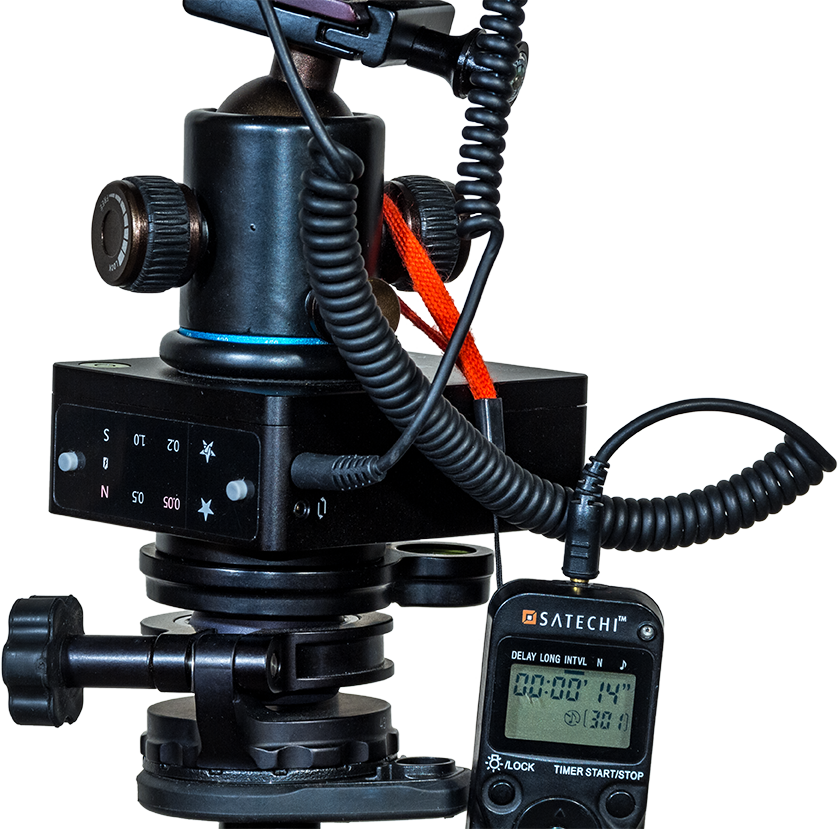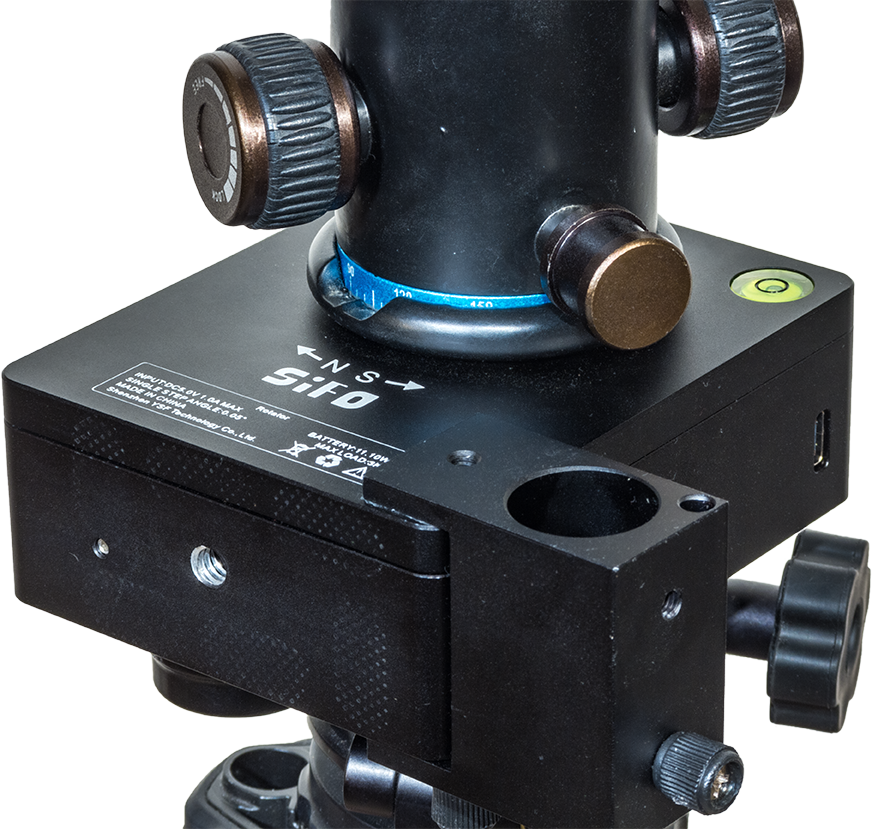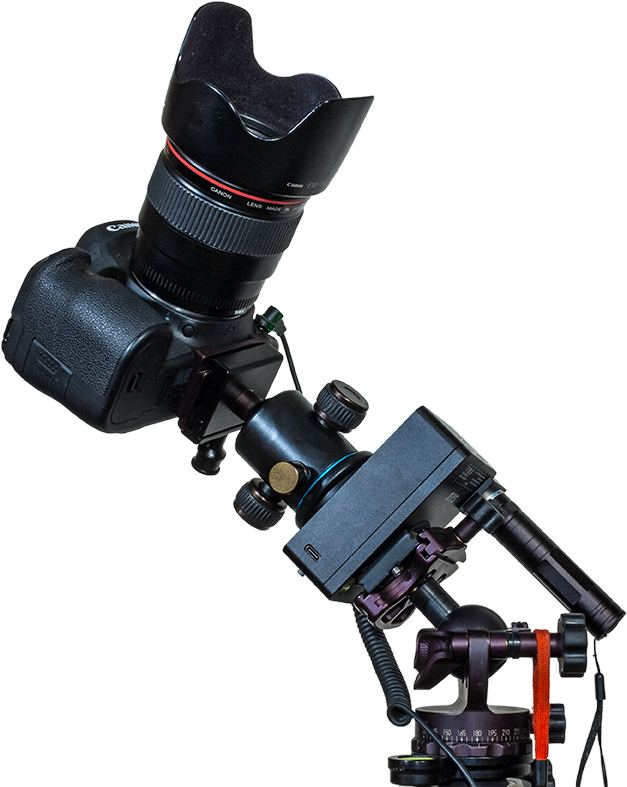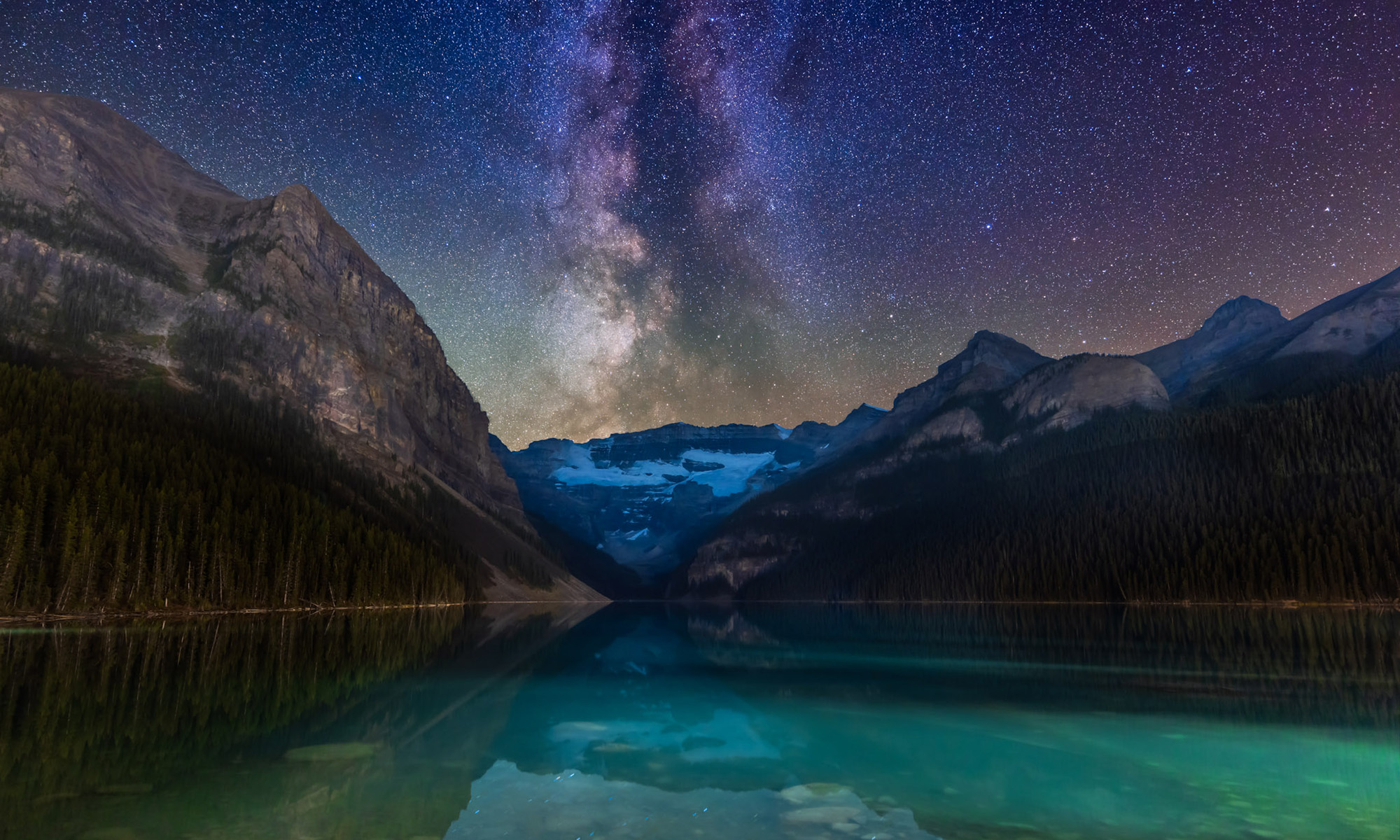
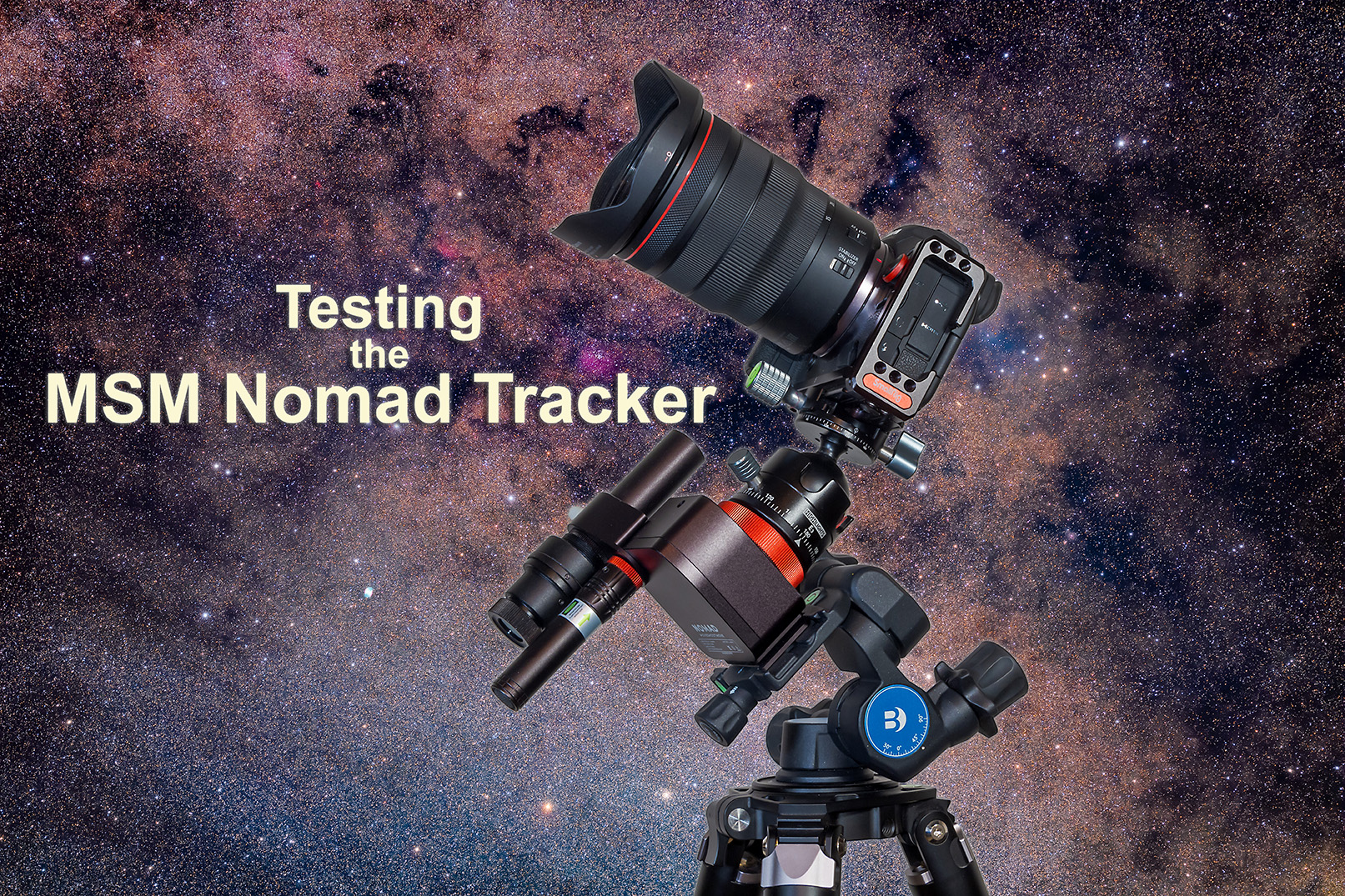
Testing the MSM Nomad Tracker


The new star tracker from Move Shoot Move improves upon their original model, eliminating its flaws to provide a reliable and compact tracker. 

A few years ago the start-up company Move Shoot Move (MSM) introduced a low-cost (about $250), compact star tracker they called the Rotator. Like all other star trackers, the Rotator allowed a camera to follow the turning sky for untrailed, pinpoint stars in long exposures. 

Trackers are essential for rich Milky Way images, and are great for nightscapes, for shooting the sky, blended with untracked shots of the ground, as I show in examples below.
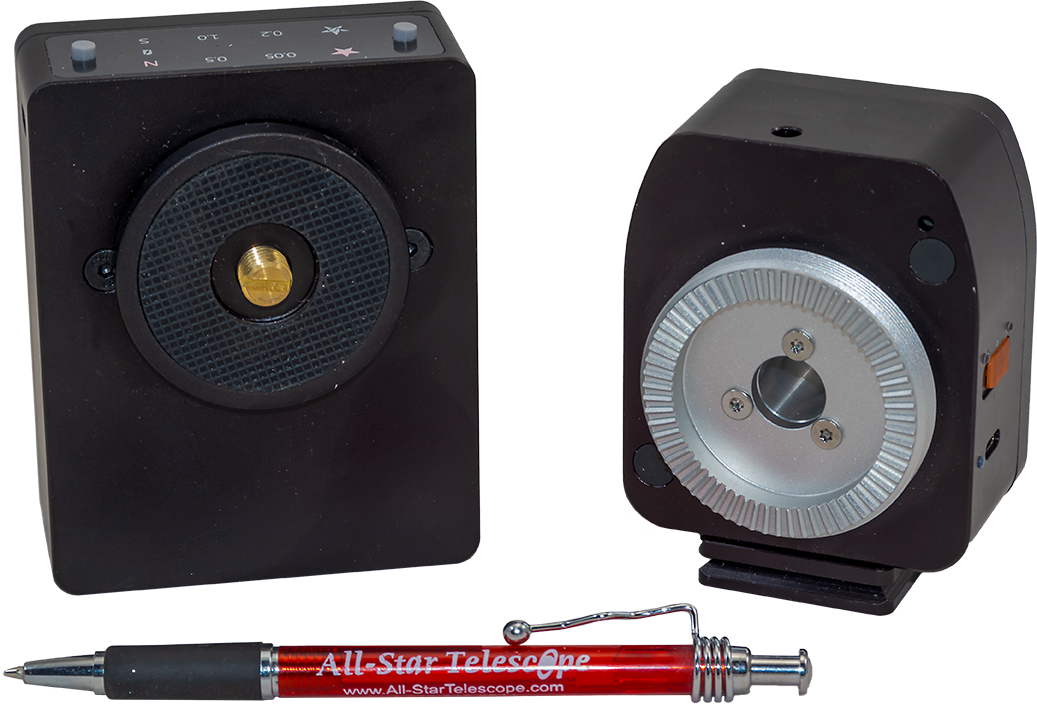
The original Rotator (L) and new Nomad (R). The Nomad is even smaller than the Rotator.

Out with the Old โ€ฆ

The original Rotator went through a couple of design changes during its lifetime. I tested the last versions to be marketed, using three different sample units I either purchased or were sent to me by MSM. (My reviews appeared in 2019 on my blog here, and in the June 2021 issue of Sky & Telescope magazine.) 

The bottom line is that I found all the samples of the Rotator I tested to be unreliable for accurate tracking, indeed for tracking period, as units would sometimes not start tracking for a few minutes, or just stop tracking mid-shoot and then restart intermittently. Getting a set of untrailed exposures was a hit or miss affair. 

But with a cost lower than most other trackers on the market (ostensibly, as explained below), a pocketable compact size, and with endorsements from notable nightscape photographers, the original Rotator garnered a loyal following of fans. I was not one of them.

MSM obviously recognized the design flaws of the Rotator, because in early 2024 they replaced it with an all-new model, dubbed the Nomad. It works! 
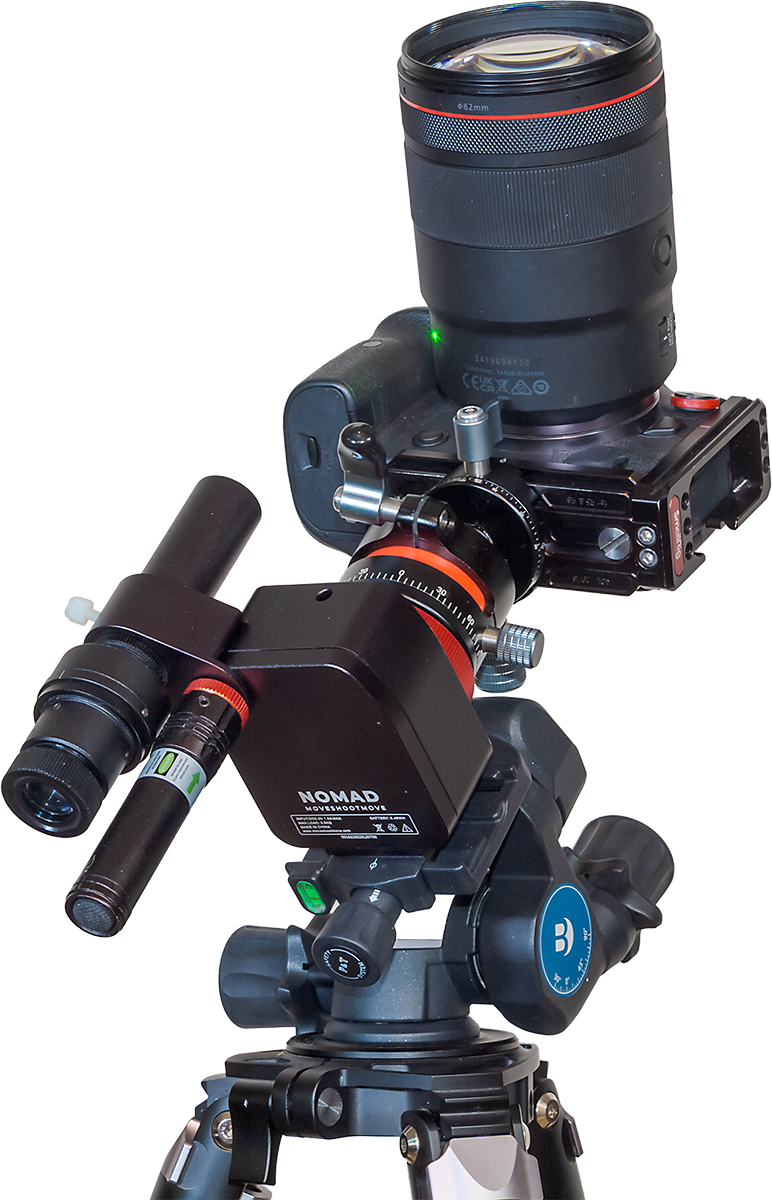
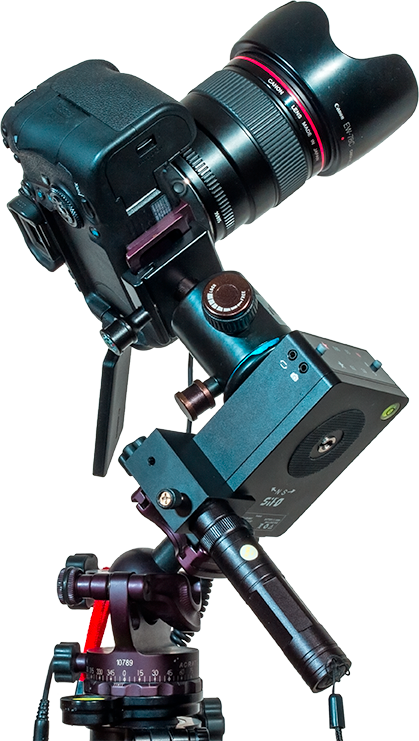
The Nomad on the Benro 3-Way Head, with Laser and Polar Scope, and with a camera and 135mm lens. The ball head is not one from MSM.

I purchased a unit in January 2024 when the Nomad came out, and have used it extensively and successfully over the last few months. I found it has addressed all the serious flaws of the Rotator.

Polar Alignment Accessories

With a weight of about 400 grams, the Nomad is about 70 grams lighter than the old Rotator. It is one of the lightest and smallest trackers on the market, a benefit for those wanting to hike to remote nightscape sites, or pack gear for airline travel. (I took my Nomad to Australia this year; one result is below, shot with the Nomad.)
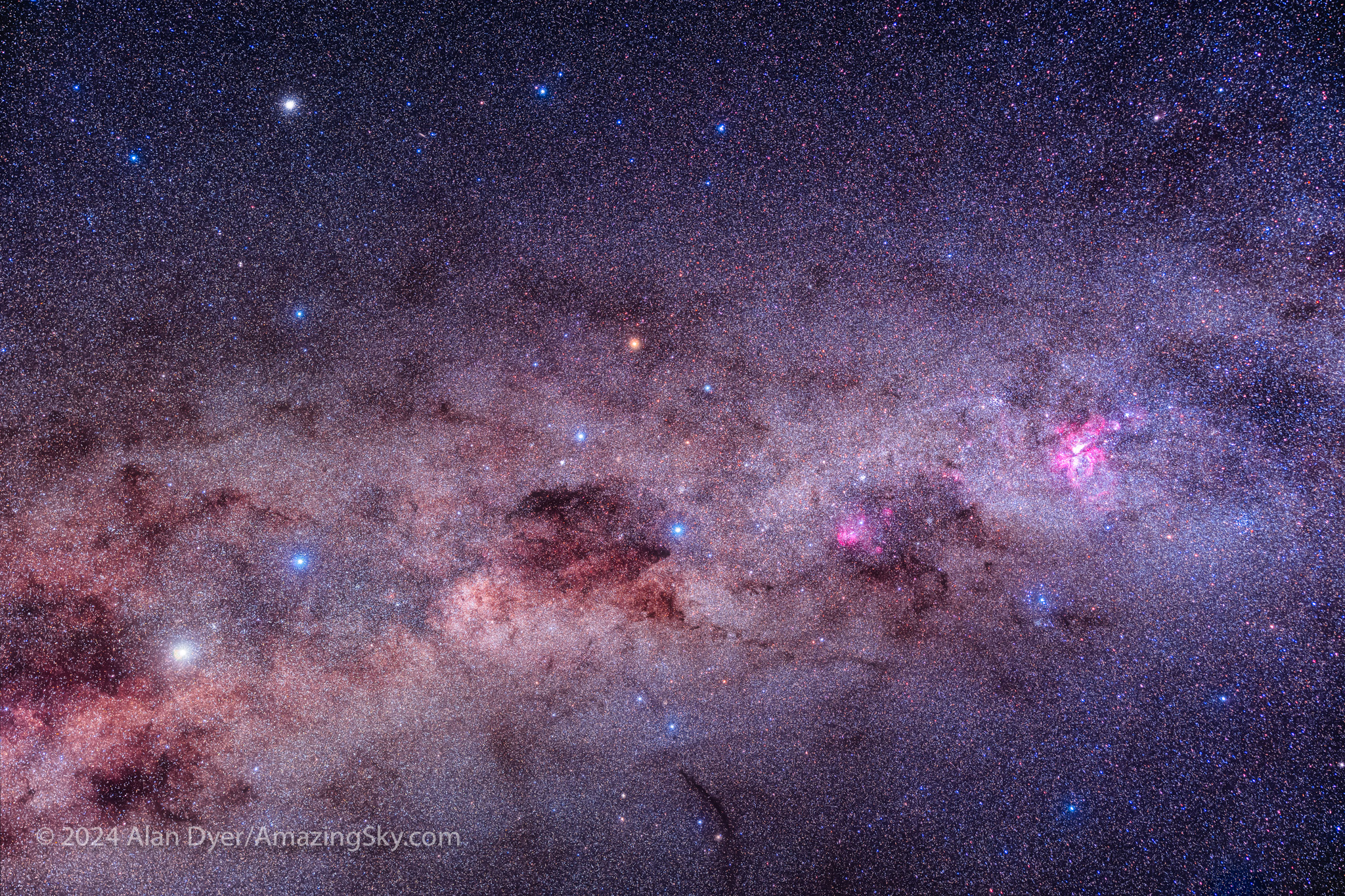
This frames the spectacular area of the southern Milky Way from Centaurus at left, to Carina at right, with Crux, the Southern Cross, at centre. This is a stack of 8 x 4-minute exposures with the Canon RF28-70mm lens at 48mm and f/2.8, on the Canon Ra at ISO 800. All on the MSM Nomad tracker.

However, unlike the popular Star Adventurer 2i and Mini trackers from Sky-Watcher, the Nomad, like MSMโ€™s older Rotator, does not have a polar alignment scope built in, just a peep sight hole. That makes it easier for MSM to fit a tracker inside a compact box. 

And yet, I feel some form of polar alignment aid (not just a peep sight) is essential if a tracker is to follow the sky accurately. Like the Rotator, the Nomad can be purchased with two add-on choices (shown below): 

โ€ข a 5 mw green laser pointer, 

โ€ข and an optical polar scope โ€ฆ

โ€ฆ each of which attaches to the side of the Nomad as outboard accessories. I purchased both, bundled with the Nomad as โ€œBasic Kit Cโ€ for $309 U.S., and find both accessories useful. 

NOTE: When shopping at the MSM website donโ€™t be fooled by what looks like temporary sale prices. The prices are always marked down, though MSM does offer coupon codes now and then for genuine discounts. I’ve always found MSM’s delivery by parcel post prompt, and in my case, shipments came from a warehouse in Canada, not China. 
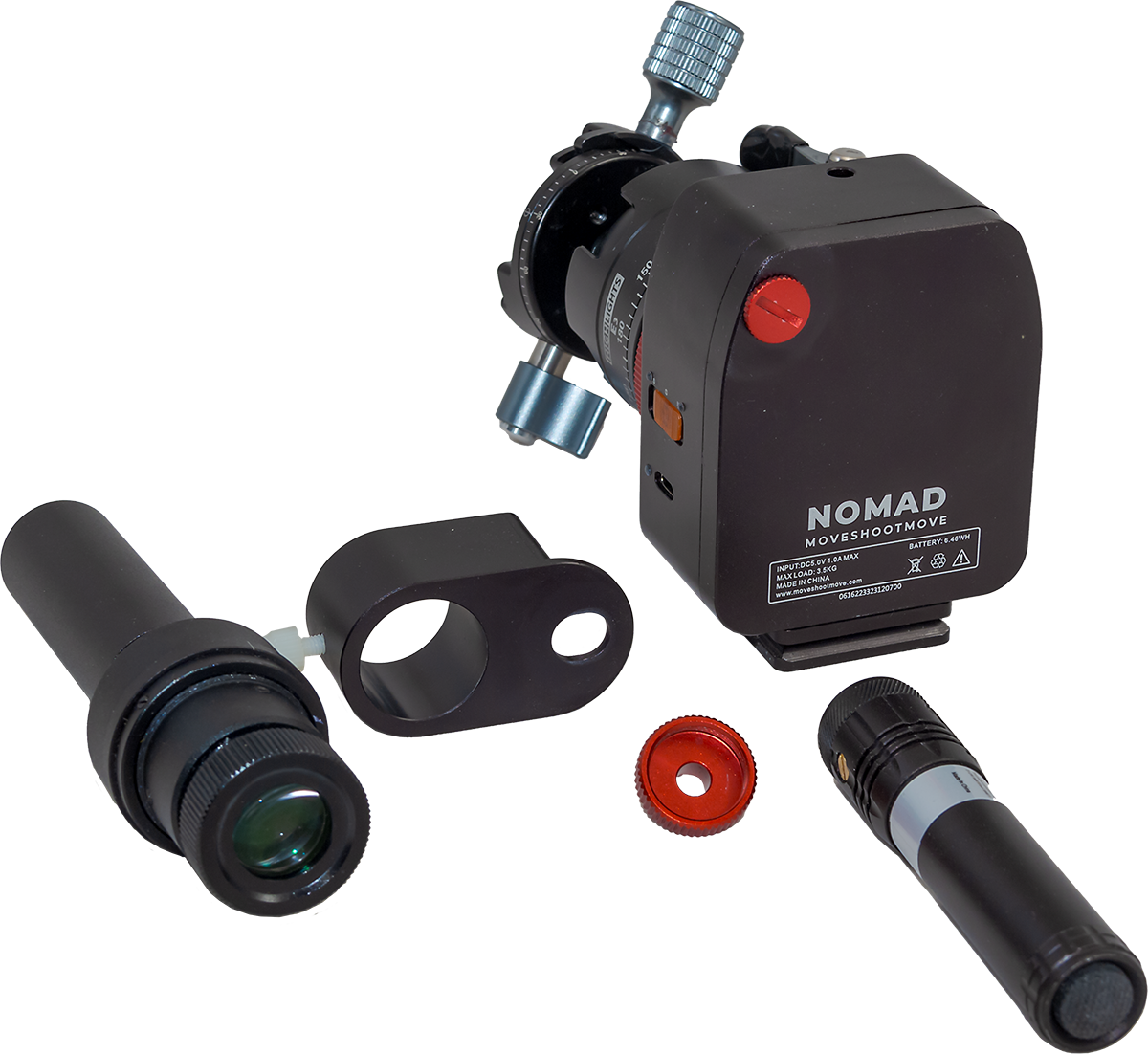
As with the Rotator, the need to add essential accessories makes the Nomad more expensive and more complex to pack than buyers might think. And it can be more complex to initially set up than imagined, not helped by the lack of any instructions. (I’m told by MSM that a downloadable PDF sheet is being prepared.) In place of factory-supplied instructions, MSM depends on its YouTuber fans to provide tutorials. 

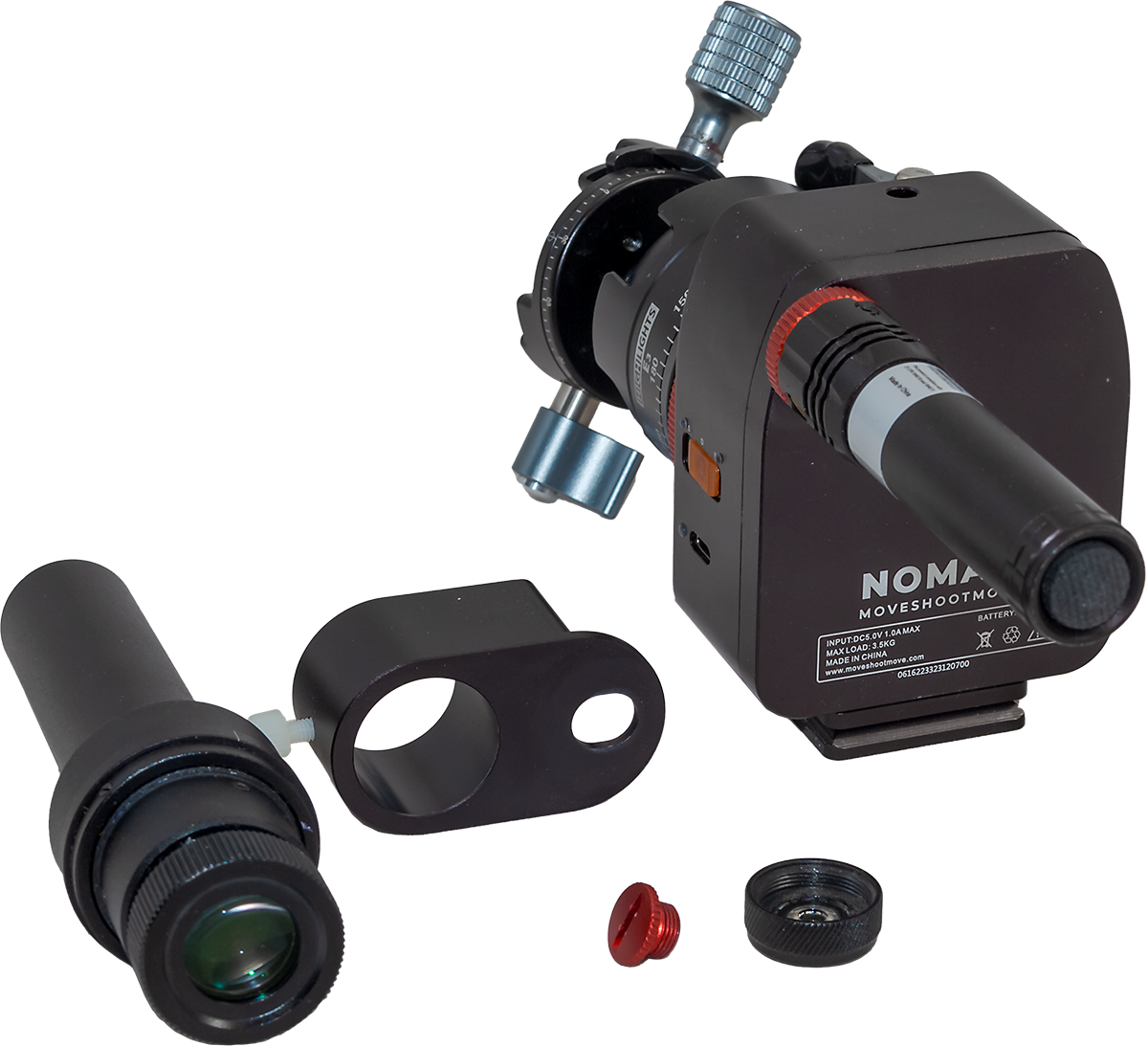
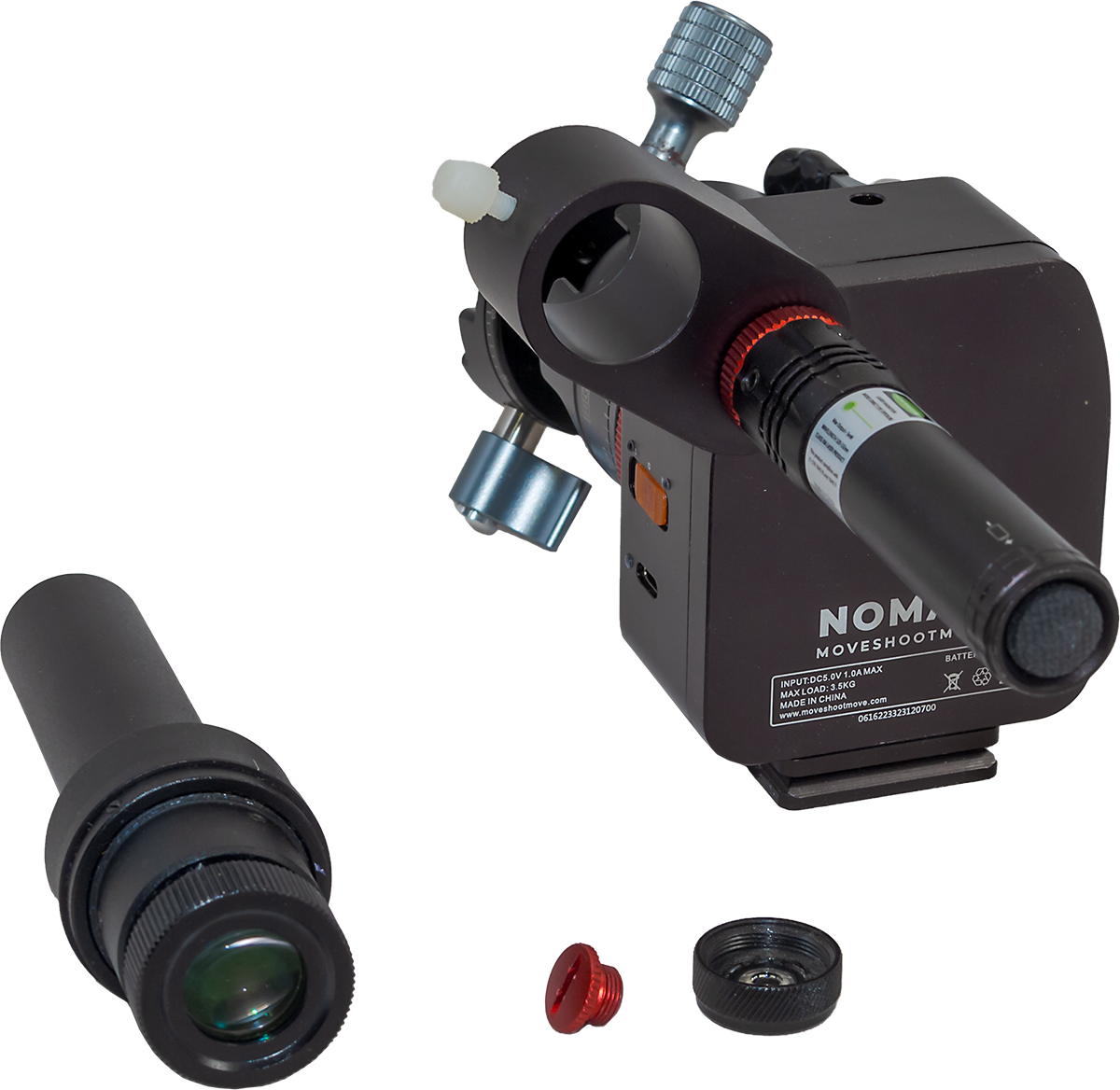
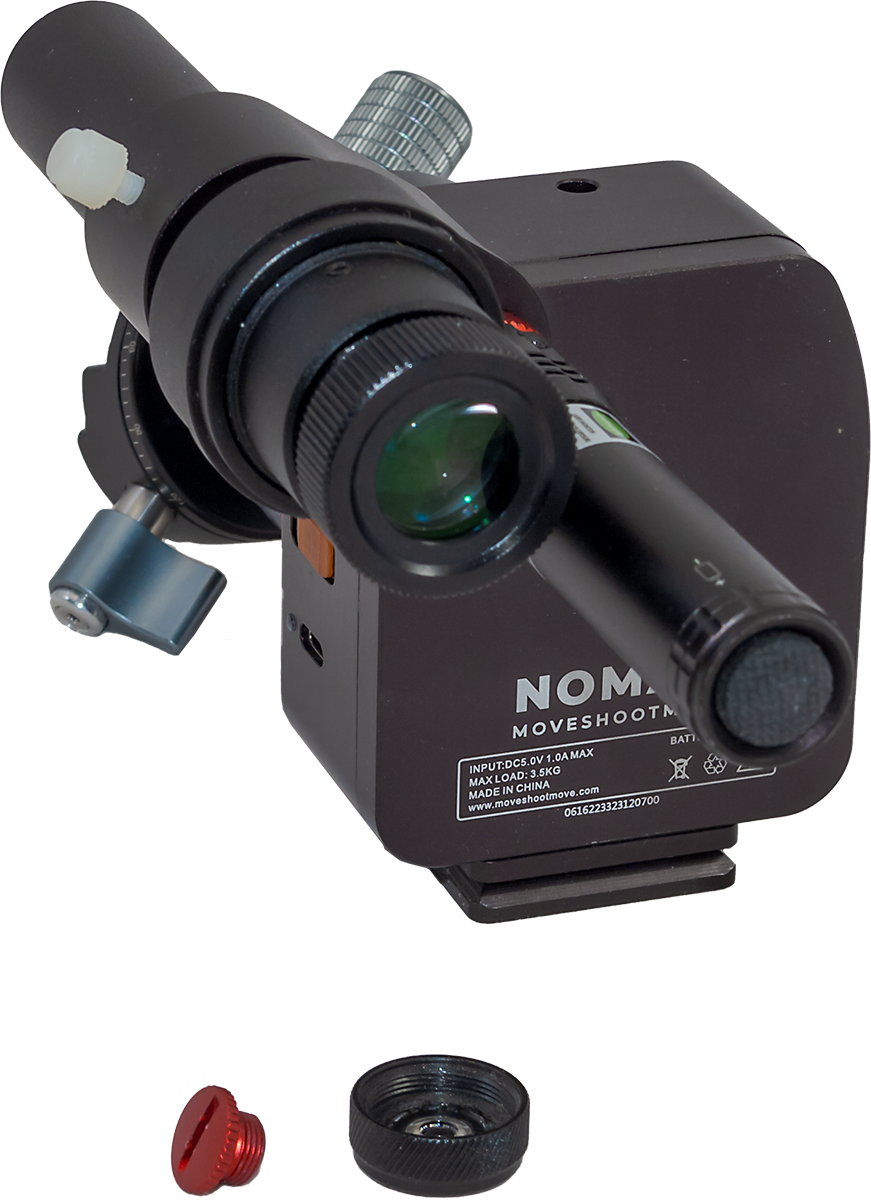
It took me a moment to figure out how the laser attaches to the Nomad โ€” it does so by replacing the black cap that comes on the laser with a supplied threaded red cap, so the laser can screw into the peep hole on the Nomadโ€™s body that is covered by yet another cap you remove โ€” but donโ€™t lose it, as you might need it. 

The optical polar scope attaches by way of an included clamp held onto the Nomad by the laser, or by the removable threaded cap (so you will need it if you arenโ€™t using the laser, but it is easily lost). 

Out of the box I found I had to adjust the beam of the laser (using the two tiny set screws on the laser) so the beam exited straight out the laser and up the peep hole in the Nomadโ€™s case. 

Once collimated, the laser pointer has proved to be an accurate and convenient way to polar align, especially for shooting with wide-angle lenses. (Keep in mind, green laser pointers over 1 mw are illegal in some jurisdictions.)

The laser uses a removable and rechargeable 3.7-volt battery, and comes with a little USB-powered charger. The laser’s battery has lasted for months of momentary use. The laser works briefly in winter when it is warm, but as soon as it gets cold, as is true of most laser pointers, it refuses to lase! 
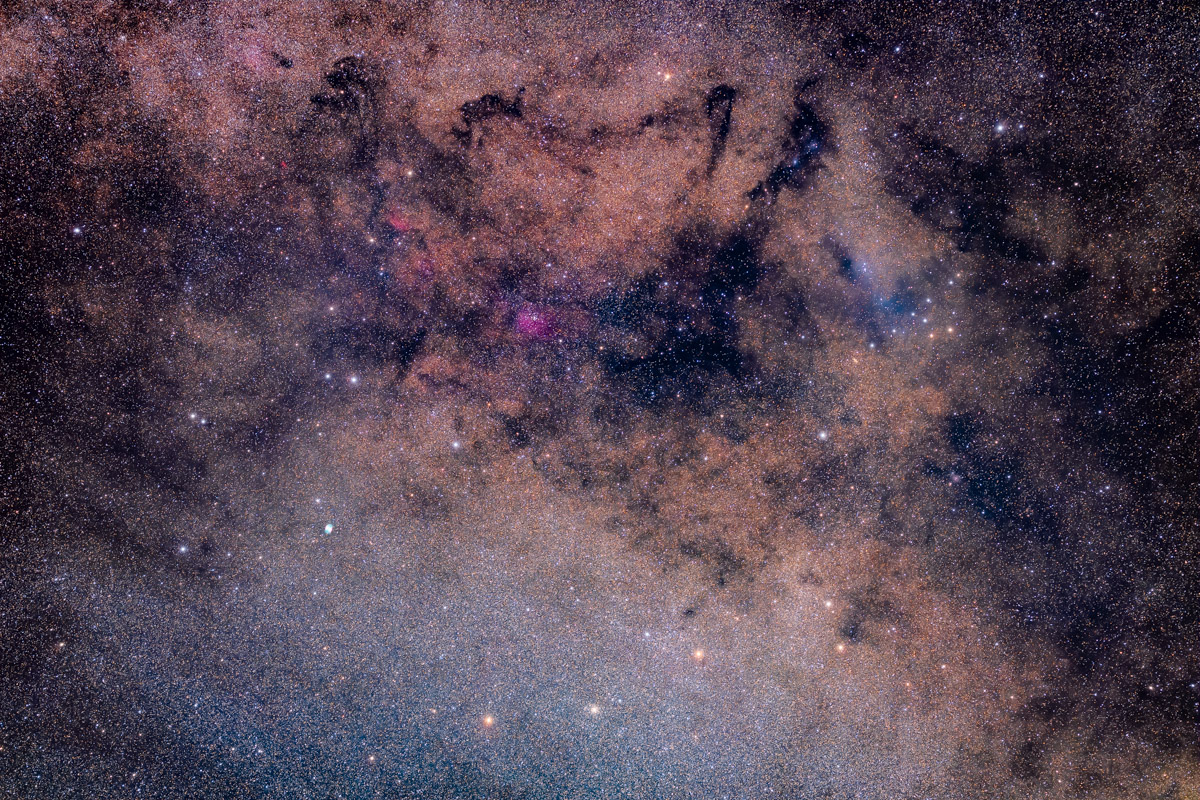
However, for the more accurate polar alignment needed when shooting with telephoto lenses (an example is above), and for winter use, I prefer to use the optical polar scope, with the laser a handy complement just to get close to the pole. 

The polar scope has a reticle etched with star patterns for both the North and South Celestial Poles. I found the latter worked well in Australia. The mounting clamp held the polar scope securely and consistently well centered, another welcome improvement over the polar scope clamp supplied with the Rotator, which could wiggle around. 
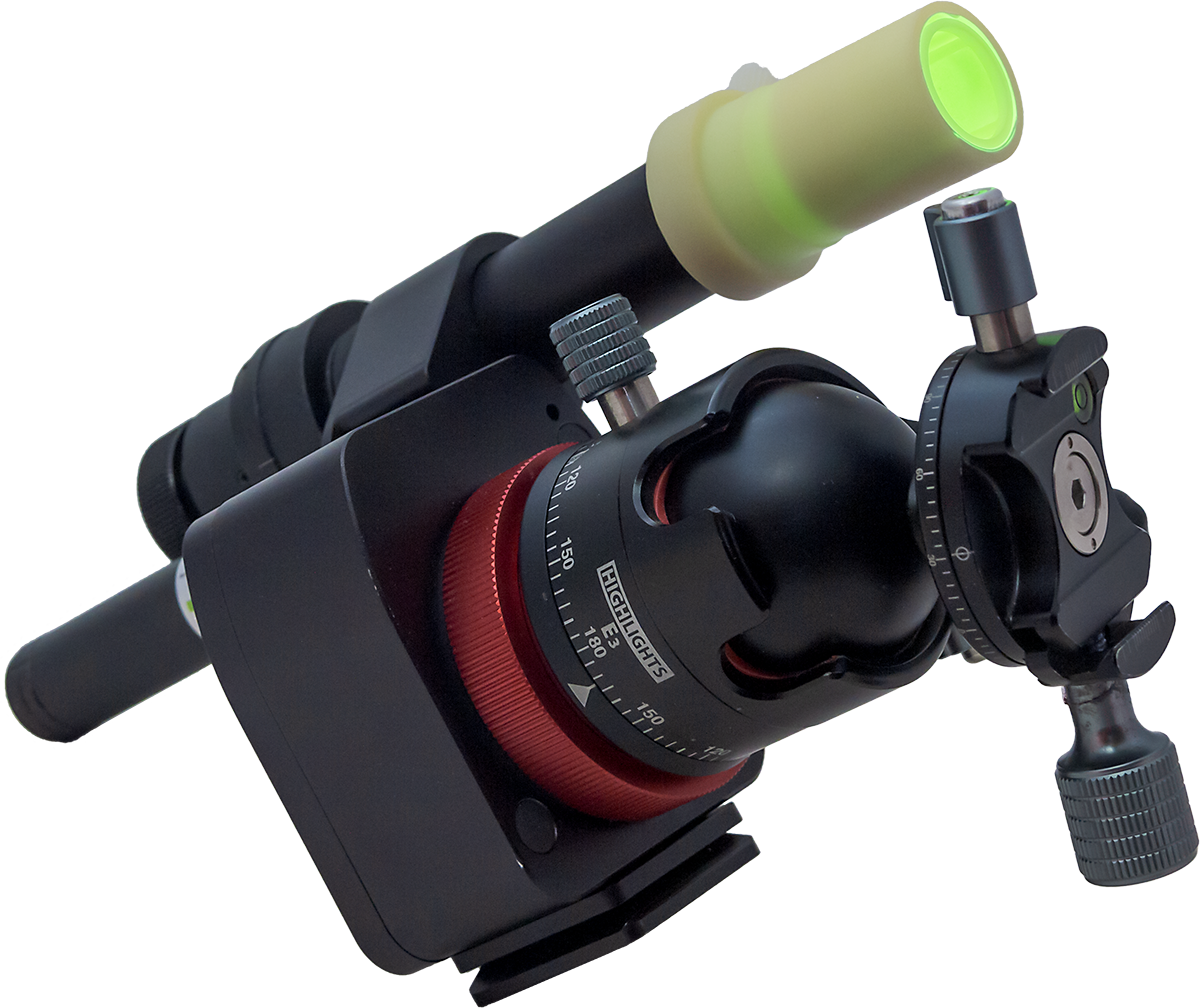
Polar scope with its glow-in-the-dark Illuminator. The Nomad comes with an Arca-Swiss dovetail plate bolted onto the bottom edge, for attaching it to a tripod head or to the optional MSM Wedge.

The polar scope does not have an illuminator LED. Instead, it comes with a novel phosphorescent cap which you hit briefly with white light so it glows in the dark. 

Placed over the front of the polar scope, it lights up the field allowing the reticle to be seen in silhouette. While it works fine for sighting Polaris, the bright field can make it hard to see the faint stars in Octans around the South Celestial Pole. 
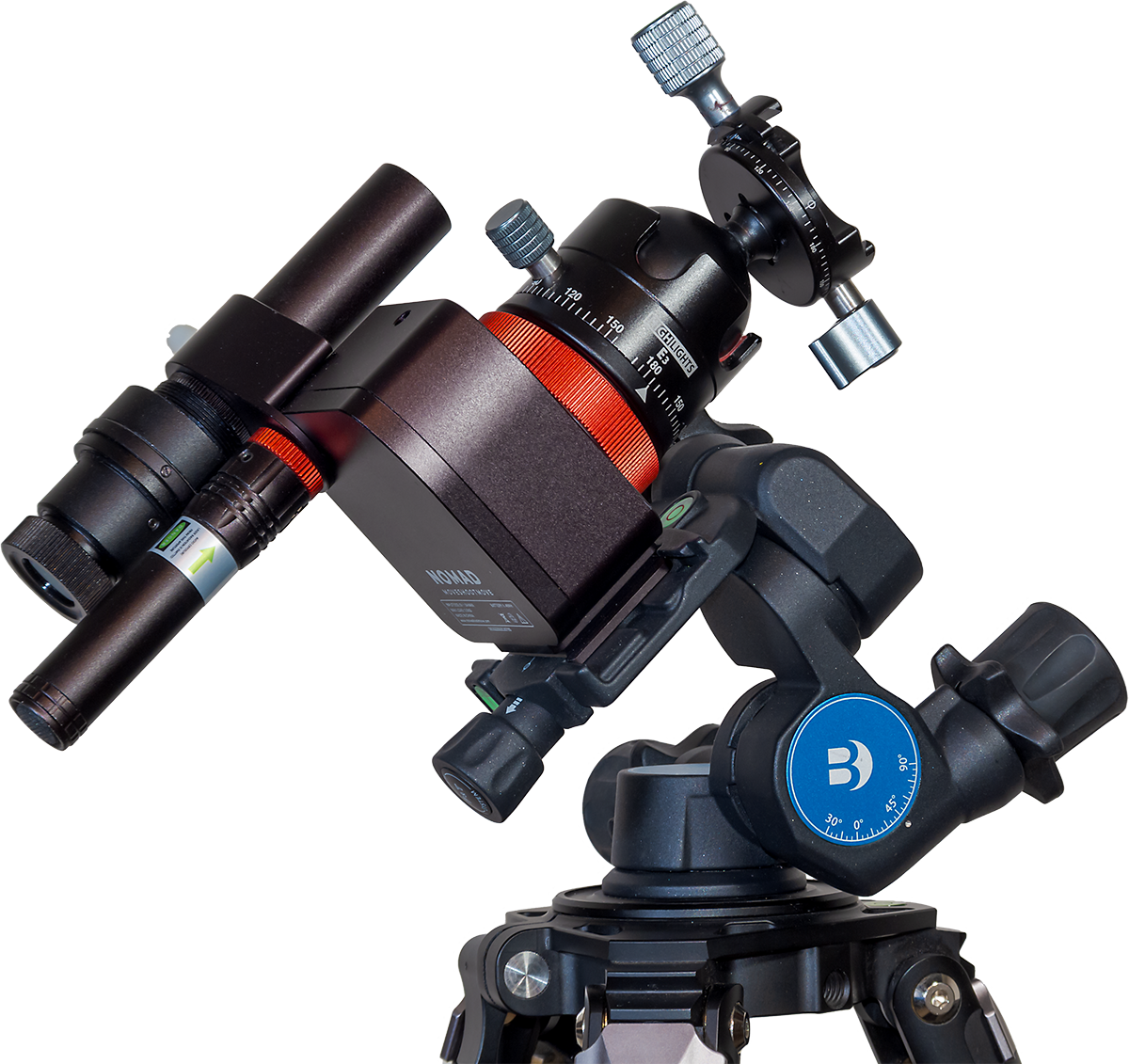
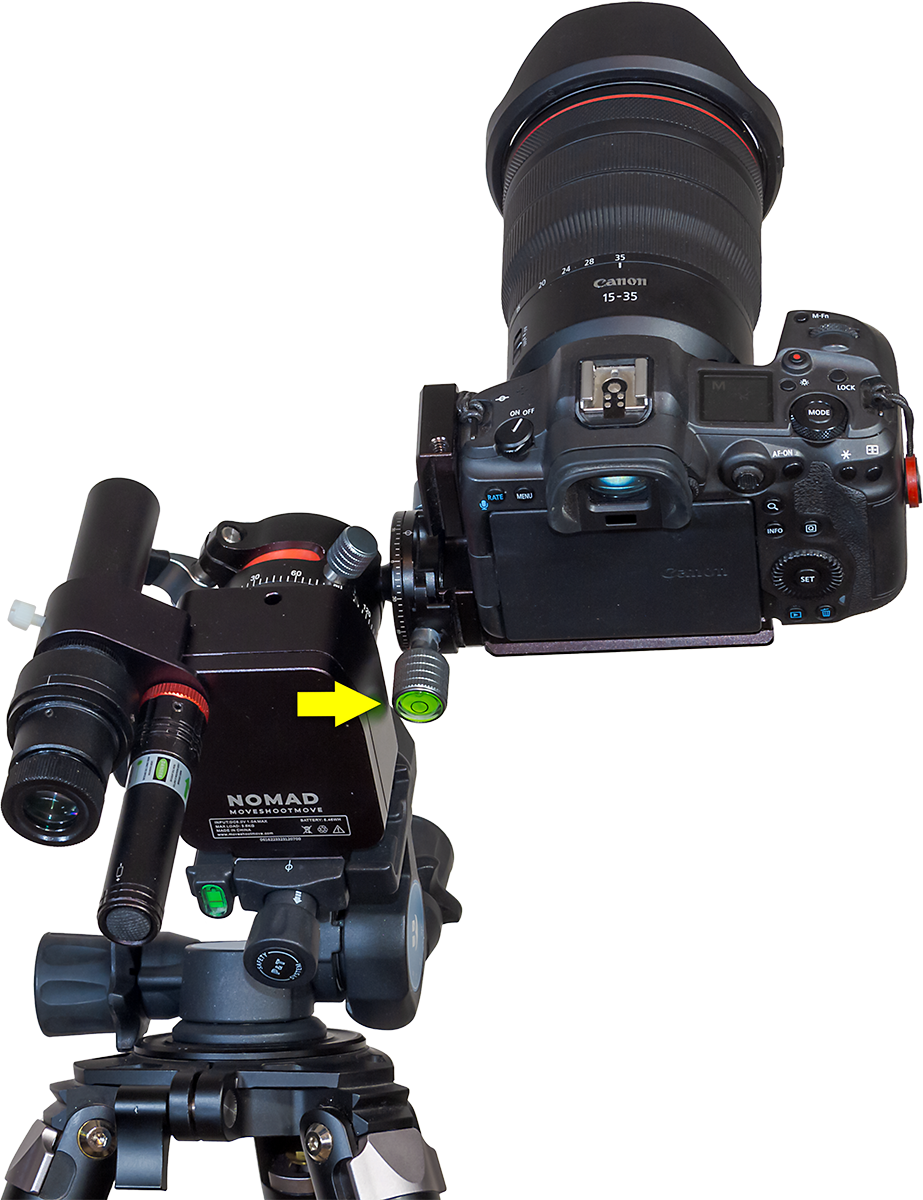
The Nomad on the Benro 3-Way Geared Head, using the Arca-Swiss attachment plate. Another method of mounting the Nomad to the Benro is shown below.

To aid polar alignment I purchased the Benro 3-Way Geared Head, also sold by MSM but available from many sources. Its geared motions make it easy to aim the trackerโ€™s rotation axis precisely at the pole and hold it there solidly. 

The Benro accepts standard Arca-Swiss mounting plates, so Iโ€™ve found it a useful head to have for other purposes and gear combinations. It has replaced my old Manfrotto 410 3-axis head which uses a proprietary mounting plate.

However, MSM also sells its own latitude adjustment Wedge which, at $90, is a cheaper alternative to the $200 Benro. Iโ€™ve not used the MSM Wedge, so I canโ€™t say how solid and precise it is. But the Wedge is lighter than the Benro head, and so may be a better choice when weight is a prime consideration. 

I would recommend either the Wedge or Benro for their fine adjustments of azimuth and altitude that are essential for easy, yet precise and stable polar alignment. 

Tracking Accuracy 

All-important is how well the Nomad tracks. When shooting with wide-angle lenses (14mm to 35mm) for nightscapes and wide Milky Way shots, the majority of images Iโ€™ve taken over the last few months, using exposures of 1 to 3 minutes, have been reliably well tracked, with pinpoint stars.ย 

The Nomad begins tracking right away, with no wait for gear backlash to be taken up, or for the drive mechanism to settle in. I also found no tendency for tracking to be better or worse with camera position, unlike the Rotator that seemed to work better with the camera aimed at one area of sky vs another. And the Nomad didn’t suffer from any stalls or moments when it just stopped in its tracks, again unlike the problematic Rotator.
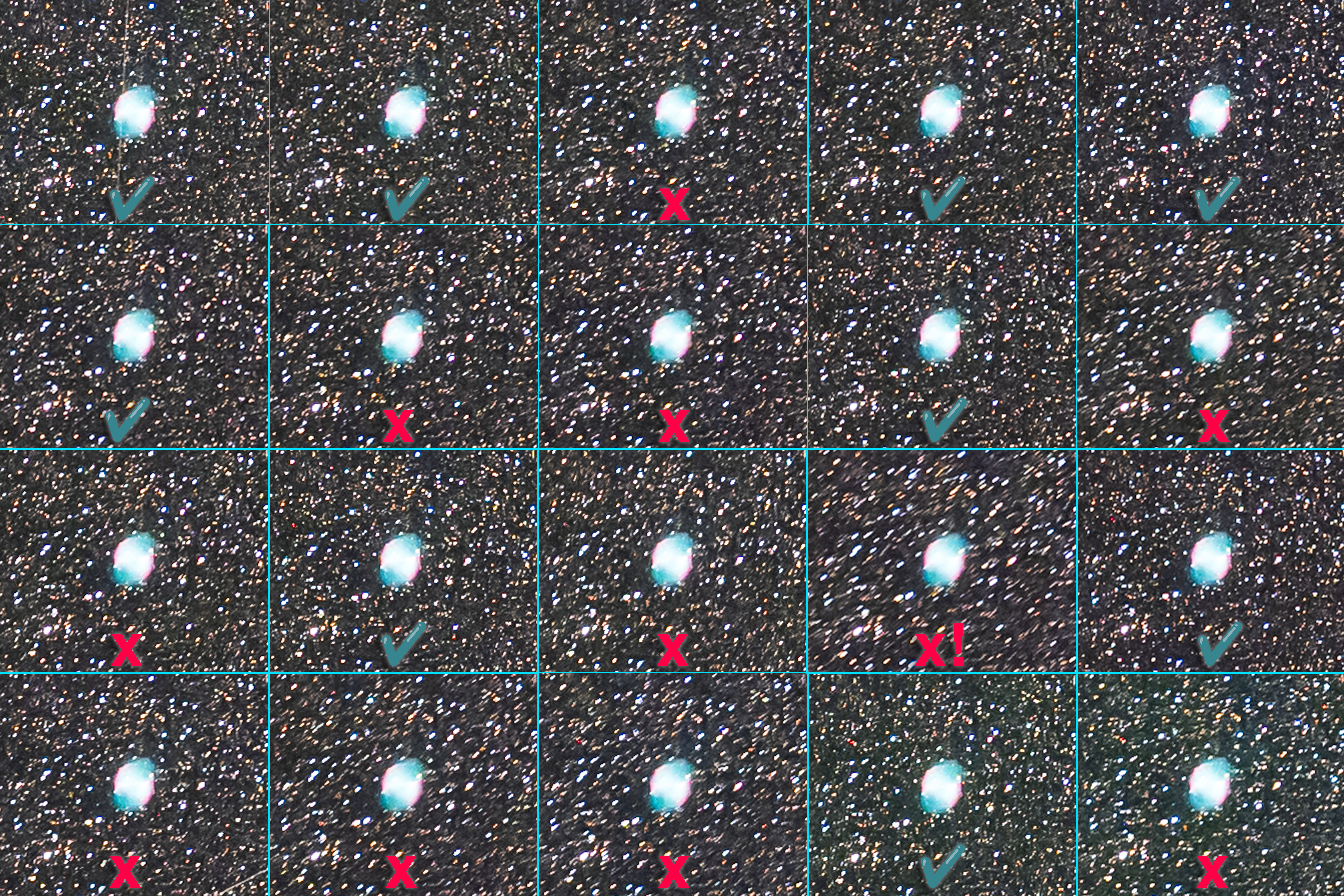
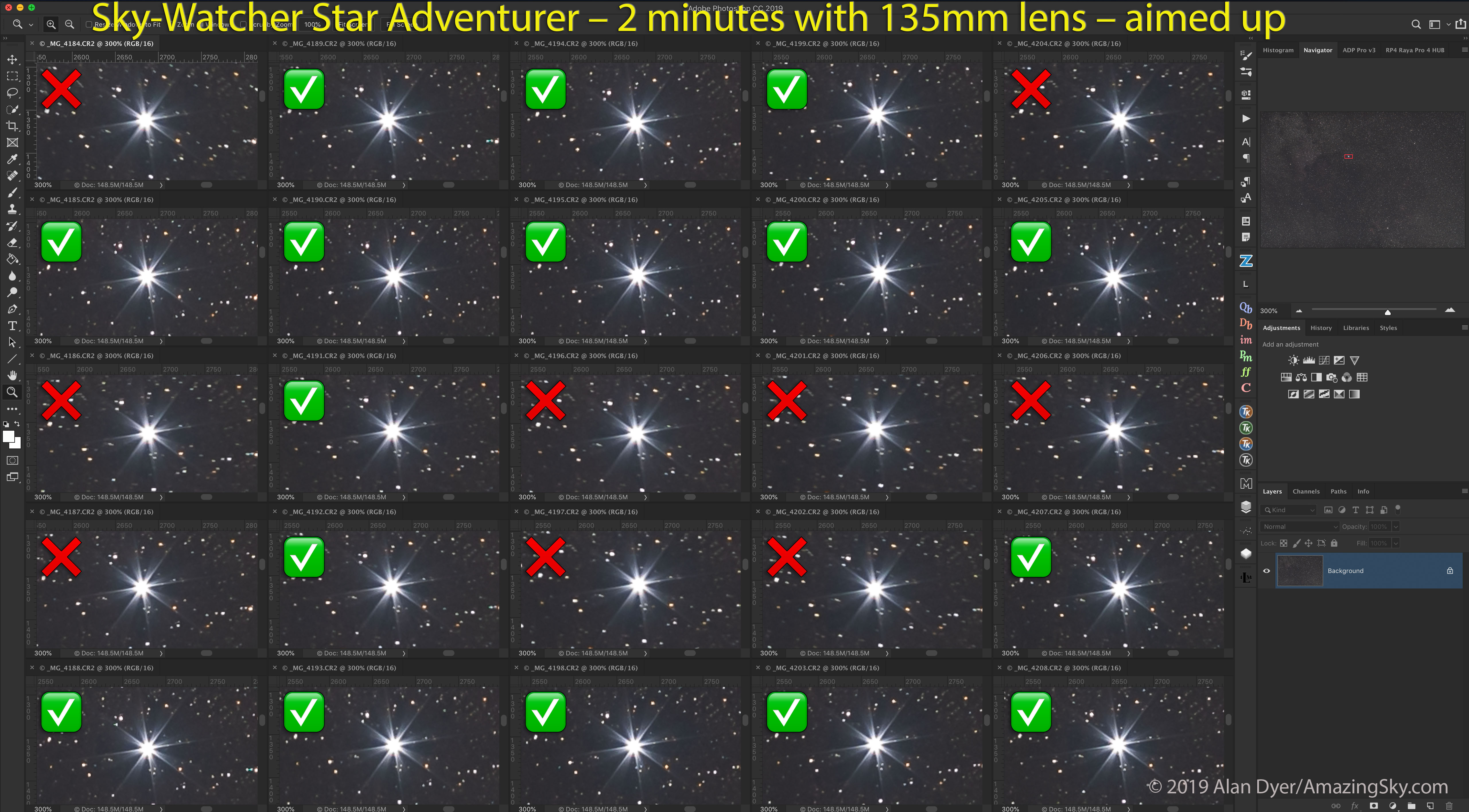
20 consecutive 2-minute exposures with a 135mm lens, to show the variations in tracking accuracy. Tap on the image to download it for closer inspection.

As with any tracker, where you do see mistracking is when using longer lenses. I tested, and indeed have used, the Nomad with 85mm and 135mm telephoto lenses, as many owners will want to do, for close-ups of Milky Way starfields and for so-called โ€œdeepscapes.โ€ (An example of the latter is at the end.) The demo image above shows blow-ups of consecutive frames from the 135mm shoot of the Vulpecula/Sagitta starfield shown earlier.ย 

In those more demanding tests, as I demonstrate here, I found that typically about 50% to 60% of images (taken with 1- to 2-minute exposures) were tracked well enough to be usable. The longer the focal length used, or the longer the exposures, the more frames will be trailed enough to be unusable in an image stack. And a well-tracked frame can be followed by a badly tracked one, then the next is fine again. Thatโ€™s the nature of small drive gears.

As with other trackers, I would suggest that the Nomad is best used with lenses no longer than a fast 135mm. Even then, plan to shoot twice as many frames as youโ€™ll need. Half may need to be discarded. While I know some users will want to push the Nomad beyond its limits, I would not recommend burdening it with monster telephoto lenses or small telescopes. Like all other trackers, that’s not its purpose.

When there was mistracking it was usually in the east-west direction, due to errors in the drive mechanism, and not north-south due to flexure. (If it occurs, north-south drift is likely due to poor polar alignment.)

I found the Nomad did indeed turn at the sidereal rate to follow the stars, something I was never confident the Rotator actually did. 

While you might think a 50% success rate with telephotos is not good, in fact the Nomadโ€™s tracking performance is on par with other competing trackers Iโ€™ve used, from Sky-Watcher and iOptron. At wide-angle focal lengths the success rate proved closer to 100%.

So for a tracker as compact as the Nomad to perform so well is very welcome indeed. Itโ€™s the main area where the Nomad beats the old Rotator by a long shot! 

NOTE: While the MSM website mentions an “optional counterweight system,” as of my review’s publication date it is still being developed, MSM tells me. However, I don’t feel it will be necessary for the Nomad’s main purpose of wide-field imaging.

Mechanical Stability 

Another flaw of the old Rotator was that it had several single-point attachments that, under the torque of a turning camera, could cause the camera to come loose and suddenly flop down. 
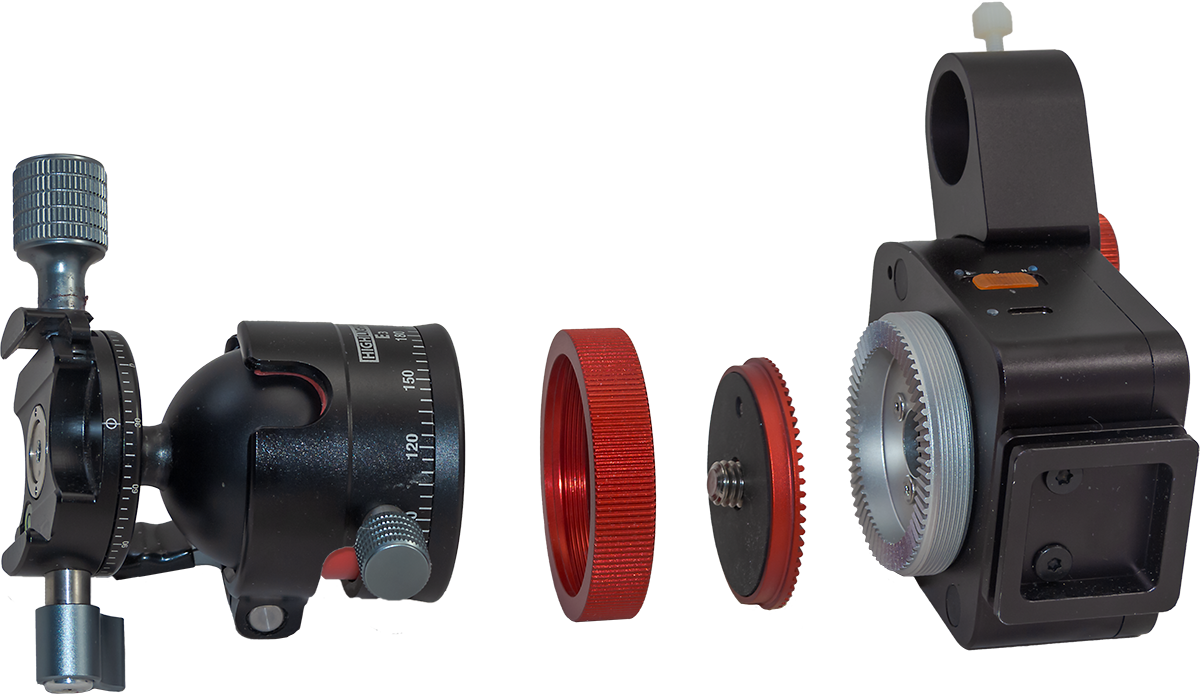
The Nomad uses a ratcheted clamp to attach a user-supplied ball head to the tracker body, and that clamp has an additional safety set screw to help ensure the ball head does not unscrew itself as a camera turns. 

Iโ€™ve had no issues with cameras coming loose. Of course, the solidness of the ball head used will be critical as well. A large ball head can be better, but introduce some of the issues I report on below. 

While MSM offers its own ball head, I have not used it, preferring to use a couple of other ball and pano heads I like, and that I show in the images here. 

Simplicity of Operation

The Nomad improves upon the old Rotator by doing away with all its time-lapse features. You might think that eliminating features canโ€™t be an improvement, but in this case it is. 

I suspect few owners used the Rotatorโ€™s preset functions for slowly turning a camera along the horizon while firing the camera shutter between each incremental time-lapse move (the very function that gave the company its name!). The Rotatorโ€™s options for creating time-lapses were confusing to set up and limited in their choice of speeds. A serious time-lapse photographer would never use it. 

(If you do want a tracker with time-lapse motion-control capabilities the Star Adventurer Mini works well. Its WiFi connection and mobile app allows a user to set all the factors needed for a good time-lapse: interval, angle increment, number of frames, and length of shoot.) 

Instead, MSM has focused the Nomad on being just a star tracker, and I think wisely so. Its only controls are a three-position S-OFF-N switch, for using the Nomad in either the southern or northern hemisphere. It worked very well “Down Under,” with the exception noted below. 

There is no solar or lunar drive rate, unnecessary in a tracker, and also no half-speed rate for nightscapes, used to lessen star trailing while also minimizing ground blurring. Iโ€™ve never liked using trackers at such a compromise half-speed rate, so I donโ€™t miss it. 

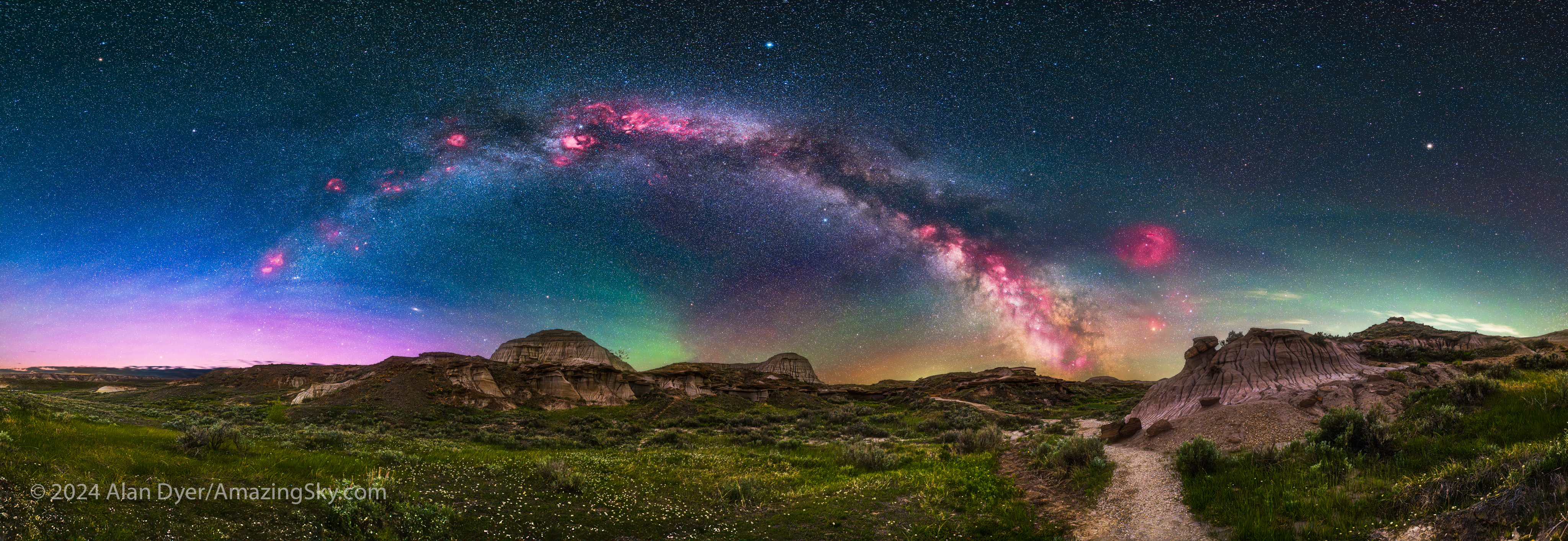
Using the optional V-Plate described below, I have used the Nomad to take tracked Milky Way panoramas, as shown here. It has worked very well for that purpose, with it easy to switch the tracking on (for the sky) and off (for the ground). 
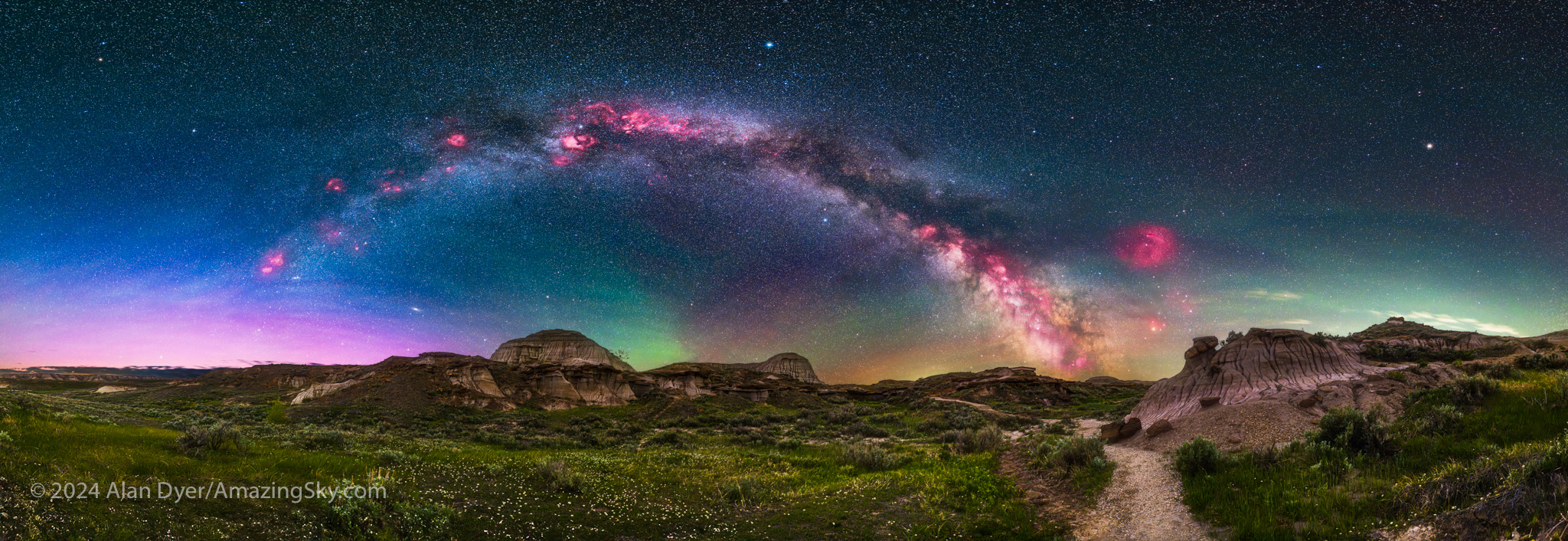
This is a 200ยฐ panorama of the arch of the northern Milky Way rising over Dinosaur Provincial Park, Alberta. Shot with the Nomad, with a blend of an untracked panorama for the ground and tracked panos for the sky.
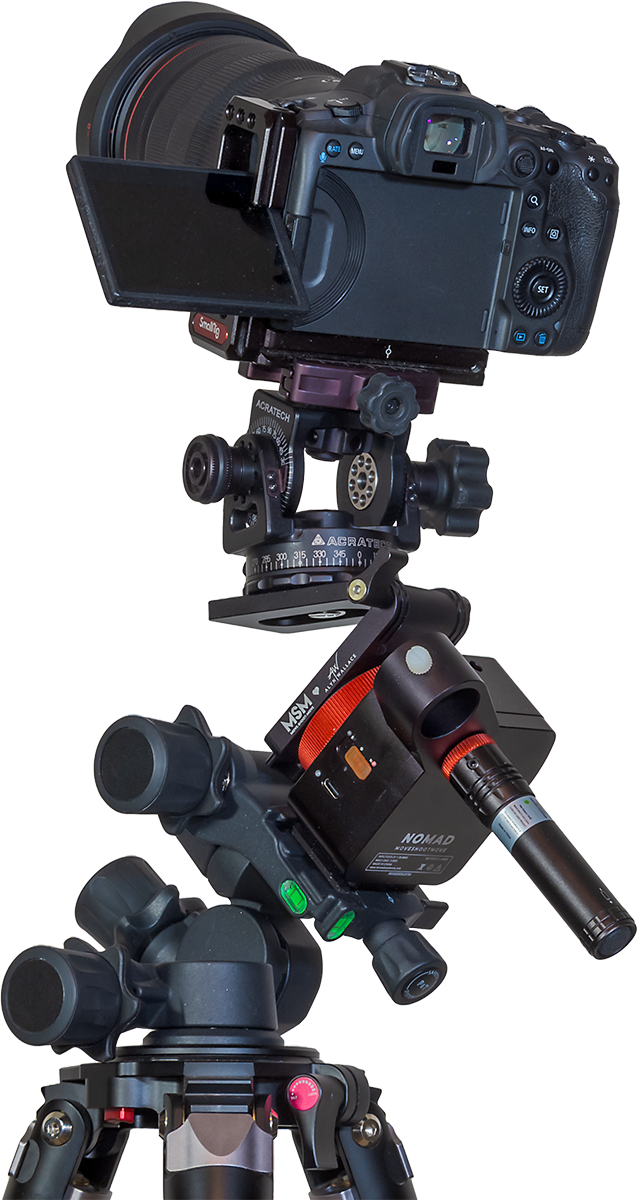
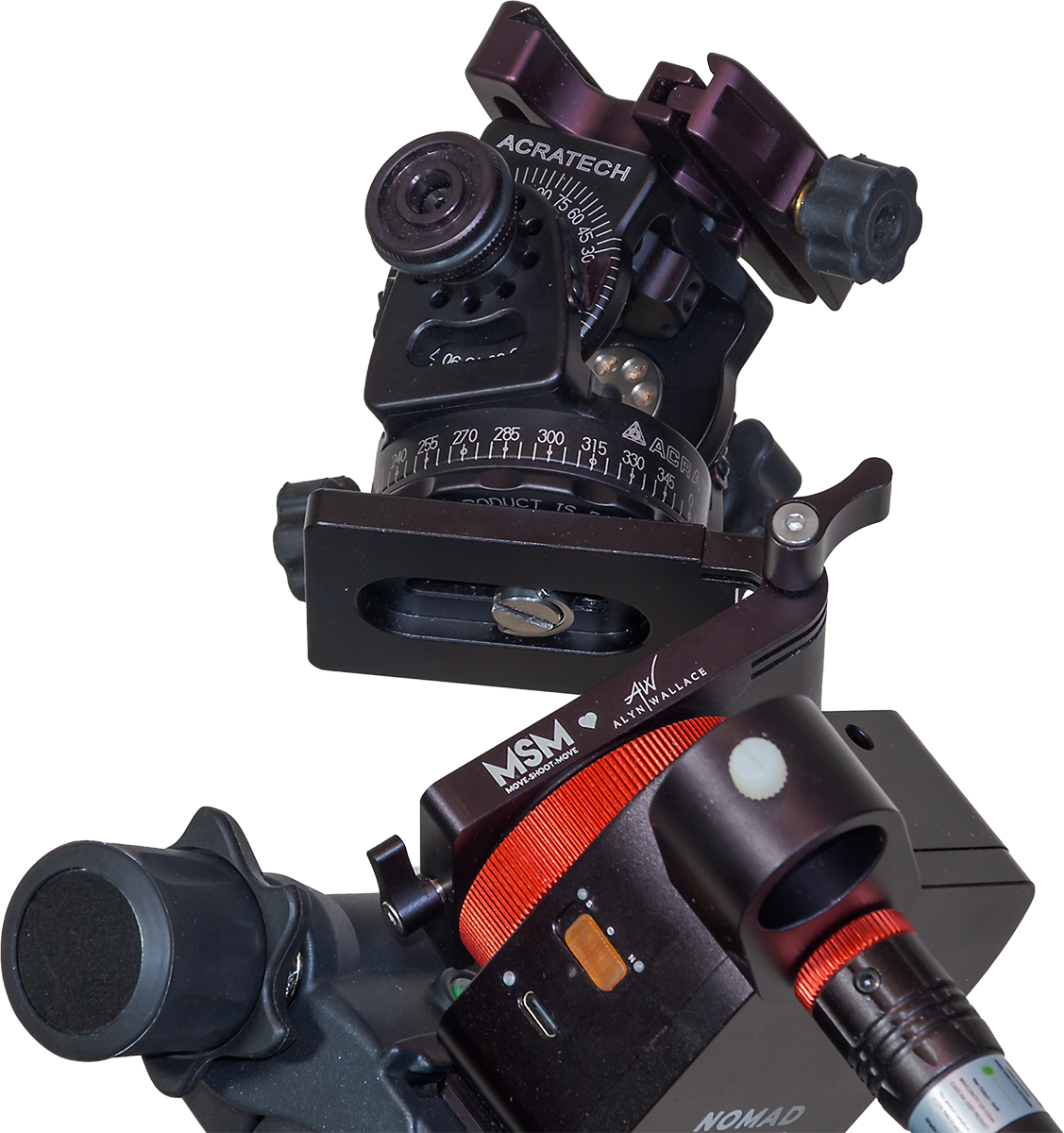
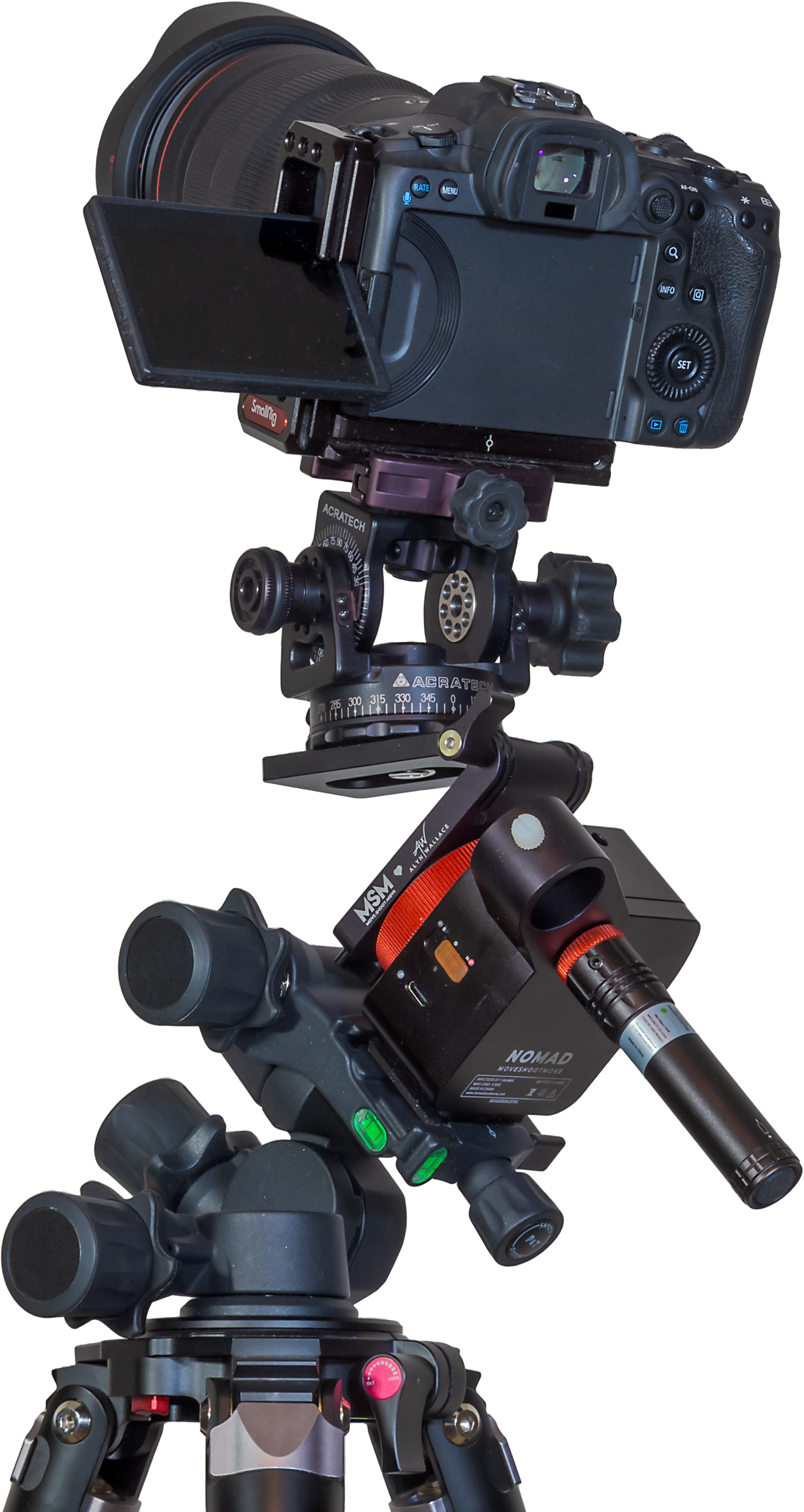
The gear used to take the panorama above, including the Alyn Wallace V-Plate, supporting an Acratech 2-axis pan head. The Nomad is ON here, set to N. Below the power switch is the USB-C port for charging and external power.

My only criticism is that the power switch is a little mushy and perhaps easy to slide on by mistake when it is packed in a bag.

An LED for each of the N and S directions glows red to indicate the power is on and the direction chosen, handy to help prevent you from choosing the wrong direction by mistake. 

The Nomad is powered by an internal lithium battery that charges from any 5-volt USB charger (the Nomad comes with a USB-C cord, but no charger). The Nomad takes about 2.5 hours to charge to full and runs for 6 to 7 hours of continuous tracking at room temperatures. A second LED by the USB port glows yellow when the Nomad is charging, and green when it has fully charged. 

In practice the Nomad has lasted for several nights of shooting on one charge. When the battery level is low, the red LED for the other direction begins blinking. As a backup in the field, the Nomad can be powered via its USB-C port by any external 5-volt power bank.

Collisions 

The Nomad hasnโ€™t been without issues, though the main problem Iโ€™ve had I canโ€™t, in fairness, blame on the Nomad. 

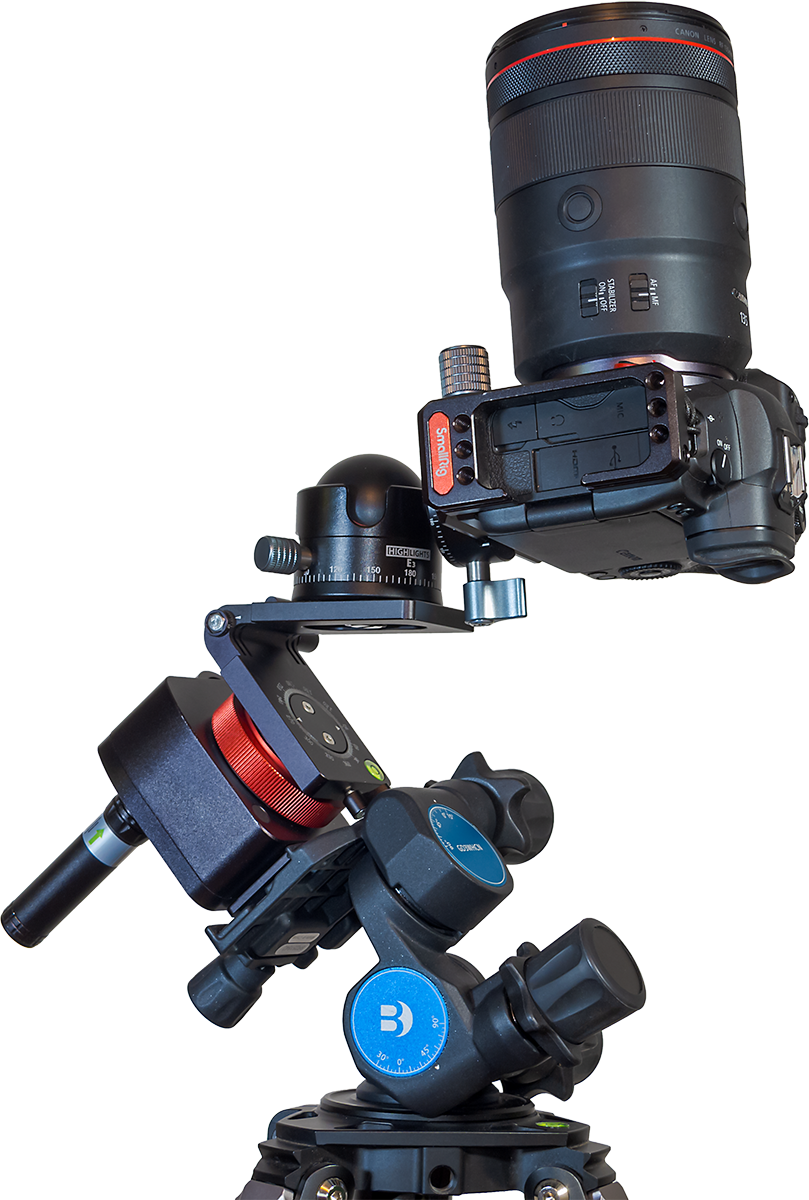
Due to the Nomadโ€™s small size and shape, ball heads sit close to the Nomad body. Locks and clamps sticking out from ball heads can collide with the Nomad, or with the Benro head, as it rotates the ball head. Here I show how a collision can occur when aimed up at the zenith. 
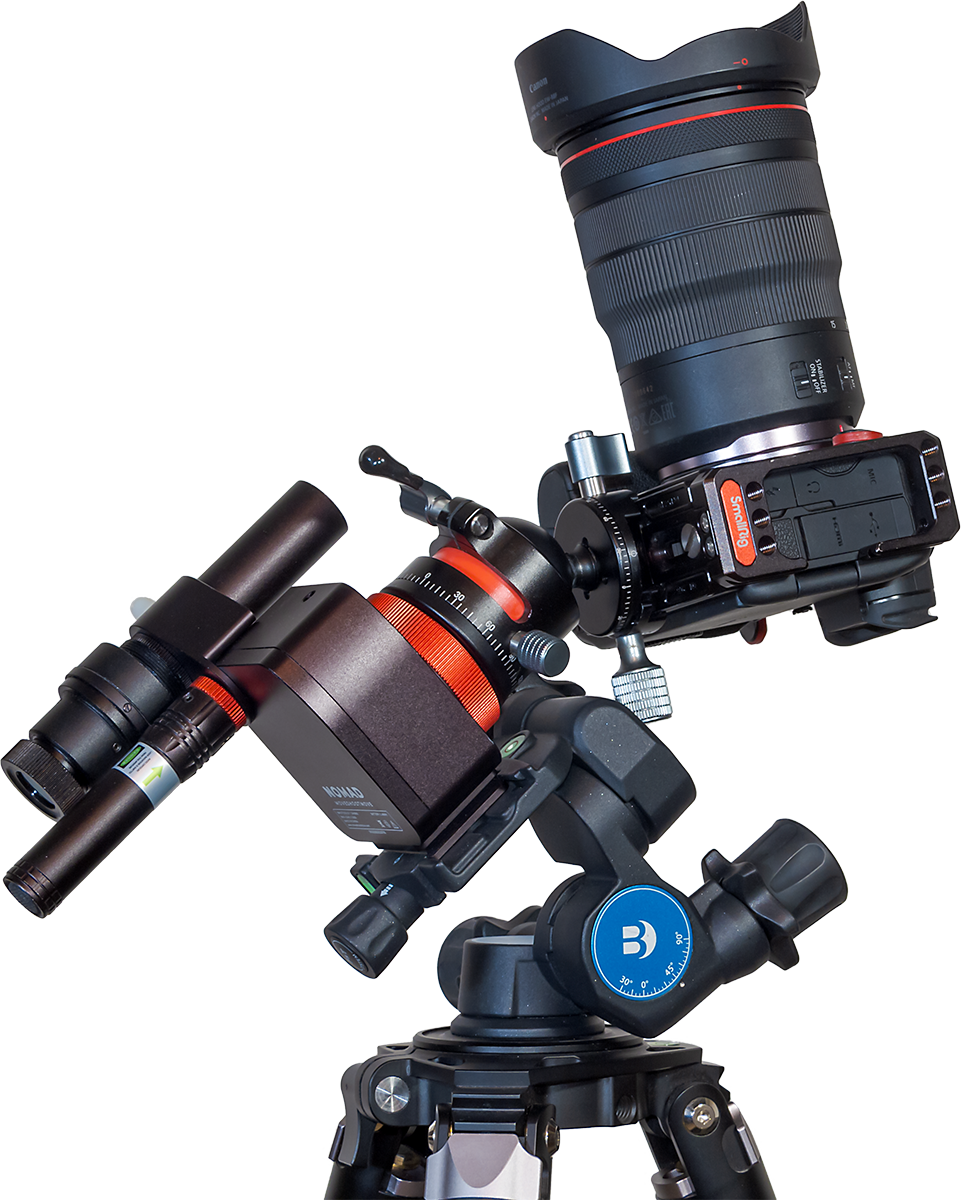
Showing the ball head colliding with the Benro when aimed high.

But collisions can also occur when aimed at the Celestial Pole. I ran into that issue in Australia, where many of the wide-field targets in the Milky Way (such as the field in Carina and Crux shown earlier) lie close to the South Celestial Pole. 

A camera aimed toward the Celestial Pole (either South or North) is more likely to collide with the Nomad than when a camera is aimed toward the sky opposite the Pole. 
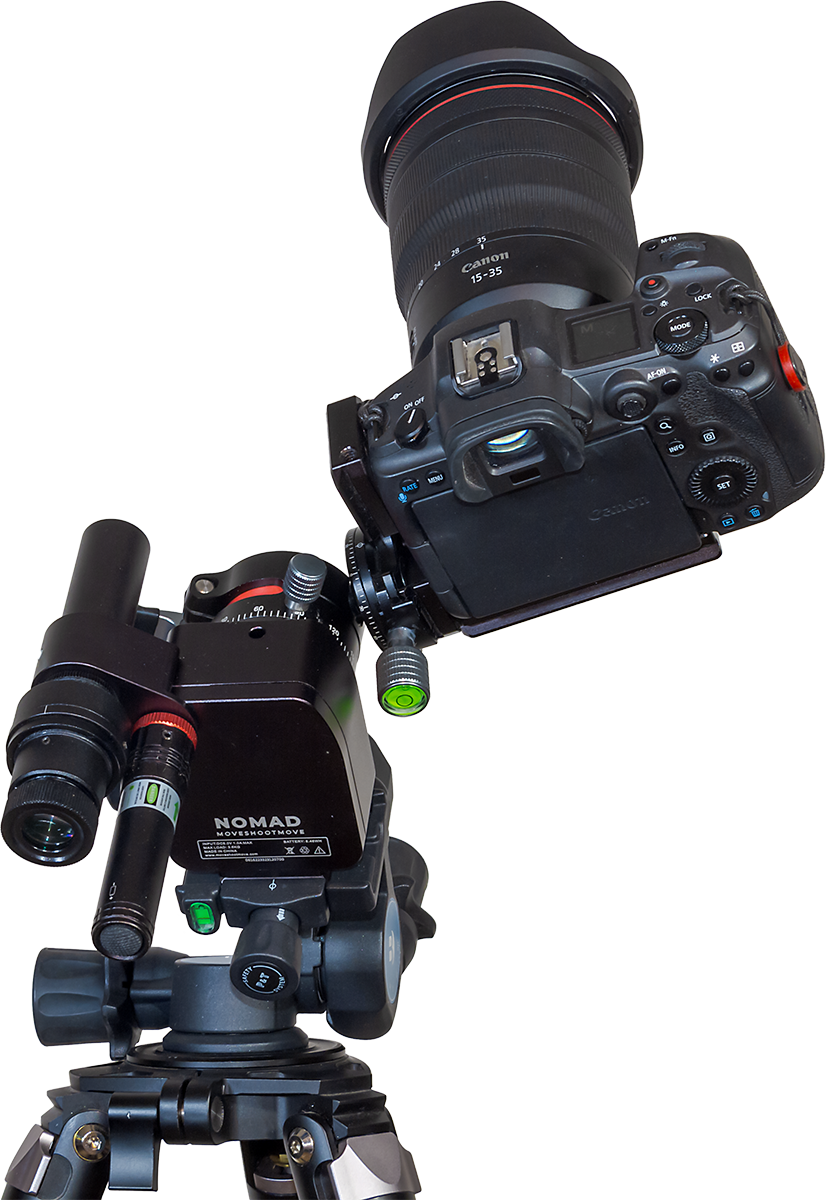
As I show above, one night when tracking targets in Carina I found the ball head had jammed against the Nomad, seizing its motion. As I feared, that caused something inside the Nomad to come loose. 
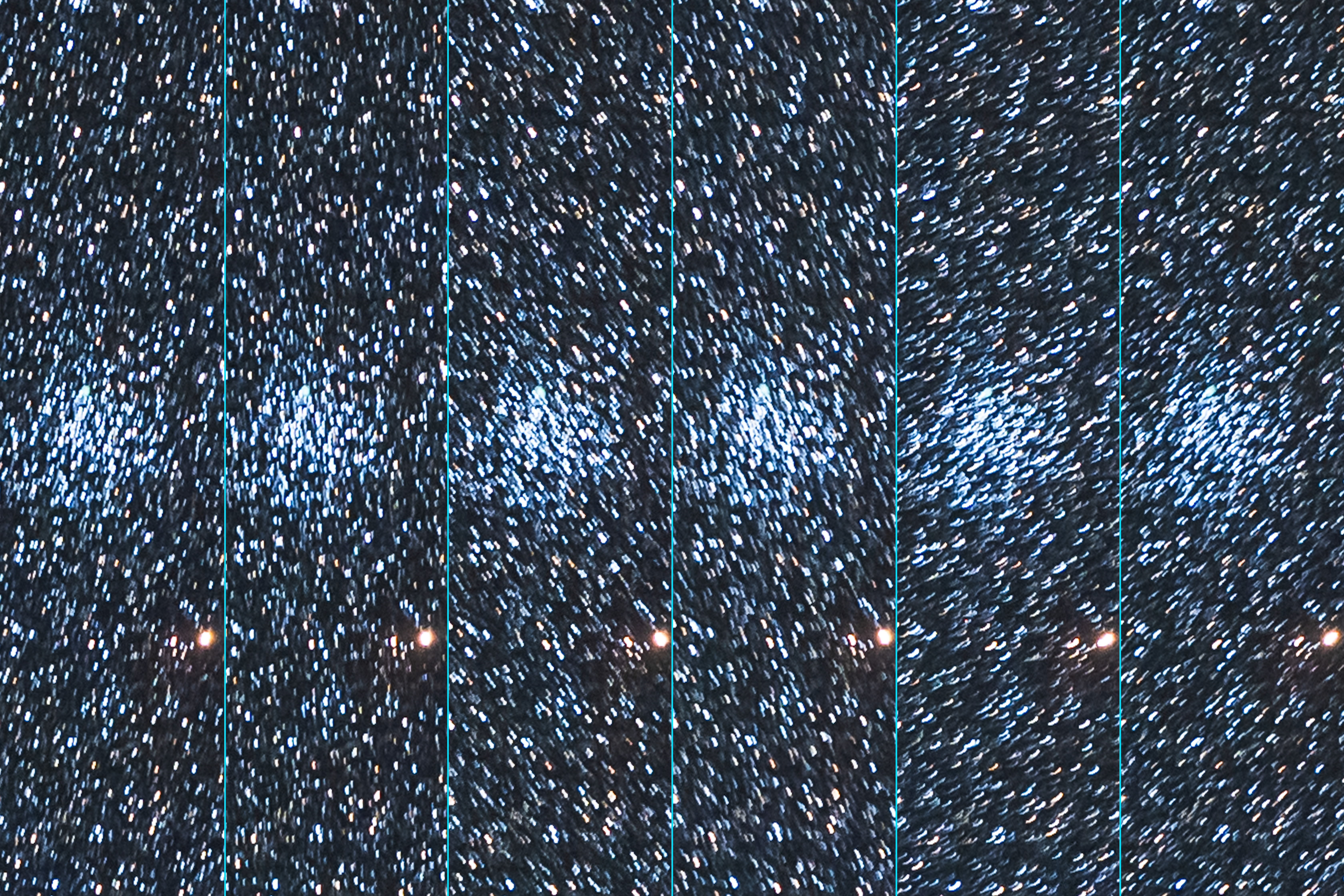
After the collision incident no frame was well-tracked. The Nomad was wandering all over the place!

From then on it failed to track well for any shots. The drive was wobbling the stars in random directions. No frame was usable. The Nomad was now out of commission, not a welcome prospect when you have traveled to the other side of the world to shoot the sky. 
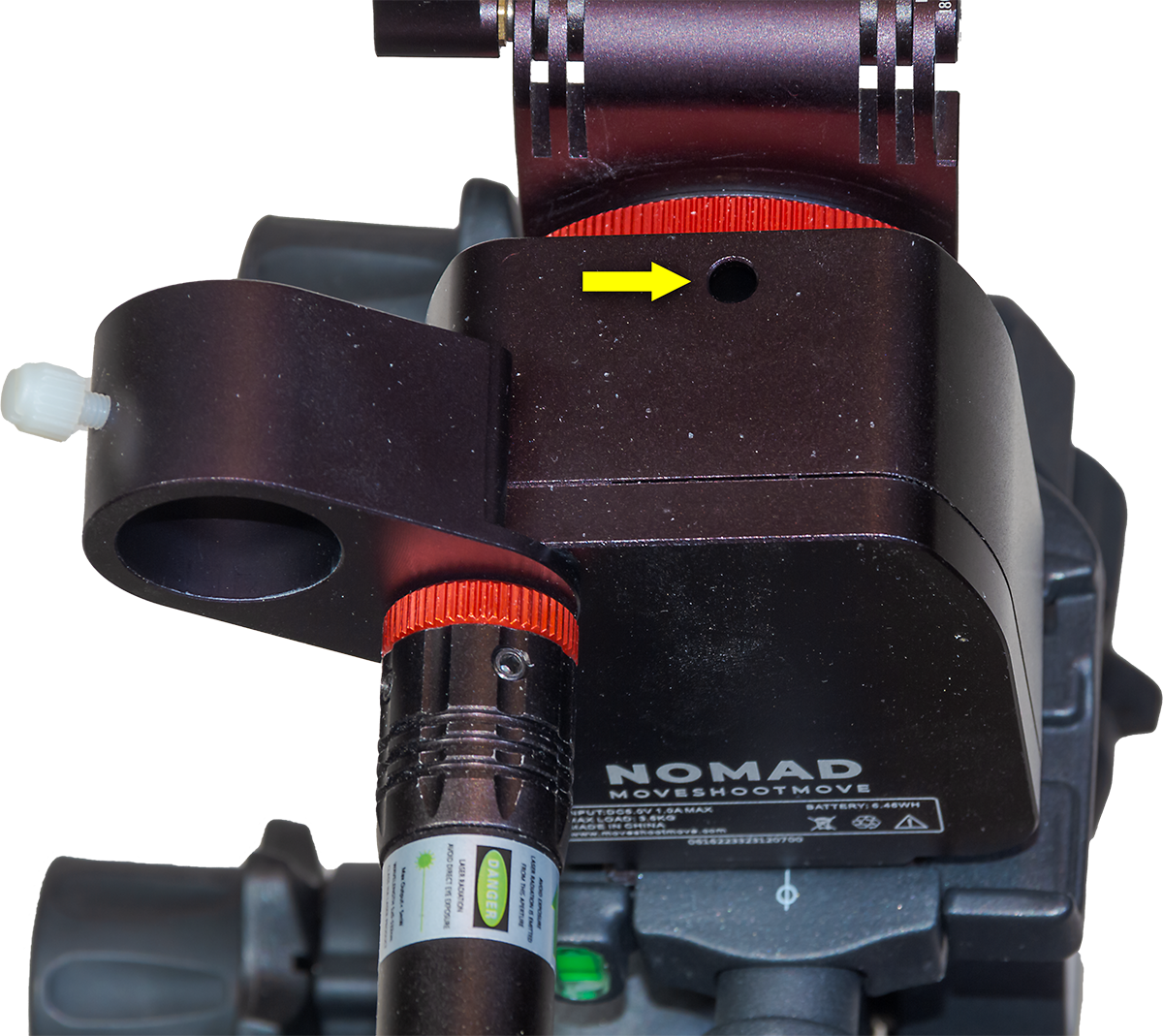
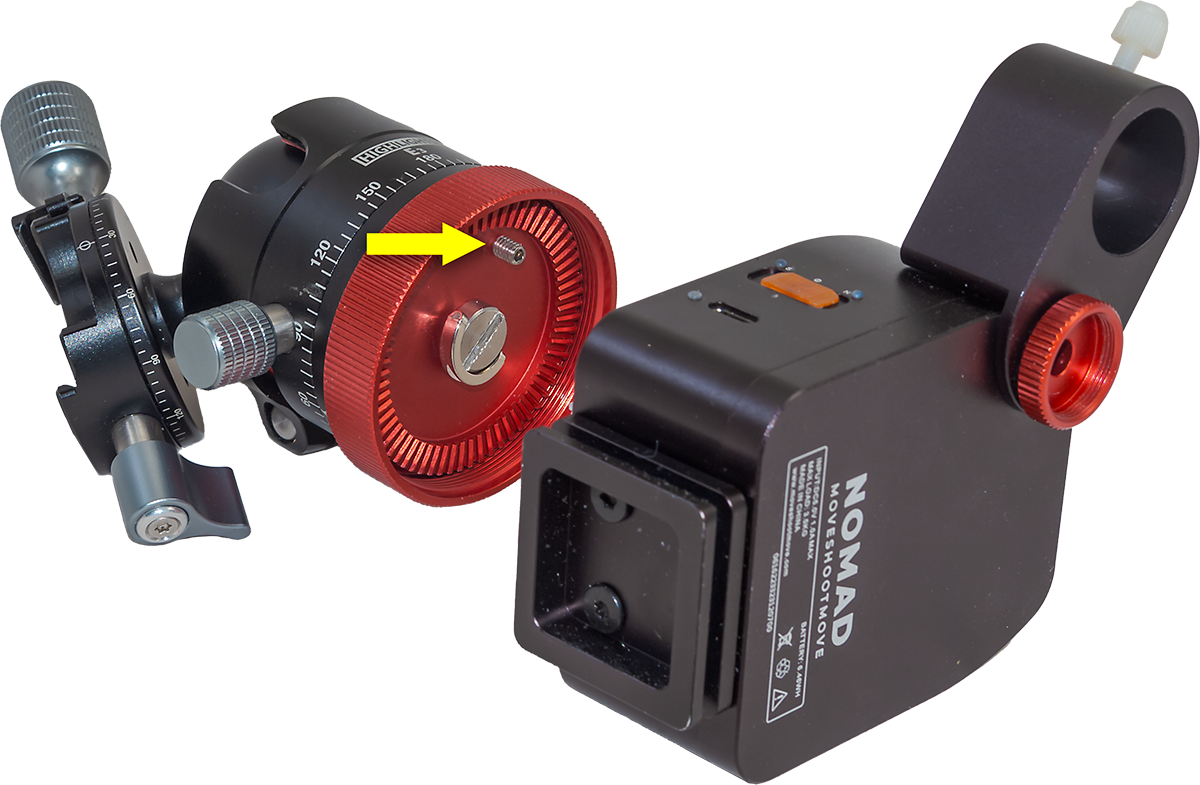
The access hole with a handy adjustment screw that fixed the issue.

What was the solution? There was only one point of adjustment accessible to users, a mysterious hole on the side of the tracker with a small hex screw at the bottom. This is normally covered by a rubber plug, though that was either missing on arrival or got lost along the way from my unit. Upon inquiry, MSM told me the screw is for use just at the factory, for a final adjustment of the gear and bearing distance.

But in my case, tightening it slightly seemed to do the trick, restoring normal tracking. However, my unit still tends to make intermittent clicking sounds now and then, though it seems to track well enough again. 

The lesson here is donโ€™t let gear collide with the Nomad. It likely has no internal clutch, making it unforgiving of being jammed.

Collision Avoidance

How do you avoid collisions? What I should have used in Australia was MSMโ€™s optional V-Plate designed by the late and sadly missed Alyn Wallace. 
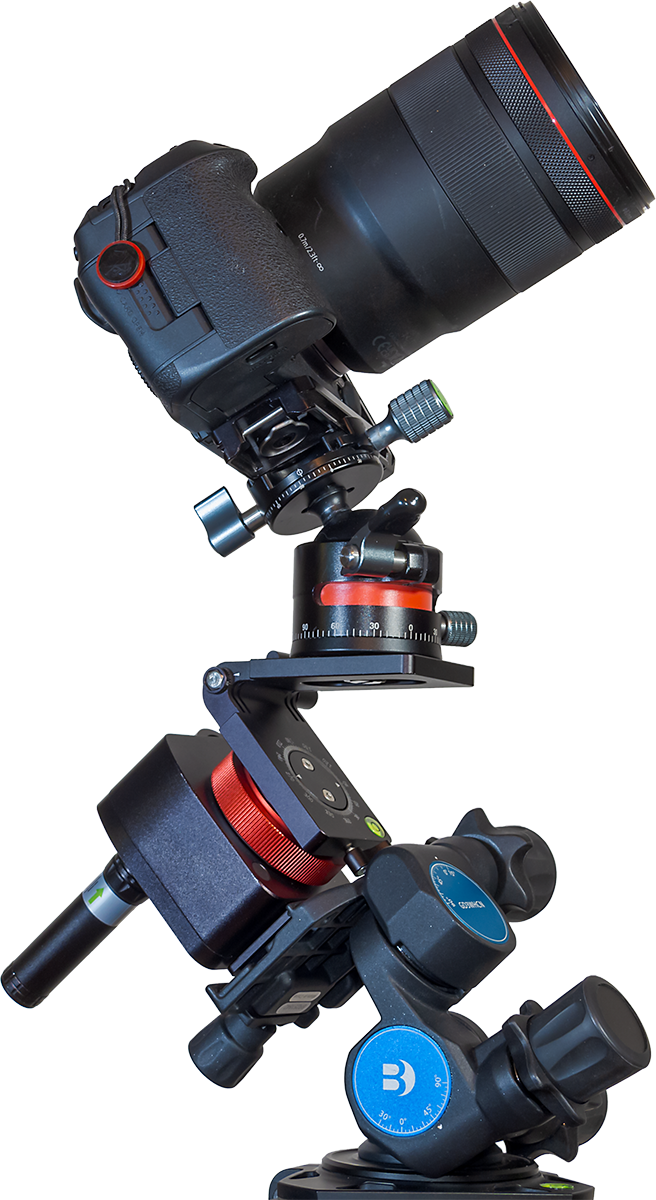
I bought one a couple of years ago, but never thought to bring it with me on the Australia trip. As I show above, the V-Plate allows for much more freedom to aim a camera, either toward the Poles or straight up (as I show above), or low in the sky 180ยฐ away from the Pole, without fear of the ball head hitting other components. 

The V-Plateโ€™s shortcoming is that, despite cranking down the levers that hold it in position, it can still slip under the weight of a heavy camera sitting on the diving-board-like platform supported only on one end. The V-Plateโ€™s locks are not as solid and secure as they should be. But with care it can work well. And you need buy only the V-Plate; not the Z-Plate.

I should note that since I got my V-Plate, it has been upgraded with a larger lever handle to aid tightening the tilt lock. However, it really needs another support point on the tilt adjustment, so it can’t move as readily under load.
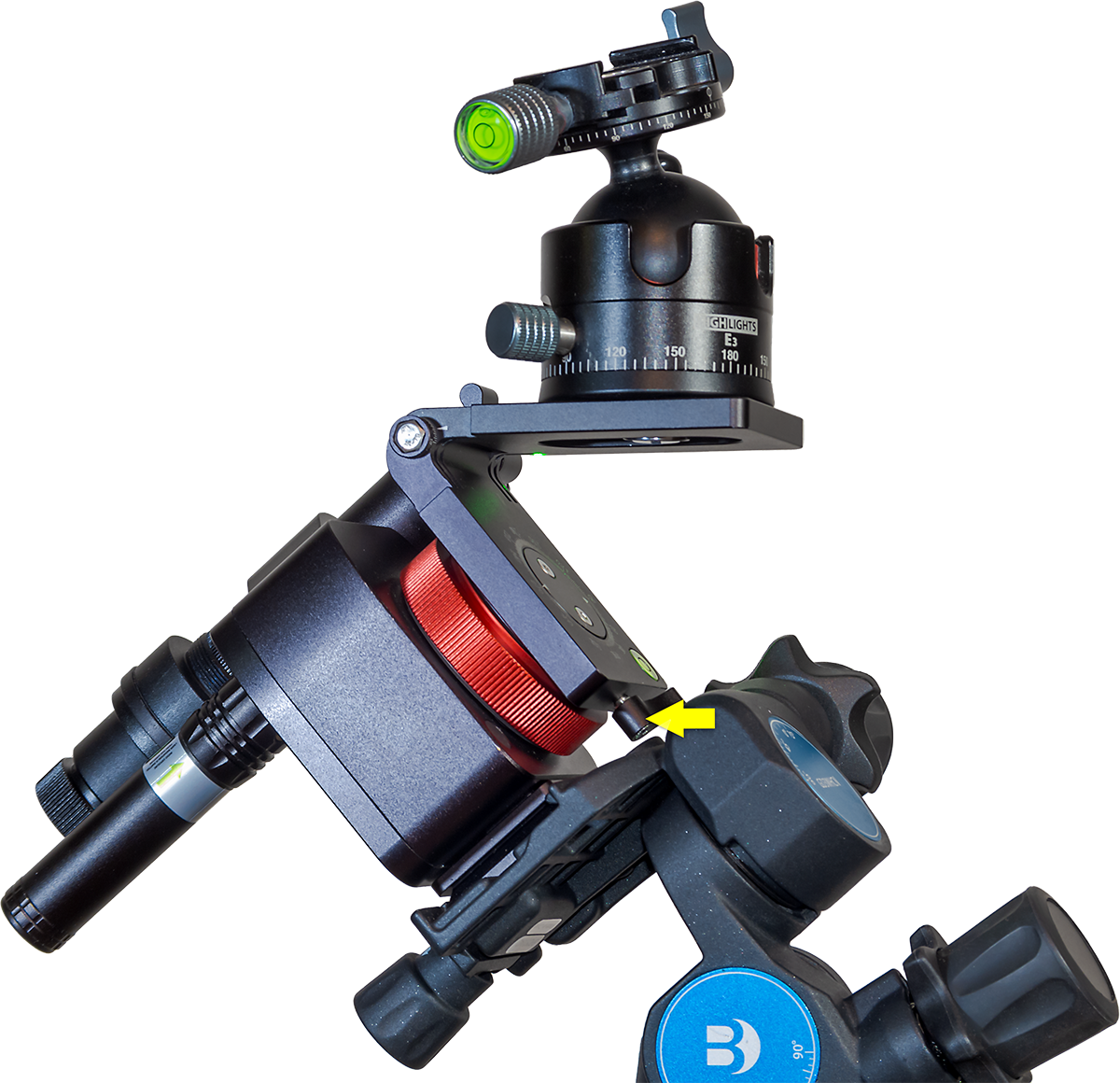
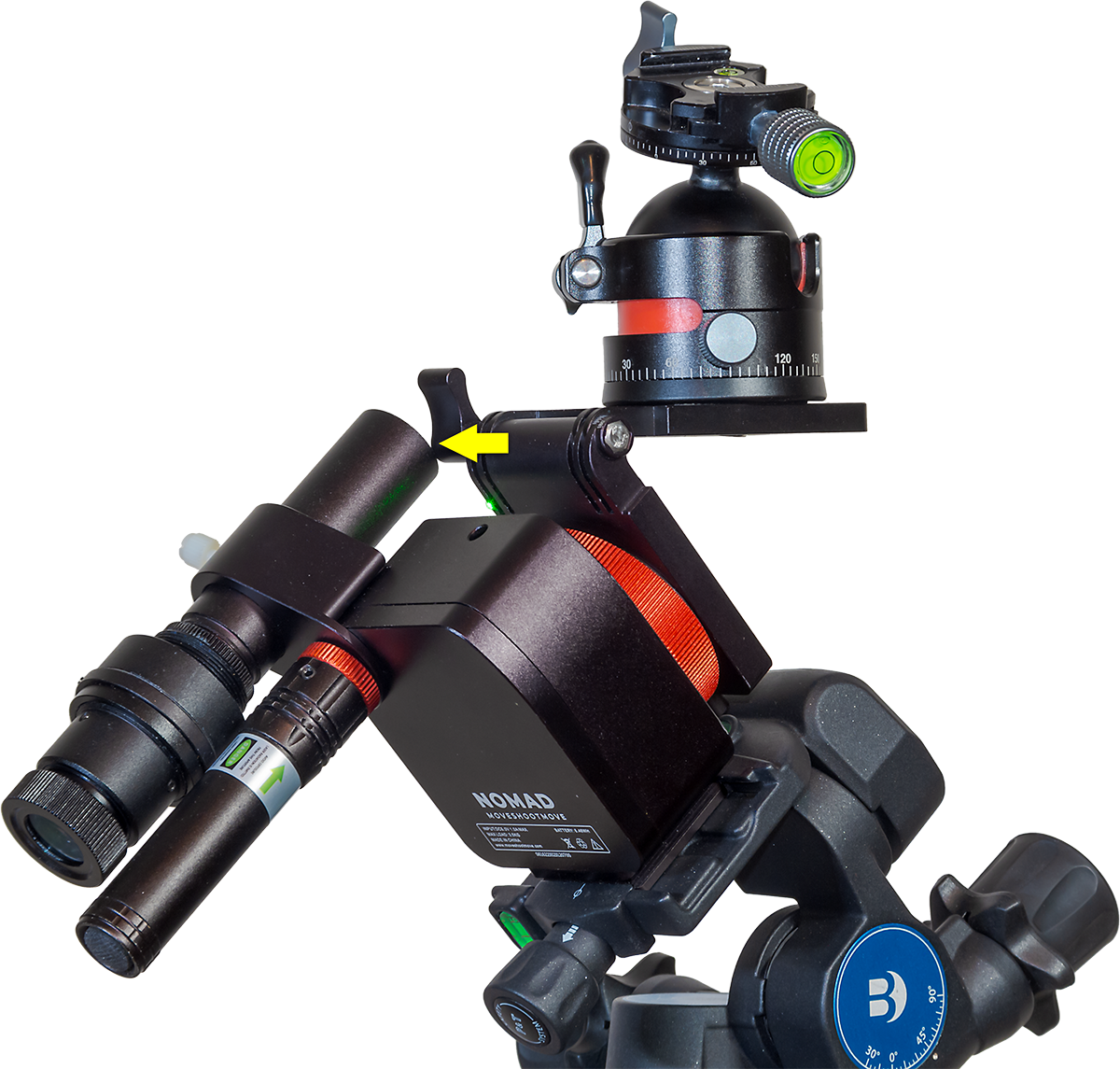
In addition, MSM now offers a taller Arca-Swiss mounting block as an option, to replace the plate that comes bolted onto the Nomad with two Torx screws. That optional riser block moves the Nomad farther from the Wedge or Benro head, helping to prevent some collisions. By putting more space between the Nomad and the Benro head, the riser block makes it easier to get at the small locking clamp on the V-Plate’s rotation axis. But …

Shortly after I first published this review, a loyal reader (thanks, John!) pointed out his method of placing the Nomad on the Benro, with the Nomad turned 90ยฐ to the way I pictured it earlier. As I show below, this places the Benro’s lock knob on the side of the Nomad, not back. The benefit is that the V-Plate’s azimuth lock lever is now more accessible and well-separated from the Benro. That method makes the taller riser block unnecessary.
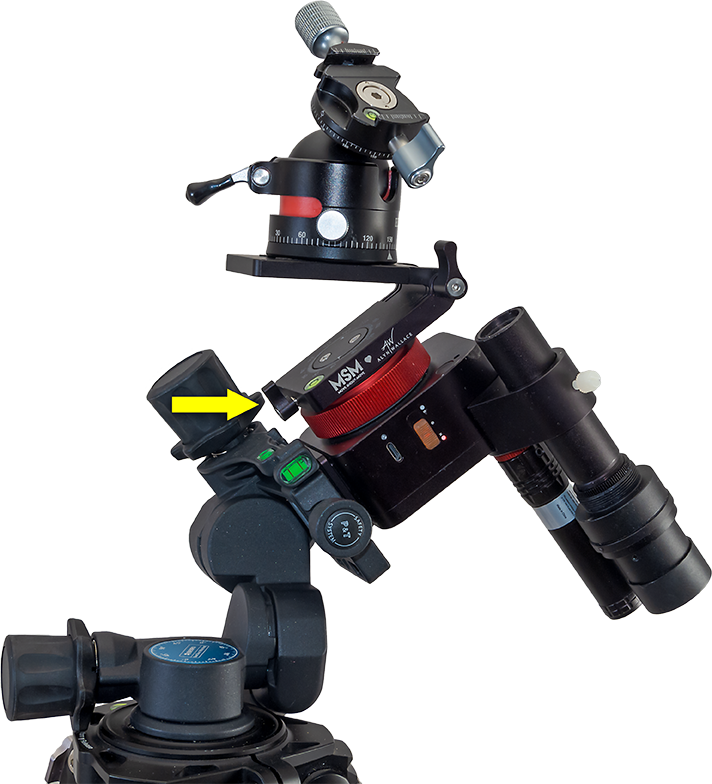
Here’s a reader-suggested alternative method for mounting the Nomad and orienting the Benro head that puts more space between the V-Plate and Benro, for ease of adjustment.

Even with this alternative method, the V-Plate tends to block the laserโ€™s beam, as does a camera once it is mounted. The polar scope can also be blocked. Itโ€™s an example of how one MSM accessory can interfere with another accessory, perhaps requiring yet another accessory to solve! 
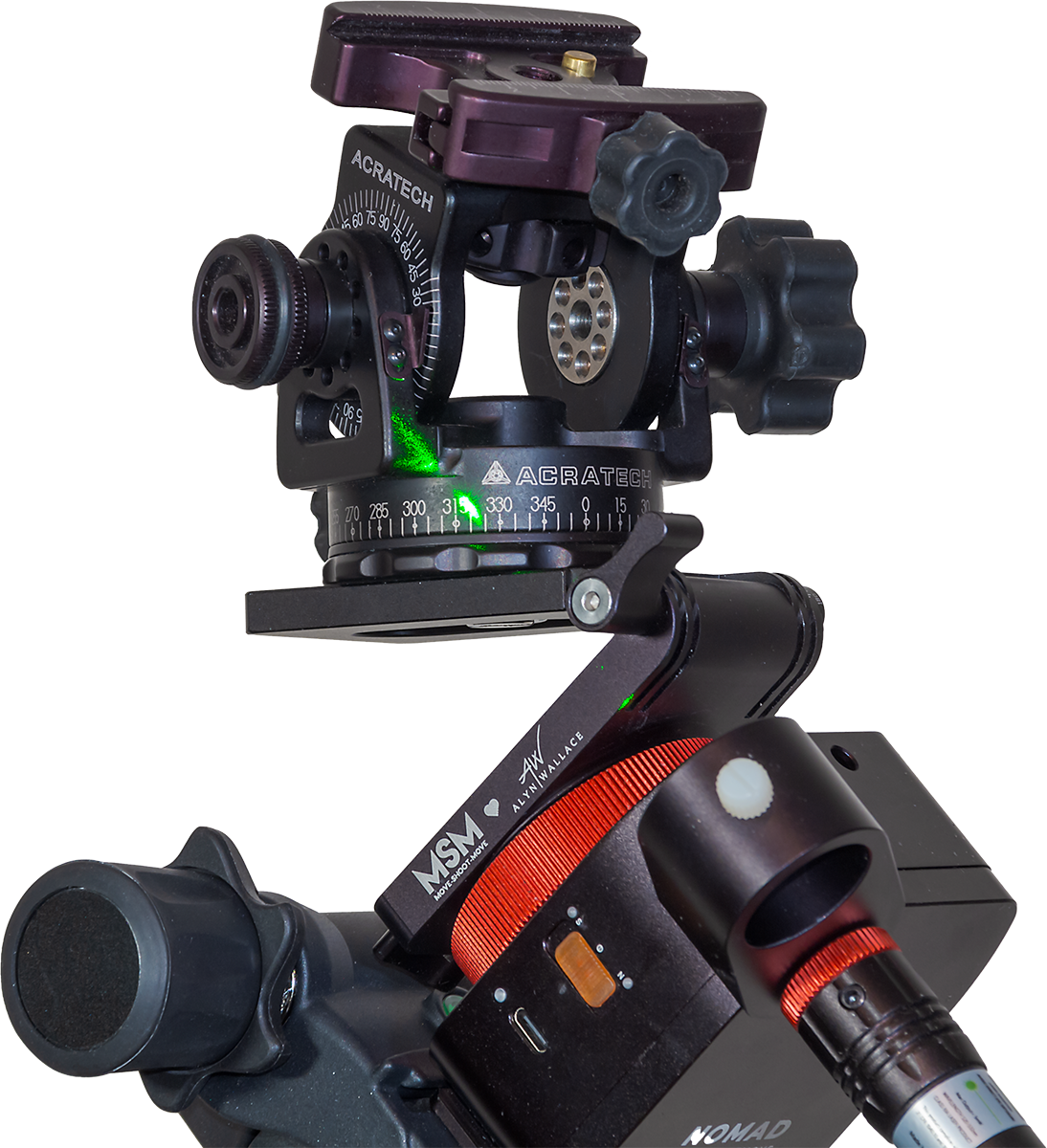
In practice, with the V-Plate installed, polar alignment often has to be done before attaching the camera or setting up the V-Plate to the desired orientation. When adding the camera, care has to be taken to then not bump the Nomad off alignment. Thatโ€™s why I like the Benro head as a stable platform for the Nomad, despite its extra weight. 

As I illustrated earlier, the V-Plate is also an essential accessory for shooting tracked-sky Milky Way panoramas, as it allows a camera to be turned parallel to the horizon from segment to segment while it also tracks the sky.
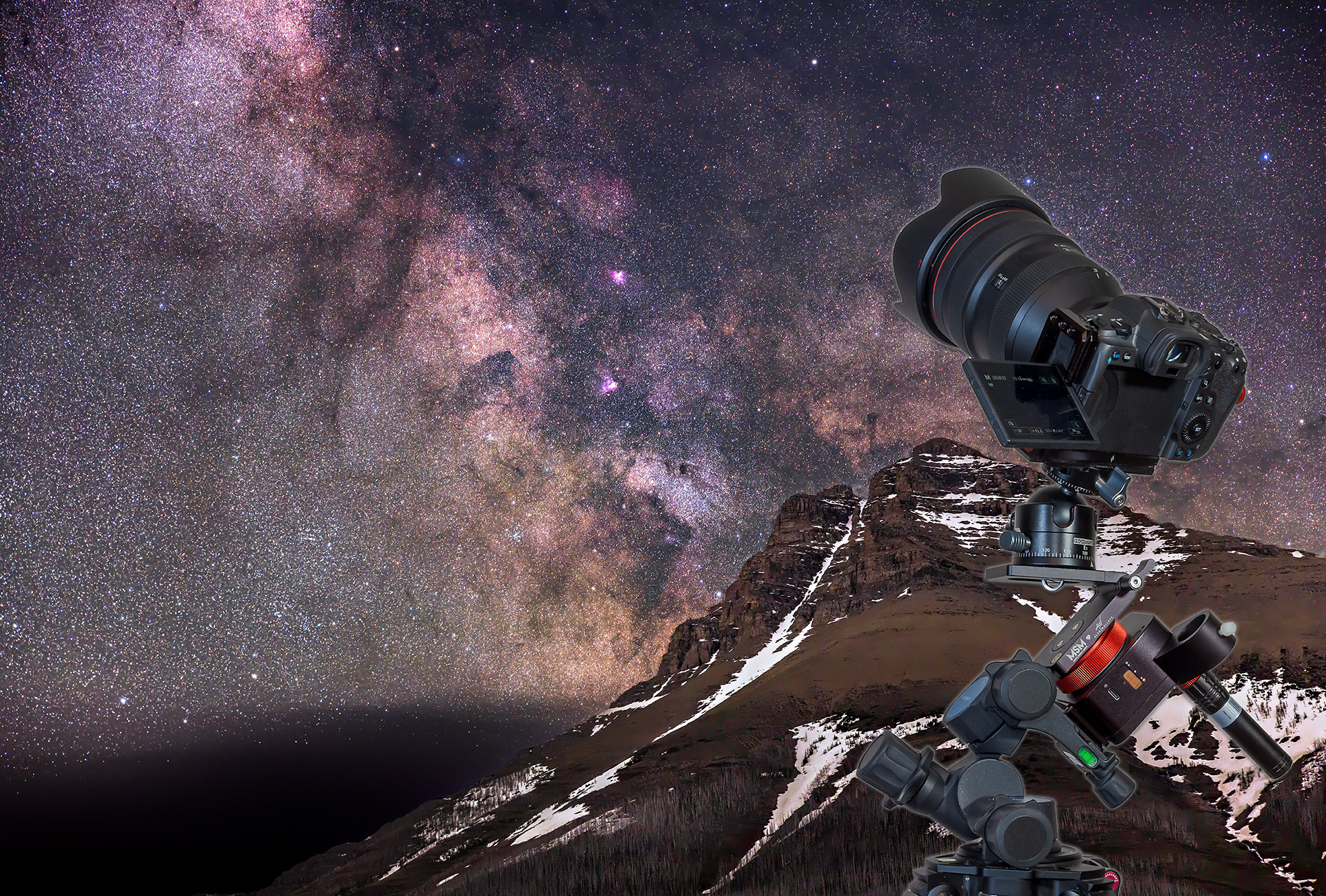
A “deepscape” of the Sagittarius starclouds over Mt. Blakiston, in Waterton Lakes National Park, Alberta. This is a blend of two exposures: a single untracked 2-minute exposure at ISO 1600 for the ground, and a single tracked 2-minute exposure at ISO 800 for the sky, taken immediately after, with the Nomad tracker motor now on. With a 28-70mm lens at 70mm, on the rig shown.

Recommendations 

So, as with the Rotator, when buying a Nomad, plan on adding several โ€œoptionalโ€ accessories to your cart. They can, in fact, be essential. 

However, they can add another $150 (for V-Plate + Wedge + riser block) to $250 (V-Plate + Benro head + riser block) to the total. These are in addition to the cost of the polar alignment aids offered in the various Basic bundles. I like having both the laser and polar scope, but for shooting just wide-angle nightscapes, the laser alone will do.

The cost of accessories makes the Nomad not quite the low-cost tracker you might have been sold on, nor as self-contained and compact as it first appears. Just choosing what combination of gear to buy can be daunting for beginners. 
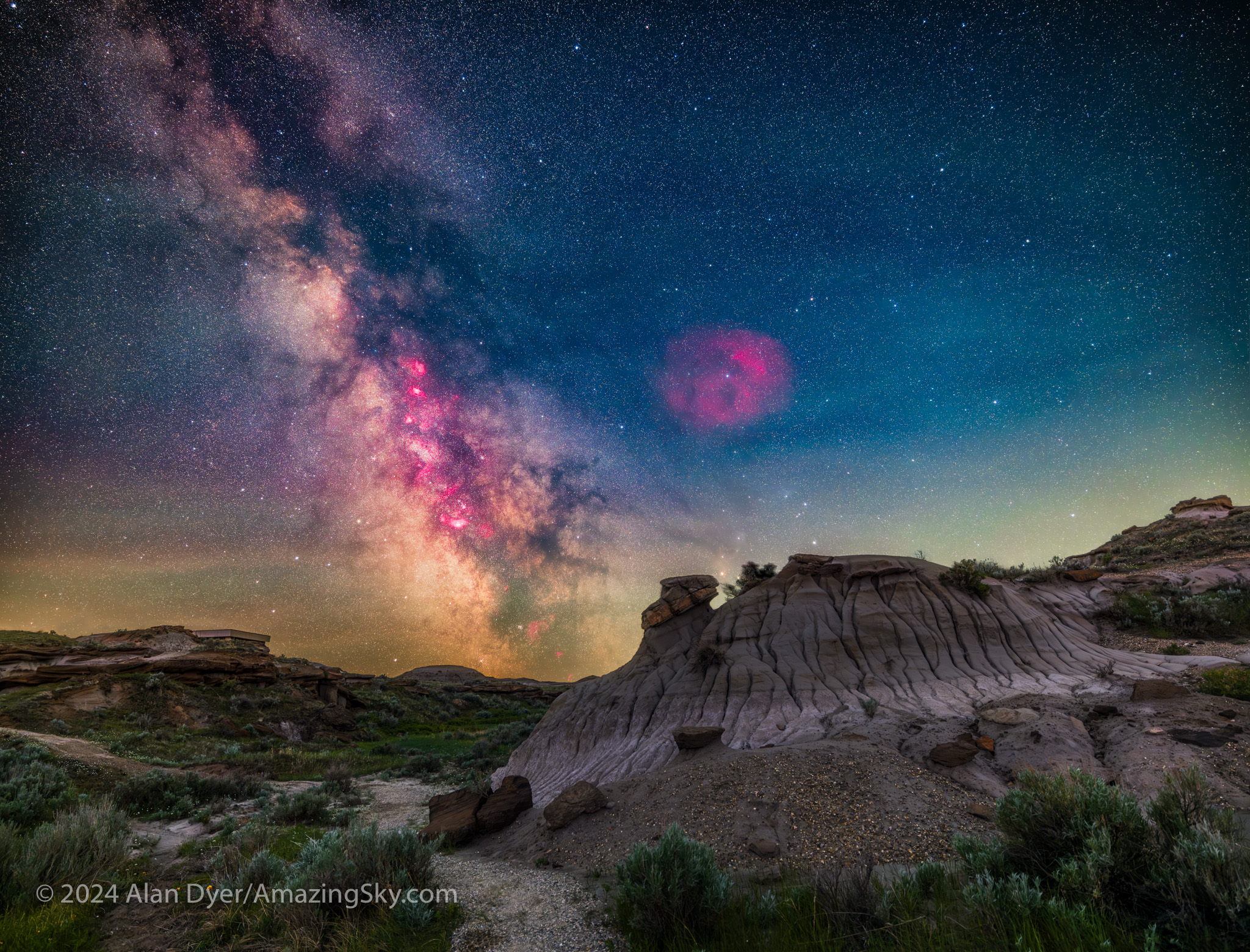
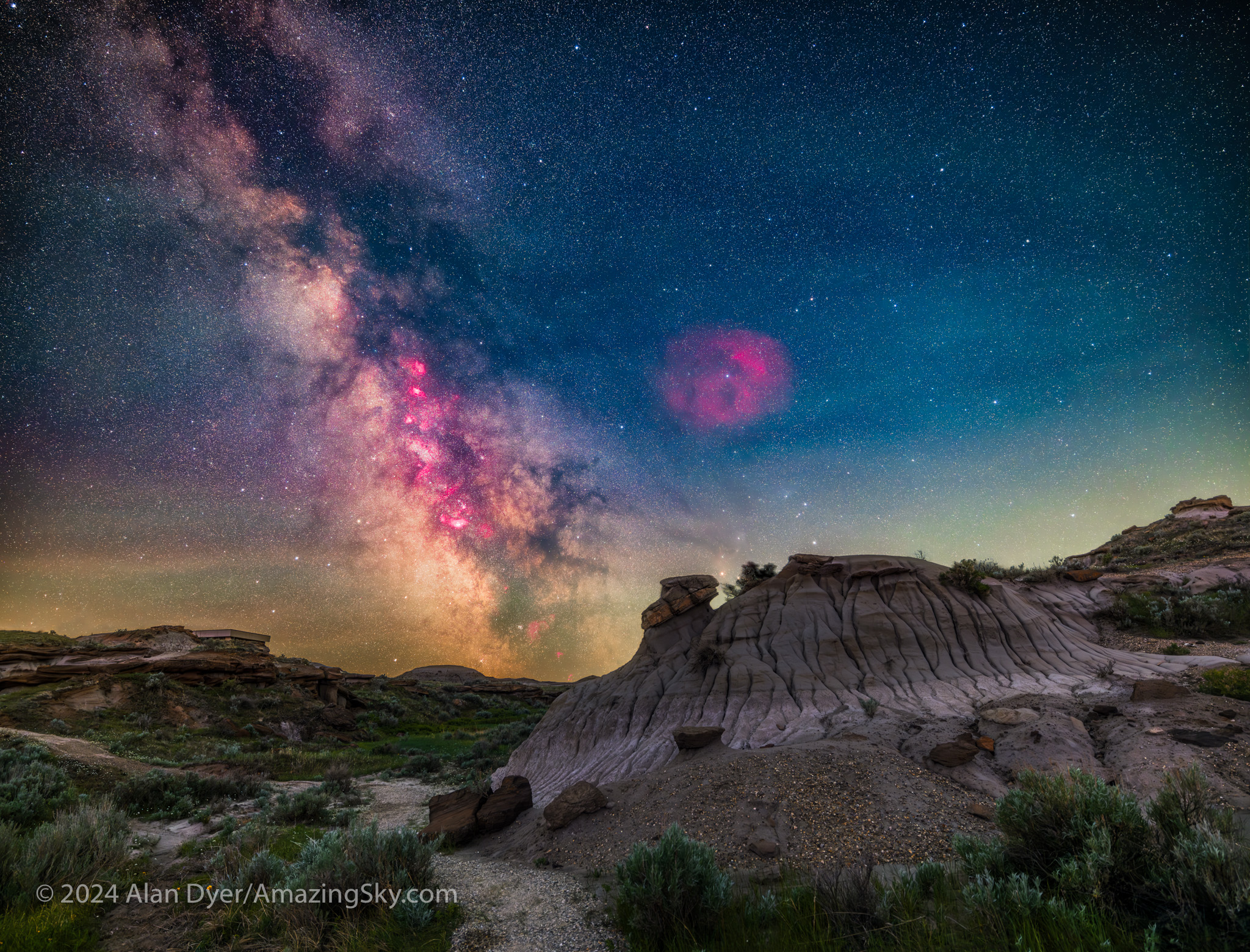
The Milky Way and its core region in Sagittarius and Scorpius over the Badlands of Dinosaur Provincial Park, Alberta. This is a blend of untracked exposures for the ground and tracked exposures for the sky, with the Canon Ra on the Nomad, with the Canon RF15-35mm lens at 20mm at f/2.8.

But when well-equipped, the little Nomad can work very well. Despite my run-in with a collision glitch, I can recommend the Nomad as a good choice for anyone looking for a solid, accurate, but portable tracker that can slip into any camera bag. 

Just make room in your bag โ€“ and budget! โ€“ for polar alignment aids, V-Plates, wedges, and ball heads to complete your tracking kit. 

And then donโ€™t let anything collide with the Nomad! 

โ€” Alan, June 27, 2024 – Revised June 28 / AmazingSky.com  

Nights at World Heritage Sites


I present a selection of new images taken at local World Heritage Sites, along with some advanced nightscape shooting tips.

I’m fortunate in living near scenic landscapes here in southern Alberta. Many are part of UNESCO World Heritage Sites that preserve regions of unique scenic and cultural significance. In early June I visited several to shoot nightscapes of starry skies over the scenic landscapes.

I also took the opportunity to experiment with some new shooting techniques. So I’ve included some tips and techniques, most of the advanced variety.


First up was Dinosaur Provincial Park.

The Milky Way and its core region in Sagittarius and Scorpius is here low over the Badlands landscape of Dinosaur Provincial Park, Alberta.

After nearly a month of rain and clouds, the night of May 31/June 1 proved wonderfully clear at last. I headed to a favourite location in the Red Deer River valley, amid the eroded badlands formations of Dinosaur Provincial Park, site of late-Cretaceous fossil finds.

The bright core of the Milky Way in Sagittarius would be in the south. With the night only three weeks before summer solstice, from the Park’s latitude of 50.5ยฐ N the sky would not get astronomically dark. But it would be dark enough to show the Milky Way well, as above in this framing looking south on the Trail of the Fossil Hunters.

However, May and June are “Milky Way Arch” months, at least for the northern hemisphere. The full sweep of the northern Milky Way, from Perseus in the northeast to Sagittarius in the southeast, then stretches across the sky โ€” high enough to be impressive, but low enough (unlike later in summer) to be framable in a horizontal panorama.

This is a 200ยฐ panorama of the arch of the northern Milky Way rising over the Badlands landscape of Dinosaur Provincial Park, Alberta.

To capture the arc of the Milky Way I shot a panorama โ€” in fact three:

  • one exposed for the ground
  • one exposed for the sky, but with the camera now tracking the sky to keep stars pinpoint
  • and a final sky panorama but with a specialized filter installed in front of the camera sensor to let through only the deep red light emitted by nebulas along the Milky Way
Rig for tracked panoramas with the MSM Nomad tracker

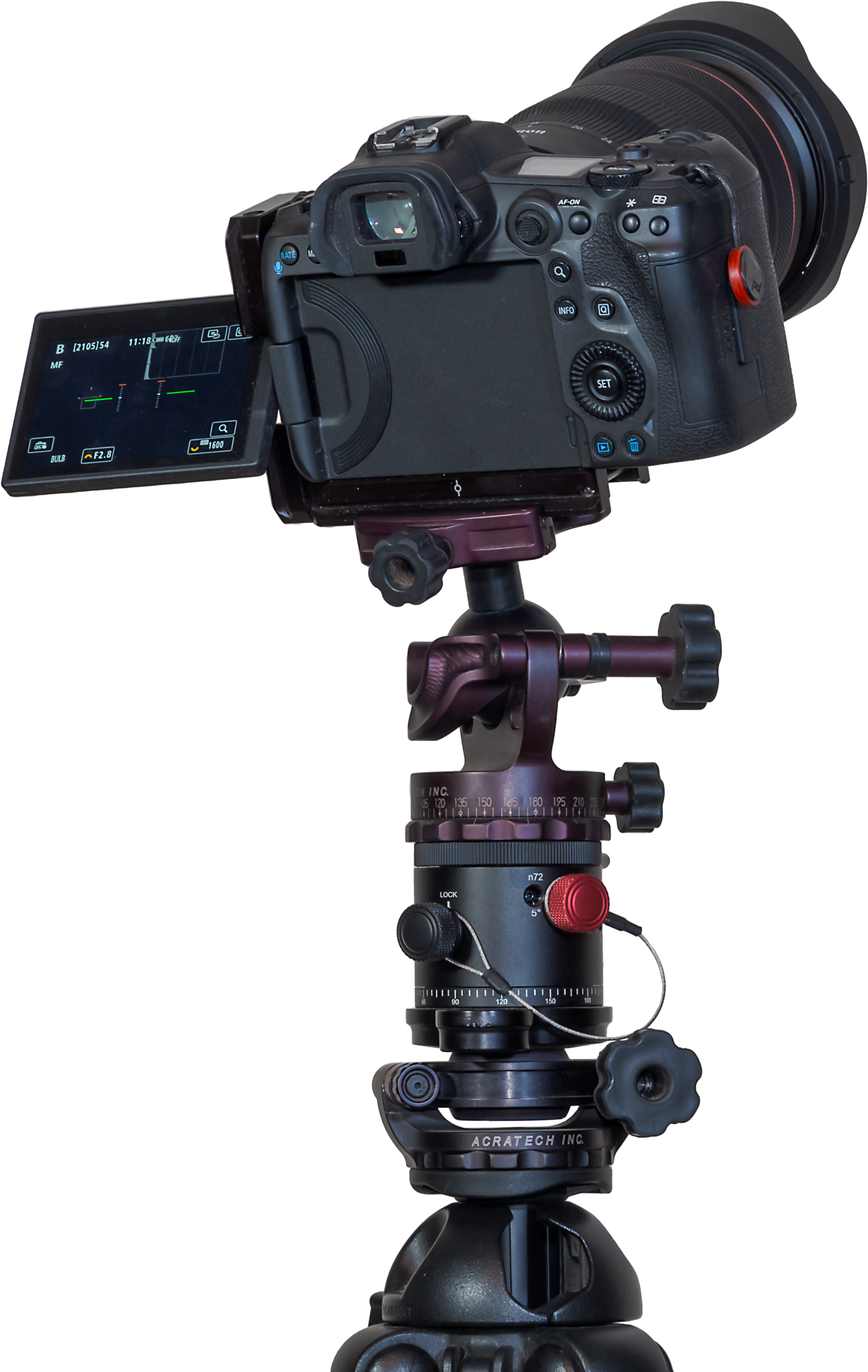
The image above shows my rig for taking tracked panoramas. The rectangular box is the little Nomad sky tracker from Move-Shoot-Move (MSM), here equipped with its accessory laser pointer to aid the “polar alignment” that is needed for this or any tracker to follow the turning sky properly.

A review of the MSM Nomad will be forthcoming (subscribe to my blog!). However, I’ve found it works very well, much better than MSM’s original Rotator tracker, which was entirely unreliable!

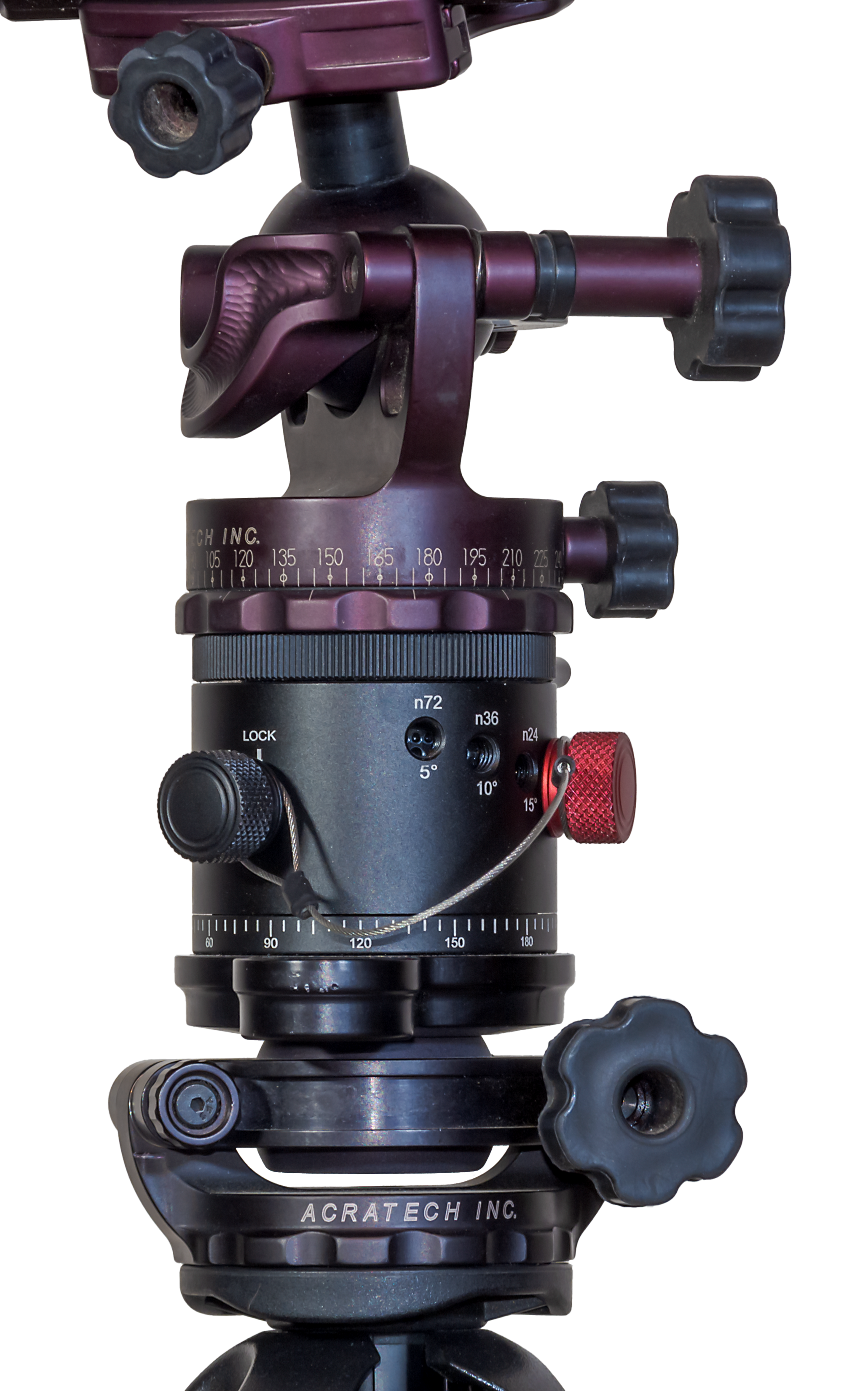
On top of the little Nomad is an Acratech pano head, so I can turn the camera by a specific angle between each pano frame, both horizontally from segment to segment, and vertically if needed when raising the camera from the ground pano to the sky pano.

The pano head is on a “V-Plate” sold by MSM and designed by the late, great nightscape photographer (and engineer by trade), Alyn Wallace. The V-Plate allows the camera to turn parallel to the horizon when on a tipped-over tracker. The entire rig is on a Benro 3-Axis tripod head (also sold by MSM, but widely available) that makes it easy to precisely aim the tracker for polar alignment and then hold it rock steady.

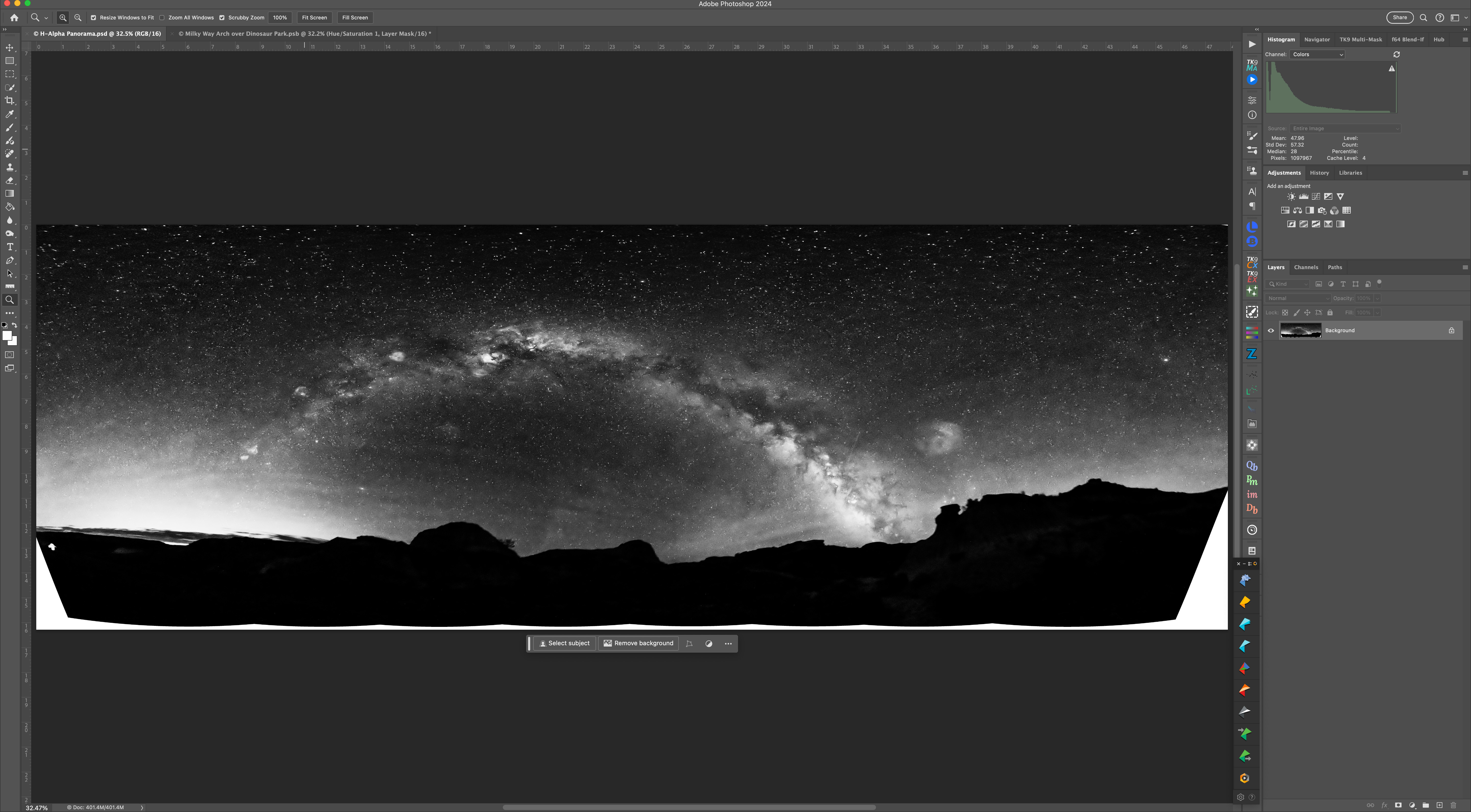
The H-Alpha Panorama rendered in monochrome

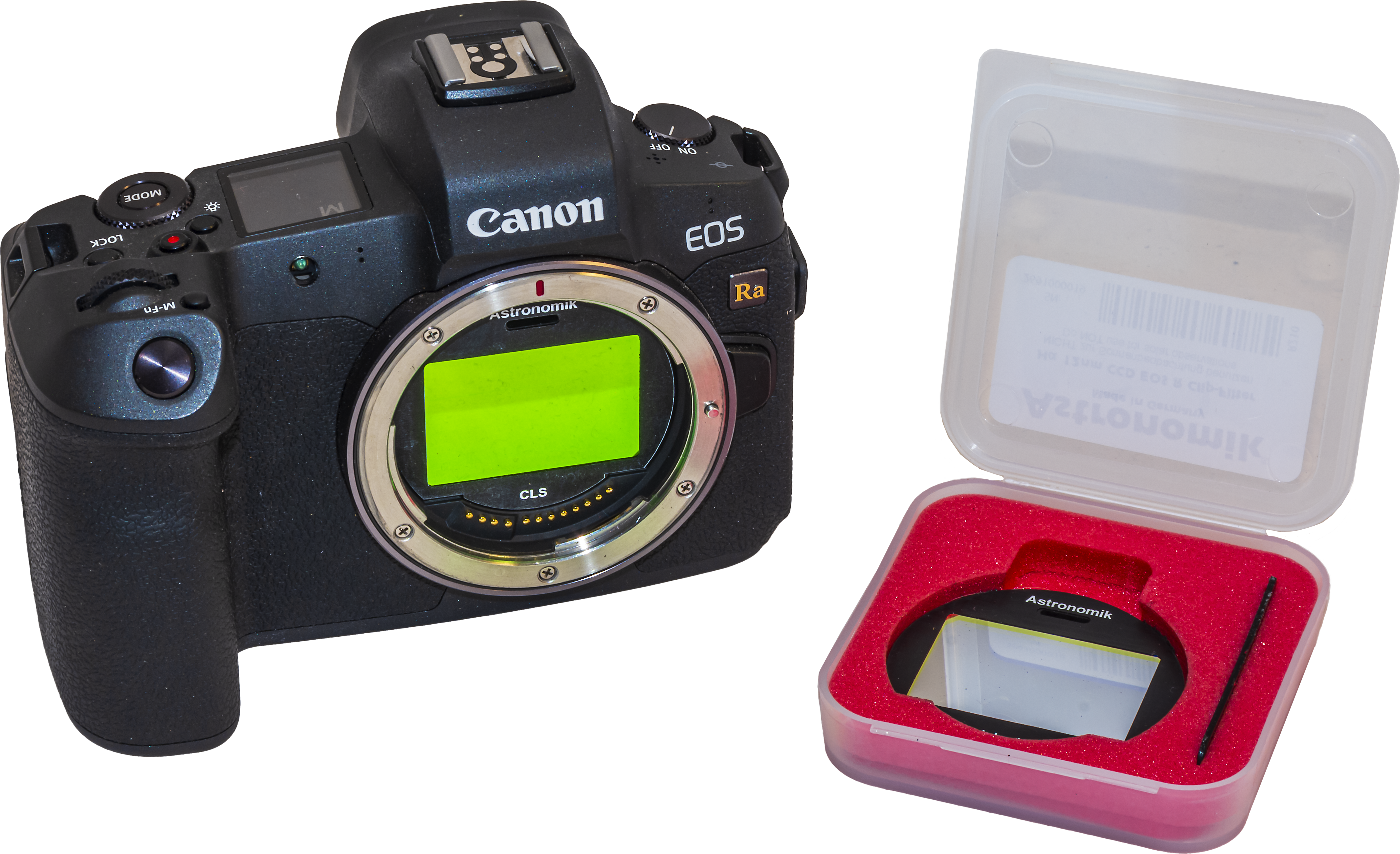
I’d taken many panos before using sets of untracked ground and tracked sky panoramas. New this night was the use a “narrowband” Hydrogen-Alpha filter to take a final pano that brings out the red nebulas. I used a filter from Astronomik that clips into the camera in front of the sensor. Such a filter has to be used on a camera that has been modified to be more sensitive to deep red light, as the Canon Ra shown below is (or was, as Canon no longer makes it).

While a modded camera brings out the nebulas, using an H-Alpha filter as well really shows them off. But using one is not easy!

Astronomik clip-in filters, the 12nm H-a on the right

The clip-in placement (unlike a filter in front of a lens) requires that the lens be refocused โ€” infinity focus now falls at the 3 to 6 metre point (the focus shift varies with the lens and focal length โ€” the wider the lens the greater the shift). With the image so dark and deep red, seeing even a bright star to manually focus on is a challenge.

Shifting the lens focus also changes the overall image size (called “focus breathing”) and often introduces more off-axis lens aberrations, again depending on the lens.

So, blending the H-Alpha pano (which I rendered out in monochrome, above) into the final stack is tough, requiring lots of manual alignment, image warping, BlendIf adjustments, and masking. This is where I added in the red colouration to taste. Careful here, as the “Saturation Police” patrolling social media will issue tickets if they judge you have exceeded their “speed limit.”

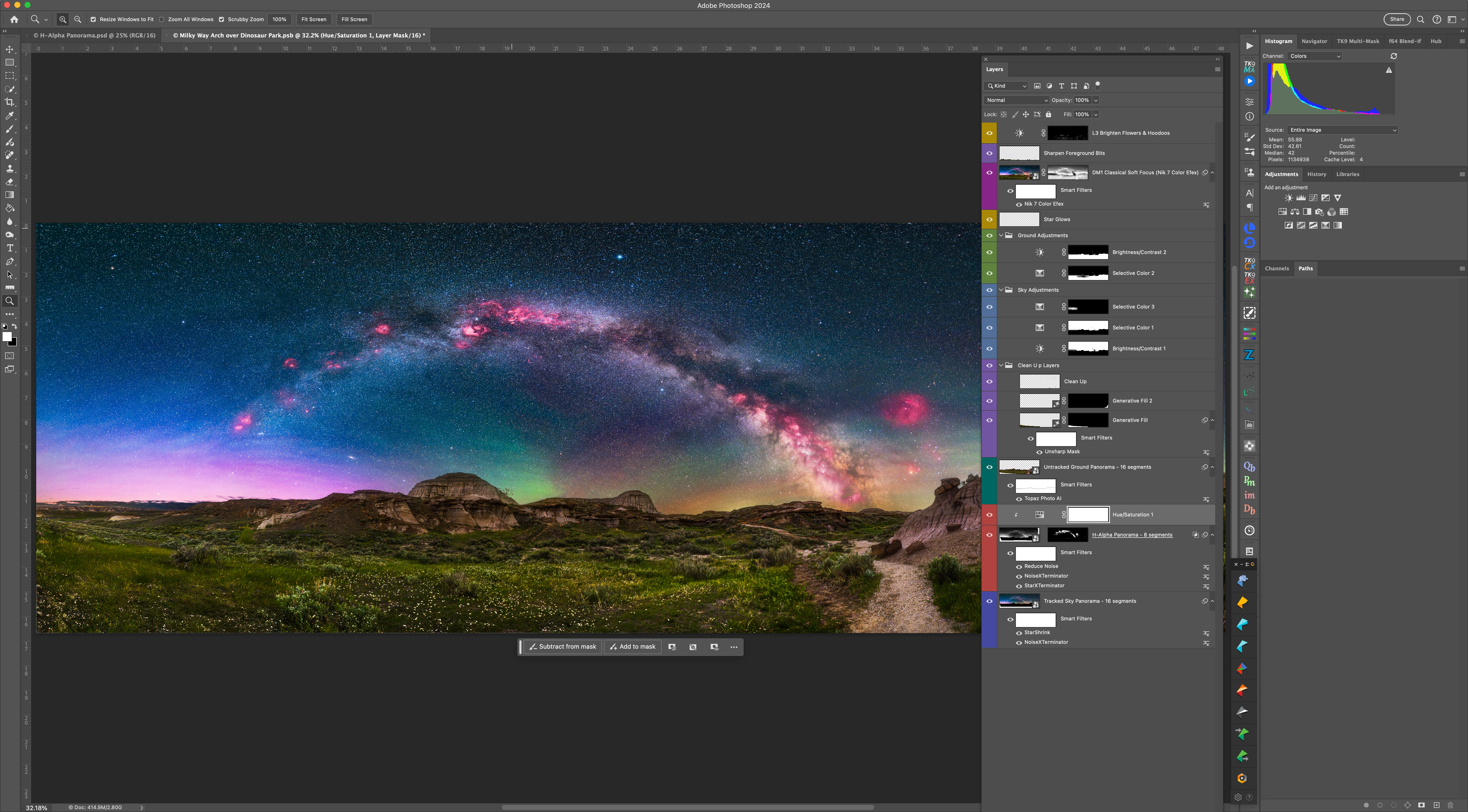
The complete panorama with Photoshop layers and adjustments

The final pano required a complex blend of image and adjustment layers, all applied non-destructively, so the many elements of the scene can be individually tweaked at any time.

The work was worth it, as the final pano records the deep red nebulas contrasting with the deep blue of a sky still lit partly by twilight, a magenta aurora to the north, and bands of green and yellow airglow, all above the earth tones of the Badlands. It is one of my favourite nightscape panoramas.

As a further note on software: For stitching panos I try to use Adobe Camera Raw first. It can work very well. But complex panos, especially taken with very wide lenses, often require the specialized program PTGui, which offers more choice of pano projection methods, cleaner stitching, and control of panorama framing and levelling.


Next up was Writing-on-Stone Provincial Park.

A week later, with the waxing Moon beginning to appear in the western sky and the promise of clear nights, I headed south to the 49th parallel borderlands of the Milk River and Writing-on-Stone Provincial Park, known as รรญsรญnai’pi to the Blackfoot First Nation who revere the site as sacred.

My plan was a framing of the galactic centre over the Milk River valley and distant Sweetgrass Hills in Montana, perhaps using the H-Alpha filter again. But clouds got in the way!

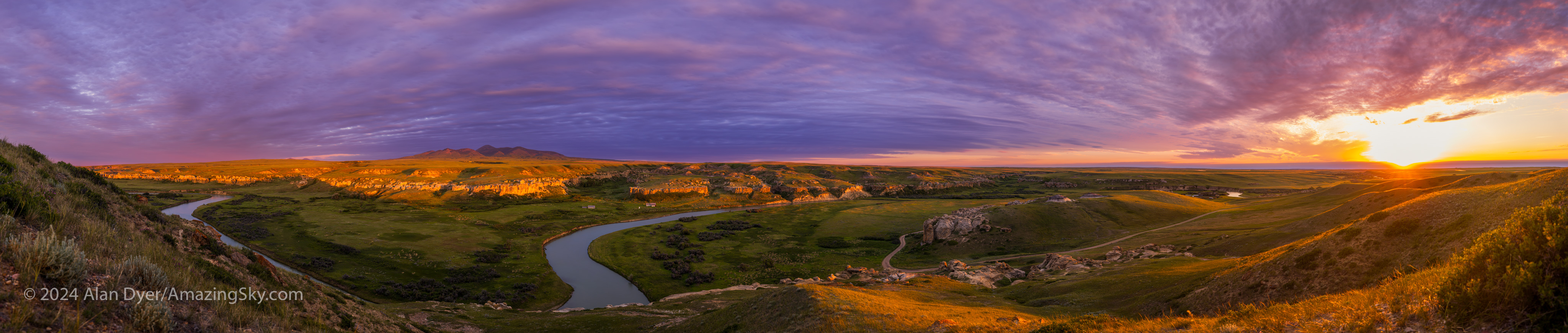
A 13-segment panorama of the landscape and sky just as the Sun sets over Writing-on-Stone Provincial Park (รรญsรญnai’pi) in Alberta.

When you are faced with a cloudy sky, you make use of it for a colourful sunset. I like shooting panoramas at such sites as they capture the grand sweep of the “big sky” and prairie landscape. Above is the scene at sunset.

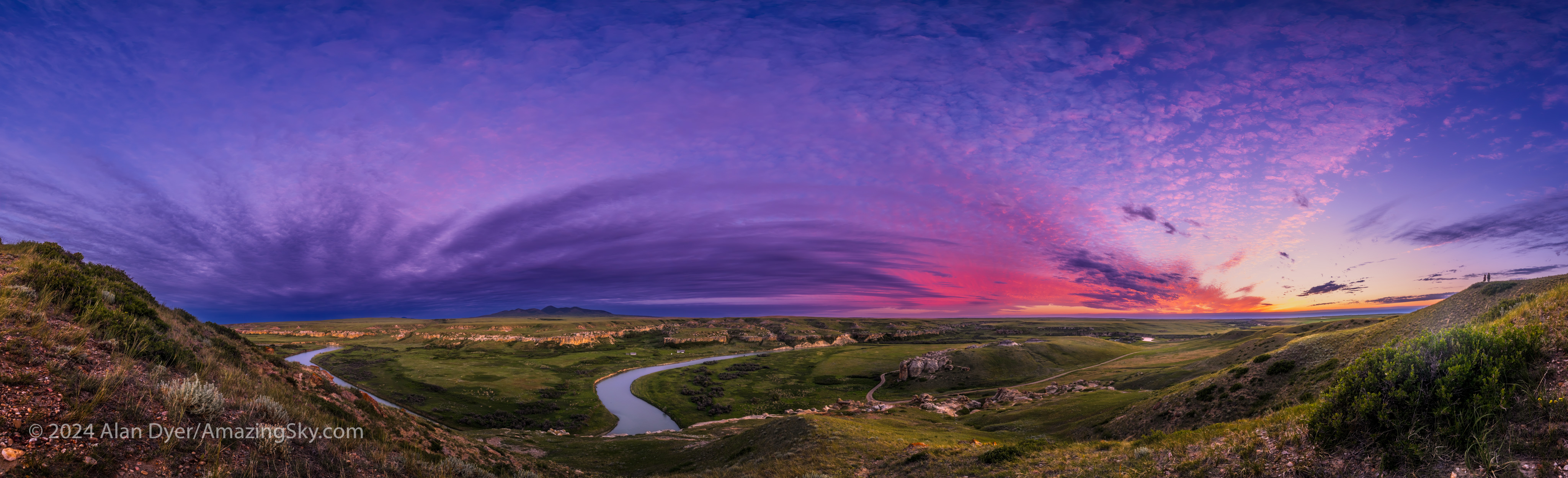
A 14-segment panorama of the landscape and sky at sunset at Writing-on-Stone Provincial Park.

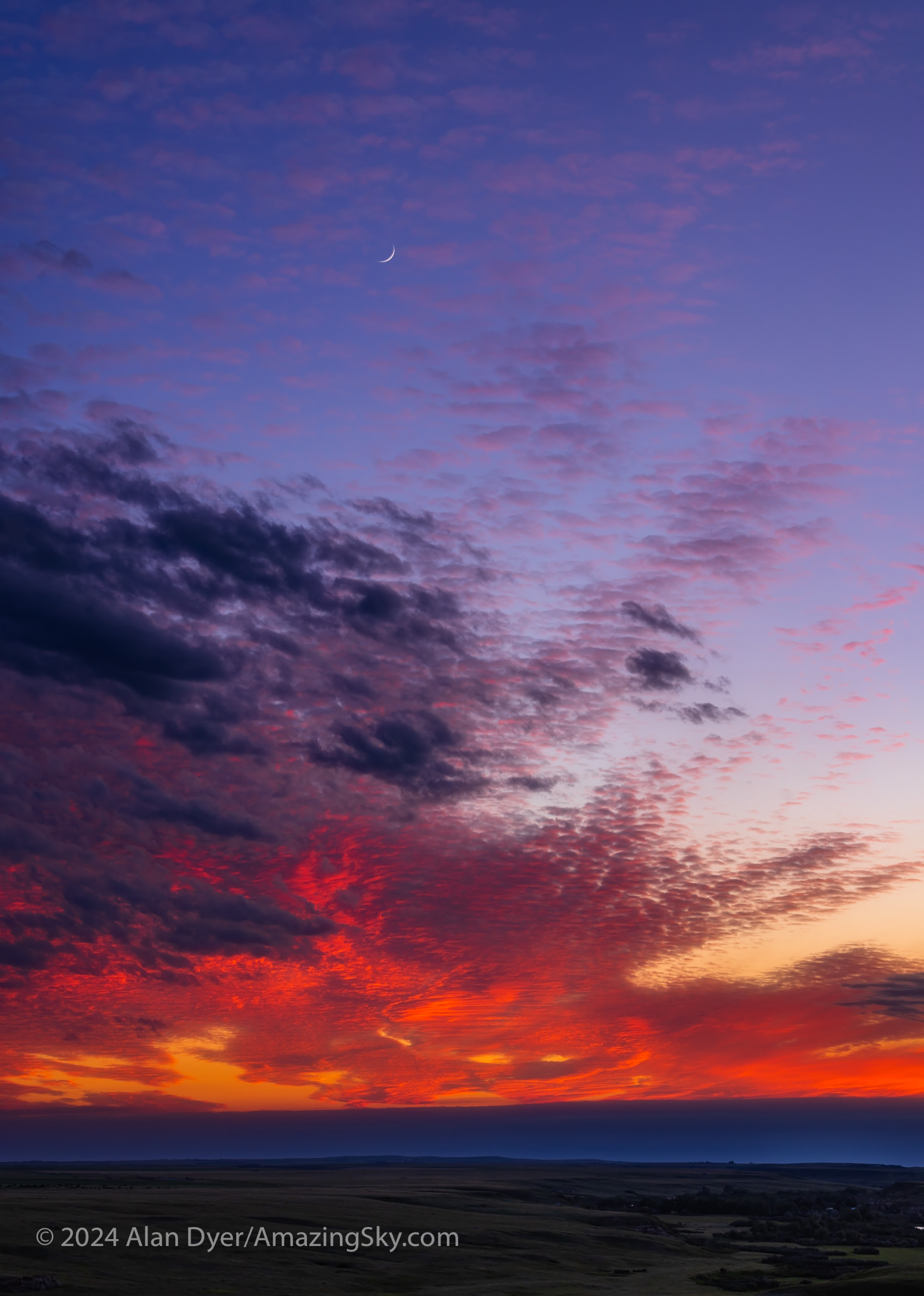
Above is the same scene a few minutes later as the Sun, though now set, still lights the high clouds with its red light, mixing with the blue sky to make purples. On the hill at right, a couple admires the sunset, adding a human scale to the vast skyscape.

This pano was with the Canon RF15-35mm lens at 15mm and the camera in portrait orientation to capture as much of the sky and ground as possible in a single-row pano.

A 13-segment panorama of the sandstone landscape in blue-hour twilight at Writing-on-Stone Provincial Park.

I finished the evening with another panorama, but using a Canon RF70-200mm telephoto lens at 70mm to zoom in on the Sweetgrass Hills in the deepening twilight.

For these panoramas, exposures were short, so I didn’t need to track the sky. I used another combination of gear shown above. An Acratech ball head sits atop another style of panorama head that has adjustable click stops to make it easy to move the camera from segment to segment at set angles. When the lighting is changing by the second, it helps to be quick about shooting all the pano segments. Such pano heads are readily available on Amazon.

That pano head sits atop an Acratech levelling head (there are many similar units for sale), an essential addition that makes it easy to level the pano head so the camera turns parallel to the horizon. Any tilt will result in a panorama that waves up and down, likely requiring fussy warping or cropping to correct. Avoid that; get it right in-camera!

A single-image portrait of a sunset sky with the waxing two-day-old crescent Moon amid colourful clouds over the prairie.

As the sky lit up, I also shot the crescent Moon above the sunset clouds and prairie scene. While the clouds made for a fine sunset, they did not clear off, thwarting my Milky Way plans this night. I headed back to Milk River, to travel farther west the next day.


From Writing-on-Stone I drove along scenic Highways 501 and 5 to Waterton Lakes National Park.

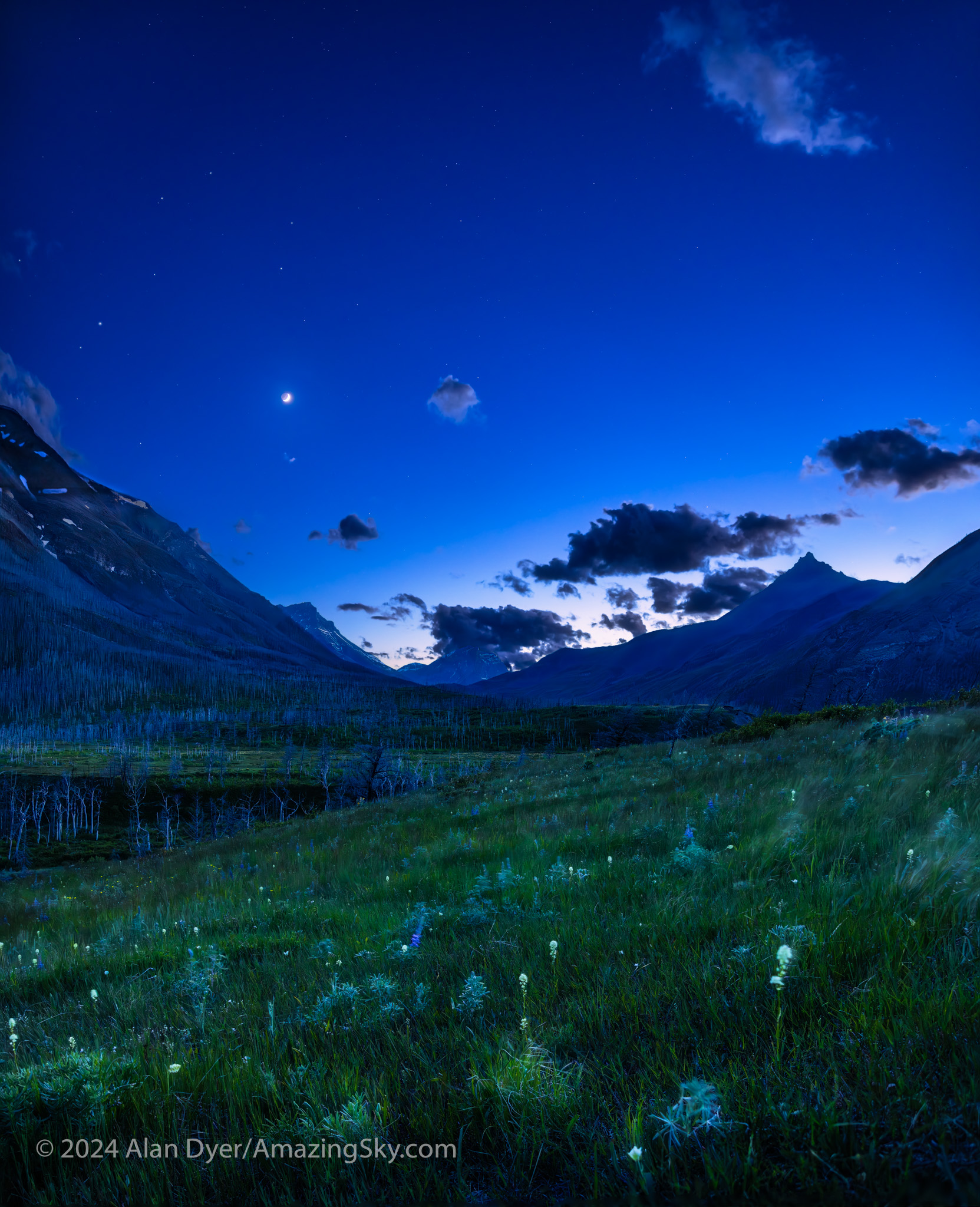
A nightscape scene under a twilight “blue-hour” sky, on the Red Rock Canyon Parkway in Waterton Lakes National Park, Alberta, looking west toward the sunset with the four-day-old crescent Moon.

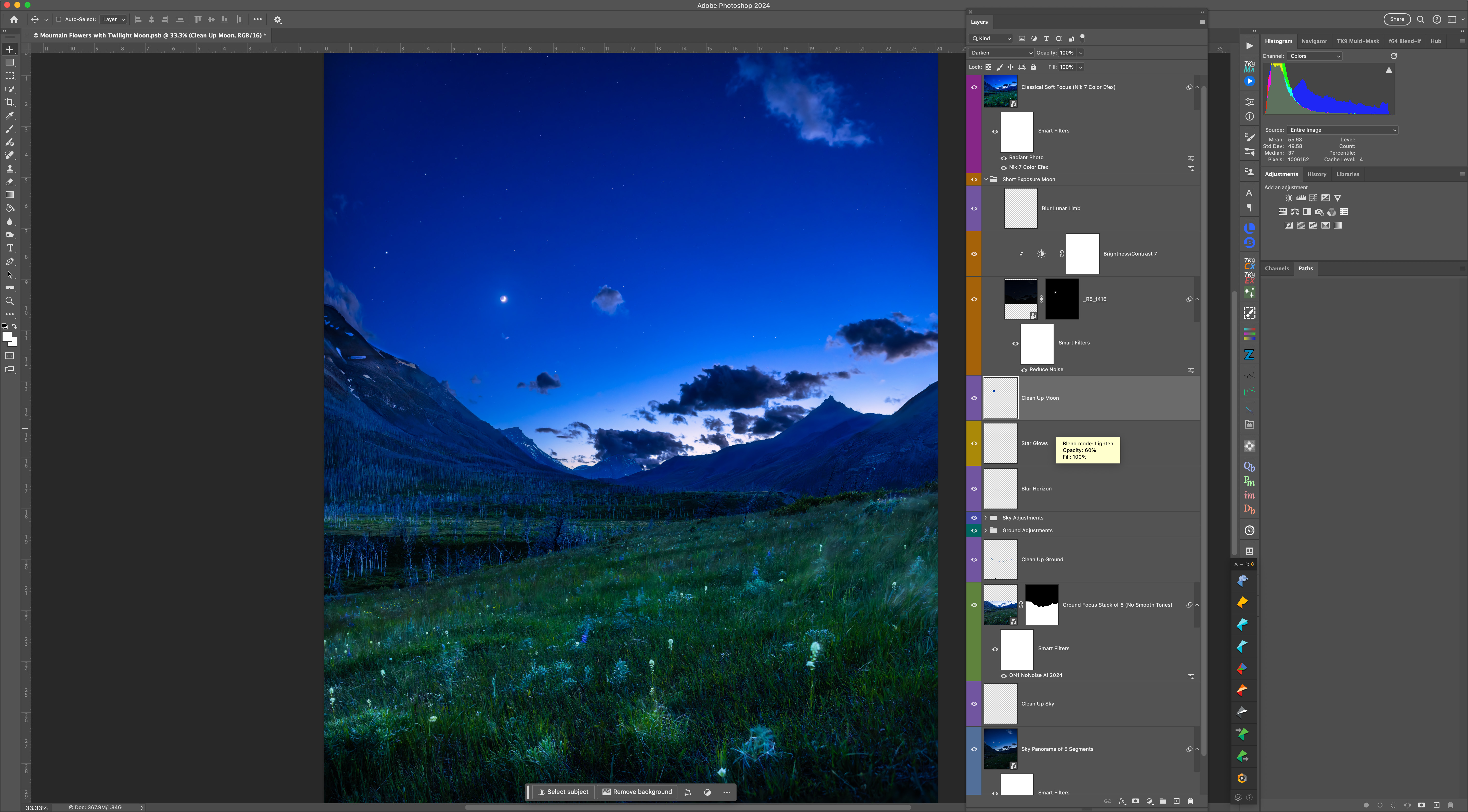
After an initial cloudy night, I made use of the (mostly) clear night on June 10 to shoot twilight scenes with the now four-day-old crescent Moon in the evening sky. Here I wanted to play with another technique I had not used much before: focus stacking.

To keep exposures short (here to minimize the blurring effects of the constant wind at Waterton) you have to shoot at wide apertures (f/2 in this case). But that produces a very shallow depth of field, where only a small area of the image is in focus.

So I shot a series of six images, shifting the focus from near (for the foreground flowers) to far (for the mountains and sky). Photoshop has an Auto Blend function that will merge the images into one with everything in focus. I also shot separate images exposed for the bright sky, shooting a vertical panorama โ€” dubbed a “vertorama” โ€” moving the camera up from frame to frame.

I shot an additional short exposure just for the Moon, to prevent its disk from overexposing too much, as it did in the twilight sky images.

Twilight sky assembly and layers in Photoshop

So what looks like a simple snapshot of a twilight scene is actually a complex blend of focus-stacked ground images, panoramic sky images, and a single short image of the Moon replacing its otherwise overly bright disk. But the result better resembles what the eye saw, as single exposures often cannot record the range of brightness the eye can take in.

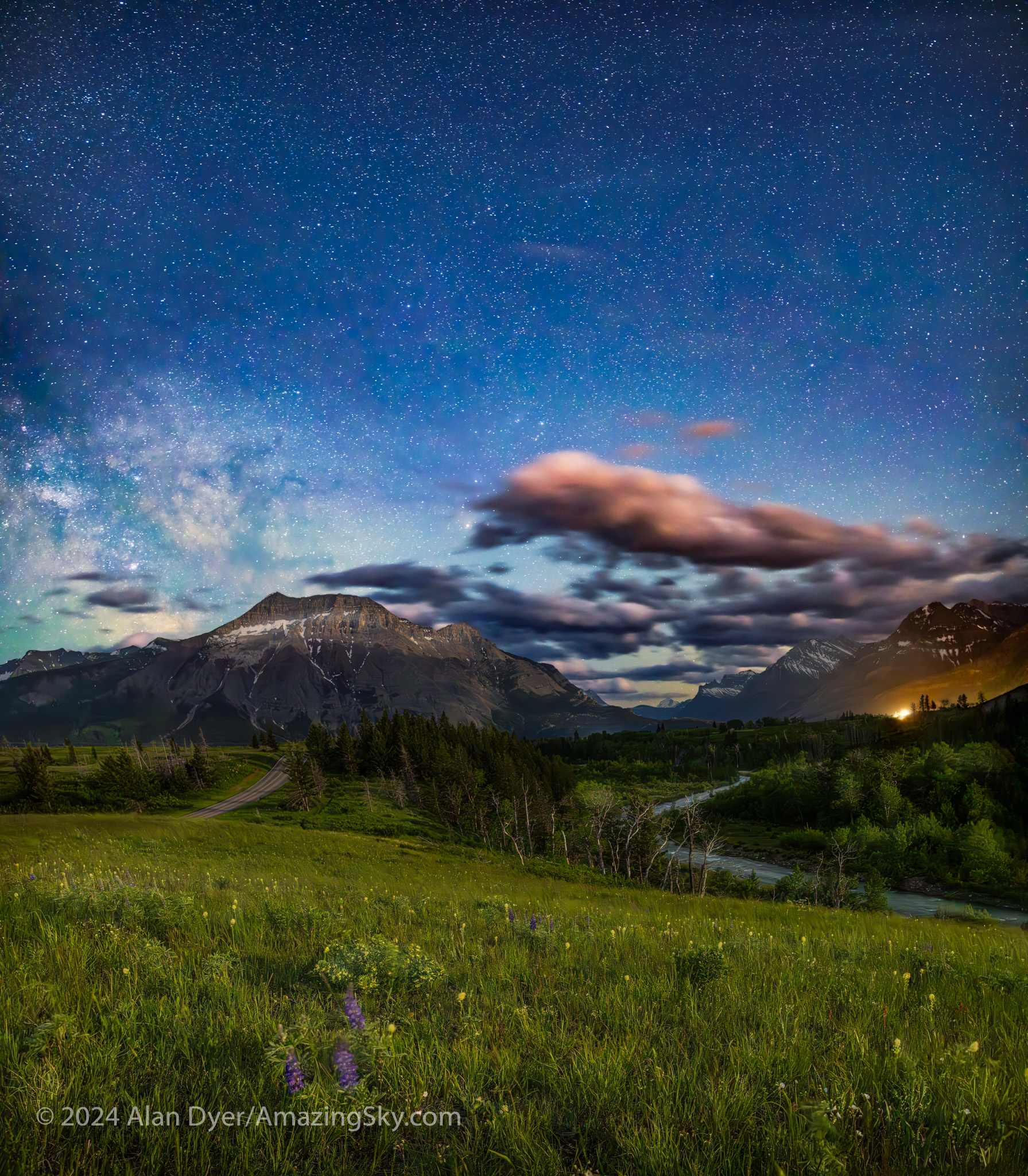
A nightscape scene under a moonlit sky, on the Red Rock Canyon Parkway in Waterton Lakes National Park, Alberta, looking back along Pass Creek to the south, with the Milky Way rising at left.

About an hour later, from the same location, I shot the other way, toward the Milky Way rising over Vimy Peak, but the sky still lit blue by moonlight. This, too, is a blend of focus-stacked ground and panorama sky images. But the camera was on a fixed tripod for exposures no longer than 15 seconds. So I didn’t use the tracker.

And here the longer exposures do pick up more (colours, fainter stars, and brighter ground detail) than was visible to the eye. Revealing more than the eye can see is the essence and attraction of astrophotography.

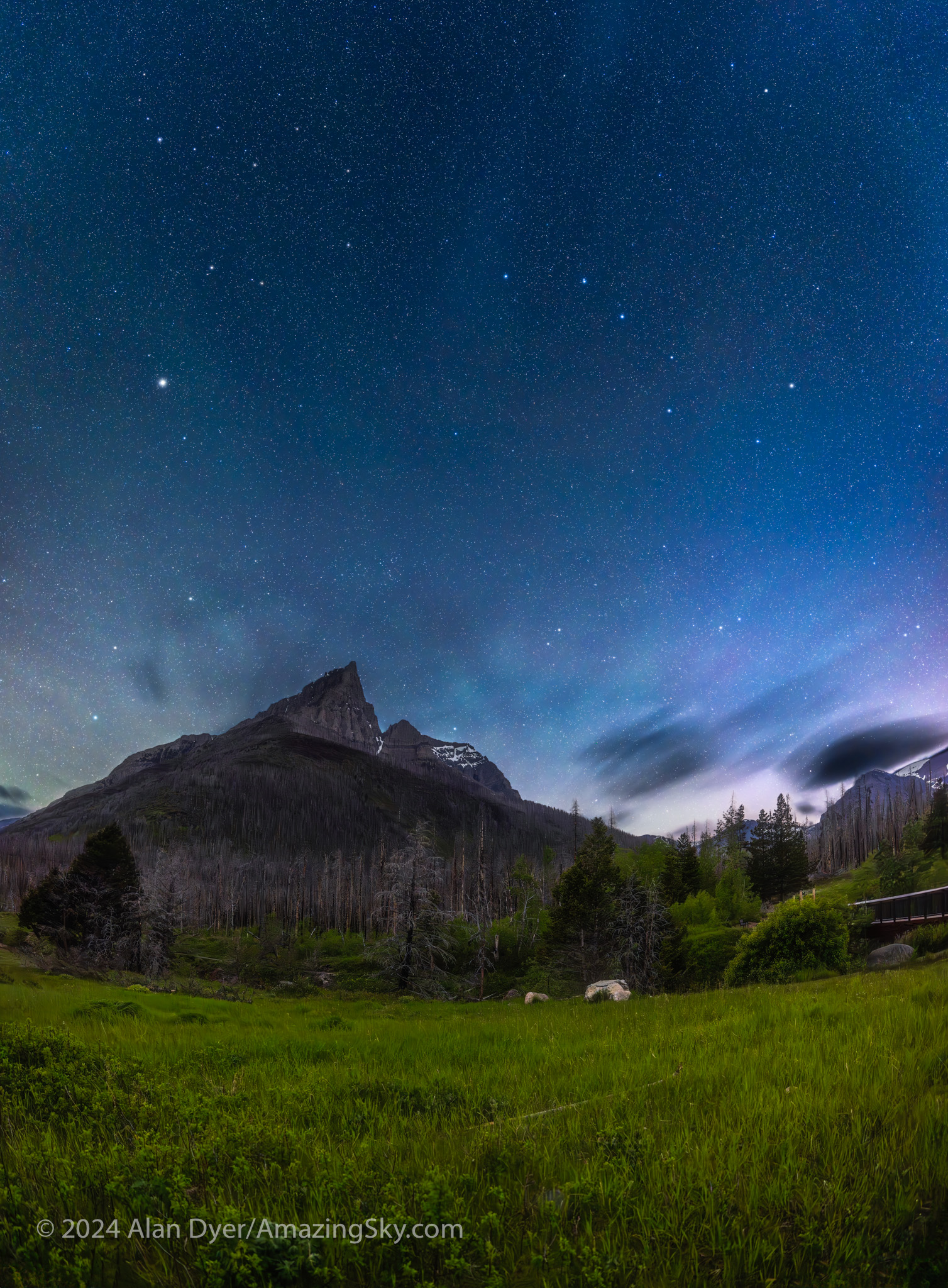
A vertical panorama of the moonlit spring sky with the Big Dipper and Arcturus over the jagged outline of Anderson Peak at the Red Rock Canyon area of Waterton Lakes National Park, Alberta.

Heading down the Red Rock Canyon Parkway, I set up the tracker rig for the darker sky, now that the Moon was nearly setting. I shot a vertical panorama, with two untracked ground segments and four tracked sky segments, to capture Arcturus and the Big Dipper over the iconic Anderson Peak.

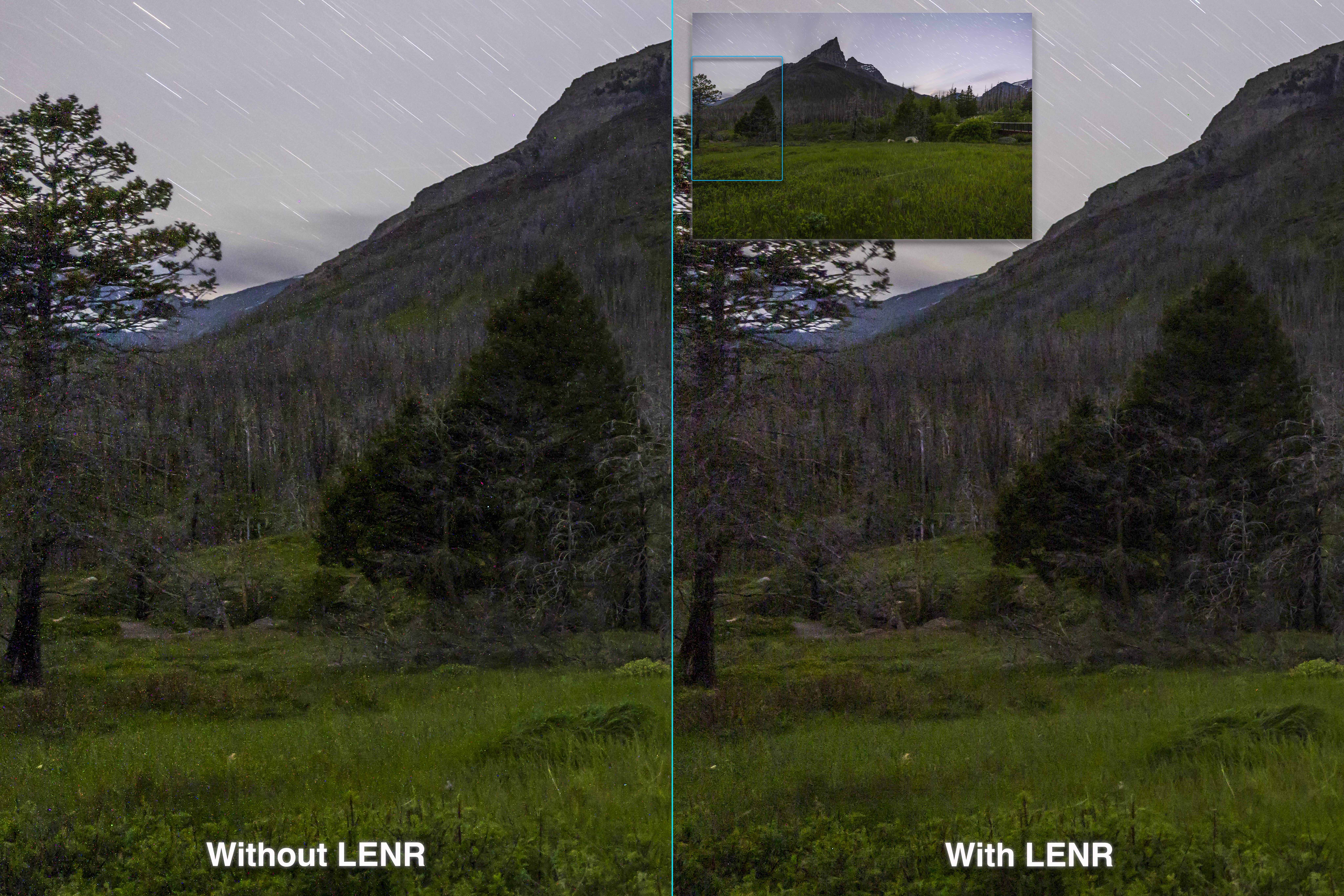
Comparing without and with LENR โ€“ Lots of coloured specks without LENR! Tap to zoom up.

For all the images at Waterton and Writing-on-Stone I used the 45-megapixel Canon R5 camera, great for high resolution, but prone to noise, especially colourful thermal hot pixels. (See my review here.)

For all the long exposures I turned on Long Exposure Noise Reduction, a feature most cameras have. LENR forces the camera to take a “dark frame,” a second exposure of equal length, but with the shutter closed. The camera subtracts the dark frame (which records only the hot pixels) from the previous light frame. The final image takes twice as long to appear, but is much cleaner, as I show above. So a two-minute exposure requires four minutes to complete.

While there are clever ways to eliminate hot pixels later in processing (using Photoshop’s Dust and Scratches filter), doing so can blur details. I’ve long found that doing it “in-camera” always produces better results.

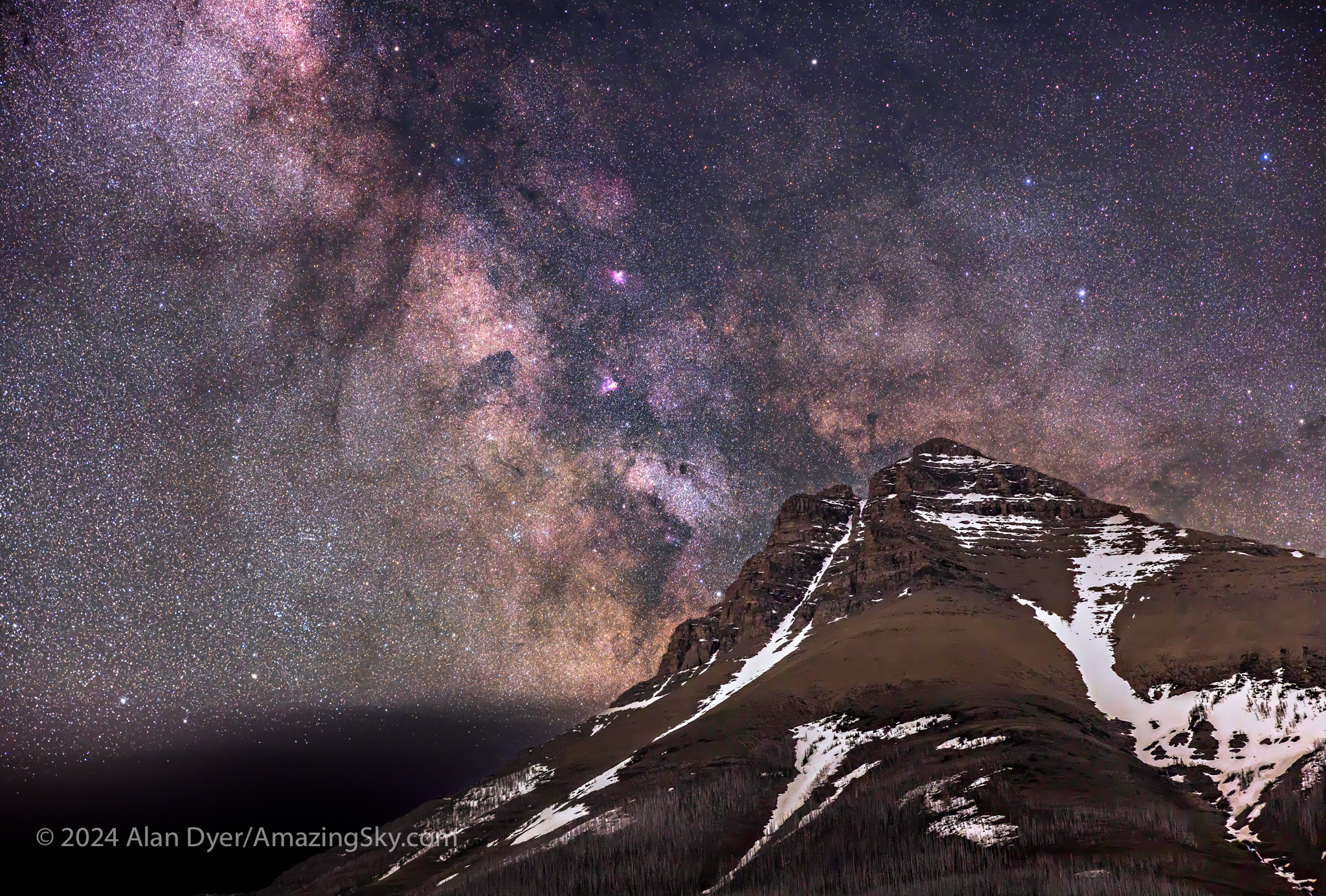
The Milky Way rising over the peak of Mt. Blakiston, in Waterton Lakes National Park, Alberta, Canada.

With the Moon now down, I turned the camera the other direction toward Mt. Blakiston, to capture the star clouds of the summer Milky Way rising behind the mountain, in an example of a “deepscape,” a nightscape with a telephoto lens. This is another technique I’ve not used very often, as the opportunities require good location planning and timing, transparent skies, and a tracker. Apps like ThePhotographersEphemeris coupled with TPE3D, and PlanItPro can help.

Deepscapes frame landscape fragments below some notable deep-sky objects and starfields, in this case a region with several “Messier objects” โ€” nebulas and star clusters well-known to amateur astronomers.

This was a blend of one untracked and one tracked exposure, again on the Nomad. Taking more frames for stacking and noise reduction, while a common practice, was not practical here โ€” at this focal length of 70mm the sky was moving enough that the mismatch between sky and ground would make blending tough to do.

And the reality is that today’s AI-trained noise reduction software (see my test report here) is so good, image stacking is not as essential as it once was.

For many of the Waterton images I used the Canon RF28-70mm lens, usually wide open at f/2. For the image below I used the RF15-35mm lens at its maximum aperture of f/2.8. (See my test report on these lenses here.)

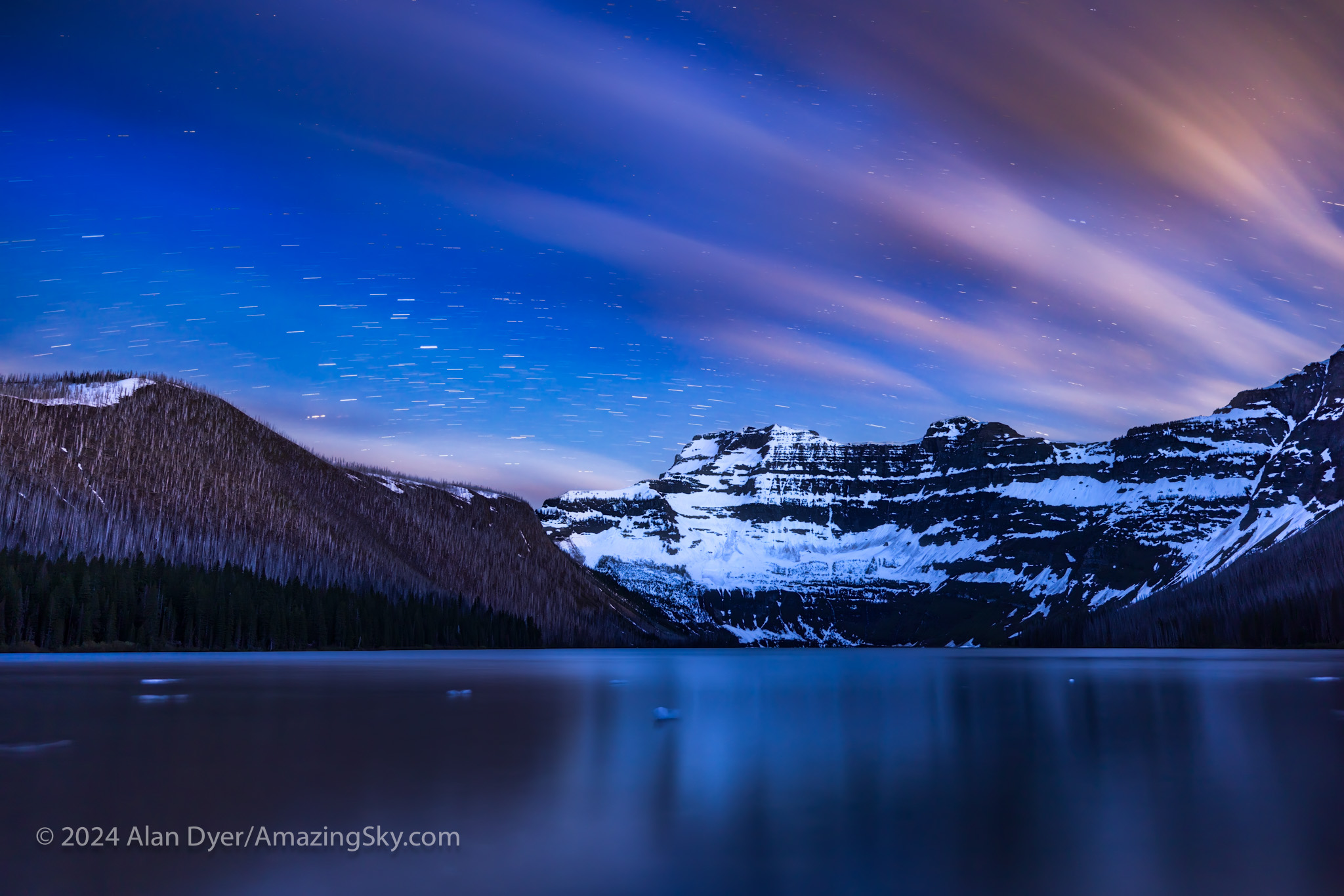
The stars and clouds trail across the sky over Cameron Lake in Waterton Lakes National Park, Alberta, and Mt. Custer across the border in Glacier National Park in Montana.

On my final night in Waterton I drove the Akamina Parkway to Cameron Lake, located in extreme southwest Alberta on the borders with British Columbia and Montana. The glaciated peak to the south is Mt. Custer in Glacier National Park, Montana.

Again, I had hoped to get a deepscape of the photogenic starfields in Scorpius above Mt. Custer. But as is often the case at this site, clouds wafting over the Continental Divide defeated those plans. So Plan B was a set of long exposures of the clouds and stars trailing with the last light of the low Moon lighting parts of the scene. Chunks of ice still drift in the lake.

This is a blend of separate multi-minute exposures for the ground and sky, all at the slow ISO of just 100, and all untracked to purposely create the star trails, not avoid them.

So over a total of four nights at these wonderful World Heritage Sites, I was able to try out some new shooting techniques:

  • H-Alpha blending
  • Focus stacking
  • Deepscapes
  • As well as panoramas, both horizontal and vertical

Every nightscape outing is a learning process. And you have to be prepared to change plans as the clouds dictate. I didn’t get all the shots I had hoped to, but I still came away with images I was very pleased with.

I hope you enjoyed them. Clear skies!

โ€” Alan Dyer / AmazingSky.com
Testing the MSM Tracker


MSM Test Title

A new low-cost sky tracker promises to simplify not only tracking the sky but also taking time-lapses panning along the horizon. It works but โ€ฆ

If you are an active nightscape photographer chances are your social media feeds have been punctuated with ads for this new low-cost tracker from MoveShootMove.com.ย 

For $200, much less than popular trackers from Sky-Watcher and iOptron, the SiFo unit (as it is labelled) offers the ability track the sky, avoiding any star trails. That alone would make it a bargain, and useful for nightscape and deep-sky photographers.ย 

But it also has a function for panning horizontally, moving incrementally between exposures, thus the Move-Shoot-Move designation. The result is a time-lapse movie that pans along the horizon, but with each frame with the ground sharp, as the camera moves only between exposures, not during them.ย 


MSM Polar Aligned Side V1
The Move-Shoot-Move Tracker
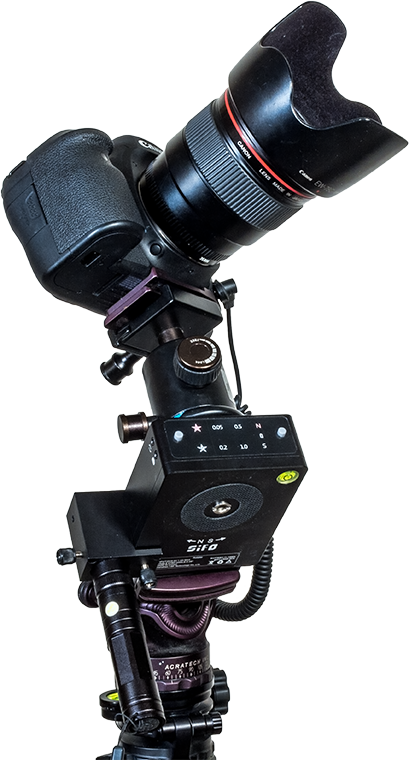
The $200 MSM can be polar aligned using the optional laser, shown here, or an optical polar scope to allow to follow the sky. The ball head is user supplied.ย 

Again, for $200 this is an excellent feature lacking in trackers like the Sky-Watcher Star Adventurer or iOptron SkyTracker. The Sky-Watcher Star Adventurer Mini does, however, offer both tracking and “move-shoot-move” time-lapse functions, but at a cost of $300 to $400 U.S., depending on accessories.ย 

All these functions are provided in a unit that is light (weighing 700 grams with a tripod plate and the laser) and compact (taking up less space in your camera bag than most lenses). By comparison, the Star Adventurer Mini weighs 900 grams with the polar scope, while the original larger Star Adventurer is 1.4 kg, double the MSMโ€™s weight.ย 

Note, that the MSMโ€™s advertised weight of 445 grams does not include the laser or a tripod plate, two items you need to use it. So 700 grams is a more realistic figure, still light, but not lighter than the competition by as much as you might be led to believe.ย 

Nevertheless, the MSMโ€™s small size and weight make it attractive for travel, especially for flights to remote sites. Construction is solid and all-metal. This is not a cheap plastic toy.

But does it work? Yes, but with several important caveats that might be a concern for some buyers.ย 

What I Tested

I purchased the Basic Kit B package for $220 U.S., which includes a small case, a laser pointer and bracket for polar alignment (and with a small charger for the laserโ€™s single 3.7-volt battery), and with the camera sync cable needed for time-lapse shooting.ย 

I also purchased the new โ€œbuttonโ€ model, not the older version that used a knob to set various tracking rates.ย 


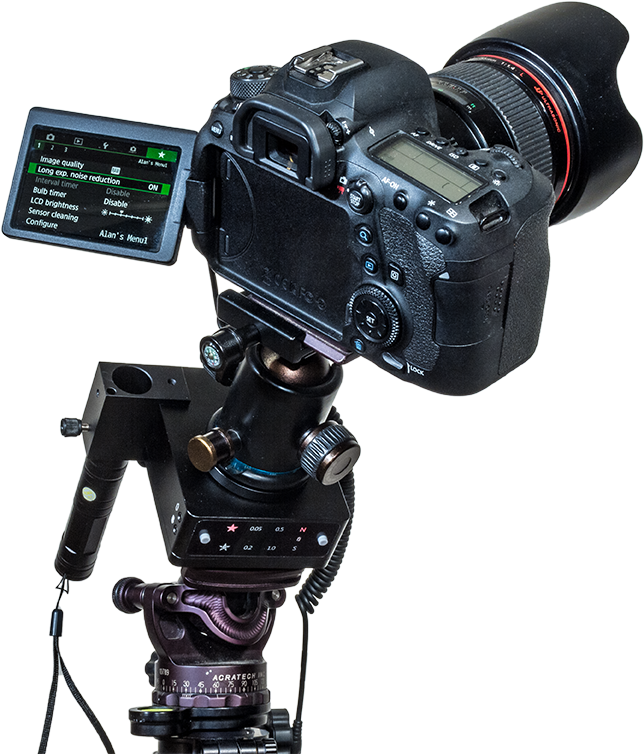
MSM with Canon 6D MkII
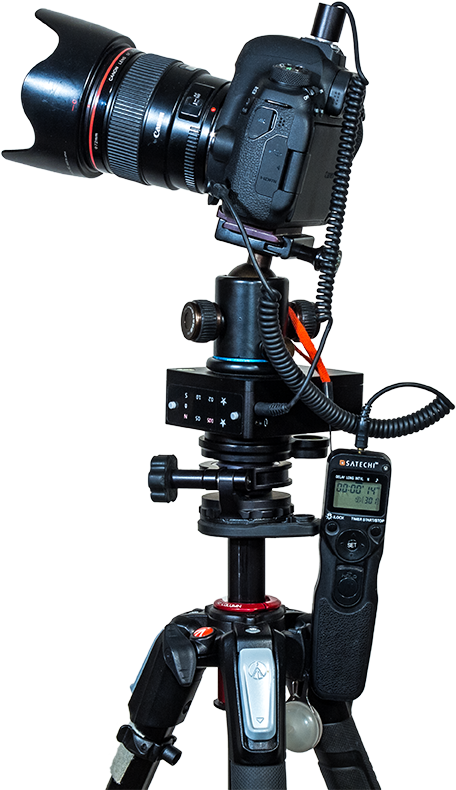
MSM Fitted Out
Keep in mind that to use any tracker like the MSM you will need a solid tripod with a head good enough to hold the tracker and camera steady when tipped over when polar aligned, and another ball head on the tracker itself.

The ball head needed to go on top of the tracker is something you supply. The kit does come with two 3/8-inch stud bolts and a 3/8-to1/4-inch bushing adapter, for placing the tracker on tripods in the various mounting configurations I show below.ย 

The first units were labelled as โ€˜SiFo,โ€ but current units now carry the Gauda brand name. Iโ€™ll just call it the MSM.ย 

I purchased the gear from the MSM website, and had my order fulfilled and shipped to me in Canada from China with no problems.ย 

Tracking the Sky in Nightscapes

The attraction is its tracking function, allowing a camera to follow the sky and take exposures longer than any dictated by โ€œ500โ€ or โ€œNPFโ€ Rules to avoid any star trailing.ย 

Exposures can be a minute or more to record much more depth and detail in the Milky Way, though the ground will blur. But blending tracked sky exposures with untracked ground exposures gets around that, and with the MSM itโ€™s easy to turn on and off the tracking motor, something not possible with the low-cost wind-up Mini Track from Omegon.ย 

MSM Polar Aligned Side V2
Mounting on the Side
The MSM is shown in illustrations and instructions mounted by its side panel bolt hole. This works, but produced problems with the gears not meshing well and the MSM not tracking at all for initial exposures.ย 

The illustrations and instructions (in a PDF well-hidden off the MSM Buy page) show the MSM mounted using the 1/4-20 bolt hole on the side of the unit opposite the LED-illuminated control panel. While this seems to be the preferredย  method, in the first unit I tested I found it produced serious mis-tracking problems.ย 

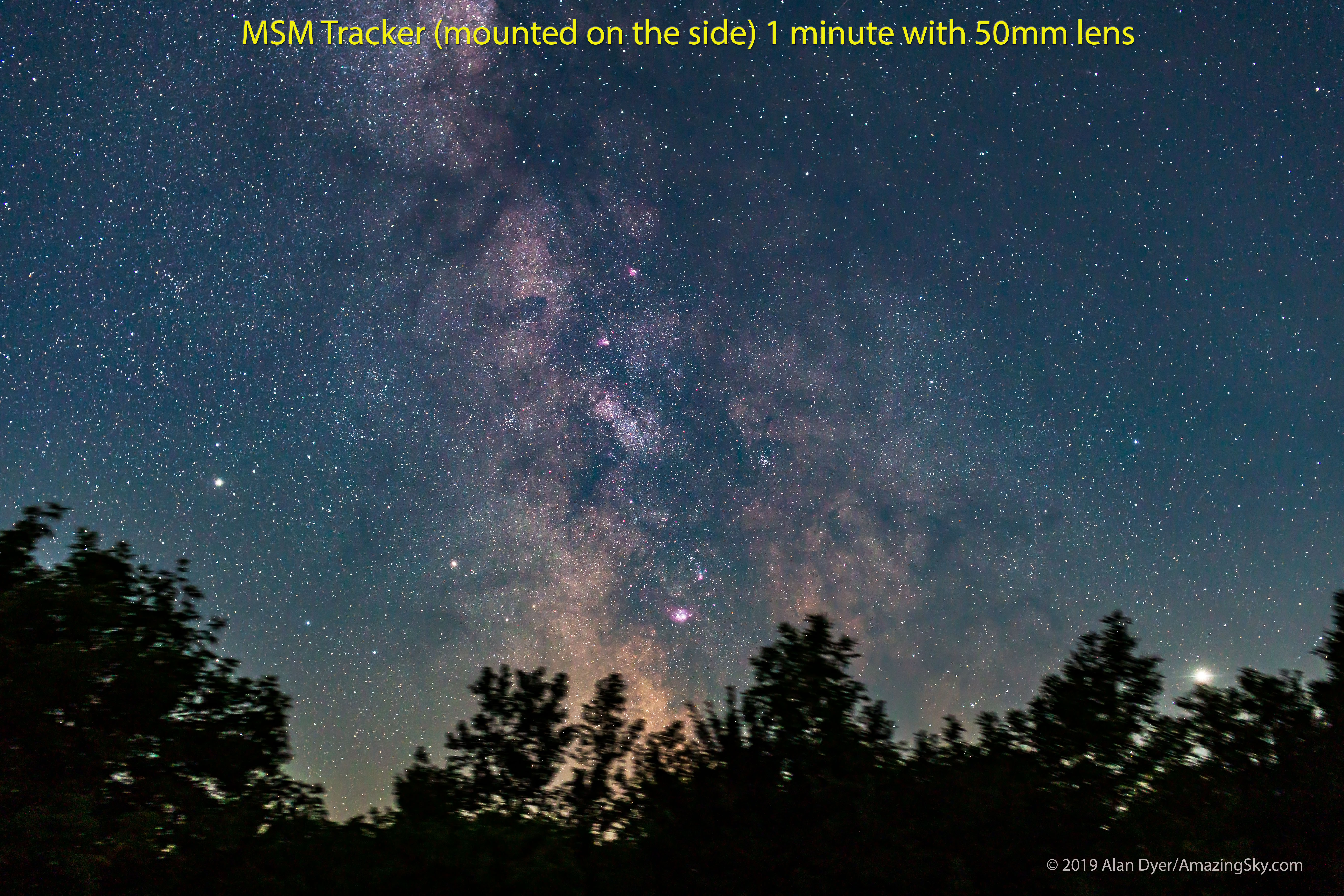
MSM Test (On Side) 1 minute 50mm
50mm Lens Set, Mounted on the Side
A set of five consecutive 1-minute exposures taken with the original SiFo-branded MSM mounted by its side bolt hole showed the MSMโ€™s habit of taking several minutes for the gears to mesh and to begin tracking.ย Tap or click to download full-res version.

With a Canon 6D MkII and 50mm f/1.4 lens (not a particularly heavy combination), the MSMโ€™s gears would not engage and start tracking until after about 5 minutes. The first exposures were useless. This was also the case whenever I moved the camera to a new position to re-frame the scene or sky. Again, the first few minutes produced no or poor tracking until the gears finally engaged.ย 

This would be a problem when taking tracked/untracked sets for nightscapes, as images need to be taken in quick succession. Itโ€™s also just plain annoying.

However, see the UPDATE at the end for the performance of a new Gauda-branded unit that was sent to me.ย 

Sagittarius - Red Enhancer Filter
50mm Nightscape
With patience and persistence you can get well-tracked nightscapes with the MSM. This is a single 1-minute exposure with a 50mm lens. Tap or click to download full-res version.

Mounting Options

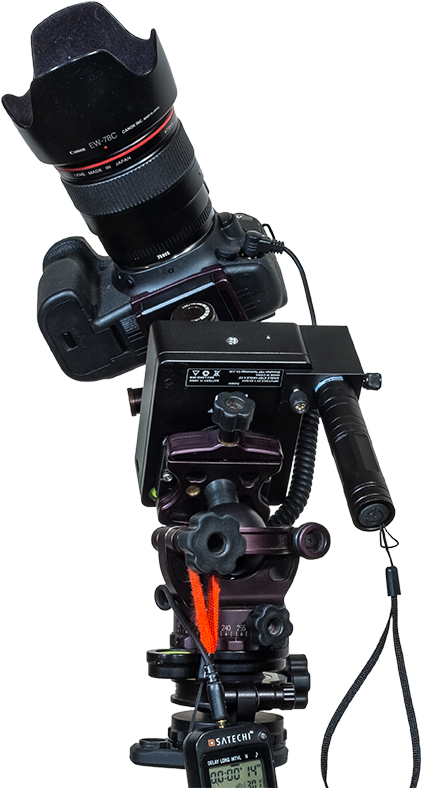
The solution was to mount the MSM using the 3/8-inch bolt hole on the back plate of the tracker, using the 1/4-20 adapter ring to allow it to attach to my tripod head. This still allowed me to tip the unit up to polar align it.ย 

MSM Polar Aligned Back V1
Mounting on the Back
Mounting the MSM using its back plate produced more reliable tracking results, though requires swapping mounting bolts and 3/8-1/4-inch adapter rings from the preferred method of mounting the MSM for time-lapse work.ย 

Tracking was now much more consistent, with only the first exposure usually badly trailed. But subsequent exposures all tracked, but with varying degrees of accuracy as I show below.ย 

When used as a tracker, you need to control the cameraโ€™s exposure time with an external intervalometer you supply, to allow setting exposures over 30 seconds long.ย 

The MSM offers a N and S setting, the latter for use in the Southern Hemisphere. A 1/2-speed setting turns the tracker at half the normal sidereal rate, useful for nightscapes as a compromise speed to provide some tracking while minimizing ground blurring.ย 

Polar Alignment

For any tracker to track, its rotation axis has to be aimed at the Celestial Pole, near Polaris in the Northern Hemisphere, and near Sigma Octantis in the Southern Hemisphere.ย 

MSM Tracker with Laser Pointer (Red Light Version)
Polar Aligning on Polaris
The MSMโ€™s bright laser pointer is useful for aiming the tracker at the North Celestial Pole, located about a degree away from Polaris in the direction of Alkaid, the end star in the Handle of the Big Dipper or Plough.ย 

I chose the laser pointer option for this, rather than the polar alignment scope. The laser attaches to the side of the MSM using a small screw-on metal bracket so that it points up along the axis of rotation, the polar axis.ย 

The laser is labeled as a 1mw unit, but it is far brighter than any 1mw Iโ€™ve used. This does make it bright, allowing the beam to show up even when the sky is not dark. The battery is rechargeable and a small charger comes with the laser. Considering the laser is just a $15 option, itโ€™s a bargain.ย But ….


UPDATE ADDED SEPTEMBER 1

Since I published the review, I have had the laser professionally tested, and it measured as having an output of 45 milliwatts. Yet it is labeled as being under 1 milliwatt. This is serious misrepresentation of the specs, done I can only assume to circumvent import restrictions. In Canada it is now illegal to import, own, or use any green laser over 5 milliwatts, a power level that would be sufficient for the intended use of polar aligning. 45mw is outright illegal.ย 


So be warned, use of this laser will be illegal in some areas. And use of any green laser will be illegal close to airports, and outlawed entirely in some jurisdictions such as Australia, a fact the MSM website mentions.ย 

The legal alternative is the optical polar alignment scope. I already have several of those, but my expectation that I could use one I had with the same bracket supplied with the laser were dashed by the fact that the bracketโ€™s hole is too narrow to accept any of the other polar alignment scopes I have, which are all standard items. I you want a polar scope, buy theirs for $70.ย 

However, if you can use it where you live, the laser works well enough, allowing you to aim the tracker at the Pole just by eye. For the wide lenses the tracker is intended to be used with, eyeball alignment proved good enough.

Just be very, very careful not to accidentally look down the beam. Seriously. It is far too easy to do by mistake, but doing so could damage your eye in moments.ย 

Tracking the Sky in Deep-Sky Images

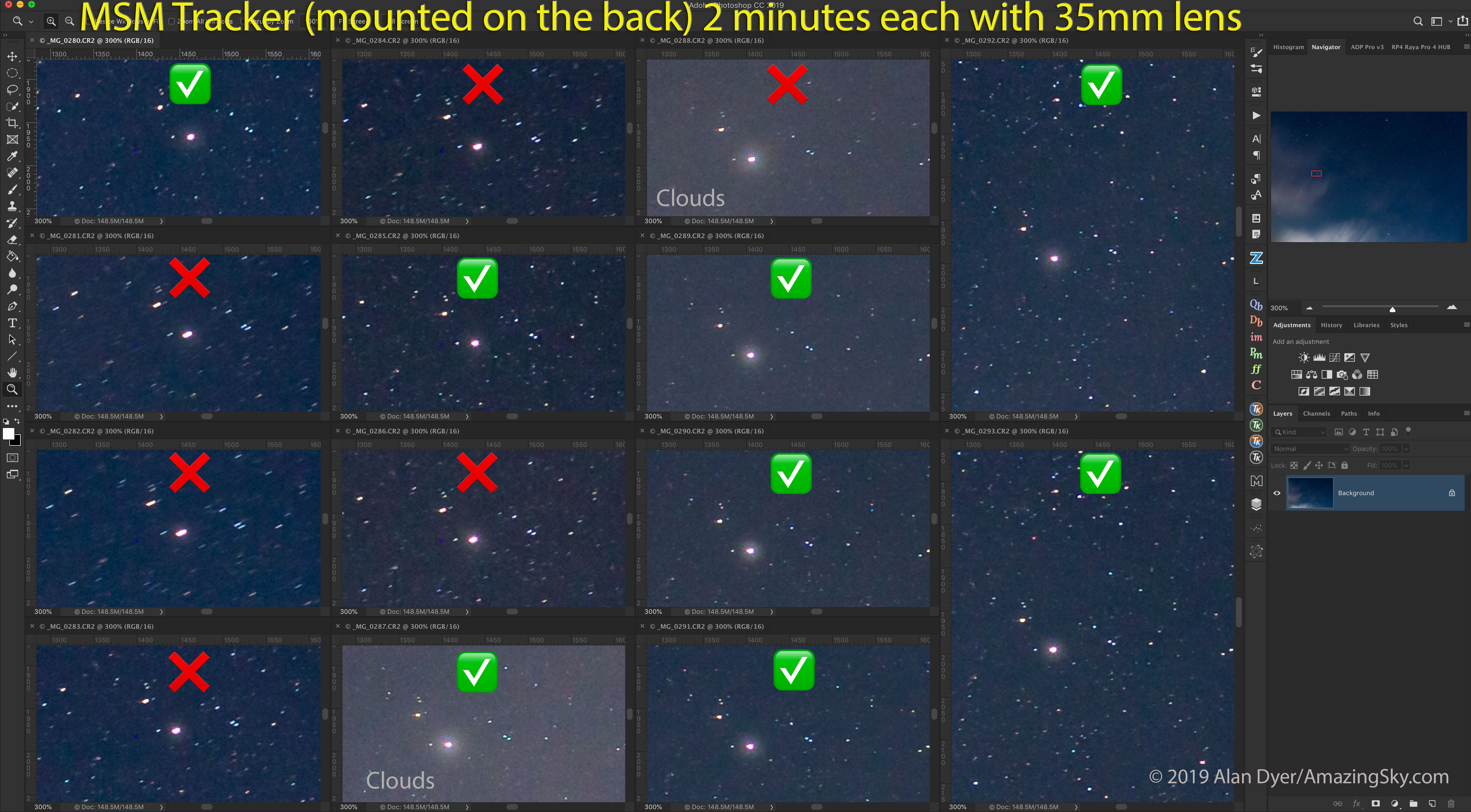
How well does the MSM actually track? In tests of the original SiFo unit I bought, and in sets of exposures with 35mm, 50mm, and 135mm lenses, and with the tracker mounted on the back, I found that 25% to 50% of the images showed mis-tracking. Gear errors still produced slightly trailed stars. This gear error shows itself more as you shoot with longer focal lengths.ย 

MSM Test (On Back) 2 min 35mm
35mm Lens Set, Mounted on the Back
A set of 2-minute exposures with the MSM mounted by its back plate showed better tracking with quicker gear meshing, though still with some frames showing trailing. Tap or click to download full-res version.

The MSM is best for what it is advertised as โ€” as a tracker for nightscapes with forgiving wide-angle lenses in the 14mm to 24mm range. With longer lenses, expect to throw away a good number of exposures as unusable. Take twice as many as you think you might need.

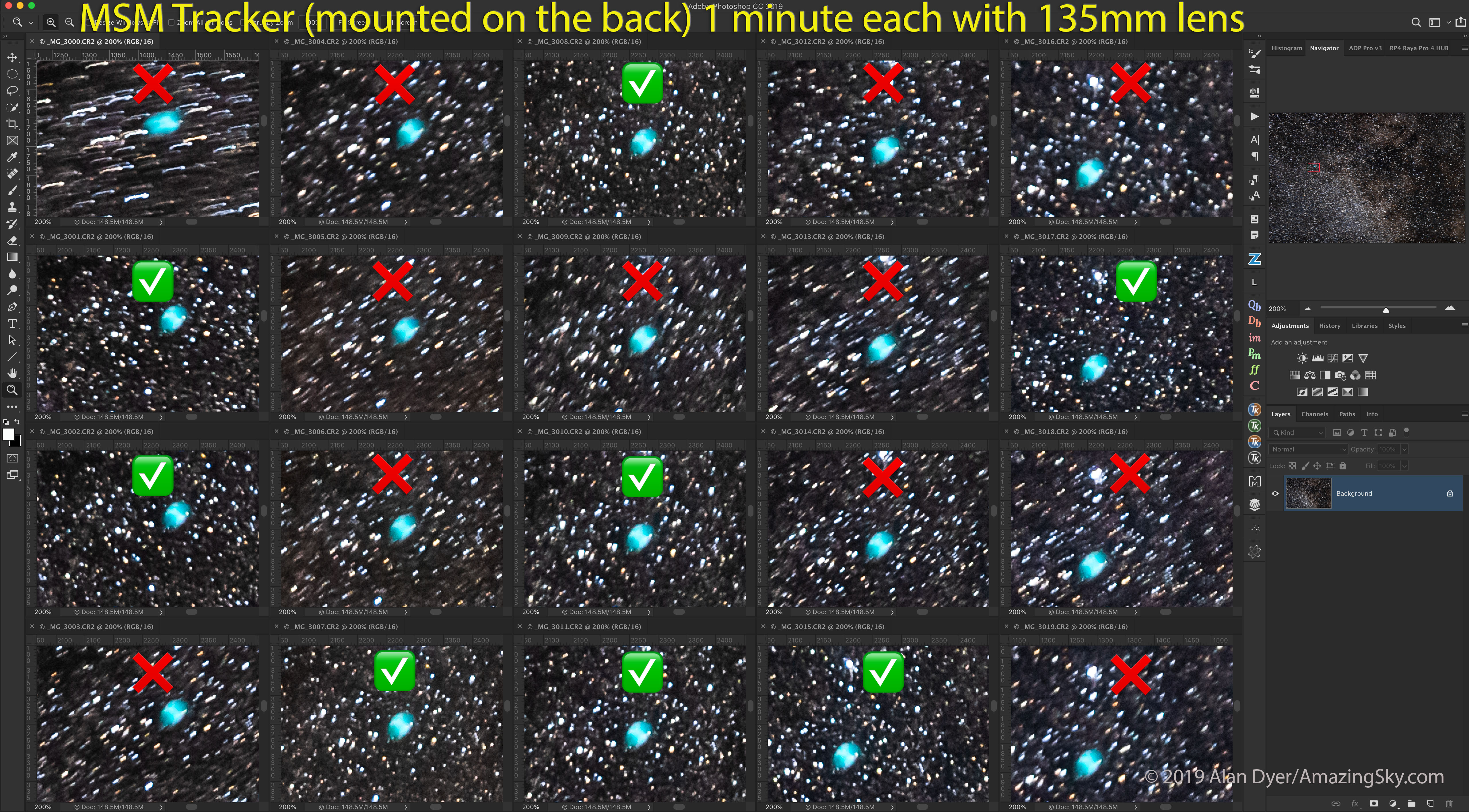
MSM Test (On Back) 1 min 135mm
135mm Telephoto Lens Set
A set of 20 one-minute exposures with a 135mm lens showed more than half with unusable amounts of mis-tracking. But enough worked to be usable! Tap or click to download full-res version.

With a 135mm lens taking Milky Way closeups, more than half the shots were badly trailed. Really badly trailed. This is not from poor polar alignment, which produces a gradual drift of the frame, but from errors in the drive gears, and random errors at that, not periodic errors.ย 

To be fair, this is often the case with other trackers as well. People always want to weight them down with heavy and demanding telephotos for deep-sky portraits, but thatโ€™s rarely a good idea with any tracker. They are best with wide lenses.

That said, I found the MSMโ€™s error rate and amount to be much worse than with other trackers. With the Star Adventurer models and a 135mm lens for example, I can expect only 20% to 25% of the images to be trailed, and even then rarely as badly as what the MSM exhibited.

See the UPDATE at the end for the performance of the replacement Gauda-branded unit sent to me with the promise of much improved tracking accuracy.ย 

The Arrow, Dumbbell, and Coathanger
Sagitta and Area with the 135mm
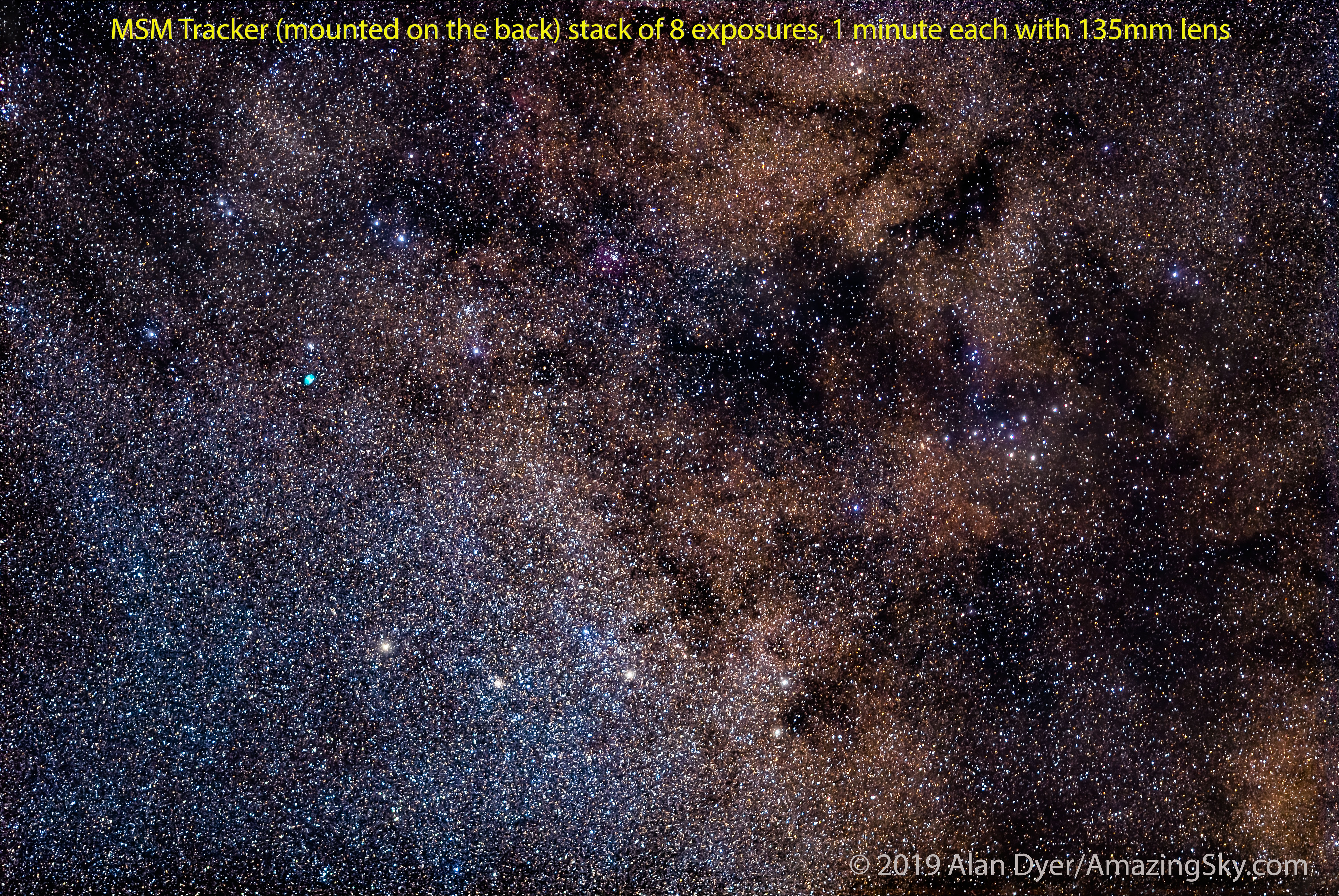
The result of the above set was a stack of 8 of the best for a fine portrait of the Milky Way area in Sagitta, showing the Dumbbell Nebula and Coathanger asterism. Each sub-frame was 1 minute at f/2 and ISO 1600. Tap or click to download full-res version.

Yes, enough shots worked to be usable, but it took using a fast f/2 lens to keep exposure times down to a minute to provide that yield. Users of slow f/5.6 kit-zoom lenses will struggle trying to take deep-sky images with the MSM.ย 

In short, this is a low-cost tracker and it shows. It does work, but not as well as the higher-cost competitors. But restrict it to wide-angle lenses and youโ€™ll be fine.ย 

Panning the Groundย 

The other mode the MSM can be used in is as a time-lapse motion controller. Here you mount the MSM horizontally so the camera turns parallel to the horizon (or it can be mounted vertically for vertical panning, a mode I rarely use and did not test).ย 

MSM Tracker Taking Time-Lapse in Moonlight
The MSM at Work
I performed all the time-lapse testing from my rural backyard on nights in mid-August 2019 with a waning Moon lighting the sky.ย 

This is where the Move-Shoot-Move function comes in.ย 

The supplied Sync cable goes from the cameraโ€™s flash hot shoe to the MSMโ€™s camera jack. What happens is that when the camera finishes an exposure it sends a pulse to the MSM, which then quickly moves while the shutter is closed by the increment you set.

There is a choice of 4 speeds, marked in degrees-per-move: 0.05ยฐ, 0.2ยฐ, 0.5ยฐ, and 1.0ยฐ. For example, as the movie below shows, taking 360 frames at the 1ยฐ speed results in a complete 360ยฐ turn.


MSM Control Panel CU
Time-Lapse Speeds
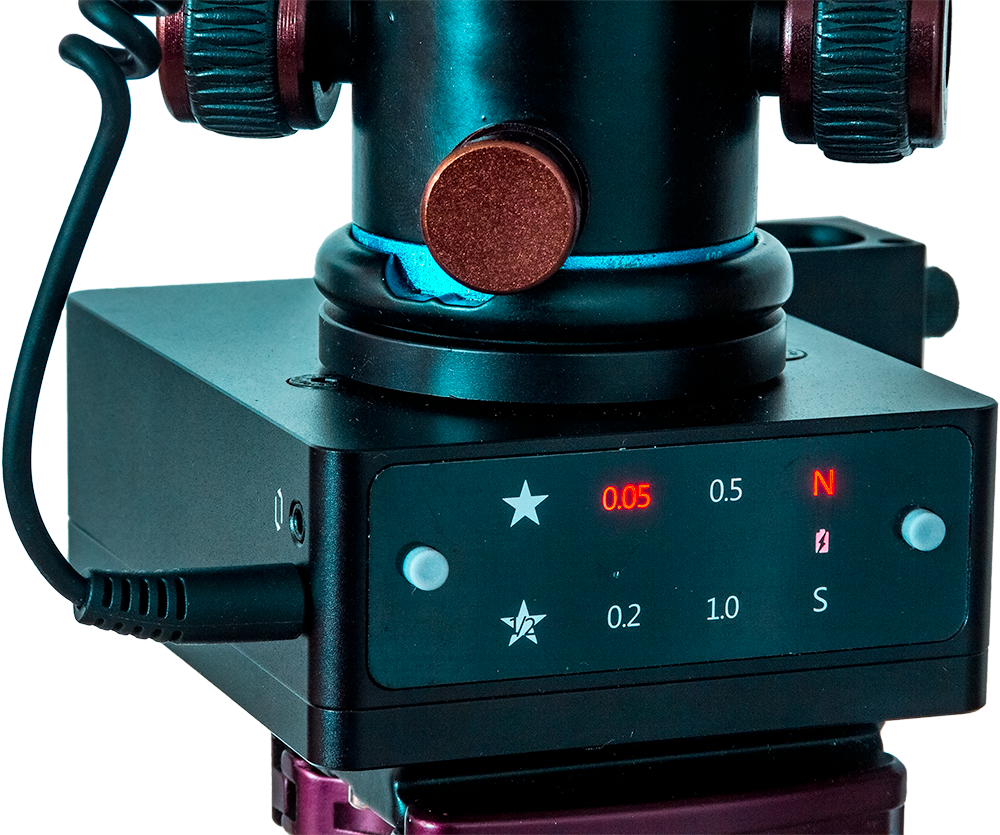
The control panel offers a choice of N and S rotation directions, a 1/2-speed rate for partially tracked nightscapes, and Move-Shoot-Move rates per move of 0.05ยฐ, 0.2ยฐ, 0.5ยฐ and a very fast 1ยฐ setting.ย The Sync cable plugs into the jack on the MSM. The other jack is for connecting to a motion controlย slider, a function Iย didn’t test.

The MSM does the moving, but all the shutter speed control and intervals must be set using a separate intervalometer, either one built into the camera, or an outboard hardware unit. The MSM does not control the camera shutter. In fact, the camera controls the MSM.

Intervals should be set to be about 2 seconds longer than the shutter speed, to allow the MSM to perform its move and settle.ย 

This connection between the MSM and camera worked very well. It is unconventional, but simple and effective.

MSM Time-Lapse Correct
Mounting for Time-Lapse
The preferred method of mounting the MSM for time-lapses is to do so โ€œupside-downโ€ with its rotating top plate at bottom attached to the tripod. Thus the whole MSM and camera turns, preventing the Sync cable from winding up during a turn.ย 

Too Slow or Too Fast

The issue is the limited choice of move speeds. I found the 0.5ยฐ and 1ยฐ speeds much too fast for night use, except perhaps for special effects in urban cityscapes. Even in daytime use, when exposure times are very short, the results are dizzying, as I show below.ย 

Even the 0.2ยฐ-per-move speed I feel is too fast for most nightscape work. Over the 300 exposures one typically takes for a time-lapse movie, that speed will turn the MSM (300 x 0.2ยฐ) = 60 degrees. Thatโ€™s a lot of motion for 300 shots, which will usually be rendered out at 24 or 30 frames per second for a clip that lasts 10 to 12 seconds. The scene will turn a lot in that time.

On the other hand, the 0.05ยฐ-per-move setting is rather slow, producing a turn of (300 x 0.05ยฐ) = 15ยฐ during the 300 shots.ย 

That works, but with all the motion controllers Iโ€™ve used โ€” units that can run at whatever speed they need to get from the start point to the end point you set โ€” I find a rate of about 0.1ยฐ per move is what works best for a movie that provides the right amount of motion. Not too slow. Not too fast. Just right.ย 

MSM Time-Lapse Correct CU
Inverted Control Panel
When mounted as recommended for time-lapses, the control panel does end up upside-down.ย 


UPDATE ADDED DECEMBER 21, 2019

From product photos on the MoveShootMove.com website now it appears that the tracker is now labeled MSM, as it should have been all along.
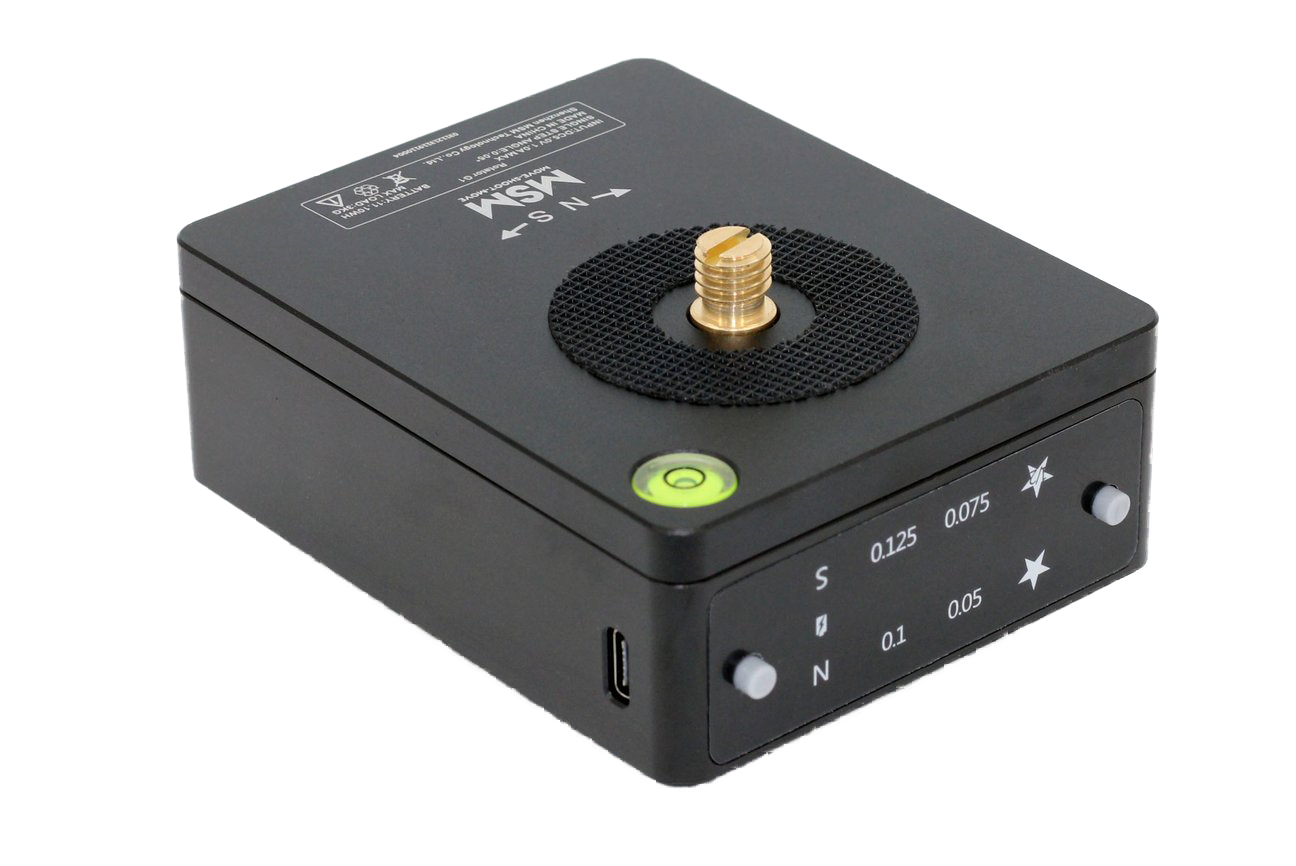
Most critically, perhaps in response to this review and my comments here, the time-lapse speeds have been changed to 0.05, 0.075, 0.1 and 0.125 degrees per move, adding the 0.1ยฐ/move speed I requested below and deleting the overly fast 0.5ยฐ and 1.0ยฐ speeds.

Plus it appears the new units have the panel labels printed the other way around so they are not upside down for most mounting situations.

I have not tested this new version, but these speeds sound much more usable for panning time-lapses. Bravo to MSM for listening!ย 

MSM Rotator 2019


Following the Sky in a Time-Lapse

The additional complication is trying to get the MSM to also turn at the right rate to follow the sky โ€” for example, to keep the galaxy core in frame during the time-lapse clip. I think doing so produces one of the most effective time-lapse sequences.ย 

But to do that with any device requires turning at a rate of 15ยฐ per hour, the rate the sky moves from east to west.

Because the MSM provides only set fixed speeds, the only way you have of controlling how much it moves over a given amount of time, such as an hour, is to vary the shutter speed.ย 

I found that to get the MSM to follow the Milky Way in a time-lapse using the 0.05ยฐ rate and shooting 300 frames required shooting at a shutter speed of 12 seconds. No more, no less.ย 

MSM Time-Lapse Top Plate
Top Plate Display
When mounted โ€œupside-downโ€ for a time-lapse the top surface provides the N-S direction arrows (N movesย clockwise) and a small, handy bubble level.

Do the Math

Where does that number come from?ย 

At its rate of 0.05ยฐ/move, the MSM will turn 15ยฐ over 300 shots. The sky moves 15ยฐ in one hour, or 3600 seconds. So to fit 300 shots into 3600 seconds means each shot has to be no longer than (3600/300) = 12 seconds long.ย 

The result works, as I show in the sampler movie.ย 

But 12 seconds is a rather short shutter speed on a dark, moonless night with the Milky Way.ย 

For properly exposed images you would need to shoot at very fast apertures (f/1.4 to f/2) and/or high and noisy ISO speeds. Neither are optimal. But they are forced upon you by the MSMโ€™s restricted rates.ย 

Using the faster 0.2ยฐ rate (of the original model) yields a turn of 60ยฐ over 300 shots. Thatโ€™s four hours of sky motion. So each exposure now has to be 48 seconds long for the camera to follow the sky, four times longer because the drive rate is now four times faster.ย 

A shutter speed of 48 seconds is a little too long in my opinion. Stars in each frame will trail. Plus a turn of 60ยฐ over 300 shots is quite a lot, producing a movie that turns too quickly.ย 

MSM Time-Lapse Inverted
Alternative Time-Lapse Configuration
The other option is to mount the MSM so the control panel is right-side-up and the top turn-table (the part that turns and that the camera is attached to) is on top. Now only the camera turns; the MSM does not. This works but the Sync cable can wrap around and bind in long turns. For short turns of 30ยฐ to 60ยฐ it is fine.ย 

By far the best speed for motion control time-lapses would be 0.1ยฐ per move. That would allow 24-second exposures to follow the sky, allowing a stop less in aperture or ISO speed.ย  (DECEMBER 21 UPDATE:ย That speed seems to now be offered.)

Yes, having only a limited number of pre-wired speeds does make the MSM much easier to program than devices like the Star Adventurer Mini or SYRP Genie Mini that use wireless apps to set their functions. No question, the MSM is better suited to beginners who donโ€™t want to fuss with lots of parameters.ย 
As it is, getting a decent result requires some math and juggling of camera settings to make up for the MSMโ€™s limited choices of speeds.ย 

Time-Lapse Movie Examples

This compilation shows examples of daytime time-lapses taken at the fastest and dizzying 0.5ยฐ and 1.0ยฐ speeds, and night time-lapses taken at the slower speeds. The final clip is taken at 0.05ยฐ/move and with 12-second exposures, a combination that allowed the camera to nicely follow the Milky Way, albeit at a slow pace. Taking more than the 300 frames used here would have produced a clip that turned at the same rate, but lasted longer.ย 

Battery Life

The MSM is powered off an internal rechargeable battery, which can be charged from any 5-volt charger you have from a mobile phone.ย 

The MSM uses a USB-C jack for the power cable, but a USB-A to USB-C cord is supplied, handy as you might not have one if you donโ€™t have other USB-C devices.ย 

The battery lasted for half a dozen or more 300-shot time-lapses, enough to get you through at least 2 or 3 nights of shooting. However, my testing was done on warm summer nights. In winter battery life will be less.ย 

While the built-in battery is handy, in the field should you find battery level low (the N and S switches blink as a warning) you canโ€™t just swap in fresh batteries. Just remember to charge up before heading out. Alternatively, it can be charged from an external 5V battery pack such as used to prolong cell phone life.ย 

Hercules and Corona Borealis (50mm 6D)
The constellations of Hercules and Corona Borealis in the northern spring and summer sky. This is a stack of 3 x 2-minute exposures with the 50mm Sigma lens at f/2.8 and Canon 6D at ISO 800, plus an additional 2 min exposure through the Kenko Softon filter to add the star glows. All tracked on the original MSM SiFo Tracker from China. Tap or click to download full-res version.

Other Caveats

The MSM does not offer, nor does it promise, any form of automated panorama shooting. This is where the device turns by, say, 15ยฐ to 45ยฐ between shots, to shoot the segments for a still-image panorama. More sophisticated motion controllers from SYRP and Edelkrone offer that function, including the ability to mate two devices for automated multi-tier panoramas.ย 

Nor does the MSM offer the more advanced option of ramping speeds up and down at the start and end of a time-lapse. It moves at a constant rate throughout.ย 

While some of the shortcomings could perhaps be fixed with a firmware update, there is no indication anywhere that its internal firmware can be updated through the USB-C port.ย 

MSM Polar Aligned On Back


UPDATE ADDED OCTOBER 7, 2019

Since I published the review, MSM saw the initial test results and admitted that the earlier units like mine (ordered in June) exhibited large amounts of tracking error. They sent me a replacement unit, now branded with the Gauda label. According to MSM it contains a more powerful motor promised to improve tracking accuracy and making it possible to take images with lenses as long as 135mm.

I’m sorry to report it didn’t.

MSM Gauda-135mm Back-NE
This shows 300% blow-ups of a star field rising in the northeast sky taken with the new Gauda unit and with a 135mm lens, each for 2 minutes in quick succession. Less than 50% of the frames were useable and untrailed. (The first frames were shot through high clouds.)

MSM Gauda-135mm Back-Zenith
Taken the same night as the previous set, this shows 24 shots taken in quick succession with the same 135mm lens for 2 minutes each but with the camera aimed overhead to the zenith. None of the images were usable. All were trailed, most very badly.

In tests with the 135mm lens the new, improved MSM still showed lots of tracking error, to the point that images taken with a lens as long as this were mostly unusable.

Tap or click on the images to download full-res versions.

The short movie above takes the full-frame images from the zenith set of 24 frames taken over 48 minutes and turns them into a little time-lapse. It shows how the mechanism of the MSM seems to be wobbling the camera around in a circle, creating the mis-tracking.

Comparison with the Star Adventurer

As a comparison, the next night I used a Sky-Watcher Star Adventurer (the full-size model not the Mini) to shoot the same fields in the northeast and overhead with the same 135mm lens and with the same ball-head, to ensure the ball-head was not at fault. Here are the results:

Star Adventurer-135mm-NE
The same field looking northeast, with 300% blow-ups of 2-minute exposures with the 135mm lens and Star Adventurer tracker. As is usual with this unit, about 20% of the frames show mis-tracking, but none as badly as the MSM.

Star Adventurer-135mm-Zenith
Aiming the camera to the zenith the Star Adventurer again showed a good success rate with a slightly greater percentage trailed, but again, none as badly as the MSM.

The Star Adventurer performed much better. Most images were well-tracked. Even on those frames that showed trailing, it was slight. The Star Adventurer is a unit you can use to take close-ups of deep-sky fields with telephoto lenses, if that’s your desire.

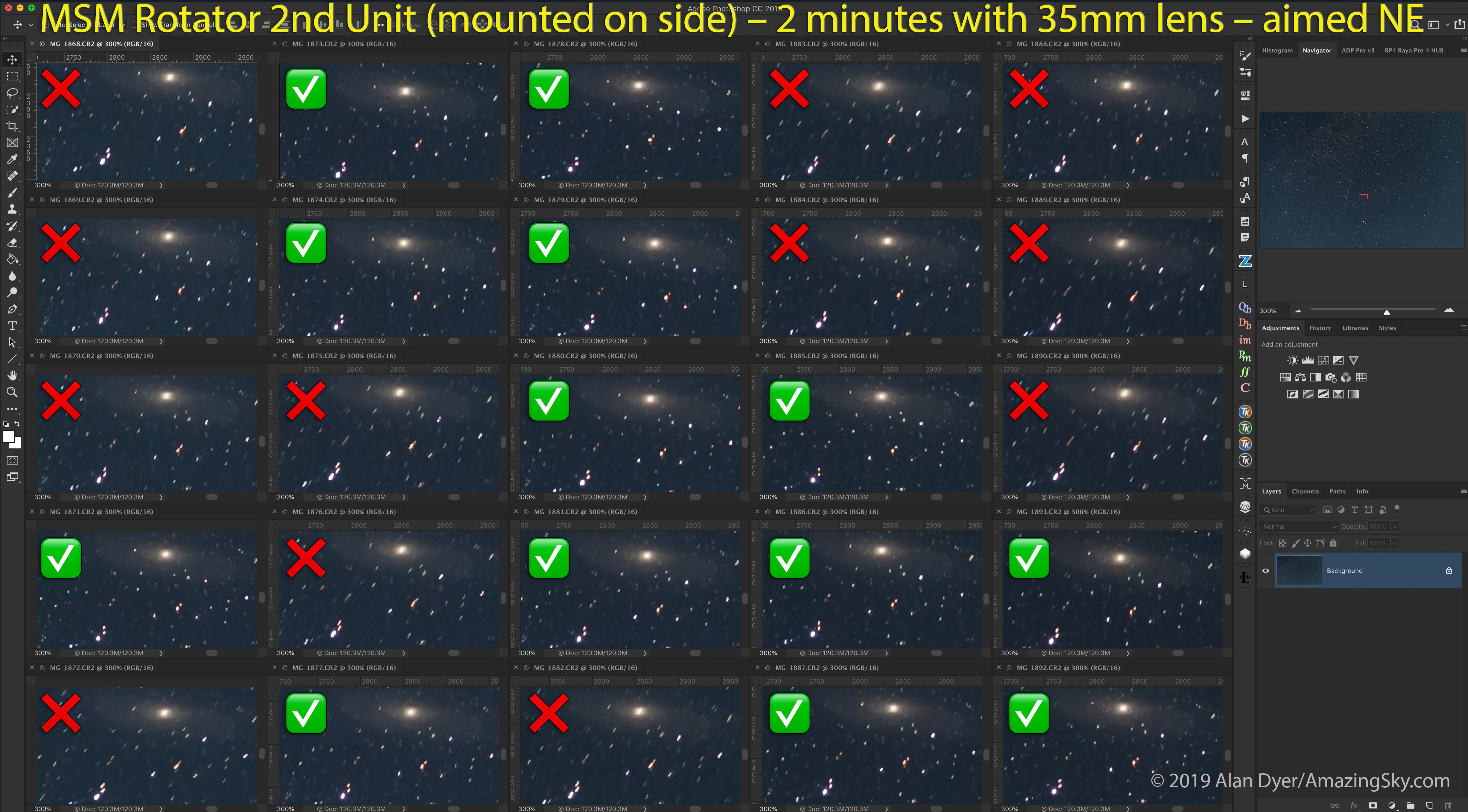
By contrast, the MSM is best used โ€” indeed, I feel can only be used practically โ€” with wide-angle lenses and with exposures under 2 minutes. Here’s a set taken with a 35mm lens, each for 2 minutes.

MSM Gauda-35mm Side-NE
This is a set of consecutive 2-minute exposures with a 35mm lens and Canon 6D MkII on the MSM tracker, with the tracker mounted using the side 1/4-20 bolt hole. It was aimed to the northeast. About half the images showed significant trailing.

With the more forgiving 35mm lens, while more images worked, the success rate was still only 50%.

What I did not see with the new Gauda unit was the 5-minute delay before the gears meshed and tracking began. That issue has been resolved by the new, more powerful motor. The new Gauda model does start tracking right away.

But it is still prone to significant enough drive errors that stars are often trailed even with a 35mm lens (this was on a full-frame Canon 6D MkII).


UPDATED CONCLUSIONS (December 21, 2019)

The MSM tracker is low-cost, well-built, and compact for easy packing and travel. It performs its advertised functions well enough to allow users to get results, either tracked images of the Milky Way and constellations, or simple motion-control time-lapses.ย 

But it is best used โ€” indeed I would suggest can only be used โ€” with wide-angle lenses for tracked Milky Way nightscapes. Even then, take more shots than you think you need to be sure enough are well-tracked and usable.ย 

It can also be used for simple motion-control time-lapses, provided you do to the math to get it to turn by the amount you want, working around the too-slow or too-fast speeds. The new 0.1ยฐ per move speed (added in models as of December 2019) seems a reasonable rate for most time-lapses.ย 

However, I thinkย aspiring time-lapse photographers will soonย outgrow the MSM’s limitations for motion-control sequences. But it can get you started.ย 

If you really value its compactness and your budget is tight, the MSM will serve you well enough for tracked nightscape shooting with wide-angle lenses.

But if you wish to take close-ups of starfields and deep-sky objects with longer lenses, consider a unit like the Sky-Watcher Star Adventurer for its lower tracking errors.ย Or the Star Adventurer Mini for its better motion-control time-lapse functions.ย 

โ€” Alan Dyer / August 22, 2019 / UPDATED October 7, 2019 / ยฉ 2019 AmazingSky.com