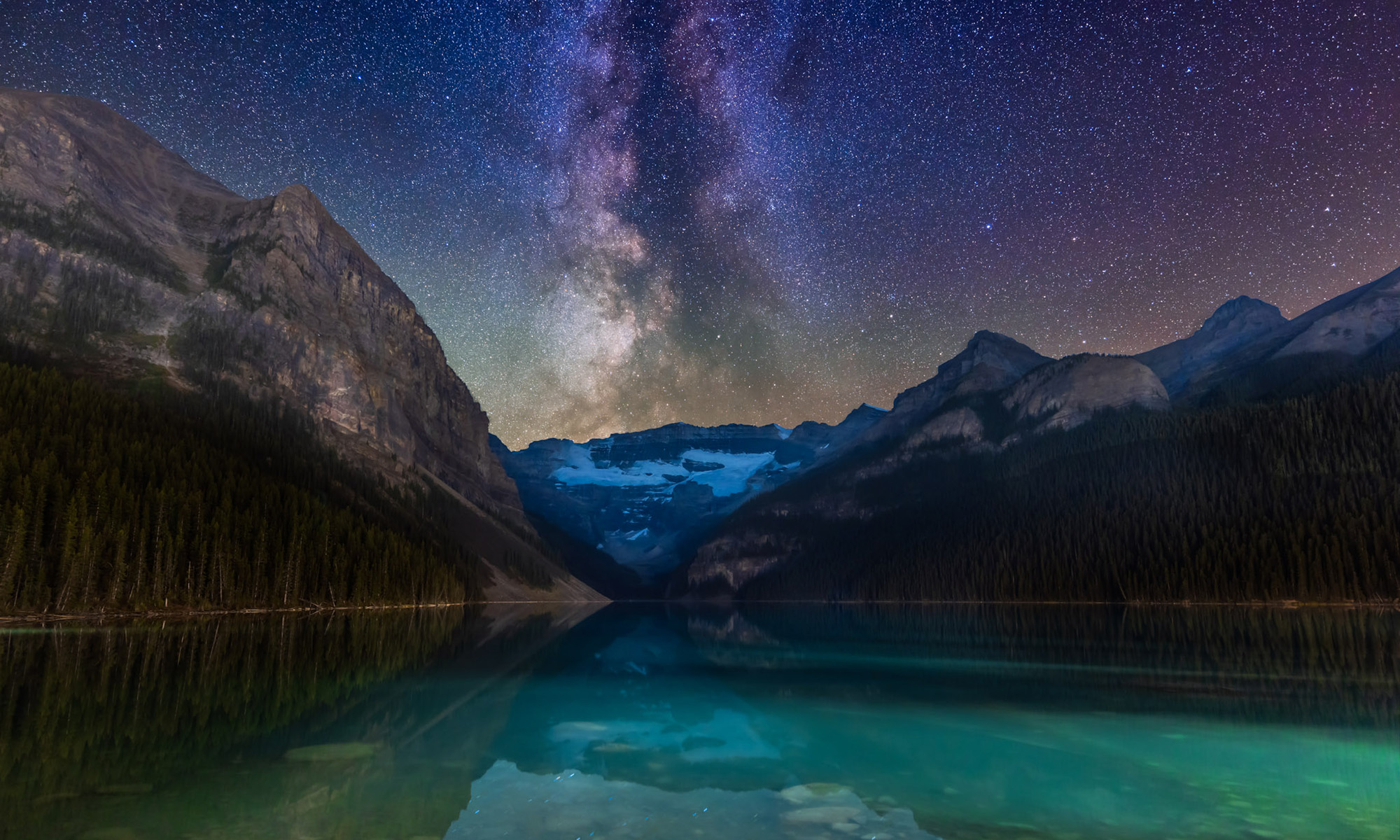
Chasing the Annular Eclipse


Like all eclipses, seeing the October 14 annular eclipse of the Sun was not a certainty. As good luck and planning would have it, the sky and location could not have been better!

Annular eclipses of the Sun donโ€™t present the spectacle of a total eclipse. Because the Moon is near its farthest point from Earth, its disk is not large enough to completely cover the Sun. At mid-eclipse, as I show below, a ring of sunlight (dubbed a โ€œring of fireโ€) remains, still too bright to view without a solar filter. 

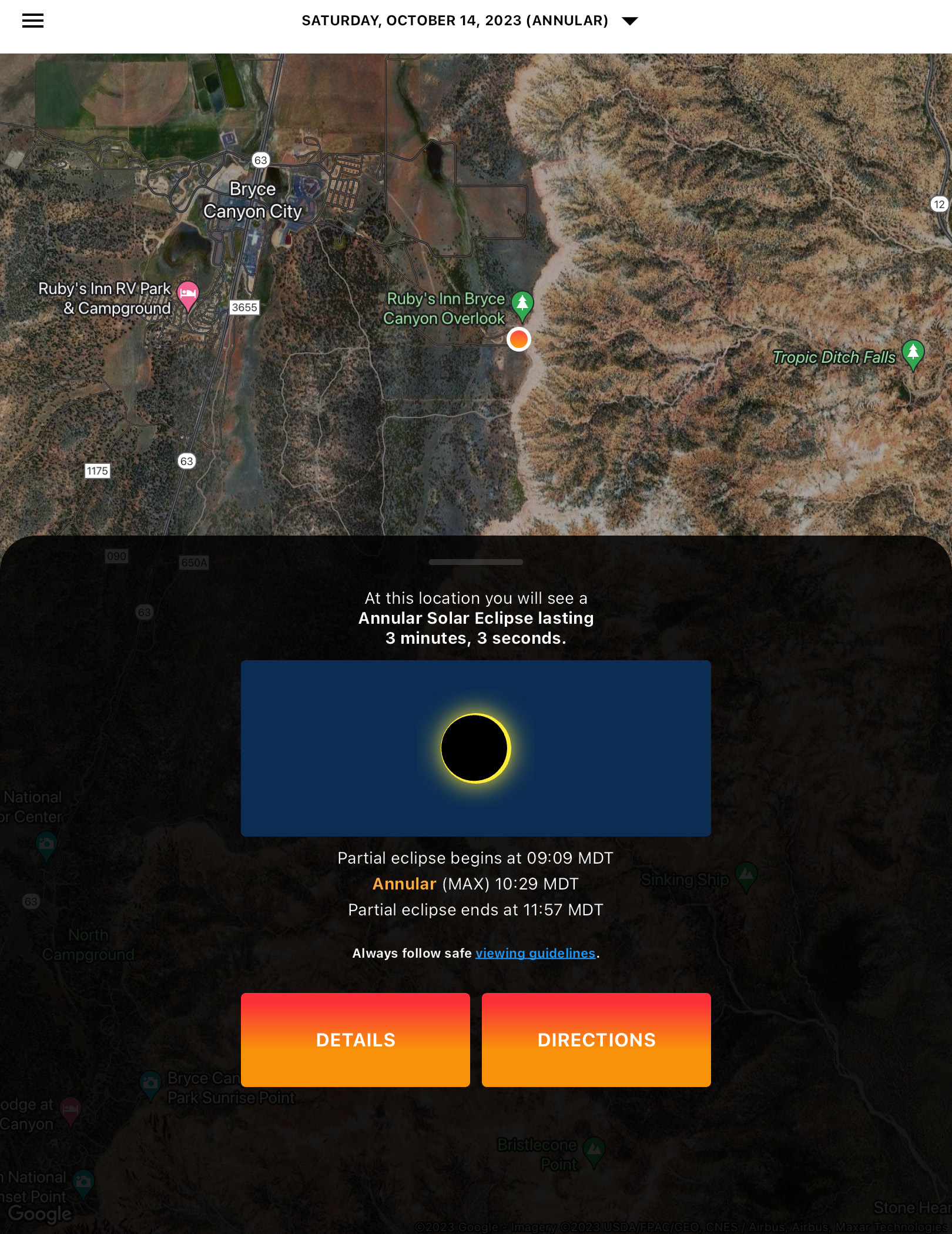
The October 14, 2023 annular solar eclipse, in a single image captured at mid-eclipse, at 10:29 am MDT at the Ruby’s Inn Overlook on the rim of Bryce Canyon, Utah, a site well south of the centreline, with 3m03s of annularity.

While lacking the jaw-dropping beauty of a total, annular eclipses are rare and unique enough that every ardent skywatcher should make a point of seeing one. 

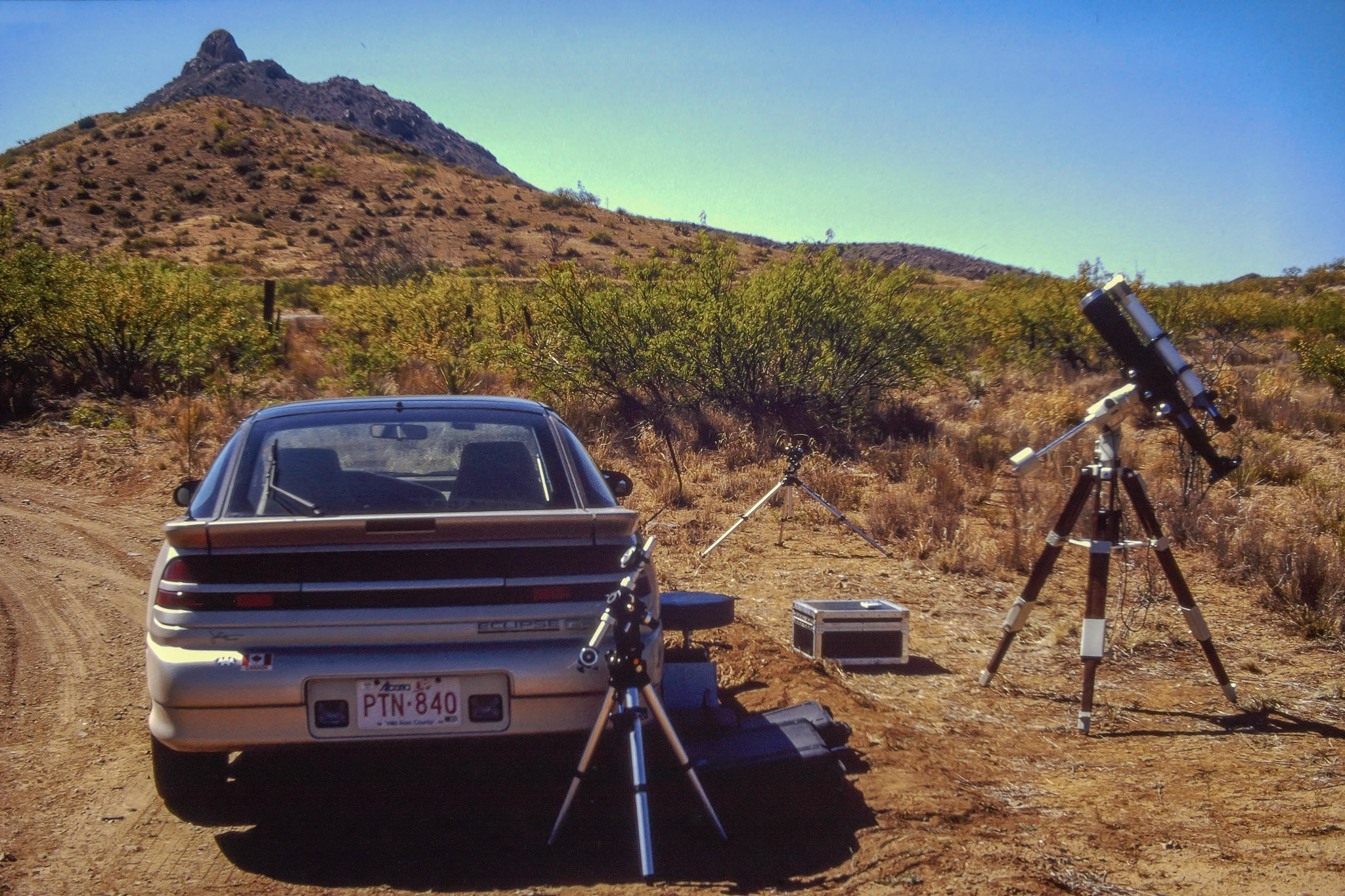
Prior to October 14, I had seen only one, on May 10, 1994, from southeast Arizona, an event I captured on film of course back then. 
A sunset annular on June 10, 2002 that I traveled to Puerto Vallarta, Mexico to see was mostly clouded out. The annular of May 20, 2012 traced a similar path across the U.S. Southwest as the 2023 eclipse. But work commitments at the science centre in Calgary kept me home for that one. A sunrise annular on June 10, 2021 in Northwestern Ontario was essentially out of reach due to COVID travel restrictions. 

With no other annular eclipses within easy reach in North America until 2039 and 2046, this was my next, and perhaps last, opportunity to see one, unless I chose to travel the world. 

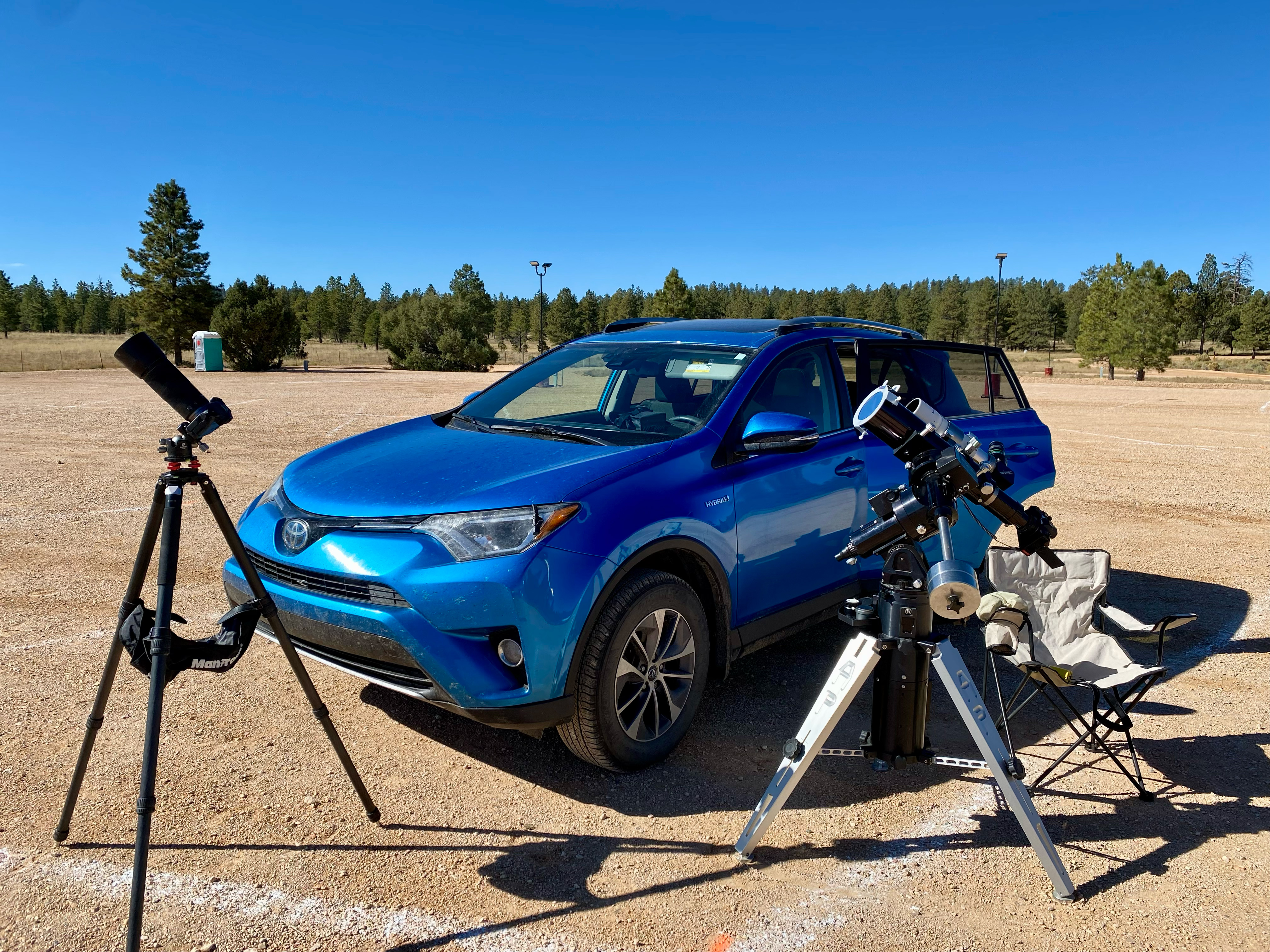
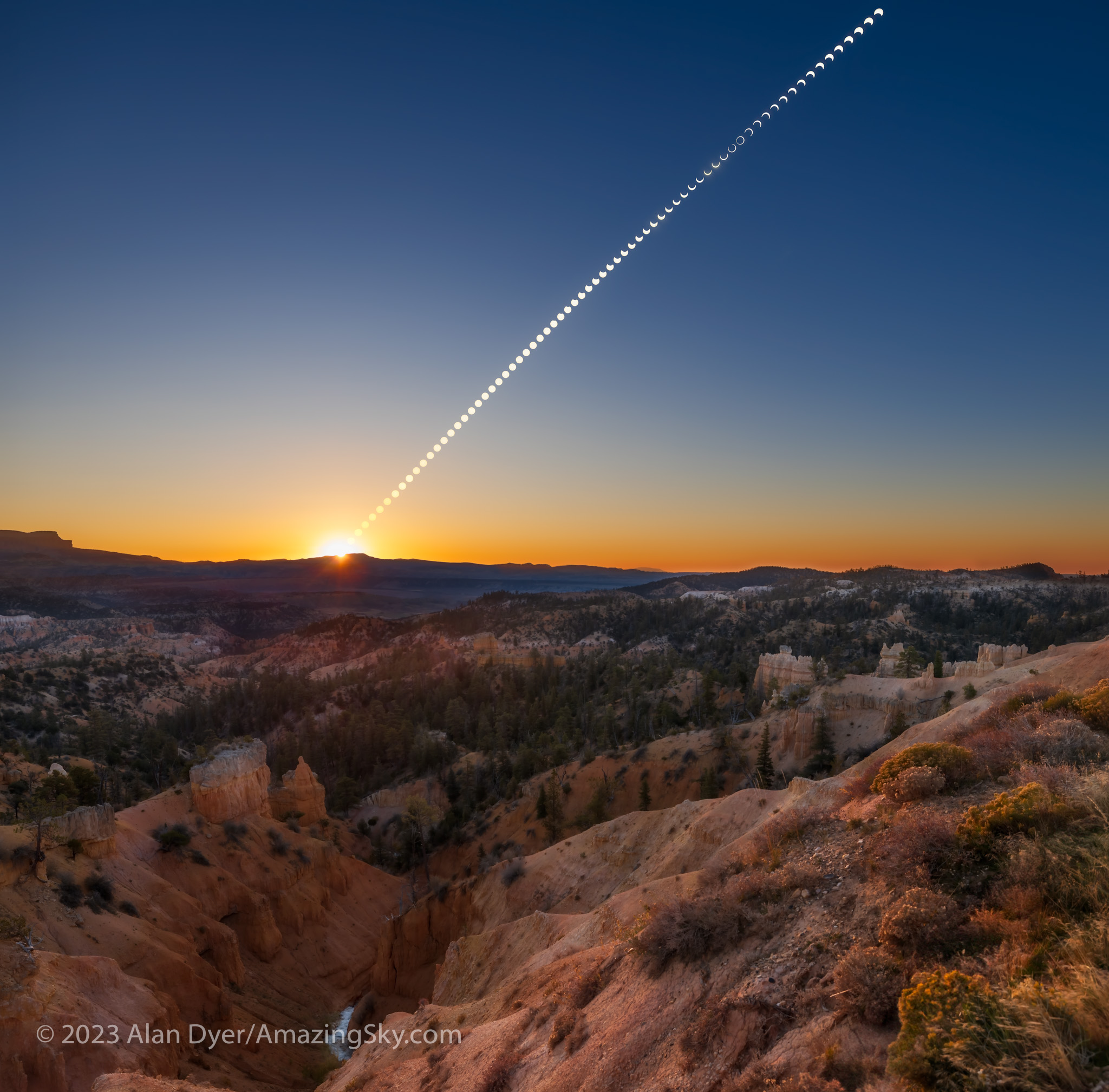
I had planned for several months to watch the annular eclipse from southern Utah, ideally from Bryce Canyon National Park, shown above. (Clicking on the images brings them up full screen.) I booked accommodations in January 2023, finding even then that popular hotels in the area were already sold out. 

The final spot for the wide-angle composite shown below. The camera had to be next to that very fence post to frame the scene well.

The attraction was the landscape below the morning Sun, for a planned composite image of the eclipse over the hoodoos of Bryce. However, I had learned weeks earlier that traffic was going to be restricted to just park shuttle buses on eclipse day. Should Plan A not work out then Plan B was Kodachrome Basin, a state park nearby, which a park employee assured me would be open to cars well before sunrise on eclipse day. 
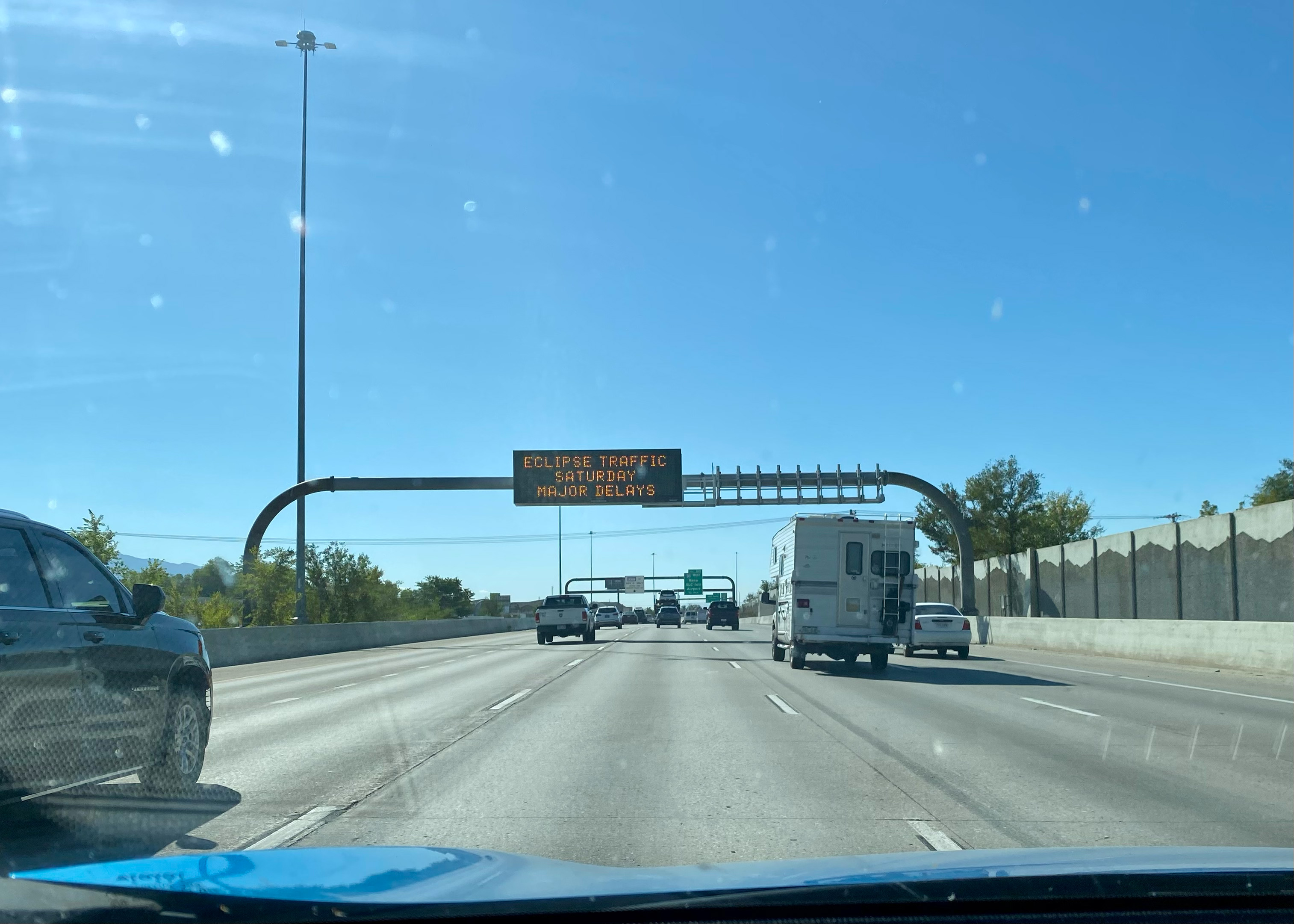
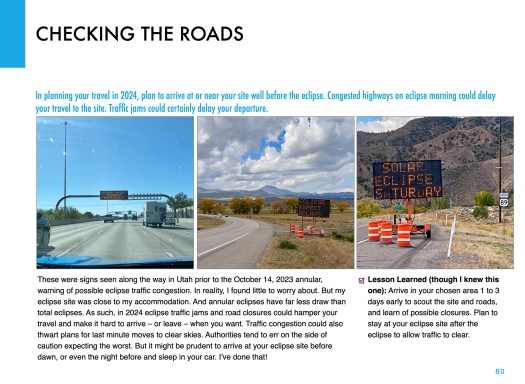
Seen on I-15 past Salt Lake City. Eclipse ahead!

So I made my plans to drive south, taking with me a carload of telescope and camera gear, an array I would never be able to take to an overseas eclipse. The centrepiece was my venerable Astro-Physics Traveler 105mm (4-inch) refractor, a telescope created for the 1991 total eclipse in Mexico. Since I bought mine in 1992 Iโ€™ve used it for five central solar eclipses, including now two annulars. It’s in the 1994 and 2023 site images above.

As per the instructions in my eclipse ebook, I practiced with the gear in the summer of 2023, documented here on my previous blog.
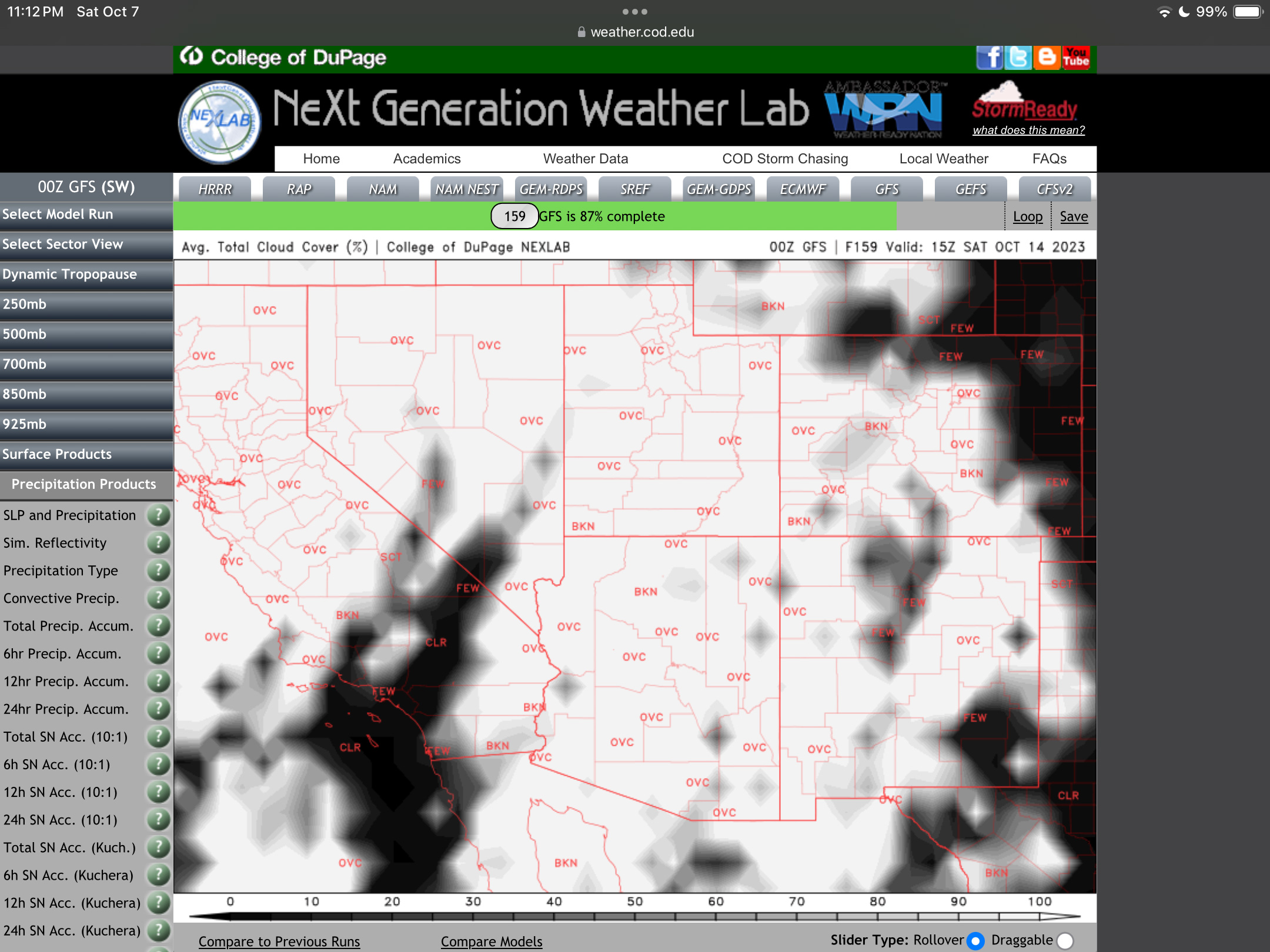
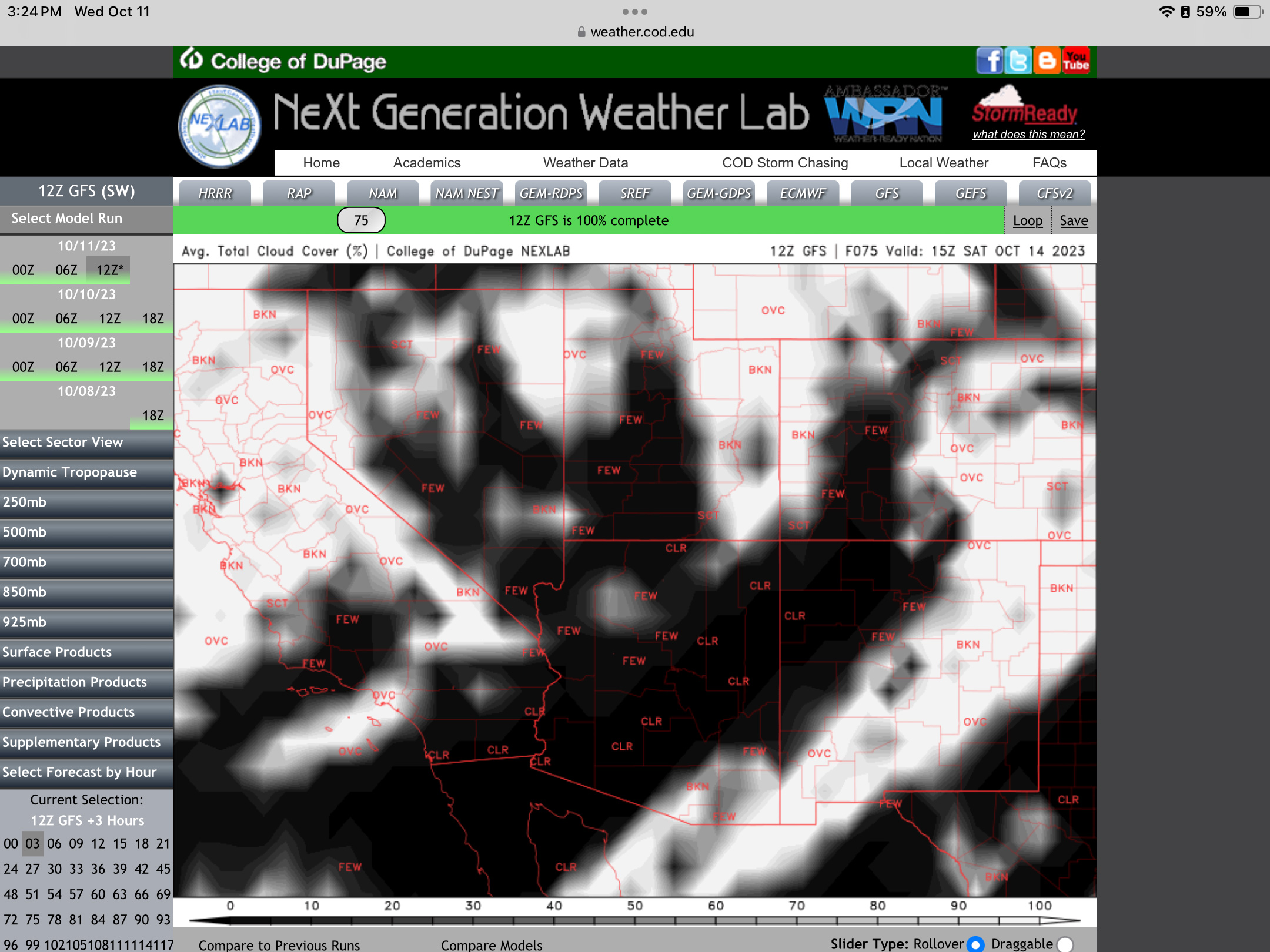
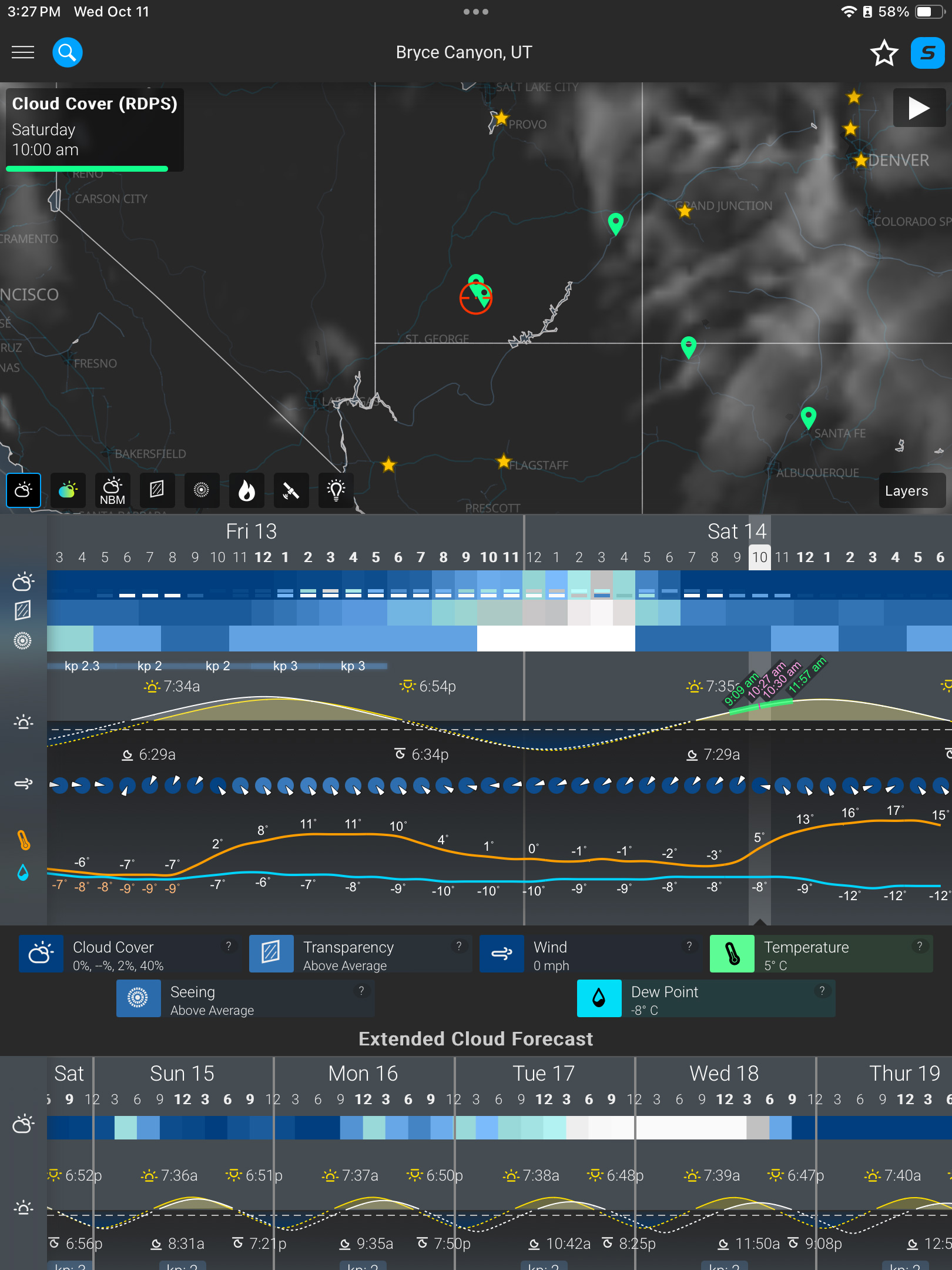
A week before the eclipse (as above at left), the weather prospects for the entire southwest looked poor. It was to be clouds everywhere. I even considered Plan S โ€“ Stay Home! And watch the 60% partial eclipse from Alberta where skies were to be clear. 

But undaunted, six days before the eclipse, I headed south on Interstate 15, checking the weather each day, and seeking out Plan C sites in New Mexico or Texas south of the projected mass of clouds. I checked where accommodation could be had at the last minute. 

At my stop in Richfield, Utah, four days before the eclipse, I had a crossroads turning point: either continue south to Bryce down US-89 (above), or head east on I-70, then south into New Mexico or Texas, with enough time to get there if needed. 

But by now the weather prospects were turning around. By three days out, and with the forecasts now much more reliable, it looked like southern Utah would be in the clear. I continued with my original plan to Bryce. But where exactly?
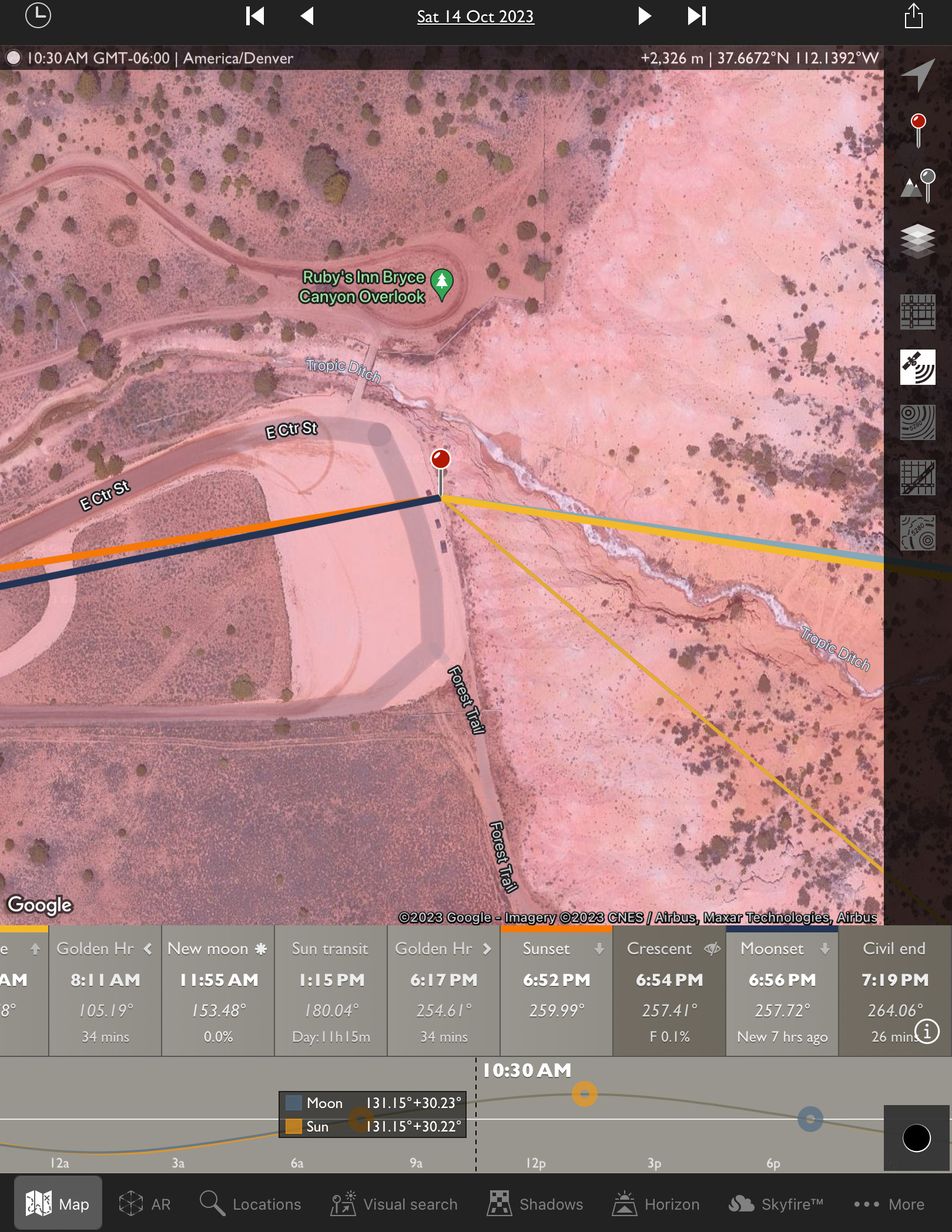
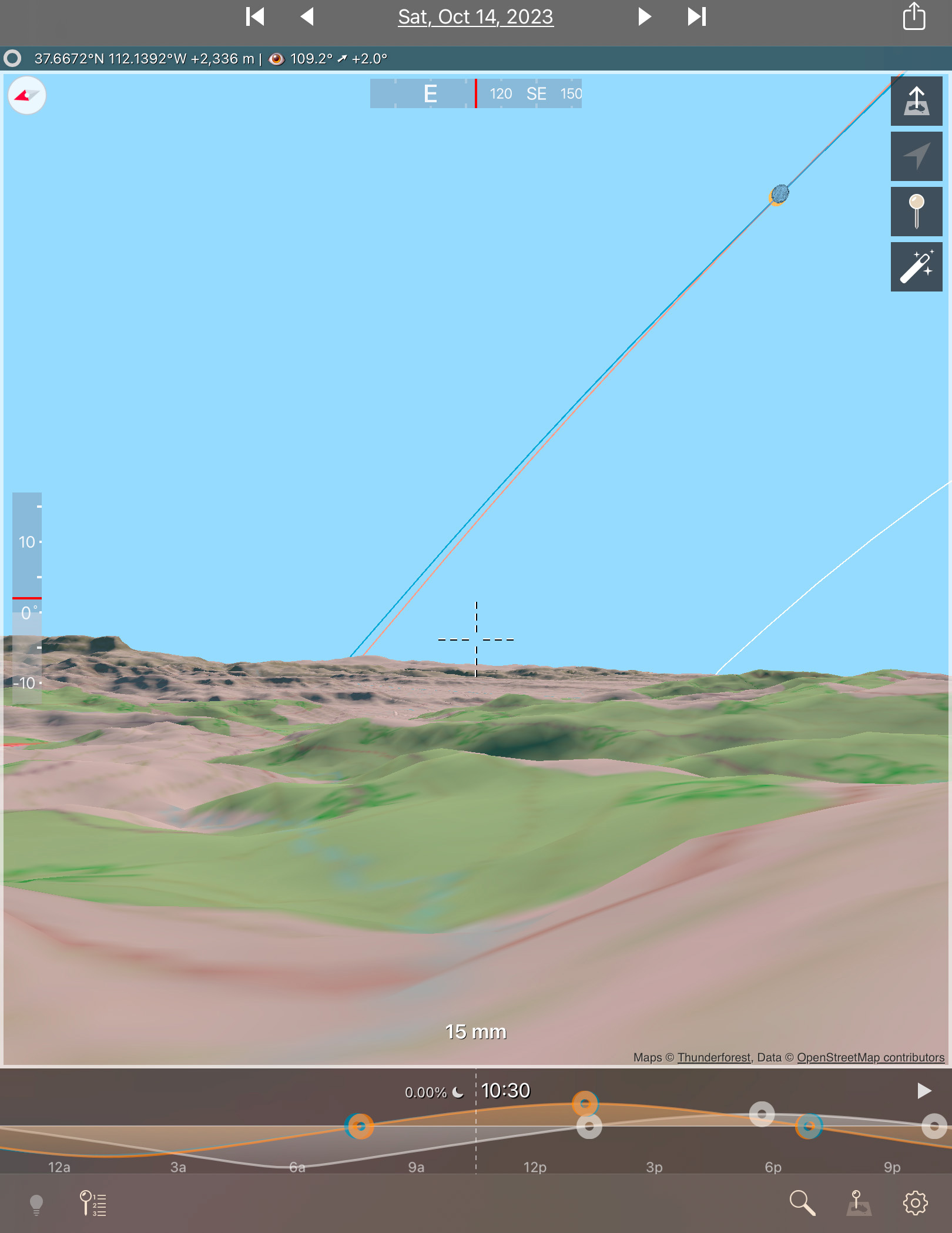
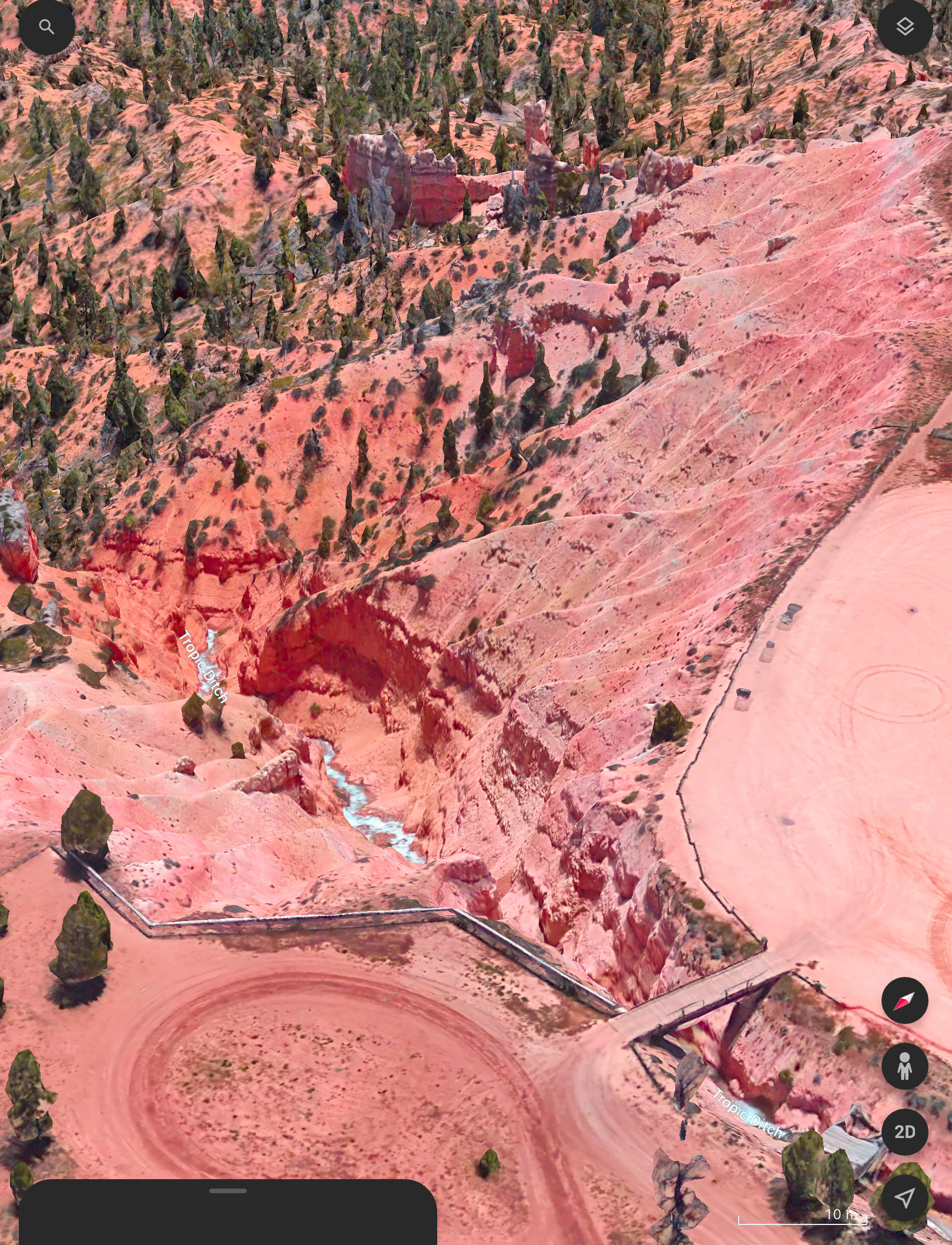
I had looked at possible sites on Google Earth and with the Sun-angle planning apps I use (such as The Photographer’s Ephemeris, or TPE) and found one just outside the Park that I hoped would be accessible to drive into. 

Upon arriving in the area three days early, the first priority was to inspect the site in person. It looked perfect! Almost too good to be true! 
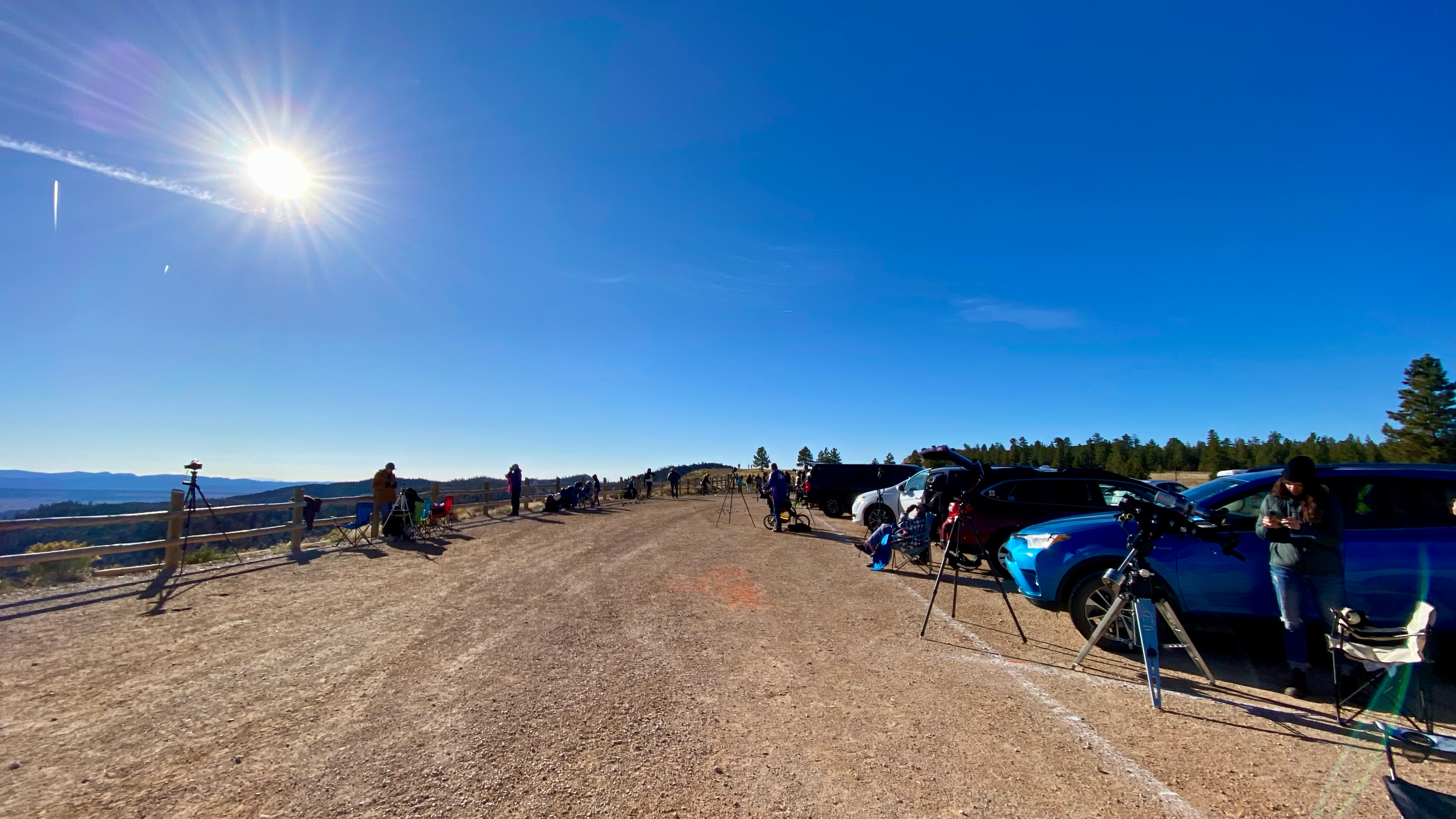
A panorama of the Ruby’s Inn site with the eclipse in progress. My wide-angle camera is at left by that fencepost.

The site, known as the Rubyโ€™s Inn Overlook, provided a great view toward the eclipse with a stunning landscape below, including a river! (Well, it was actually an irrigation channel called the Tropic Ditch.) And I could park right next to my wide-angle landscape camera, to keep an eye on it over the five hours of shooting, while setting up the scope gear next to my car. 

I stayed at the Bryce View Lodge on eclipse eve, a hotel just a few hundred metres from the site. So no long pre-dawn drive on eclipse morn. However, the gated site was not going to be open until 7 a.m. on eclipse day. And admission was $20 per car, a cash donation to the Bryce Canyon City school sports teams. Fine! 

As it turned out, by the time I got on site and setup the priority wide-angle camera for the base-image sunrise shots at 7:30 a.m., the sky was too bright to polar align the telescope mount on Polaris, for accurate tracking of the Sun across the sky. 

It turned out that was the least of my concerns. 

My three eclipse cameras: the wide-angle, the one on the 105mm refractor telescope (with a smaller 60mm scope on top for visual views with a Herschel Solar Wedge), and one with a 100-400mm lens on the tripod.

As I unpacked the carload of scope gear at 8 a.m. I realized I had forgotten a crucial cable to connect the mount to the drive electronics. So the mount was not going to be able to track anyway! 

So much for my plans for a time-lapse through the scope. I had to manually centre the Sun every minute or so. I took lots of photos, but gave up on any effort to take them at a regular cadence.ย But I had enough images for the singles and composites shown here.

This is a composite of the October 14, 2023 annular solar eclipse with a sequence of six images showing the Moon advancing across a sunspot, the largest one visible on the Sun that day. The images are placed for a photogenic spacing, with time running forward from lower left to upper right, to reflect the Sun’s motion up across the morning sky.

Of course, once I got home the first thing I did was look downstairs in my scope room. Sure enough there was the cable, mixed up with the similar electronics from another mount I have from the same company, as I had been testing both prior to the eclipse. So much for my checklists! Theyโ€™re only good if they list every critical bit, and if you use them.

So that was one big user error. 
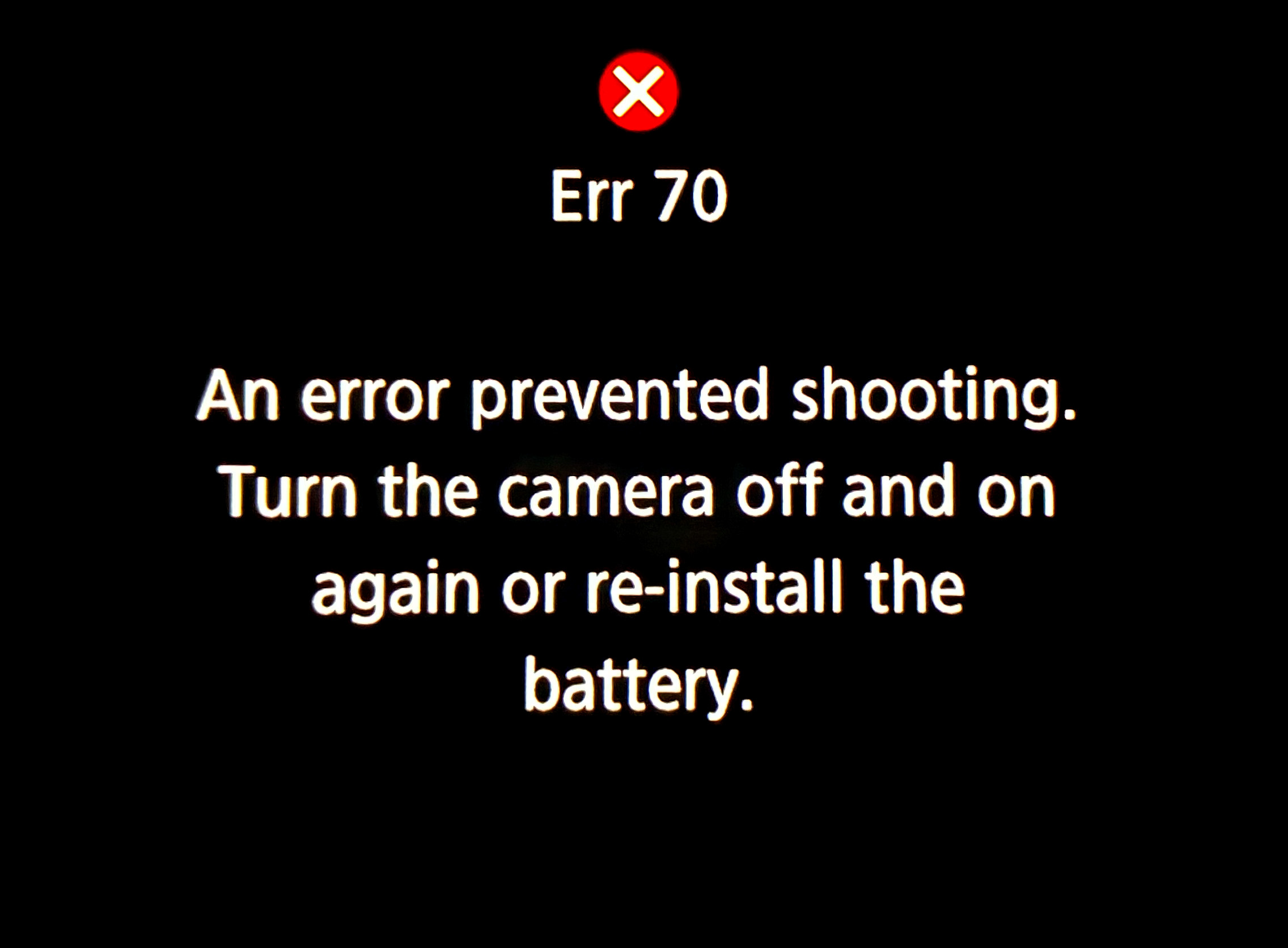
You don’t want to see this at an eclipse!

The other was a camera error, in fact Error70! I had set my main telescope camera to take rapid bursts of images (at up to 20 frames per second) at the crucial second and third contacts when annularity began and ended. With the Moonโ€™s rough limb tangent to the inside edge of the Sun, you see beads of light rapidly form and disappear at the contacts. 

This is a composite of the October 14, 2023 annular solar eclipse at second contact. It illustrates the irregular edge of the Moon breaking up the rim of sunlight as the dark disk of the Moon became tangent to the inner edge of the Sun at second contact at the start of annularity. 15 exposures taken over 20 seconds at second contact are combined with a single exposure taken about 1.5 minutes later at mid-annularity.

The camera worked great at second contact, shooting 344 frames over 20 seconds. A composite of 15 of those frames is above, layered to exaggerate the rough lunar limb and its mountain peaks. A time-lapse from those frames is below.

A time-lapse of second contact from 344 frames over ~20 seconds.

And it appeared to be working at third contact three minutes later. Until I looked down and saw the dreaded error message. In checking the camera later, none of the third contact images had recorded to either memory card. 

It is a known but intermittent bug in Canon firmware that can happen when the camera is not connected to a Canon lens (it was on a telescope it cannot communicate with). I saw the error once in testing. And I had a hard time reproducing it to take the screen shot above once I got home. But if something can go wrong โ€ฆ! 

This is a portrait of the October 14, 2023 annular eclipse of the Sun, captured in a sequence of images taken from the rim of Bryce Canyon, Utah, from sunrise until nearly the end of the eclipse before noon local time. This is a composite blend of unfiltered exposures taken at sunrise for the landscape lit by the rising Sun, and for the dawn sky. Onto the base panorama of the ground and sky I layered in 66 filtered images of the Sun, as it rose into the morning sky, and with the Moon moving across its disk over nearly 3 hours, reaching mid-eclipse at about 10:29 local MDT at upper right. It then appears as a ring, or annulus of light for one frame.

Despite the errors both human and machine, I count eclipse day as successful, considering a week earlier prospects had looked so poor. As it was, apart from some thin but inconsequential cloud that drifted through before mid-eclipse, the sky was perfect.

As was the site. I enabled me to get the main shot I was after, the wide-angle composite, above. It’s a winner! And it accurately depicts the size of the Sun and its motion across the sky, albeit set into a twilight sky taken at sunrise.

As it had been 29 years since my last annular, I wasnโ€™t sure what to expect. But the darkening of the sky and eerie level of sunlight, despite a blazing Sun in the day sky, were impressive. The morning just looked strange! It was a taste of the total to come.

Venus at its widest angle west of the Sun was easy to spot in the deep blue sky. I regret not thinking to shoot even a phone camera image of that sight.ย 

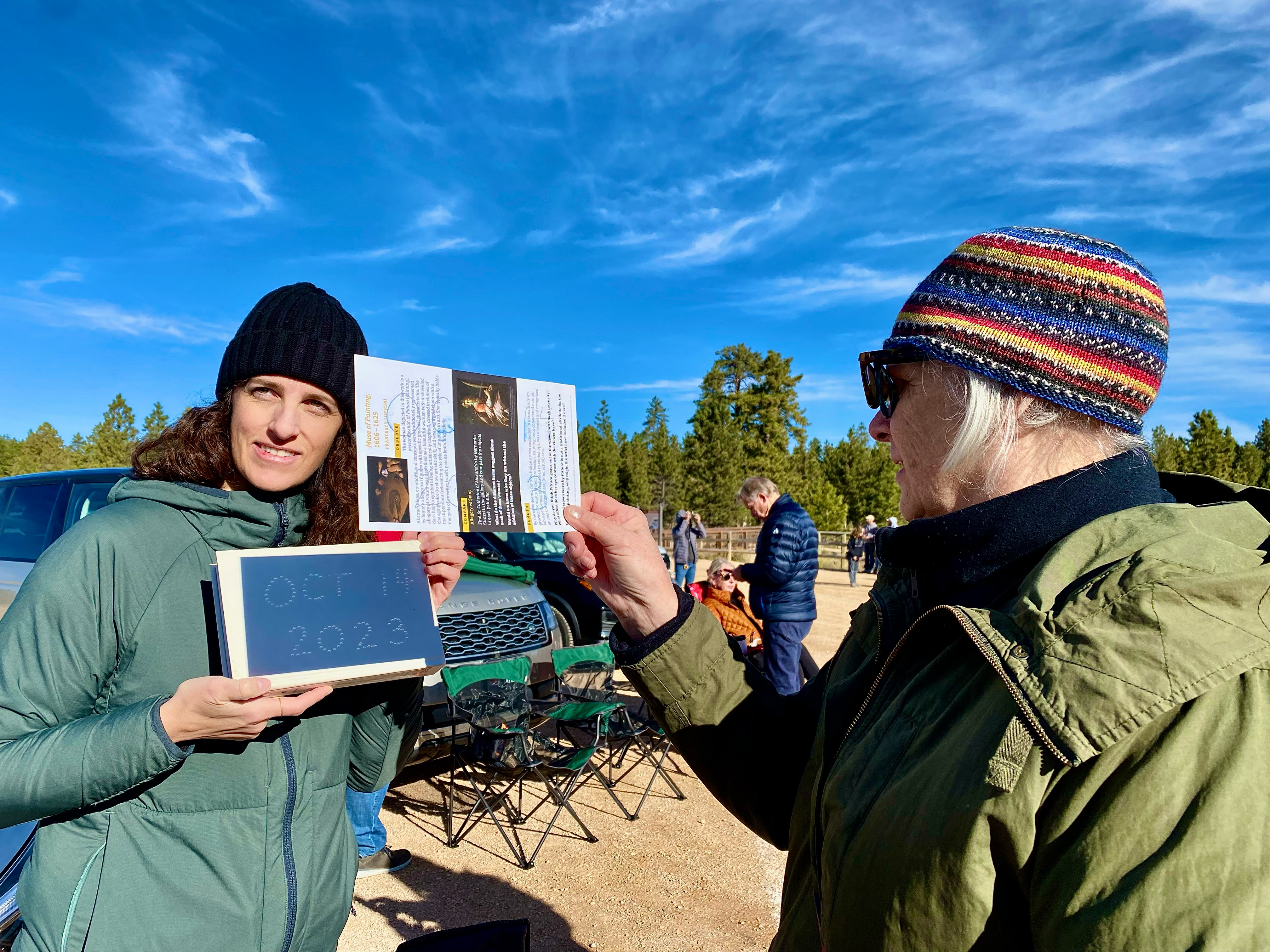
Projecting the solar crescents with a made-on-the-spot pinhole projection sign.

I had pleasant chats with other folks at the site, and enjoyed showing them telescopic views though the smaller visual scope I had piggybacked on the main scope, one that was just for looking through.ย Plus folks shot phone pix of my camera screen.
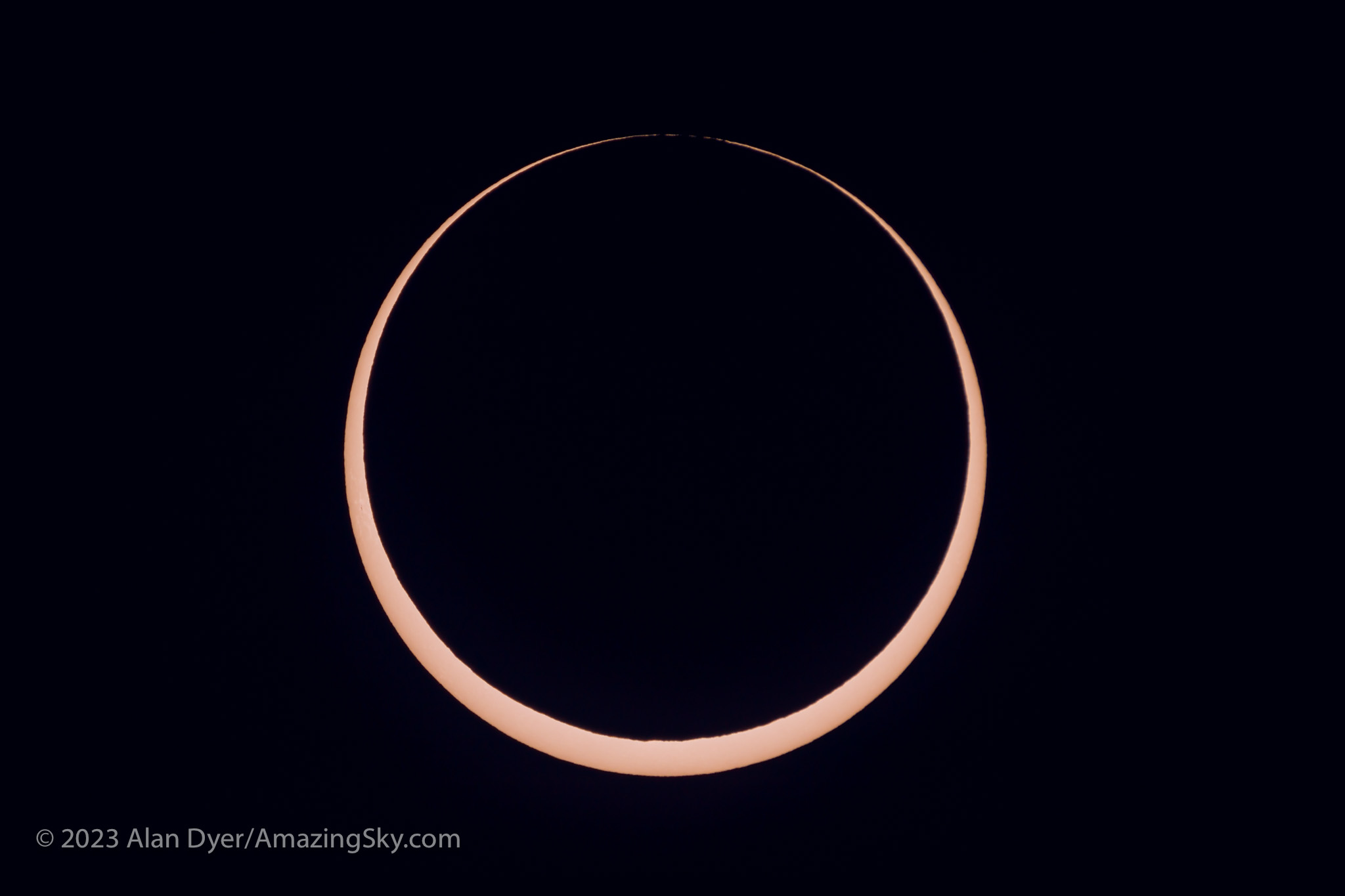
The October 14, 2023 annular solar eclipse, in a single image captured at second contact with the Moon tangent to the inside limb of the Sun, at 10:27 am MDT at the site I used.

But at the critical contacts, I was glued to that visual scope for the amazing sight of the horns of the crescent Sun rapidly wrapping around the Moon at second contact, then unwrapping at third contact.ย 

The October 14, 2023 annular solar eclipse, in a series of images captured at second contact with the Moon tangent to the inside limb of the Sun, at 10:27 am MDT at the site I used. The 7 frames here were selected from a set of 344 shot in high-speed continuous mode at 20 frames per second.

The breakup of the rim of sunlight into beads of light along the cratered and mountainous edge of the Moon was also impressive. I was not at the optimum site for seeing those beads, as the landscape dictated my choice of location. But those that I saw at each of the internal contacts were a fine bonus to a memorable morning.ย 

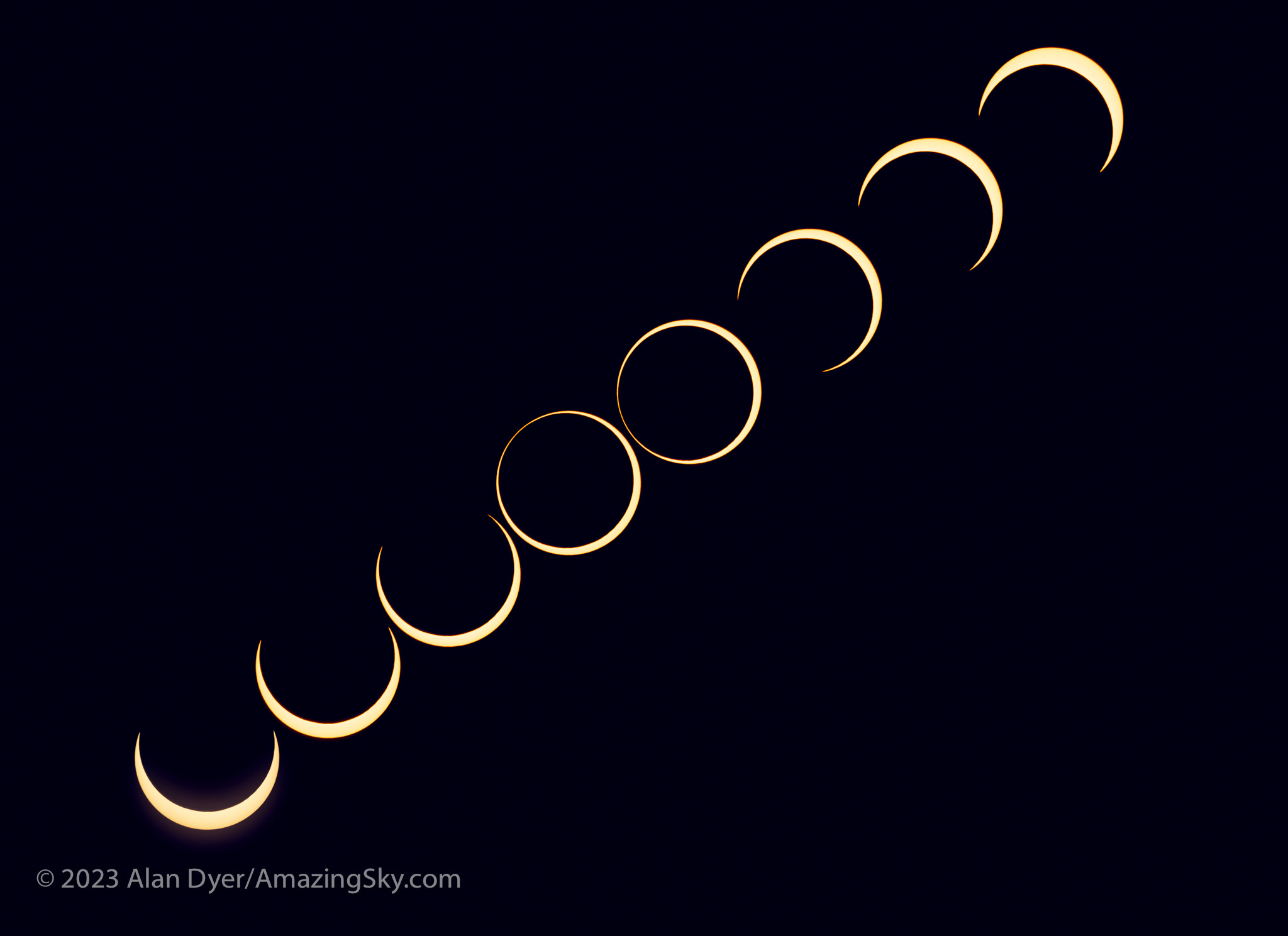
This is a composite that records the sequence around mid-eclipse of the October 14, 2023 annular eclipse of the Sun. This is a blend of 8 exposures each taken 2.25 minutes apart, about the minimum time to keep the disks separate and avoid them overlapping.

A third camera shooting a sequence with an untracked 400mm telephoto lens worked well. I used a subset of its images to create a still-image composite (above) and the full set for a time-lapse (below), with the position and motion of the Sun authentic, produced by the natural east-to-west motion of the sky. But against that you see the Moonโ€™s orbital motion moving its dark disk down across the disk of the Sun. 

A time-lapse from 300 frames taken at 4-second intervals with the sky’s motion carrying the Sun across the frame.

As soon as annularity ended, everyone else started to pack up and leave. For them the show was over. Understandably. On many total eclipse tours I’ve been on we’ve been on the road back to the hotel after totality and the requisite happy group shot.
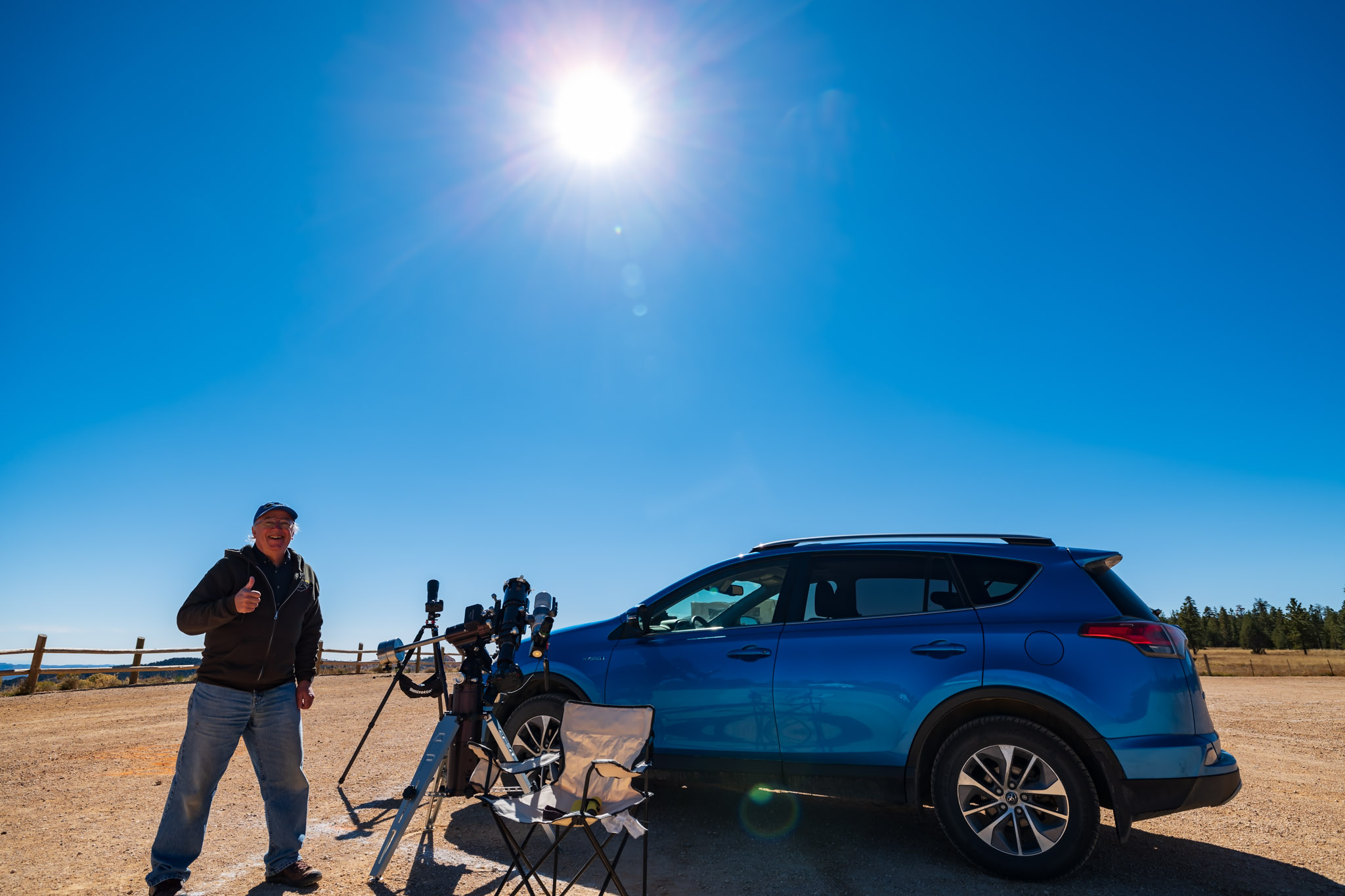
Eclipse success! The trophy shot after everyone else had left.

But at this eclipse my shooting plan dictated that I stick it out. By the end of the eclipse I was the last one standing, alone to enjoy last contact and then lunch, killing time for any road congestion to diminish, as I had to head to another motel for the post-eclipse night, in nearby Panguitch. 

I had a celebratory dinner and Moab-brewed beer that night at Cowboyโ€™s, the best restaurant in Panguitch, sporting my Annular 2023 eclipse hat! 

But the next day I started the drive north again, for the three-day trek back up I-15 to the border, then home. 

Priority one upon getting home was to finish processing images, and to include them in a revised version of my ebook How to Photograph the Solar Eclipses. It is linked to above and here on the title. Images of some sample pages from the revised edition are in the slide show below.
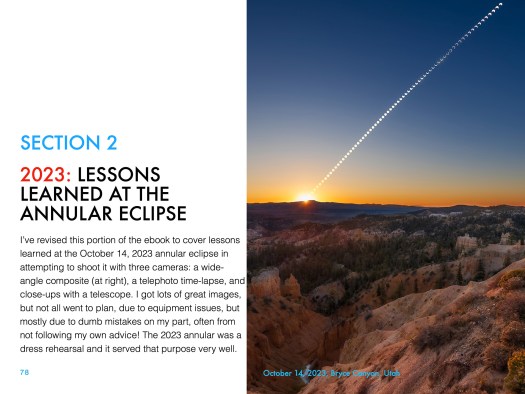
Post-annular, the bookโ€™s title remains the same, but I revised the pages in Chapter 4 on planning for the 2023 eclipse with pages on โ€œlessons learned!โ€ And there were several! 

I expanded Chapter 11 on processing to include tutorials on assembling annular eclipse composites, now that I actually have some! 

Such as the composite of first- to last-contact telescopic close-ups below.
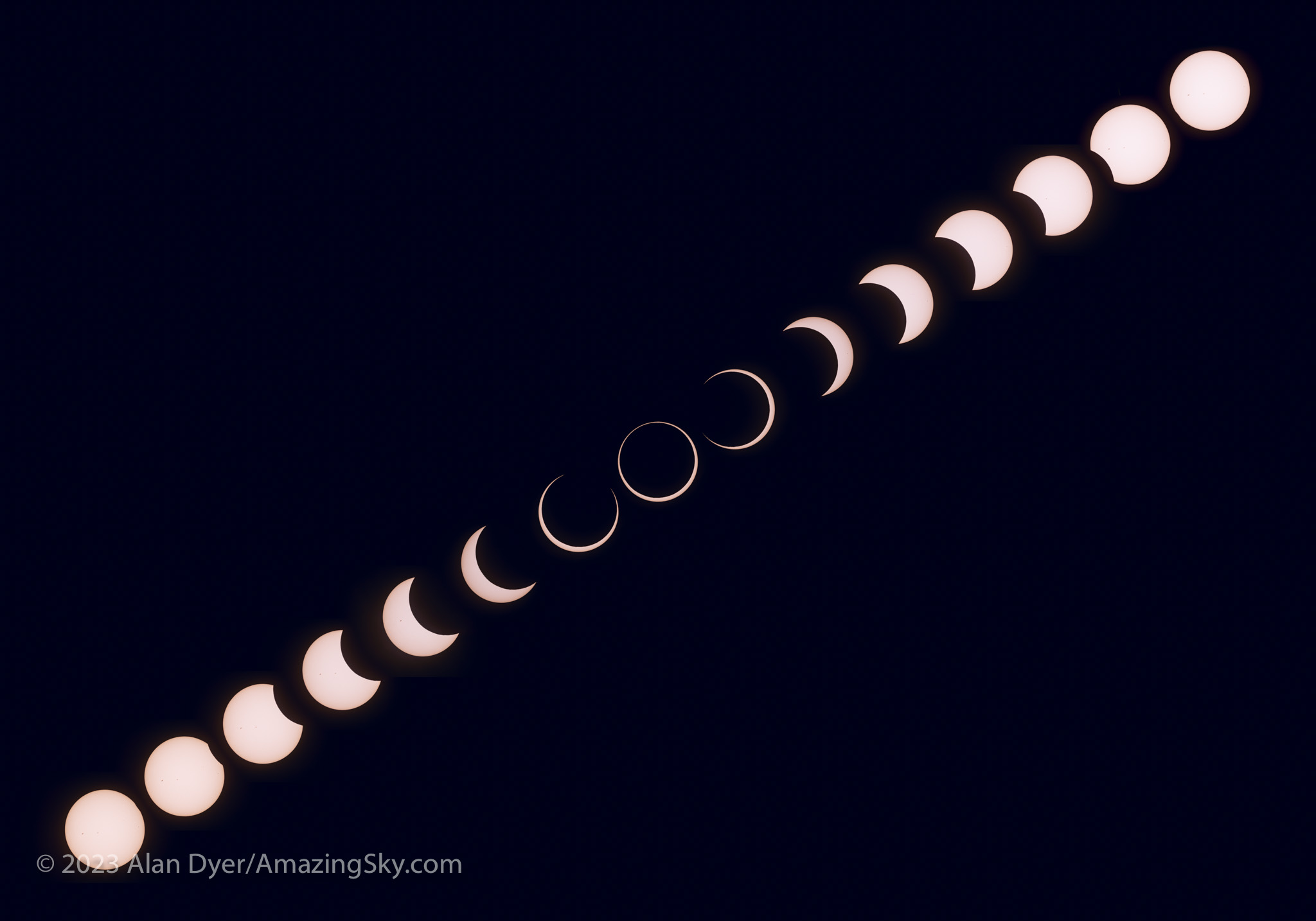
This is a composite of the various stages of the entire October 14, 2023 annular solar eclipse, from start (lower left) to end (upper right), with mid-eclipse at centre. So time runs forward from left to right, with the Suns positioned to reflect the approximate motion of the Sun in the morning sky when this eclipse occured at my site, with it rising higher through the progress of the eclipse. North is up in this image.

The new version of my ebook is 20 pages larger than the pre-annular edition. 

An email has gone out from eJunkie to all buyers of the earlier-edition PDF to alert them to the new version, and with a download link. Apple Books readers should get a notice when they open the book on their Mac or iPad in the Books app that a new version is available. 

I suspect that will be the last revision of my ebook before the big event โ€“ the total eclipse of the Sun on April 8, 2024. 

Hereโ€™s wishing us all clear skies for that one! That eclipse will indeed require a drive to Texas. This time I’ll remember that damned cable! 

โ€” Alan Dyer, October 31, 2023

amazingsky.com 

Marvelous Nights in the Mountains


In mid-October 2022 I enjoyed a rare run of five clear and mild nights in the Rocky Mountains for shooting nightscapes of the stars. Hereโ€™s a portfolio โ€ฆ and a behind-the-scenes look at its making.

Getting two perfectly clear nights in a row is unusual in the mountains. Being treated to five is a rare treat. Indeed, had I started my shooting run earlier in the week I could have enjoyed even more of the string of cloudless nights in October, though under a full Moon. But five was wonderful, allowing me to capture some of the scenes that had been on my shot list for the last few years.

Here is a portfolio of the results, from five marvelous nights in Banff and Jasper National Parks, in Alberta, Canada. 

For the photographers, I also provide some behind-the-scenes looks at the planning and shooting techniques, and of my processing steps. 


Night One โ€” Peyto Lake, Banff National Park

Peyto Lake, named for pioneer settler and trail guide Bill Peyto who had a cabin by the lakeshore, is one of several iconic mountain lakes in Banff. Every tour bus heading along the Icefields Parkway between Banff and Jasper stops here. By day is it packed. By night I had the newly constructed viewpoint all to myself. 

The stars of Ursa Major, the Great Bear, over the waters of Peyto Lake, Banff, in deep twilight. This is a stack of 6 x 30-second exposures for the ground and a single untracked 30-second exposure for the sky, all at f/2.8 with the Canon RF 15-35mm lens at 15mm, and Canon R5 at ISO 800.

I shot the classic view north in deep twilight, with the stars of Ursa Major and the Big Dipper low over the lake, as they are in autumn. A show of Northern Lights would have been ideal, but I was happy to settle for just the stars. 

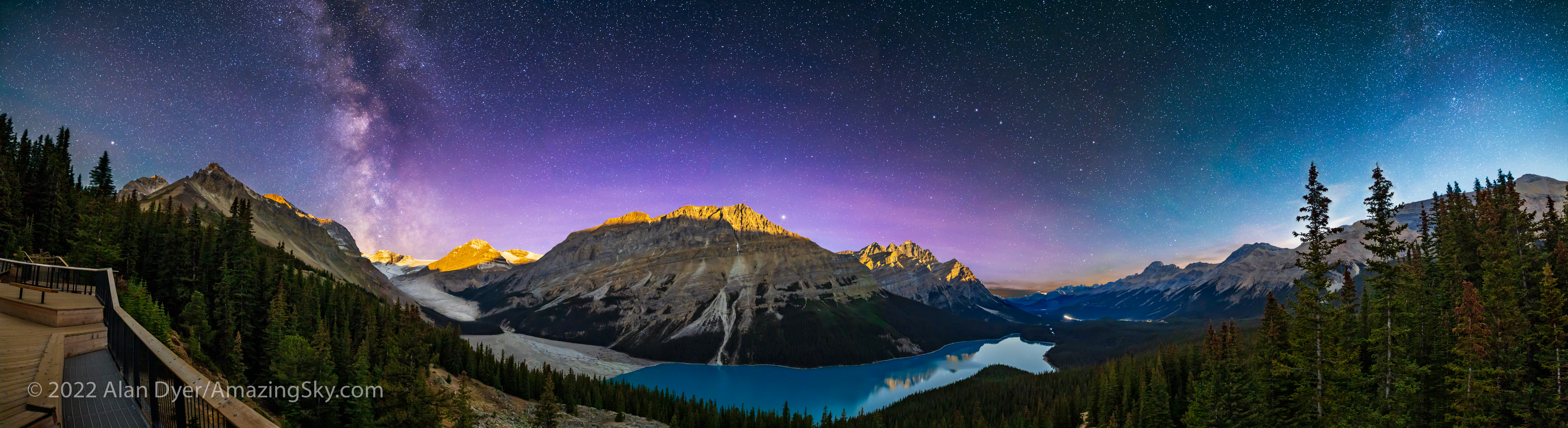
This is a blend of two panoramas: the first of the sky taken at or just before moonrise with the camera on a star tracker to keep the stars pinpoint, and the second taken for the ground about 20 minutes later with the tracker off, when the Moon was up high enough to light the peaks. Both pans were with the Canon RF15-35mm lens at 15mm and f/2.8, and Canon R5 at ISO 1600, with the sky pan being 7 segments for 1 minute each, and the untracked ground panorama being the same 7 segments for 2 minutes each.

The night was perfect, not just for the clarity of the sky but also the timing. The Moon was just past full, so was rising in late evening, leaving a window of time between the end of twilight and moonrise when the sky would be dark enough to capture the Milky Way. Then shortly after, the Moon would come up, lighting the peaks with golden moonlight โ€” alpenglow, but from the Moon not Sun. 

The above is blend of two panoramas, each of seven segments, the first for the sky taken when the sky was dark, using a star tracker to keep the stars pinpoints. The second for the ground I shot a few minutes later at moonrise with no tracking, to keep the ground sharp. I show below how I blended the two elements. 

The Photographer’s Ephemeris
TPE 3D

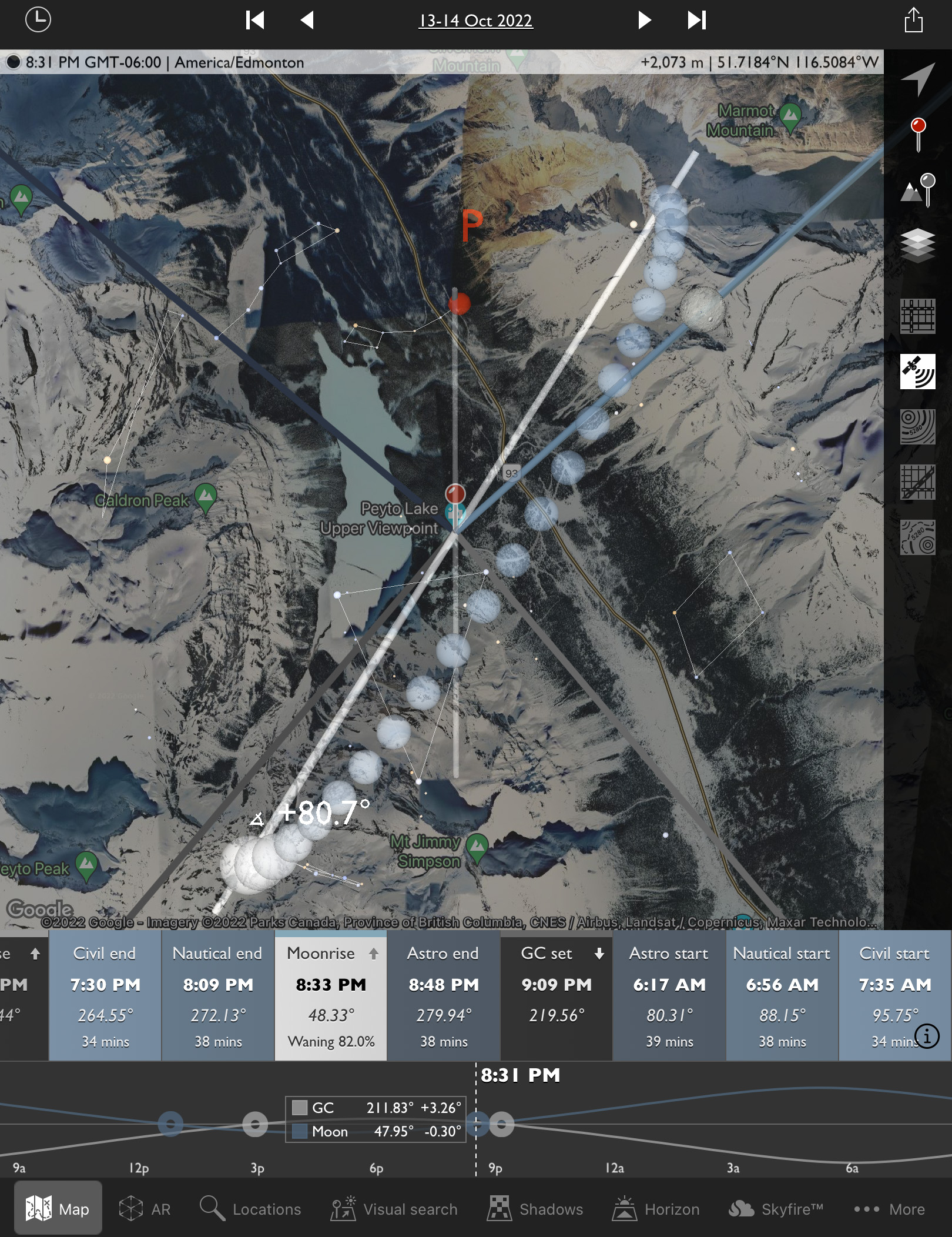
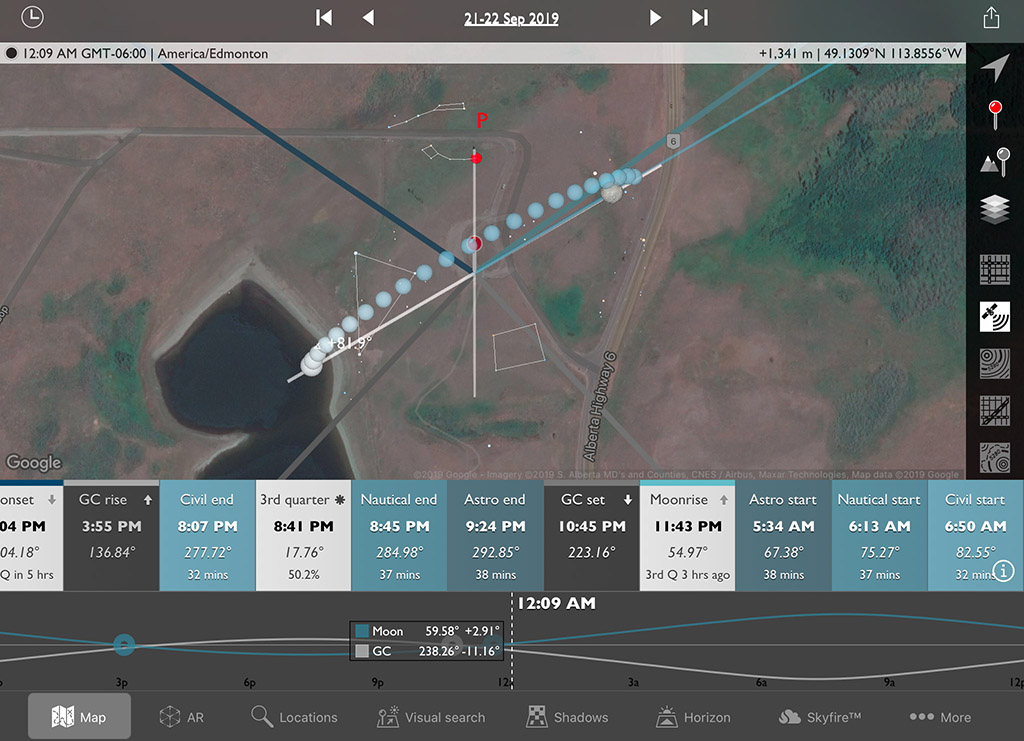
To plan such shots I use the apps The Photographerโ€™s Ephemeris (TPE) and its companion app TPE 3D. The screen shot above at left shows the scene in map view for the night in question, with the Big Dipper indicated north over the lake and the line of dots for the Milky Way showing it to the southwest over Peyto Glacier. Tap or click on the images for full-screen versions.

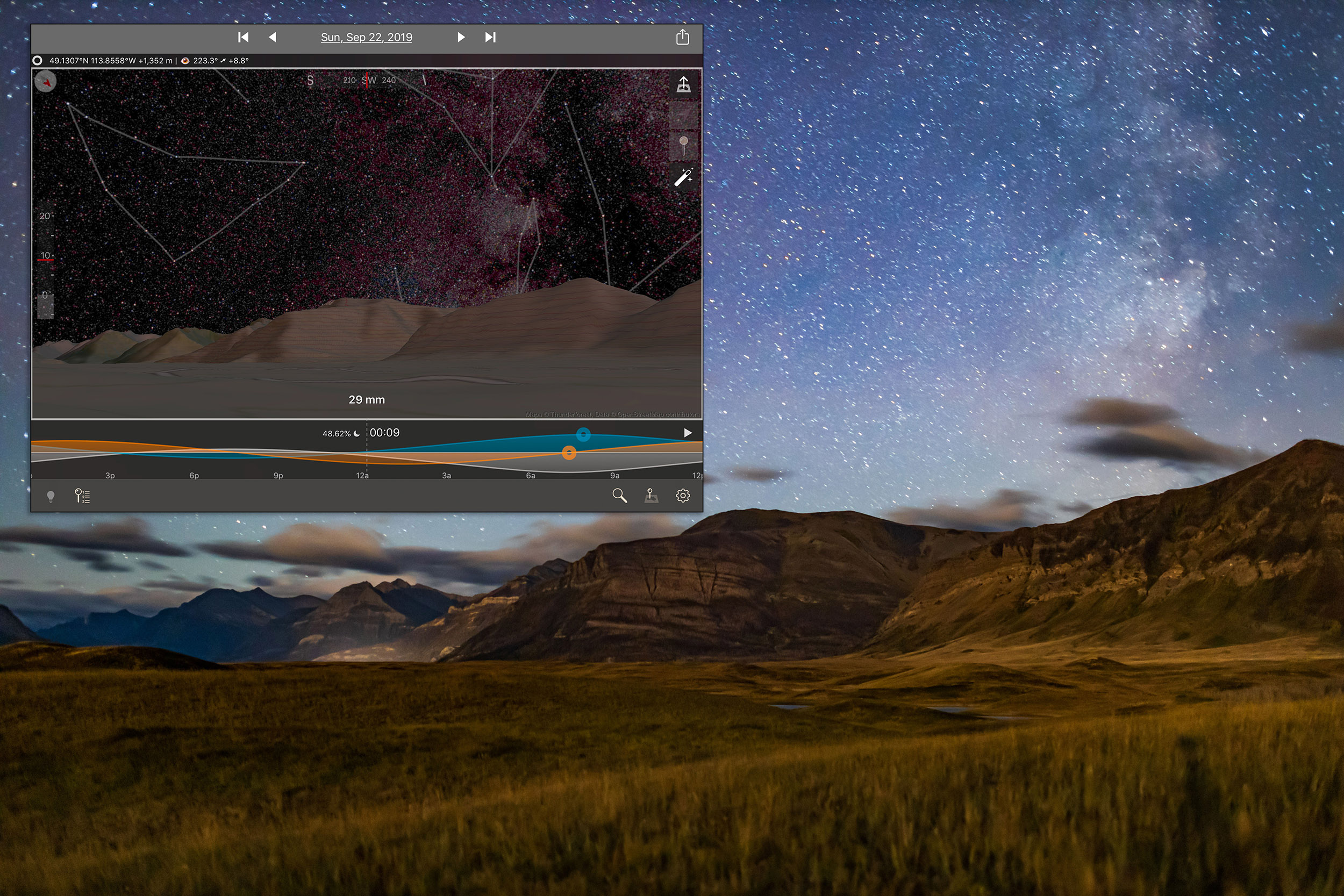
Switch to TPE 3D and its view at right above simulates the scene youโ€™ll actually see, with the Milky Way over the mountain skyline just as it really appeared. The app even faithfully replicates the lighting on the peaks from the rising Moon. It is an amazing planning tool.

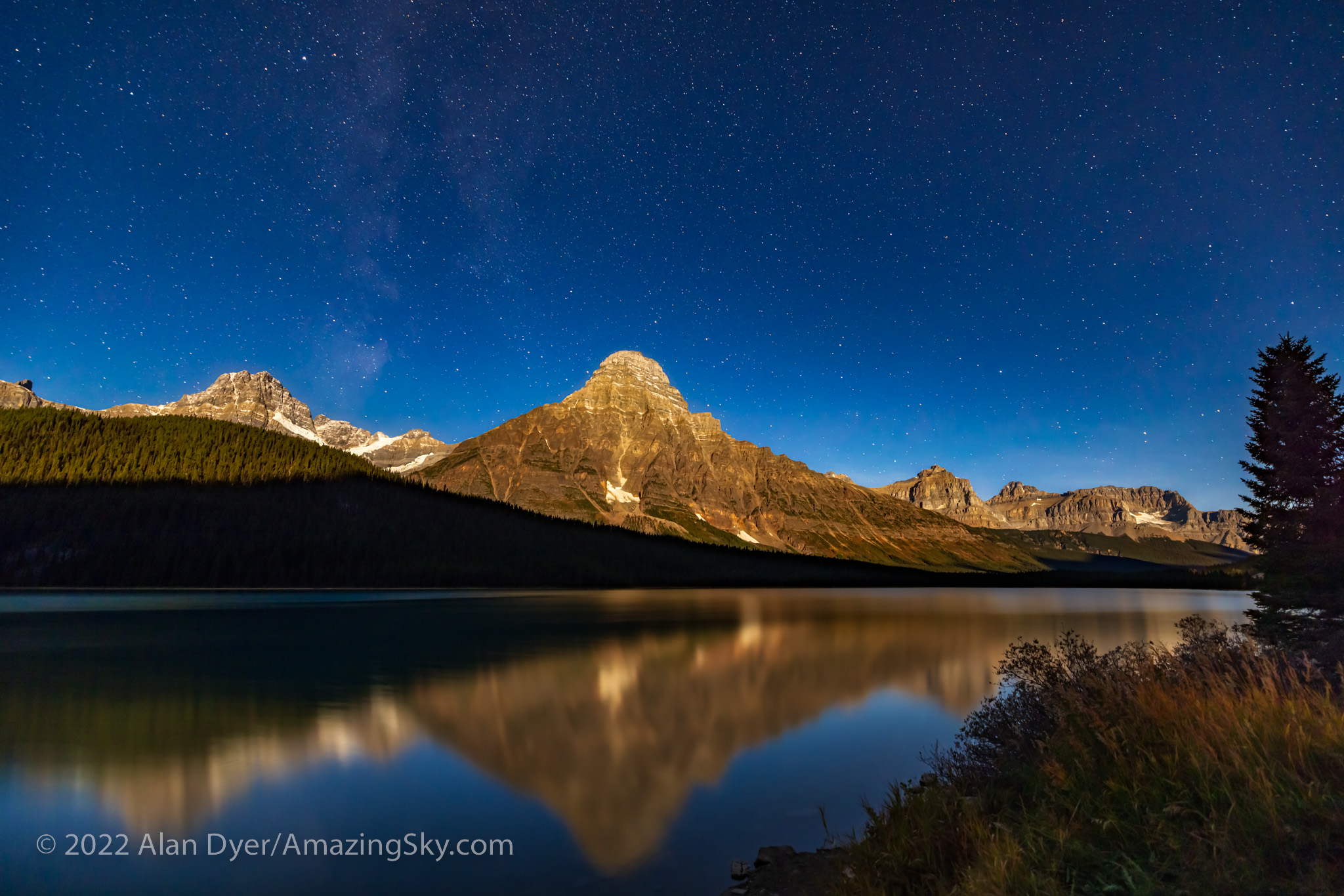
This is a blend of 5 x 20-second exposures stacked for the ground to smooth noise, and a single 20-second exposure for the sky, all with the Canon RF15-35mm lens at f/2.8 and Canon R5 at ISO 1600. All were untracked camera-on-tripod shots.

On the drive back from Peyto Lake to Saskatchewan River Crossing I stopped at another iconic spot, the roadside viewpoint for Mt. Cephren at Waterfowl Lakes. By this time, the Moon was well up and fully illuminating the peak and the sky, but still leaving the foreground dark. The sky is blue as it is by day because it is lit by moonlight, which is just sunlight reflecting off a perfectly neutral grey rock, the Moon! 

This is from a set of untracked camera-on-tripod shots using short 30-second exposures. 


Night Two โ€” Pyramid Lake, Jasper National Park 

By the next night I was up in Jasper, a destination I had been trying to revisit for some time. But poor weather prospects and forest fire smoke had kept me away in recent years. 

The days and nights I was there coincided with the first weekend of the annual Jasper Dark Sky Festival. I attended one of the events, the very enjoyable Aurora Chaserโ€™s Retreat, with talks and presentations by some well-known chasers of the Northern Lights. Attendees had come from around North America. 

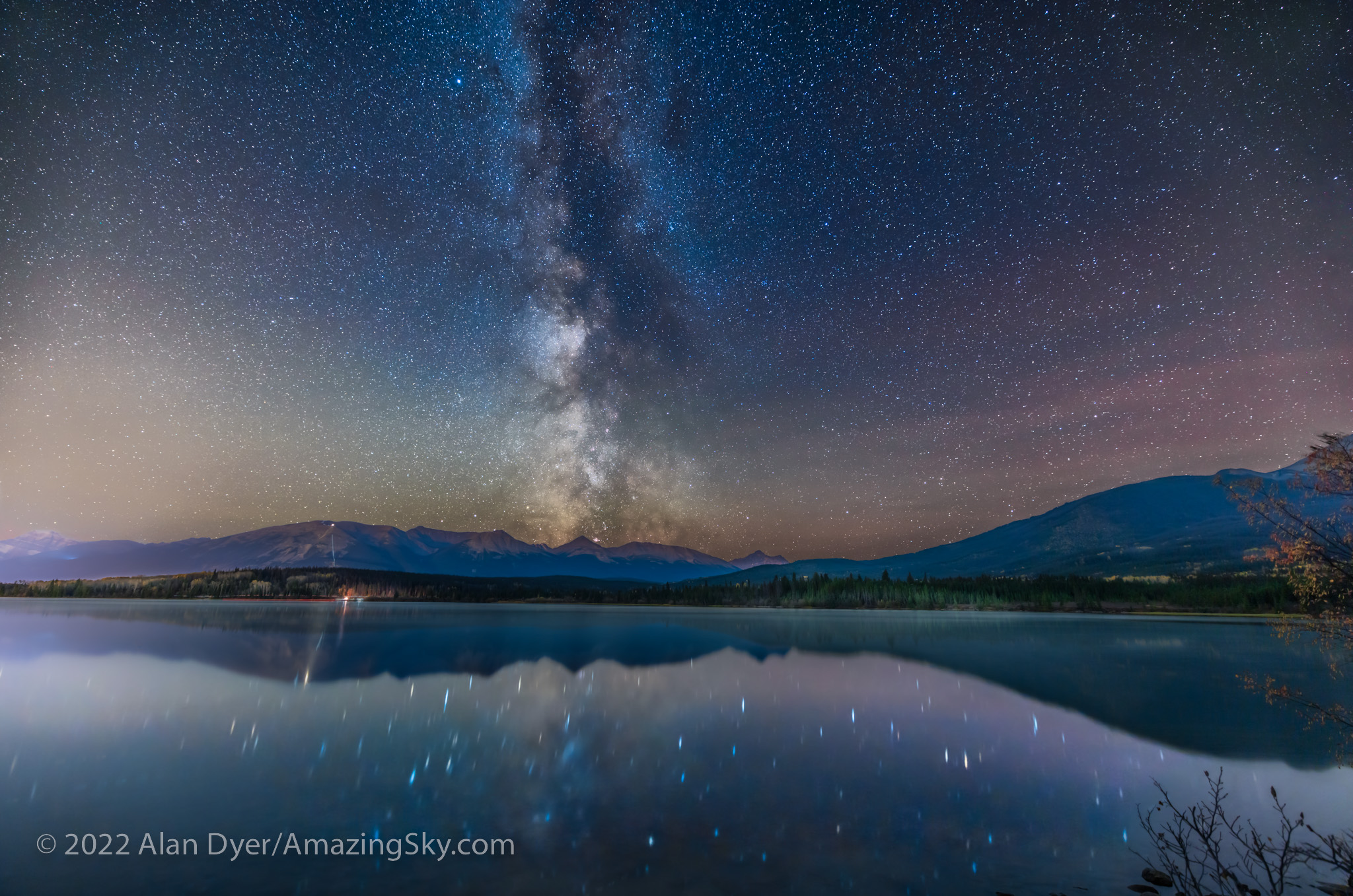
This is a blend of: a stack of 4 x 1-minute tracked exposures for the sky at ISO 1600 plus a stack of 7 x 2-minute untracked exposures at ISO 800 for the ground, plus an additional single 1-minute tracked exposure for the reflected stars and the foreground water. All were with the Canon RF15-35mm lens at 15mm and f/2.8 and Canon R5.

On my first night in Jasper I headed up to Pyramid Lake, a favorite local spot for stargazing and night sky photography, particularly from the little island connected to the โ€œmainlandโ€ by a wooden boardwalk. Lots of people were there quietly enjoying the night. I shared one campfire spot with several other photographers also shooting the Milky Way over the calm lake before moonrise.

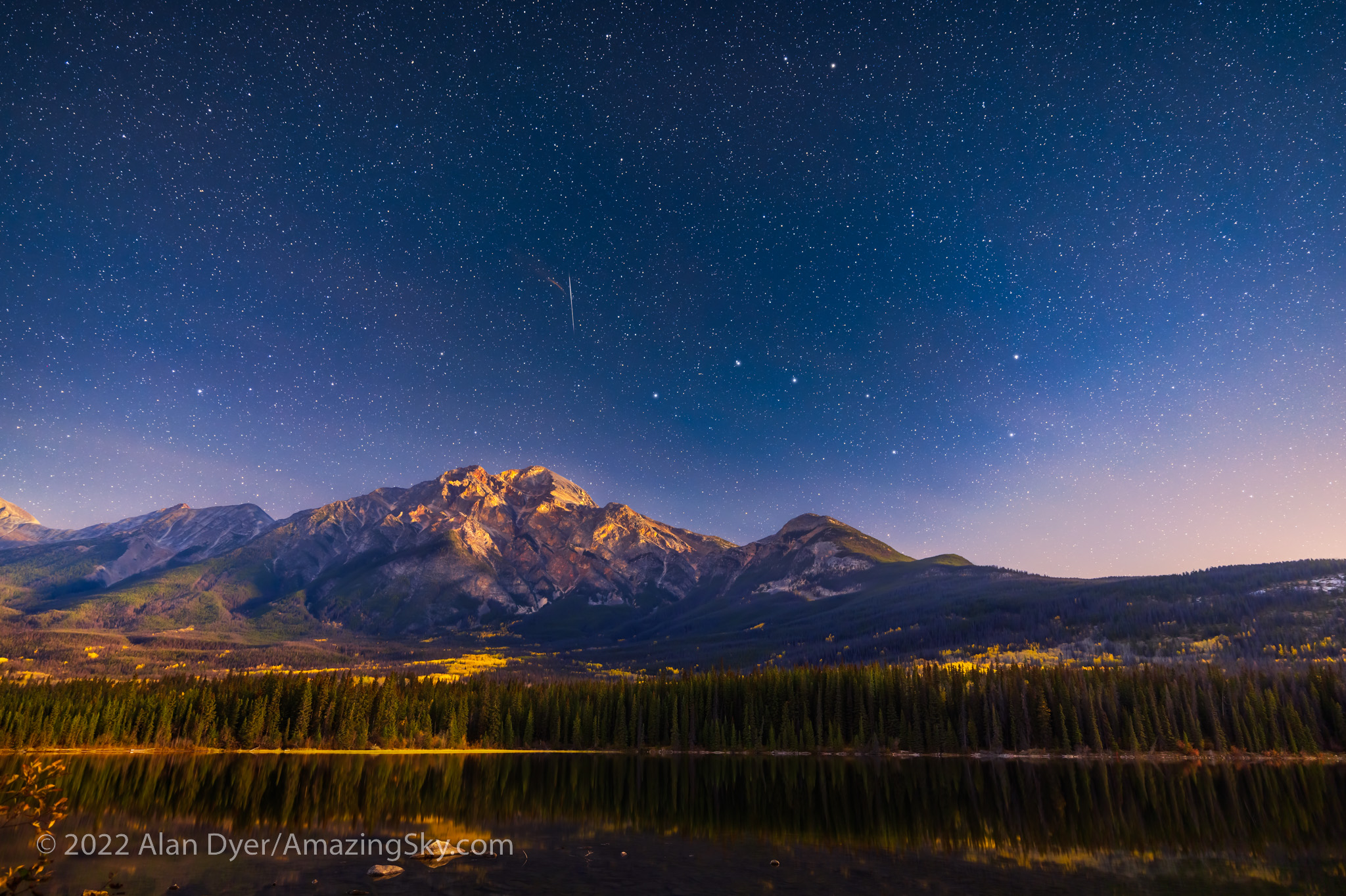
This is a blend of: a stack of 4 x 1-minute tracked exposures for the sky at ISO 1600 plus a stack of 6 x 3-minute untracked exposures at ISO 800 for the ground, all with the Canon RF15-35mm lens at 20mm and f/2.8 and Canon R5. The tracker was the Star Adventurer Mini.

A little later I moved to the north end of Pyramid Island for the view of the Big Dipper over Pyramid Mountain, now fully lit by the rising waning Moon, and with some aspens still in their autumn colours. A bright meteor added to the scene.


Night Three โ€” Athabasca River Viewpoint, Jasper National Park

For my second night in Jasper, I ventured back down the Icefields Parkway to the โ€œGoats and Glaciersโ€ viewpoint overlooking the Athabasca River and the peaks of the Continental Divide. 

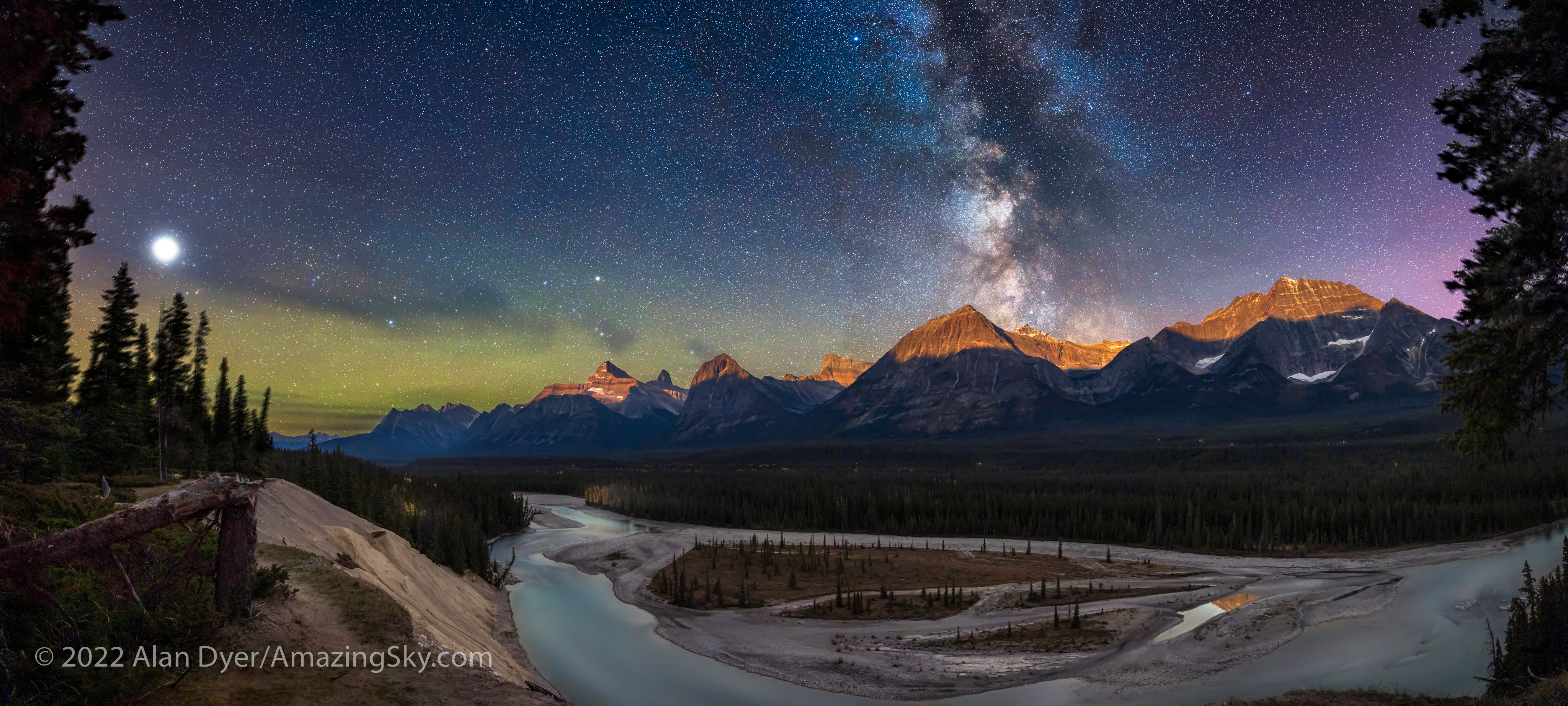
This is a blend of three 3-section panoramas: the first taken with a Star Adventurer Mini for 3 x 2-minute tracked exposures for the sky at ISO 800; the second immediately afterward with the tracker off for 3 x 3-minutes at ISO 800 for the ground; and the third taken about an hour later as the Moon rose, lighting the peaks with warm light, for 3 x 2.5-minutes at ISO 1600. All with the Canon RF15-35mm lens at f/2.8 and 15mm and Canon R5,

As I did at Peyto Lake, I shot a panorama (this one in three sections) for the sky before moonrise with a tracker. I then immediately shot another three-section panorama, now untracked, for the ground while it was still lit just by starlight under a dark sky. I then waited an hour for moonrise and shot a third panorama to add in the golden alpenglow on the peaks. So this is a time-blend, bending reality a bit. See my comments below! 


Night Four โ€” Edith Lake, Jasper National Park

With a long drive back to Banff ahead of me the next day, for my last night in Jasper I stayed close to town for shots from the popular Edith Lake, just up the road from the posh Jasper Park Lodge. Unlike at Pyramid Lake, I had the lakeshore to myself. 

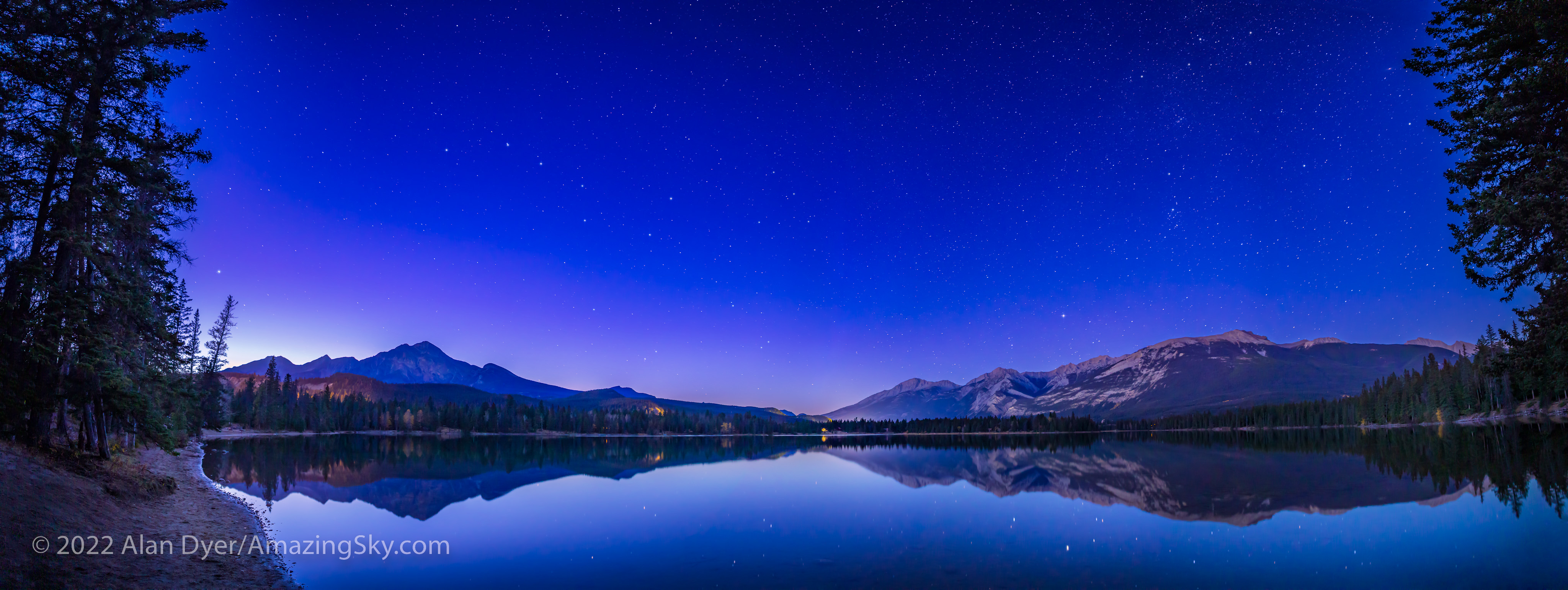
This is a panorama of four segments, each 30 seconds untracked with the Canon RF15-35mm lens at 15mm and f/2.8 and Canon R5 at ISO 1000.

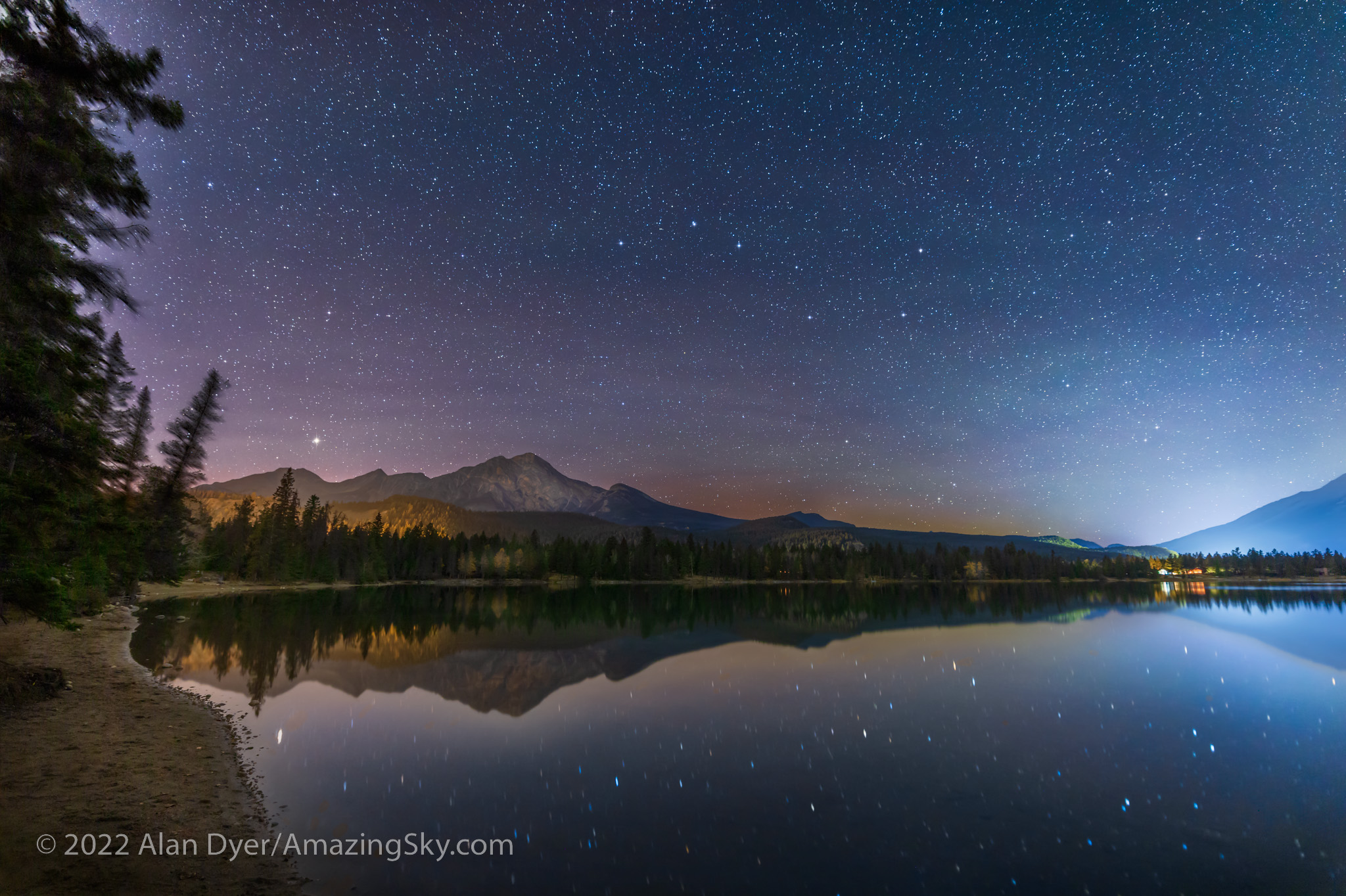
This would be a fabulous place to catch the Northern Lights, but none were out this night. Instead, I was content to shoot scenes of the northern stars over the calm lake and Pyramid Mountain. 

This is a blend of a single tracked 2-minute exposure for the sky and water with the reflected stars, with a single untracked 4-minute exposure for the rest of the ground, both at f/2.8 with the Canon RF15-35mm lens at 17mm and Canon R5 at ISO 800.
This is a blend of a single tracked 2-minute exposure for the sky and water with the reflected stars, with a stack of two untracked 3-minute exposure for the rest of the ground, both at f/2.8 with the Canon RF15-35mm lens at 17mm and Canon R5 at ISO 1600. I shot this October 16, 2022.

The Moon was now coming up late, so the shots above are both in darkness with only starlight providing the illumination. Well, and also some annoying light pollution from town utility sites off the highway. Jasper is a Dark Sky Preserve, but a lot of the townโ€™s street and utility lighting remains unshielded. 


Night Five โ€” Lake Louise, Banff National Park

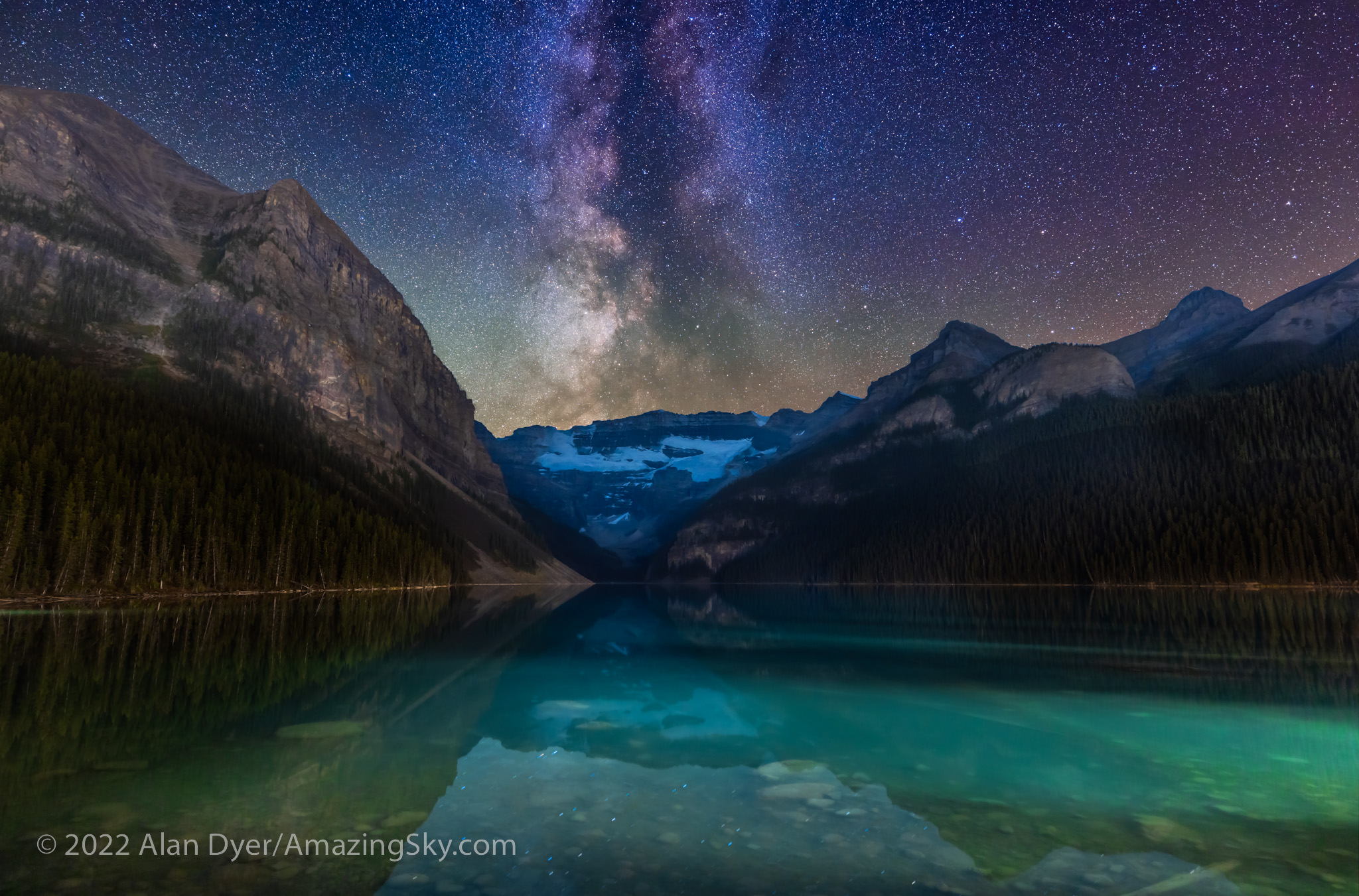
On my last night I was at Lake Louise, as the placement of the Milky Way would be perfect. 

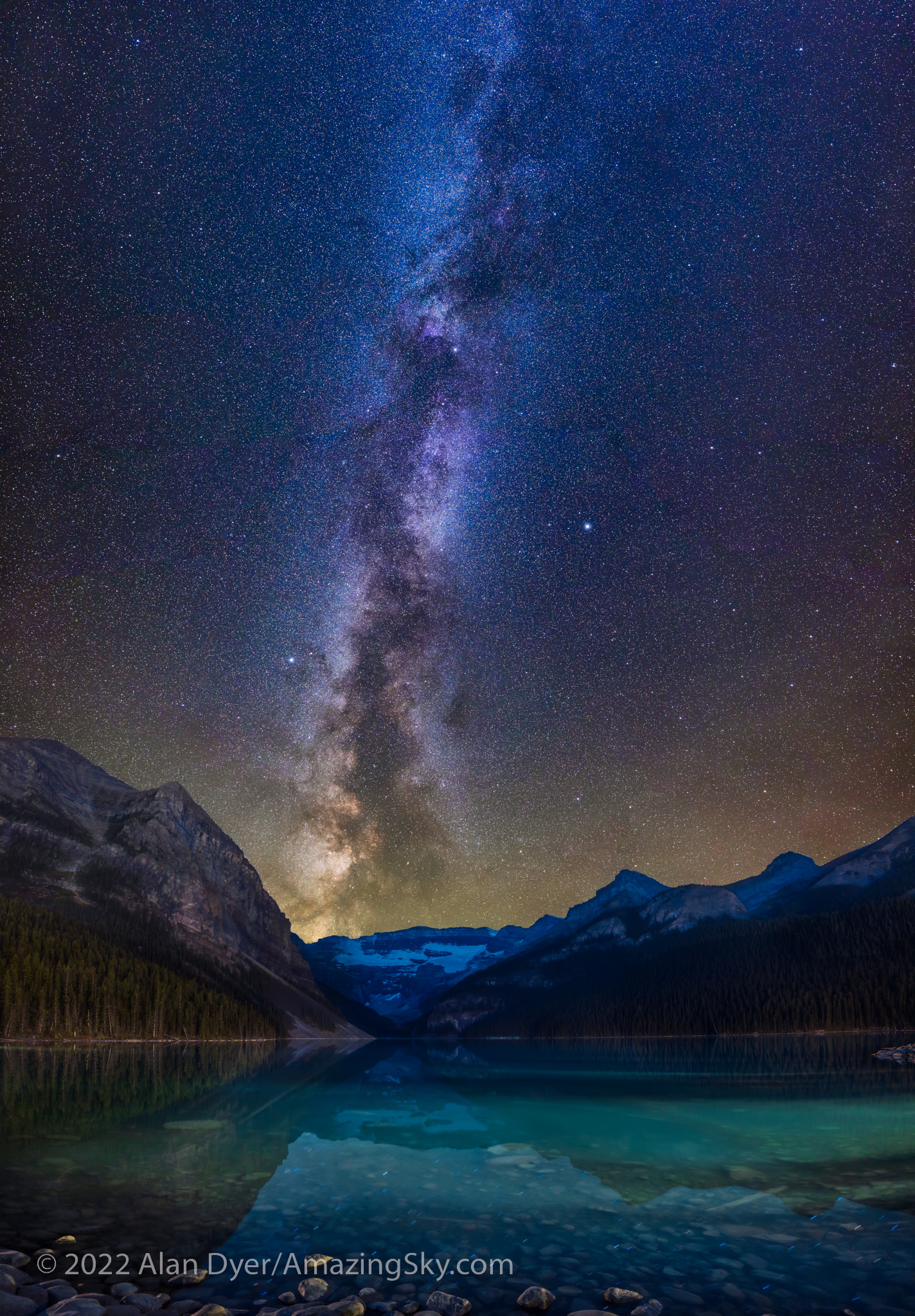
This is a blend of two sets of exposures: – a stack of two untracked 2-minute exposures for the ground at ISO 800 – a stack of four tracked 1-minute exposures for the sky at ISO 1600 All with the Canon RF15-35mm lens at f/2.8 and 20mm and Canon R5, and with the camera and tripod not moving between image sets.

Thereโ€™s no more famous view than this one, with Victoria Glacier at the end of the blue-green glacial lake. Again, by day the site is thronged with people and the parking lot full by early morning. 

By night, there were just a handful of other photographers on the lakeshore, and the parking lot was nearly empty. I could park right by the walkway up to the lake. 

The Photographer’s Ephemeris
TPE 3D

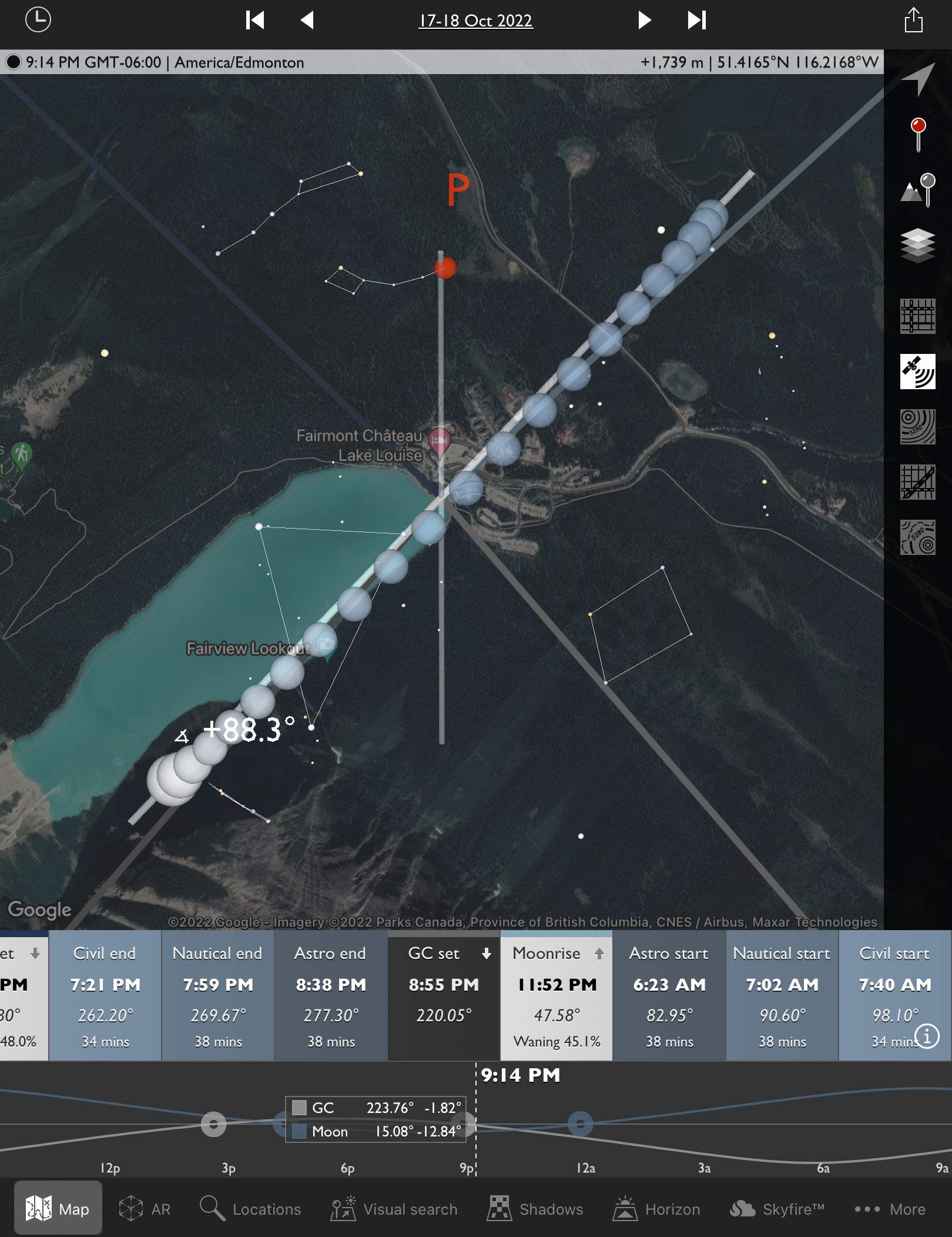
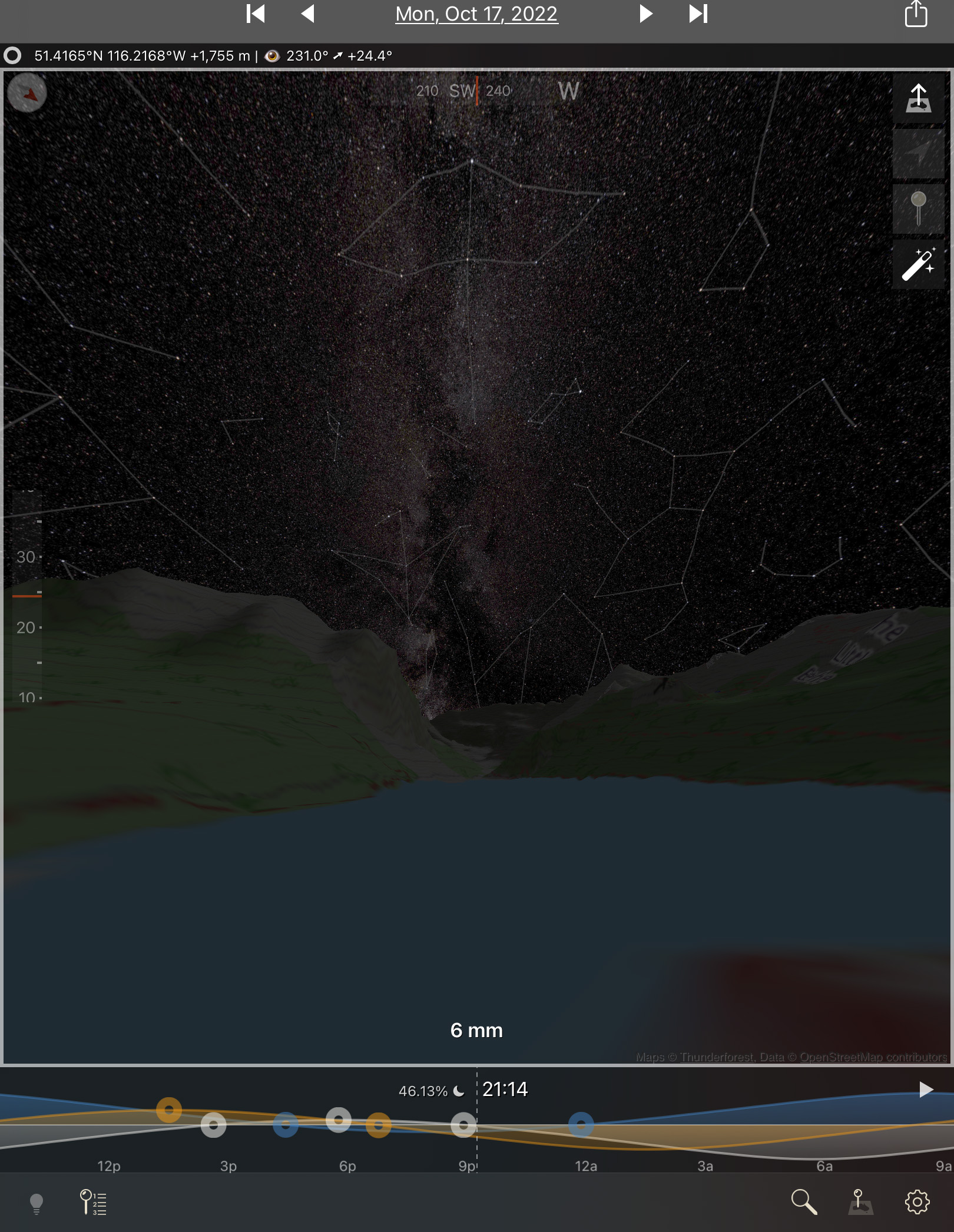
Again, TPE and TPE 3D told me when the Milky Way would be well-positioned over the lake and glacier, so I could complete the untracked ground shots first, to be ready to shoot the tracked sky segments by the time the Milky Way had turned into place over the glacier. 

This is a blend of three vertical panoramas: the first is a set of three untracked 2-minute exposures for the ground at ISO 800 with the camera moved up by 15ยฐ from segment to segment; the second shot immediately afterward is made of 7 x 1-minute tracked exposures at ISO 1600 for the sky, also moved 15ยฐ vertically from segment to segment; elements of a third 3-section panorama taken about 90 minutes earlier during “blue hour” were blended in at a low level to provide better lighting on the distant peaks. All with the Canon RF15-35mm lens at f/2.8 and 20mm and Canon R5.

This image is also a panorama but a vertical one, made primarily of three untracked segments for the ground and seven tracked segments for the sky, panning up from the horizon to past the zenith overhead, taking in most of the summer and autumn Milky Way from Serpens up to Cassiopeia.


Nightscape Gear 

As readers always want to know what gear I used, I shot all images on all nights with the 45-megapixel Canon R5 camera and Canon RF15-35mm lens, with exposures of typically 1 to 3 minutes each at ISOs of 800 to 1600. I had other cameras and lenses with me but never used them. 

The R5 works very well for nightscapes, despite its small pixels. See my review of it here on my blog, and of a holy trinity of Canon RF lenses including the RF15-35mm here

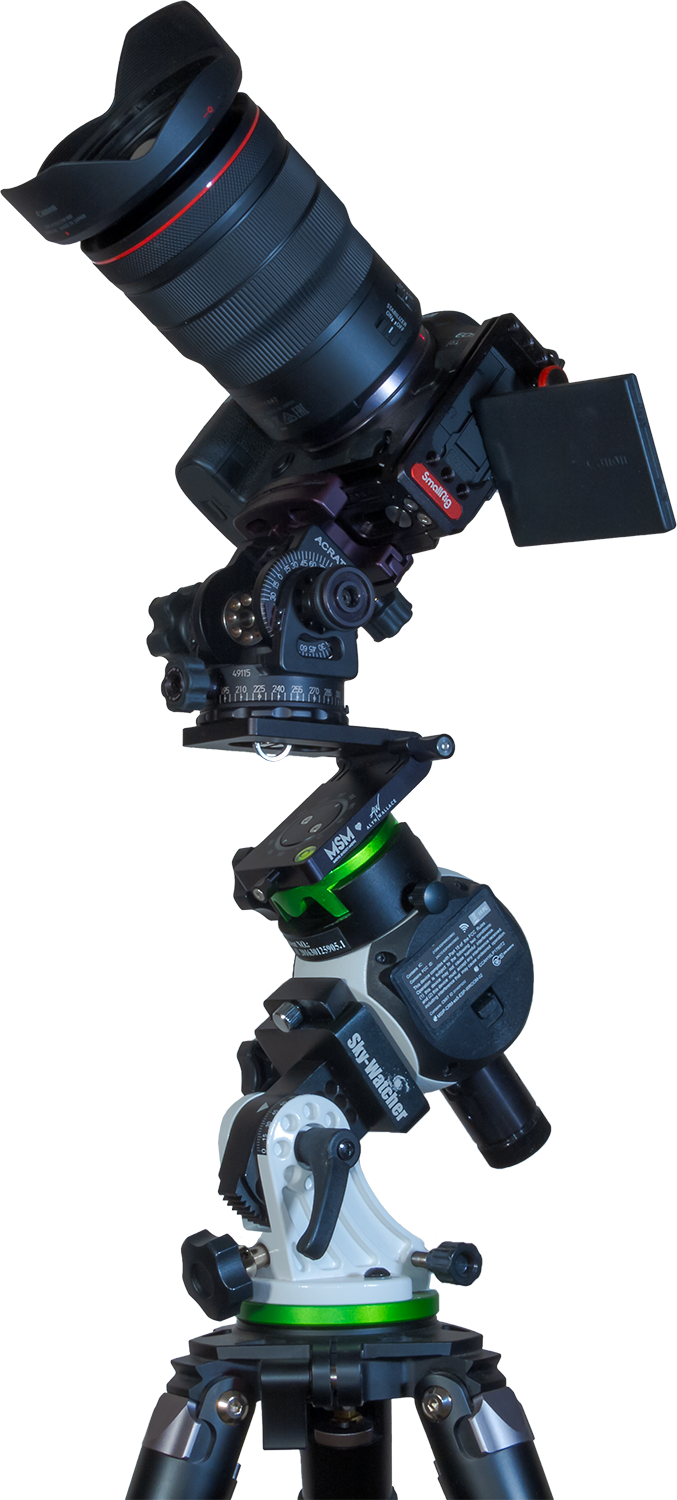
Star Adventurer Mini tracker with Alyn Wallace V-Plate and AcraTech Panorama Head

For a tracker for such images, I used the Sky-Watcher Star Adventurer Mini, a compact and lightweight unit that is easy to pack and carry to shooting sites. See my review of it here at AstroGearToday. 

I use the Mini with a V-Plate designed by nightscape photographer Alyn Wallace and sold by Move-Shoot-Move. It is an essential aid to taking tracked panoramas, as it allows me to turn the camera horizontally manually from one pan segment to the next while the camera is tracking the stars. Itโ€™s easy to switch the tracker on (for the sky) and off (for the ground). The Mini tracks quite accurately and reliably. Turn it on and you can be sure it is tracking. 

For more tips on shooting panoramas, see my blog post from 2019.


Behind-the-Scenes Processing

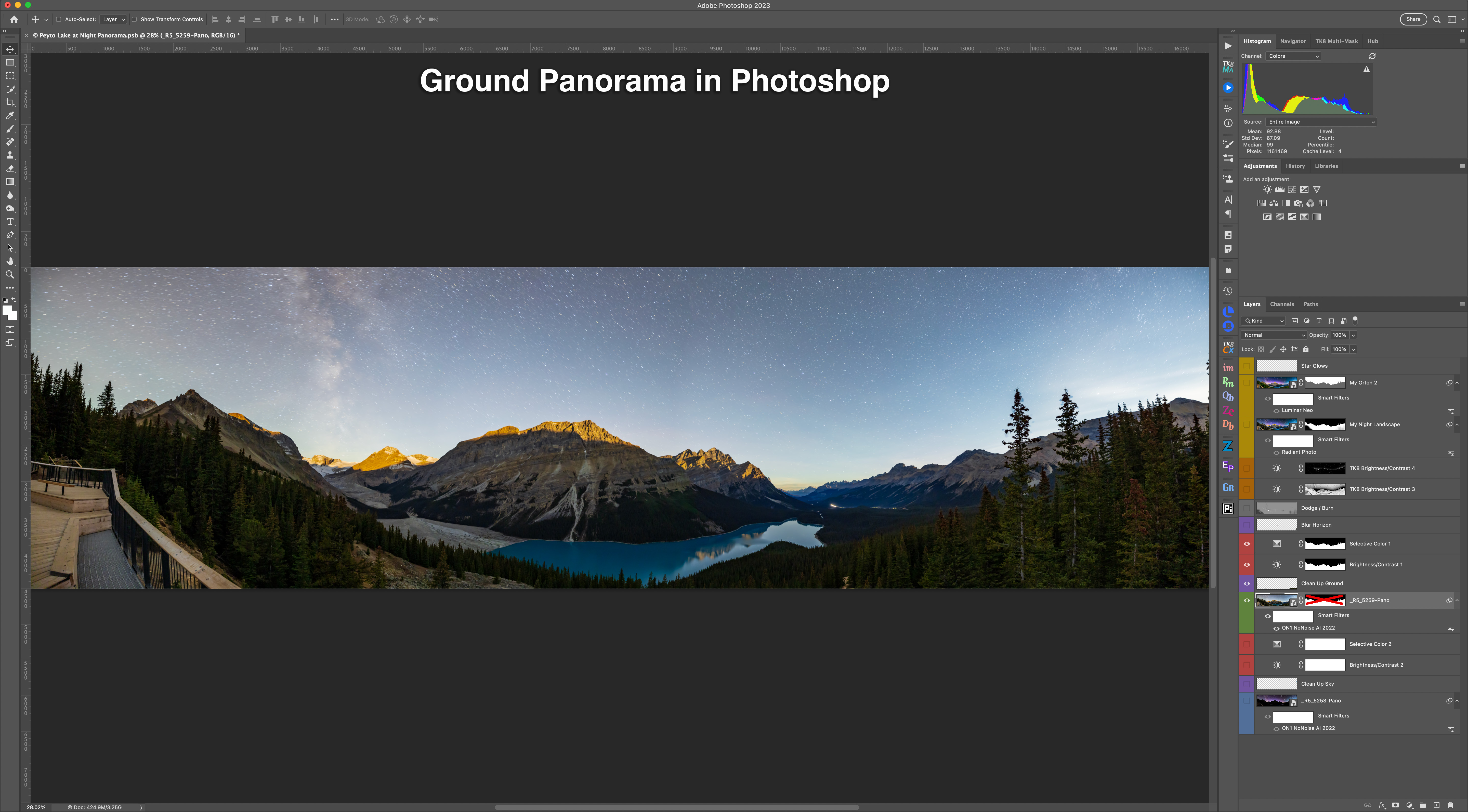
For those who are interested, hereโ€™s a look at how I processed and assembled the images, using the Peyto Lake panorama as an example. This is not a thorough tutorial, but shows the main steps involved. Tap or click on an image to download a full-size version.

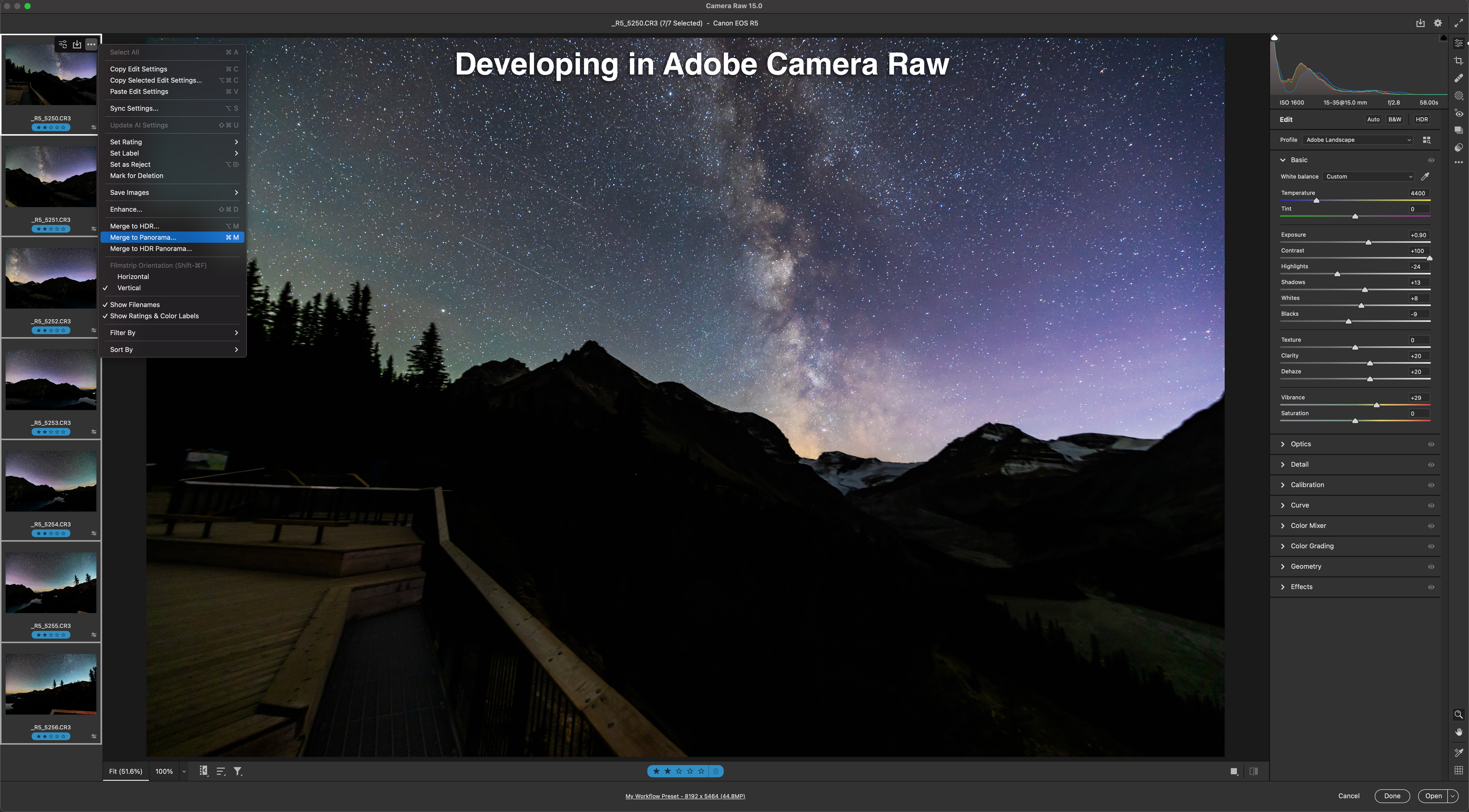
  • I first develop all the raw files (seven here) in Adobe Camera Raw, applying identical settings to make them look best for what they are going to contribute to the final blend, in this case, for the tracked sky with pinpoint stars and the Milky Way. 
  • Camera Raw (as does Adobeโ€™s Lightroom) has an excellent Merge to Panorama function which usually works very well on such scenes. This shows the stitched sky panorama, created with one click.
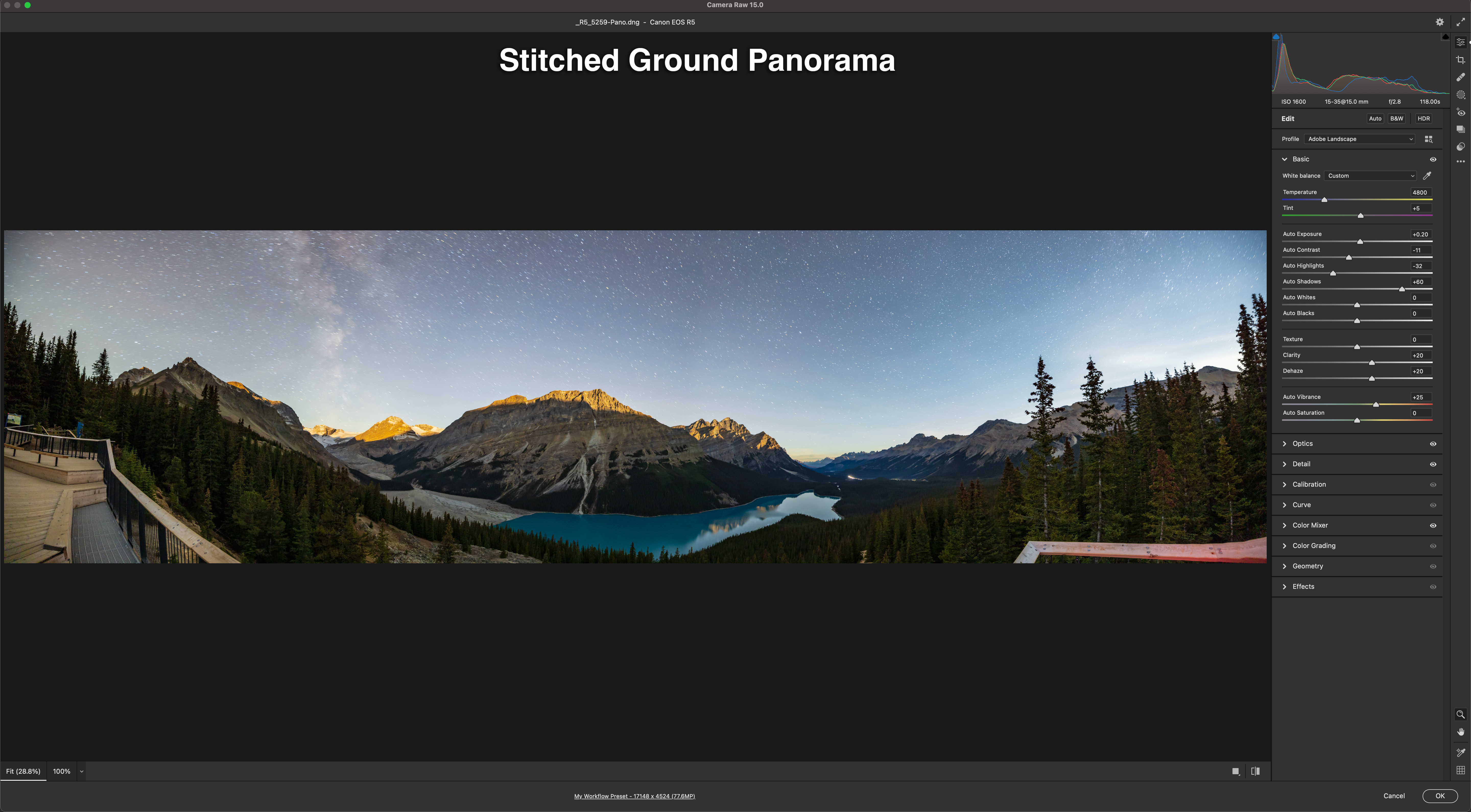
  • I develop and stitch the untracked ground segments to look their best for revealing details in the landscape, overexposing the sky in the process. Stars are also trailed, from the long exposures needed for the dark ground. No matter โ€“ these will be masked out.
  • This shows the stack of images now in Adobe Photoshop, but here revealing just the layer for the sky panorama and its associated adjustment layers to further tweak color and contrast. I often add noise reduction as a non-destructive โ€œsmart filterโ€ applied to the โ€œsmart objectโ€ image layer. See my review of noise reduction programs here
  • This shows just the ground panorama layer, again with some adjustment and retouching layers dedicated to this portion of the image. 
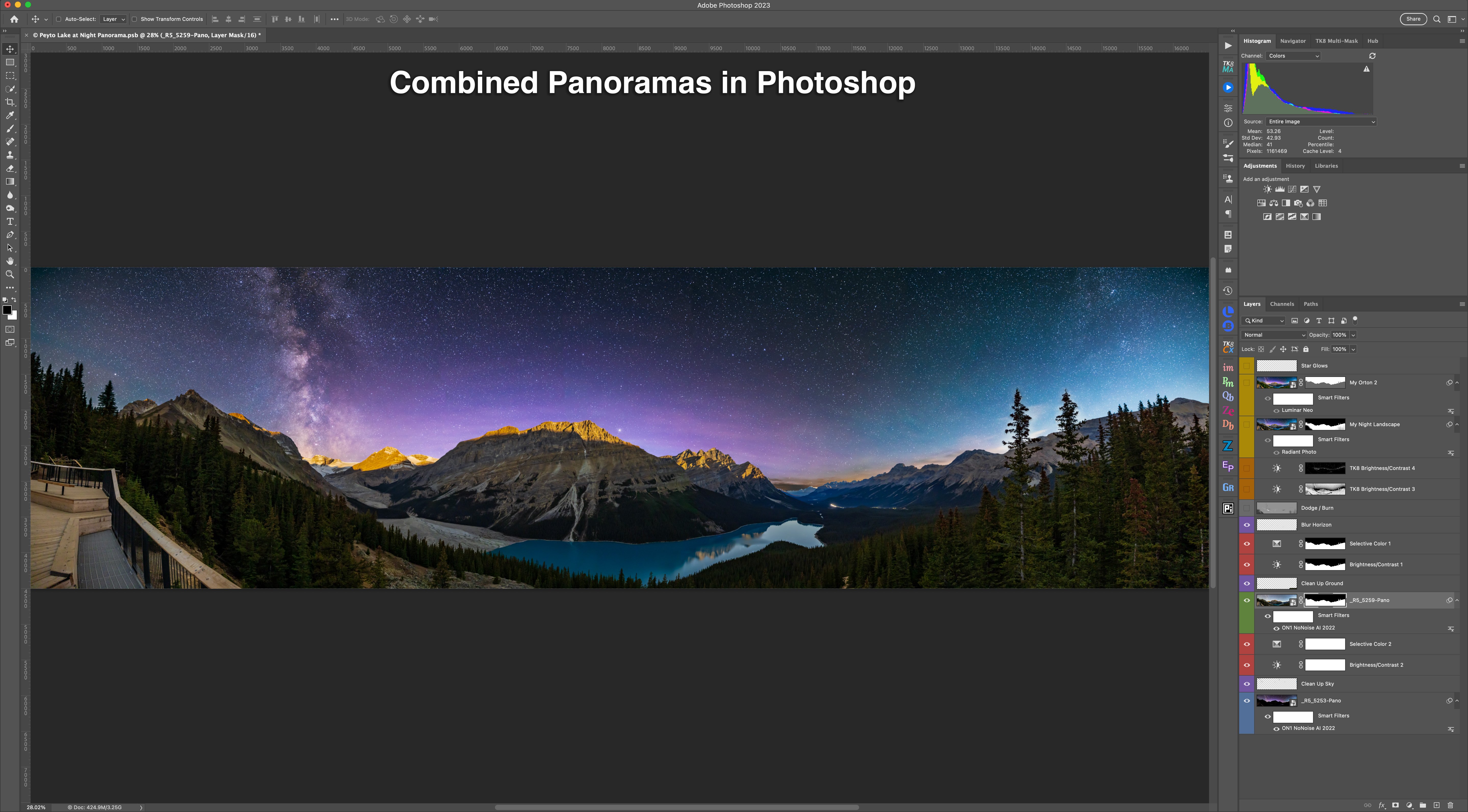
  • The sky has to be masked out of the ground panorama, to reveal the sky below. The Select Sky command in Photoshop usually works well, or I just use the Quick Selection tool and then Select and Mask to refine the edge. That method can be more accurate. 
  • Aligning the two panoramas requires manually nudging the untracked ground, up in this case, to hide the blurred and dark horizon from the tracked sky panorama. Yes, we move the earth! The sky usually also requires some re-touching to clone out blurred horizon bits sticking up. Dealing with trees can be a bit messy! 

The result is the scene above with both panorama layers and the masks turned on. While this now looks almost complete, weโ€™re not done yet. 

  • Local adjustments like Dodge and Burn (using a neutral grey layer with a Soft Light blend mode) and some luminosity masks tweak the brightness of portions of the scene for subtle improvements, to emphasize some areas while darkening others. Itโ€™s what film photographers did in the darkroom by waving physical dodging and burning tools under the enlarger. 
  • I add finishing touches with some effect plug-ins: Radiant Photo added some pop to the ground, while Luminar Neo added a soft โ€œOrton glowโ€ effect to the sky and slightly to the ground. 

All the adjustments, filters, and effects are non-destructive so they can be re-adjusted later, when upon further inspection with fresh eyes I realize something needs work.  


Was It Photoshopped?

I hope my look behind the curtains was of interest. While these types of nightscapes taken with a tracker, and especially multi-segment panoramas, do produce dramatic images, they do require a lot of processing at the computer. 

Was it โ€œphotoshopped?โ€ Yes. Was it faked? No. The sky really was there over the scene you see in the image. However, the long exposures of the camera do reveal more details than the eye alone can see at night โ€” that is the essence of astrophotography. 

My one concession to warping reality is in the time-blending โ€” the merging of panoramas taken 30 minutes to an hour apart. Iโ€™ll admit that does push my limits for preferring to record real scenes, and not fabricate them (i.e. โ€œphotoshopโ€ them in common parlance).

But at this shoot on these marvelous nights, making use of the perfectly timed moonrises was hard to resist!

โ€” Alan, November 17, 2022 / AmazingSky.com 

Chasing the Shadowed Moon (2022)


Once again, catching the eclipsed Moon required a chase to clear skies.

As with every previous eclipse of the Moon visible from my area in the last decade, I didn’t have the luxury of watching it from home, but had to chase to find clear skies.

(See my previous tales of the November 19, 2021 and May 26, 2021 eclipses.)

However, the reward was the sight of the reddened Moon from one of my favourite locations in Alberta, Reesor Lake, in Cypress Hills Interprovincial Park.

The eclipse in question was the total lunar eclipse of May 15/16, 2022. As with any eclipse, planning starts with a look at the weather forecasts, or more specifically cloud forecasts.

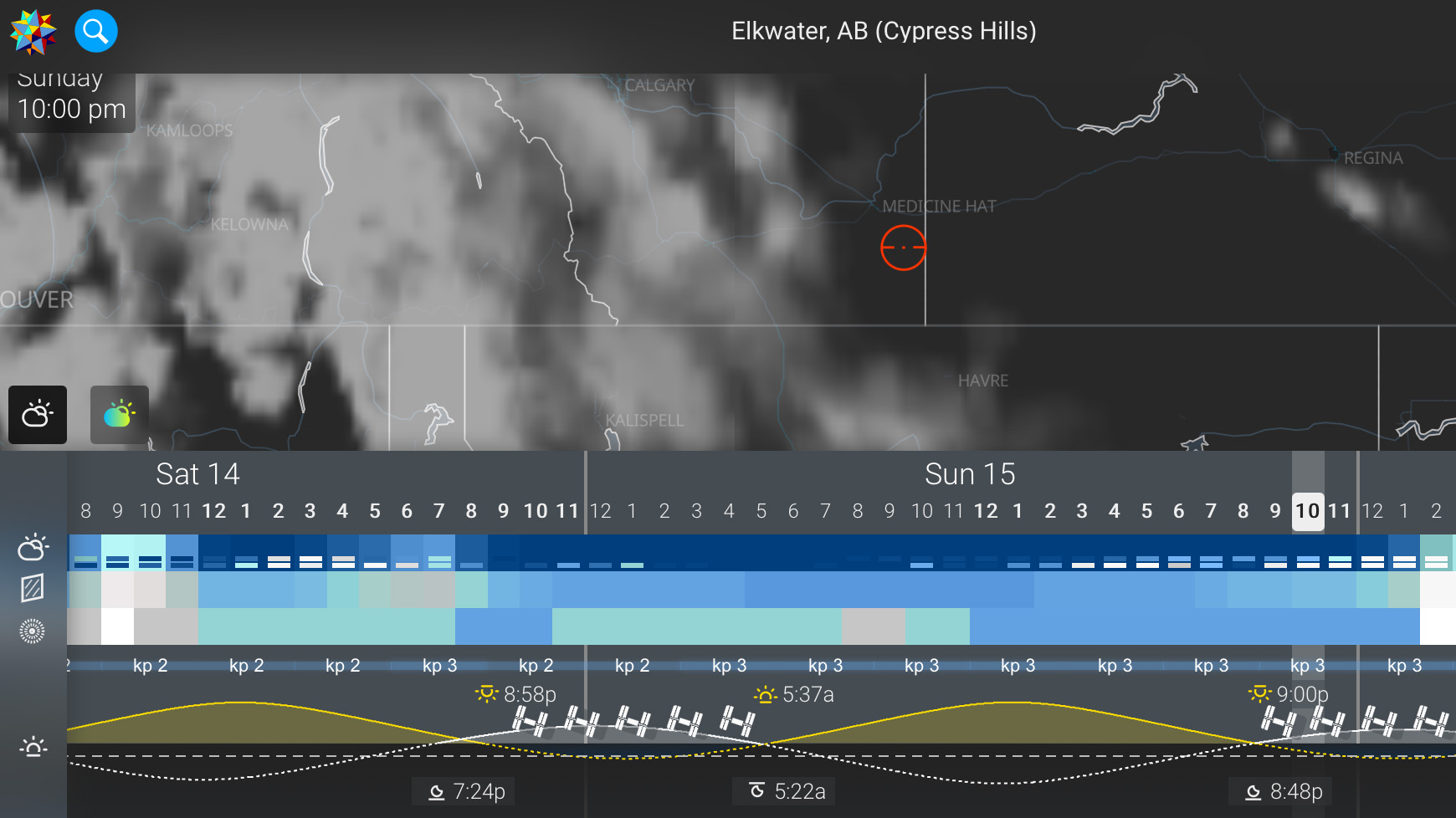
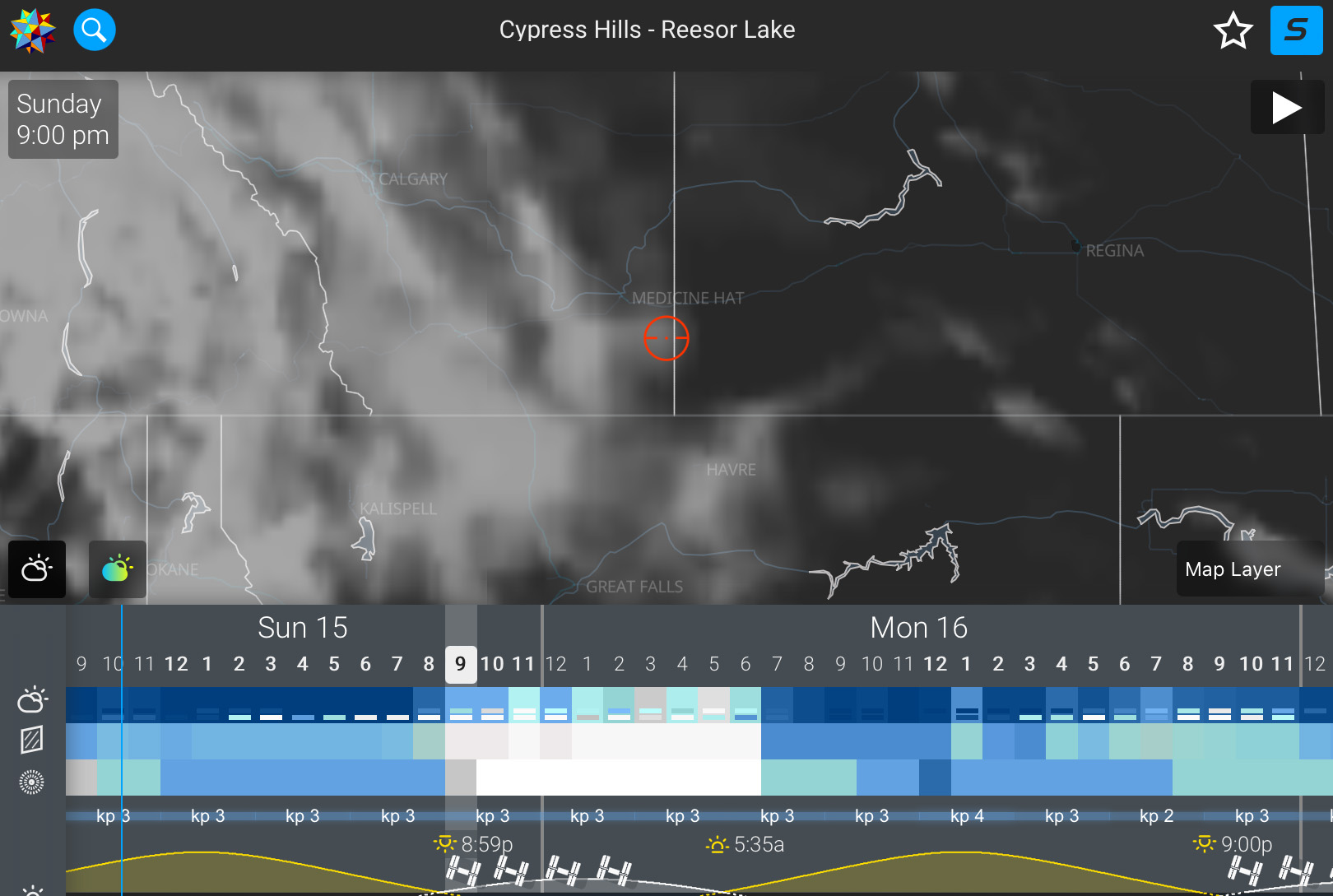
A few days prior, conditions didn’t look good from my home, to the west of the red marker.

Cloud forecast two days prior.

But as the chart from the app Astrospheric shows, very clear skies were forecast for southeast Alberta, in the Cypress Hills area, where I have shot many times before.

Except as eclipse evening drew closer, the forecast got worse. Now, the clouds were going to extend to my chosen site, with a particularly annoying tongue of cloud right over my spot. Clouds were going to move in just as the total eclipse began. Of course!

Cloud forecast the morning of the eclipse.

I decided to go for it anyway, as the Moon would be to the east, in the direction of the clear skies. It didn’t need to be clear overhead. Nor did I want to drive any farther than I really needed, especially to another location with an unknown foreground.

The spot I chose was one I knew well, on the west shore of scenic Reesor Lake, near the Alberta/Saskatchewan border, but on the Alberta side of Cypress Hills Interprovincial Park.

I used the app The Photographer’s Ephemeris (TPE) to help plan the shoot, to ensure the Moon would be well situated over the lake.

A screen shot from TPE

Handily, TPE provides moonrise times and angles for the chosen location, as well as eclipse times for that time zone.

The companion app, TPE 3D, provides a preview of the scene in 3D relief, with the hills depicted, as a check on Moon altitude and azimuth with respect to the horizon below.

TPE 3D’s simulation

As you can see the simulation matched reality quite well, though the image below was from an earlier time than the simulation, which was for well after mid-totality.

The eclipse over Reesor Lake, in the last stages of the partial eclipse.

However, true to the predictions, clouds were moving in from the west all during the eclipse, to eventually obscure the Moon just as it entered totality and became very dim. Between the clouds and the dark, red Moon, I lost sight of it at totality. As expected!

Below is my last sighting, just before totality began.

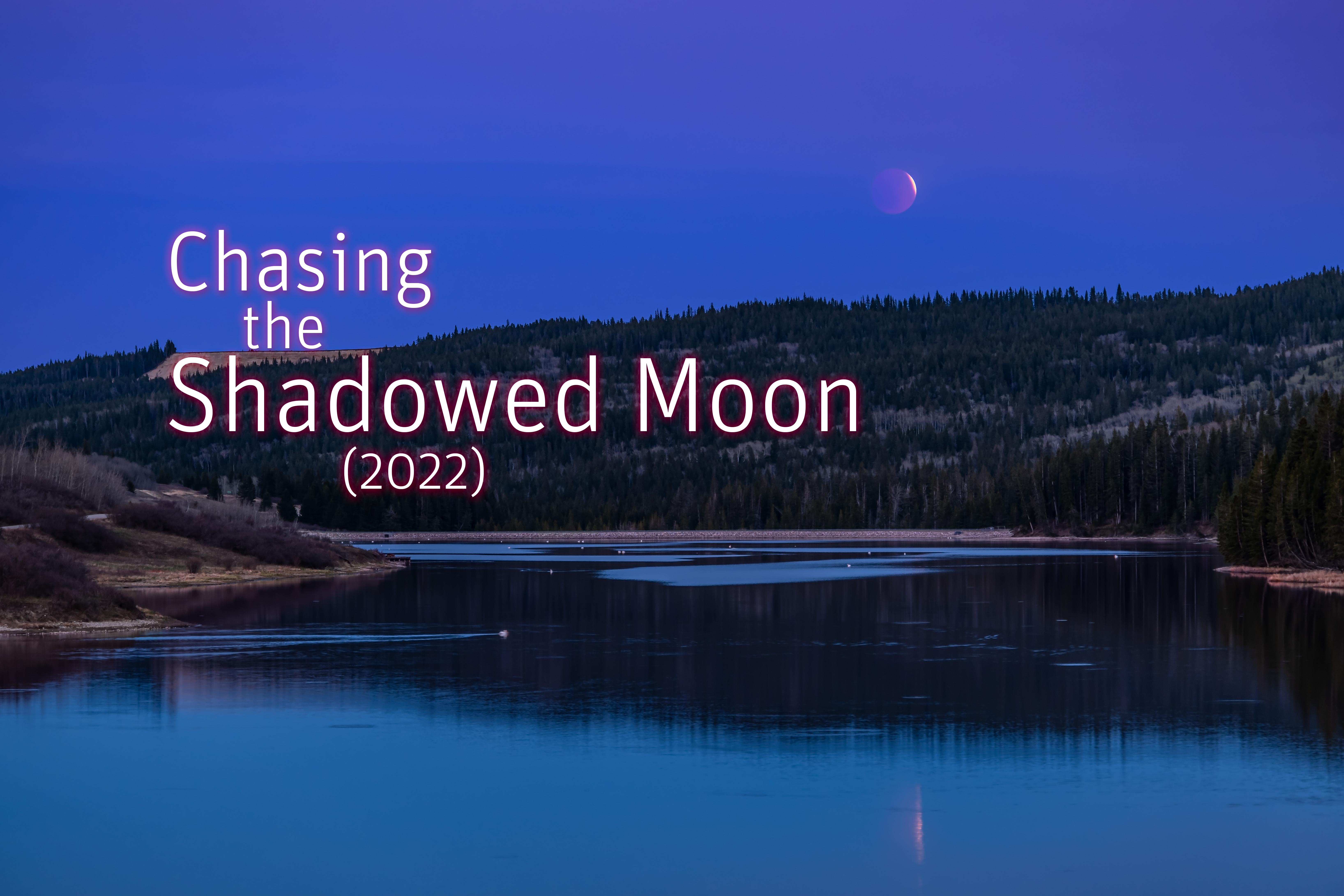
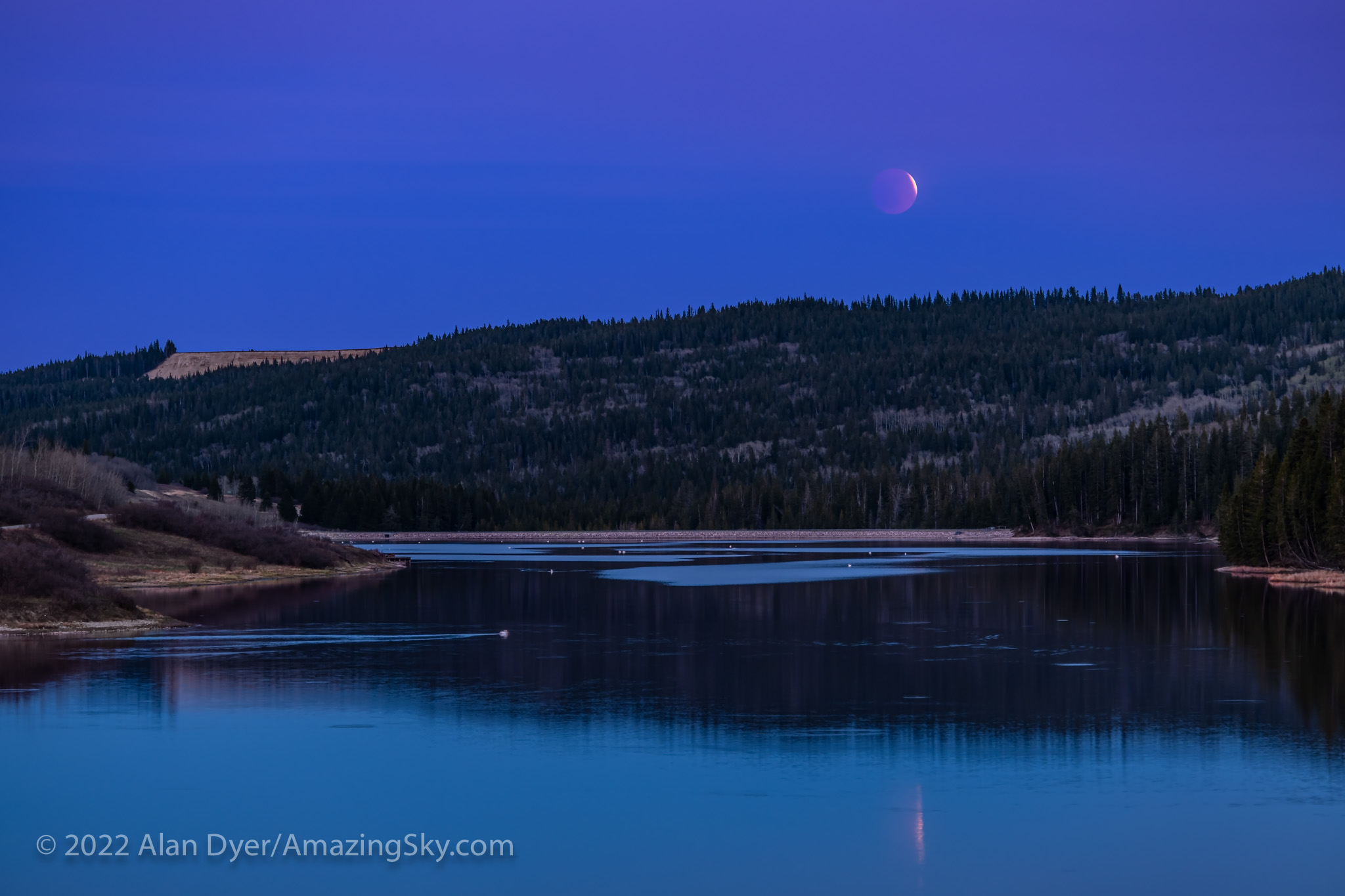
The eclipsed Full Moon rising over Reesor Lake in Cypress Hills Interprovincial Park, Alberta, on May 15, 2022.

However, I was content at having captured the eclipse from a photogenic site. More images of a complete eclipse would have been nice, but alas! I still consider the chase a success.

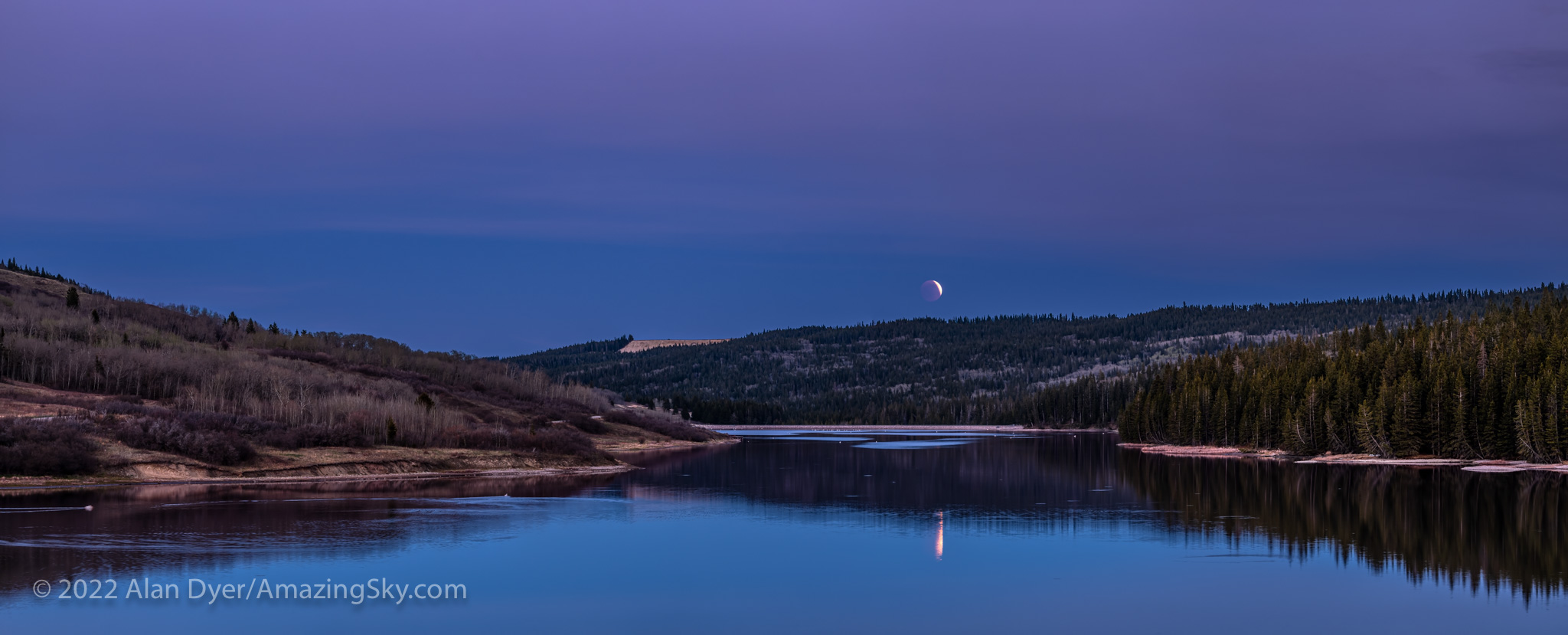
A panorama of the eclipsed Full Moon rising over Reesor Lake in Cypress Hills Interprovincial Park, Alberta, on May 15, 2022.

Just for fun, I shot a quick panorama of three segments, and it turned out to be my favourite image from the eclipse, capturing the scene very well. Pelicans and geese were plying the calm waters of the lake. And owls were hooting in the woods. It was a fabulous evening!

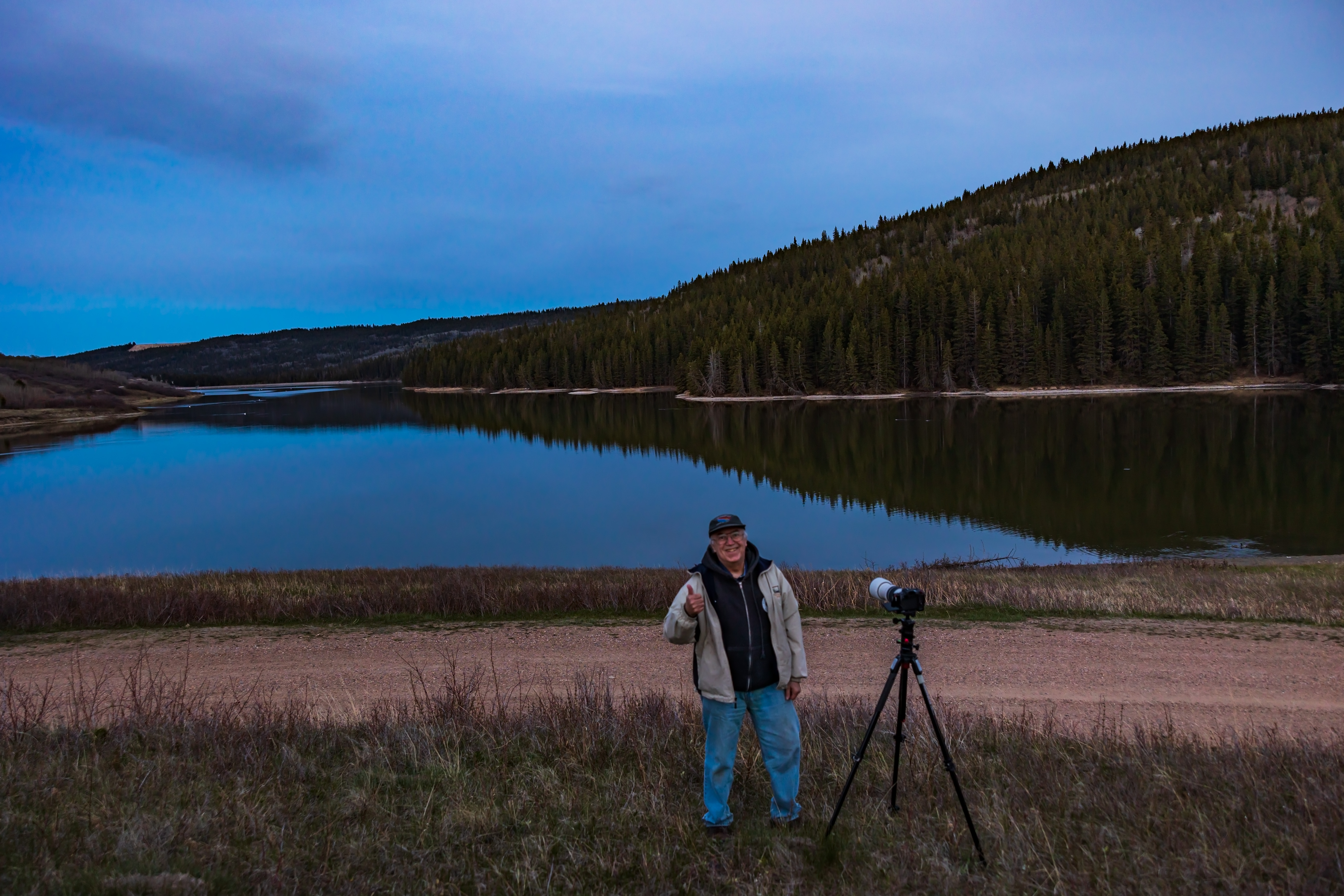
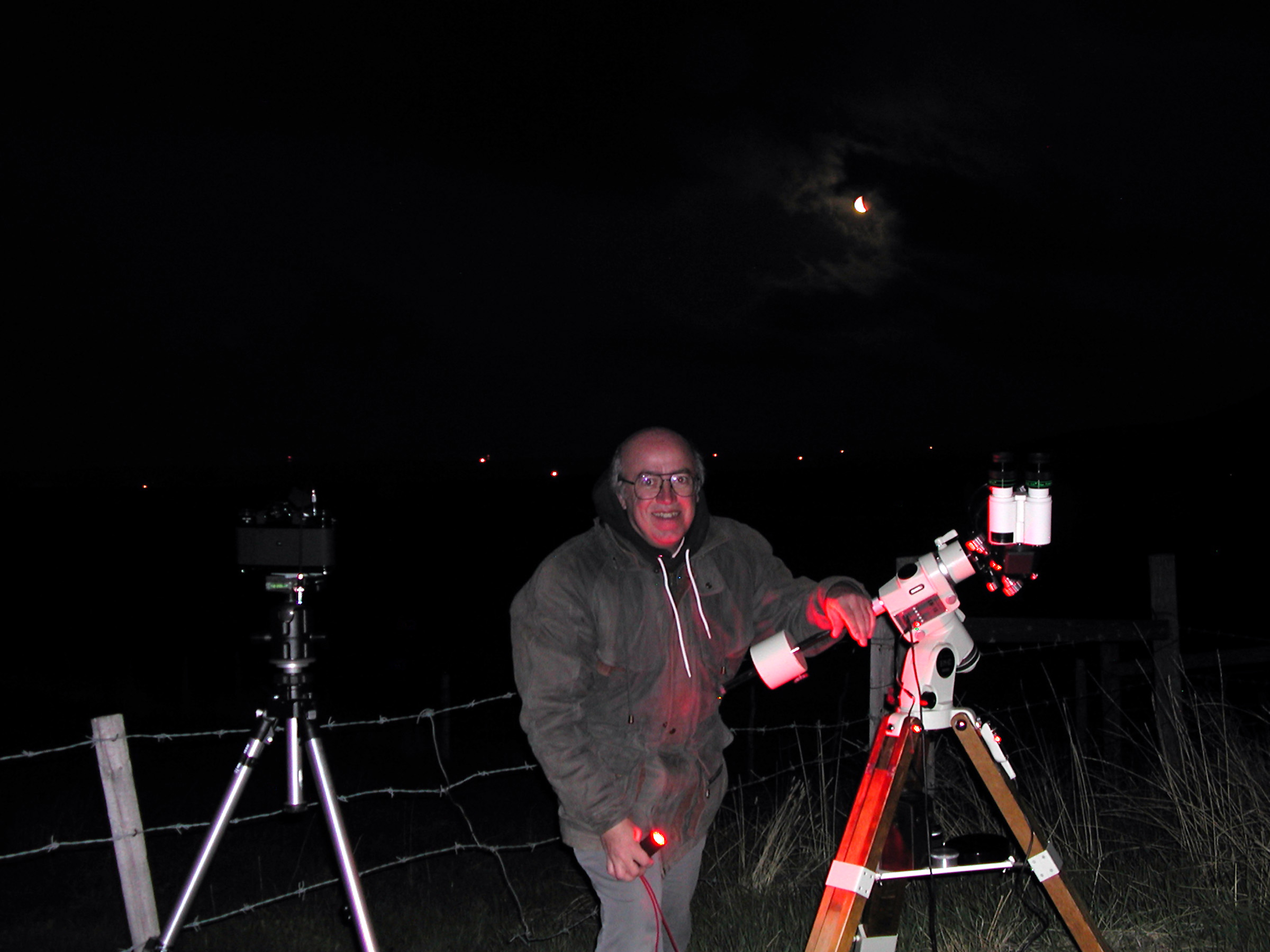
Me at Reesor Lake after shooting the lunar eclipse of May 15, 2022, with the Moon now in clouds behind me.

Before departing, I took my customary “trophy” shot, of the eclipse hunter having bagged his game.


Interestingly, this eclipse was a close repeat of one 19 years earlier to the day, because of the so-called Metonic Cycle where eclipses of the Sun and Moon repeat at 19-year intervals on the same calendar day, at least for 2 or 3 cycles.

The trophy shot from May 15, 2003.

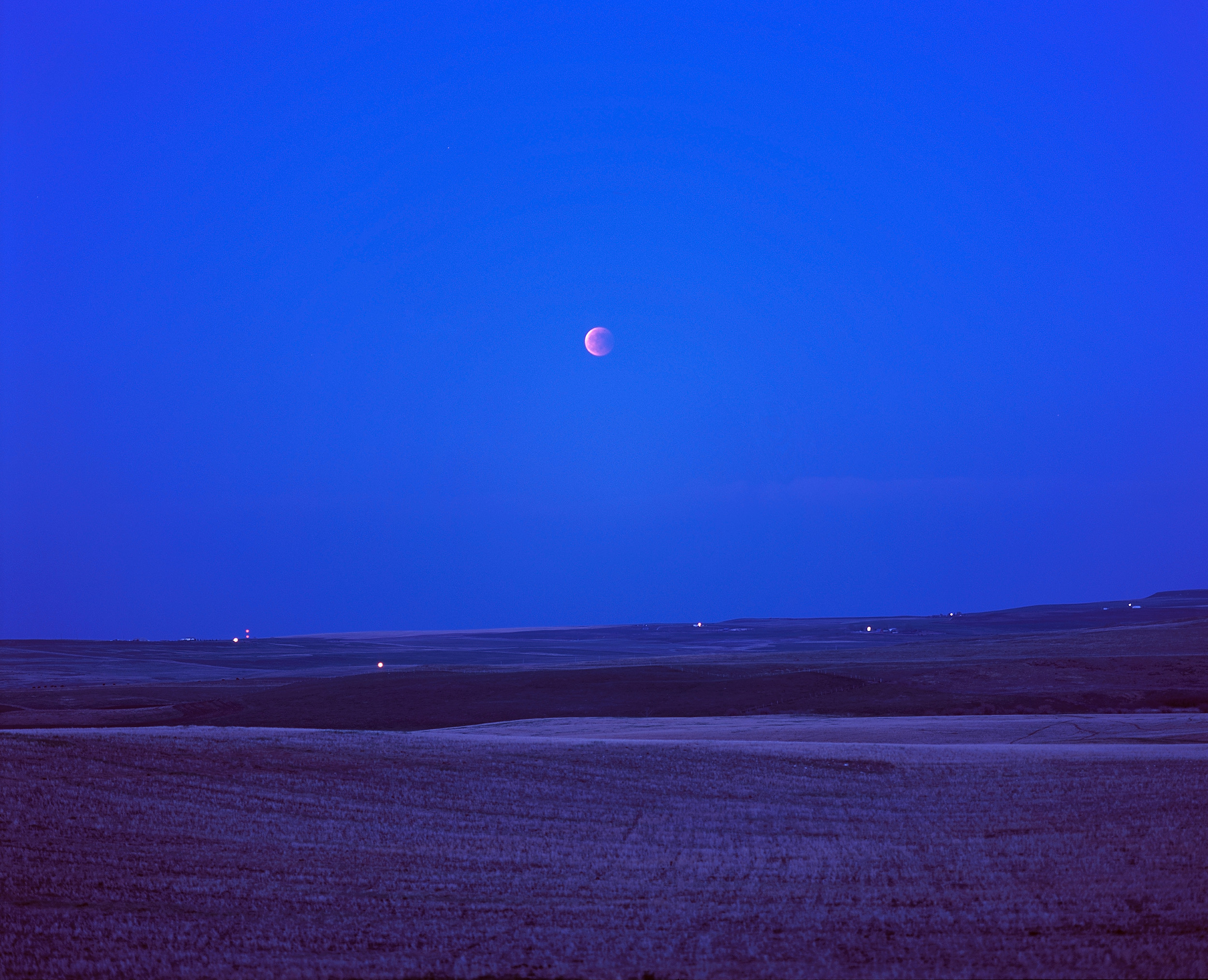
On May 15, 2003, we also had a total lunar eclipse in the early evening, with the eclipsed Moon rising into a spring twilight sky. I also chased clear skies for that one, but in the opposite direction from home, to the southwest, to the foothills. At that time it was all film, and medium format at that.

Total eclipse of the Moon seen May 15, 2003 from southern Alberta (from a site west of Nanton). The Moon rose as totality started so was deep into totality by the time it was high enough to see and sky dark enough to make it stand out. Pentax 67 camera with 165mm lens at f/2.8 with Fujichrome 100F slide film.

So it was another (partially!) successful eclipse chase.

The next opportunity is on the night of November 7/8, 2022, a time of year not known for clear skies!

Just once I would like to see one from home, to make it easier to shoot with various telescopes and trackers, as the reddened Moon will be west of the photogenic winter Milky Way, and very close to the planet Uranus. Plus for me in Alberta the November eclipse occurs in the middle of the night, making a home eclipse much more convenient. After that, the next chance is March 13/14, 2025.

But no matter the eclipse, I suspect another chase will be in order! It just wouldn’t be a lunar eclipse without one.

โ€” Alan, May 19, 2022 (amazingsky.com)


Chasing the Shadowed Moon


The tradition continued of chasing clear skies to see a lunar eclipse.

It wouldnโ€™t be an eclipse without a chase. Total eclipses of the Sun almost always demand travel, often to the far side of the world, to stand in the narrow path of the Moonโ€™s shadow. 

By contrast, total eclipses of the Moon come to you โ€” they can be seen from half the planet when the Full Moon glides through Earthโ€™s shadow. 

Assuming you have clear skies! Thatโ€™s the challenge. 

Of the 14 total lunar eclipses (TLEs) visible from here in Alberta since 2000, I have seen all but one, missing the January 21, 2000 TLE due to clouds. 

But of the remaining 13 TLEs so far in the 21st century, I watched only three from home, the last home lunar eclipse being in December 2010. 

The total lunar eclipse of May 26, 2021 here in the initial partial phases with it embedded in thin cloud. The clouds add a glow of iridescent colours around the Moon, with the part of the Moon’s disk in the umbral shadow a very deep, dim red. A subtle blue band appears along the umbral shadow line, usually attributed to ozone in Earth’s upper atmosphere. With the Canon 60Da and 200mm lens.

I viewed three TLEs (August 2007, February 2008, and December 2011) from the Rothney Observatory south-west of Calgary as part of public outreach programs I was helping with. 

In April 2014, I was in Australia and viewed the eclipsed Moon rising in the evening sky over Lake Macquarie, NSW. 

A year later, in April 2015, I was in Monument Valley, on the Arizona-Utah border for the short total eclipse of the Moon at dawn. 

But of the eclipses Iโ€™ve seen from Alberta since 2014, I have had to chase into clear skies for all of them โ€” to Writing-on-Stone Provincial Park in both October 2014 and September 2015, to the Crowsnest Pass for January 2018, and to Lloydminster for January 2019. 

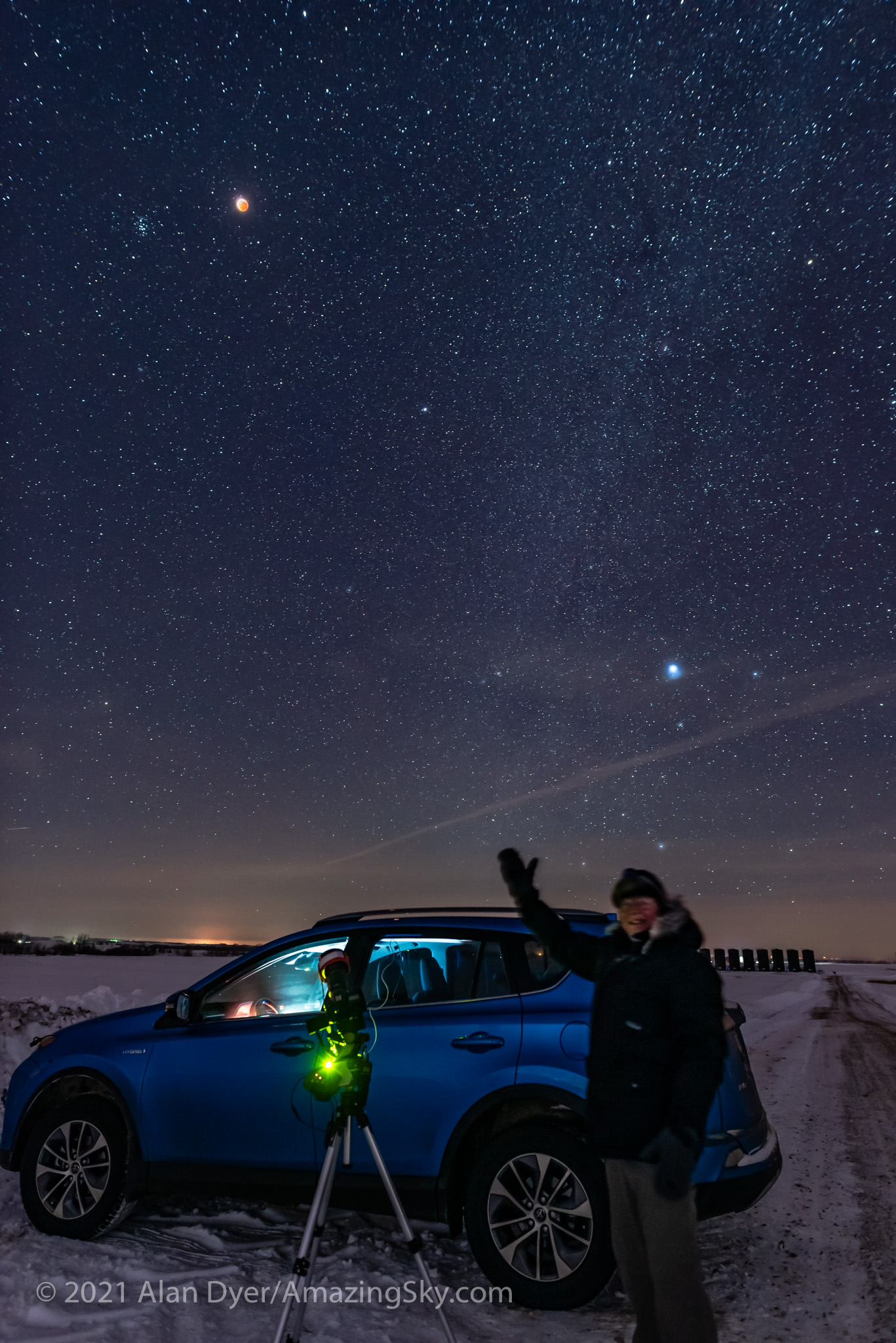
A selfie of the successful eclipse chaser bagging his trophy, the total lunar eclipse of January 20, 2019. This was from a site south of Lloydminster on the Alberta-Saskatchewan border, but just over into the Saskatchewan side.

The total lunar eclipse on the morning of May 26, 2021 was no exception. 

Leading up to eclipse day prospects for finding clear skies anywhere near home in southern Alberta looked bleak. The province was under widespread cloud bringing much-needed rain. Good for farmers, but bad for eclipse chasers.

Then, two days prior to the eclipse a hole in the clouds was predicted to open up along the foothills in central Alberta just at the right time, at 4 a.m. The predictions stayed consistent a day later. 

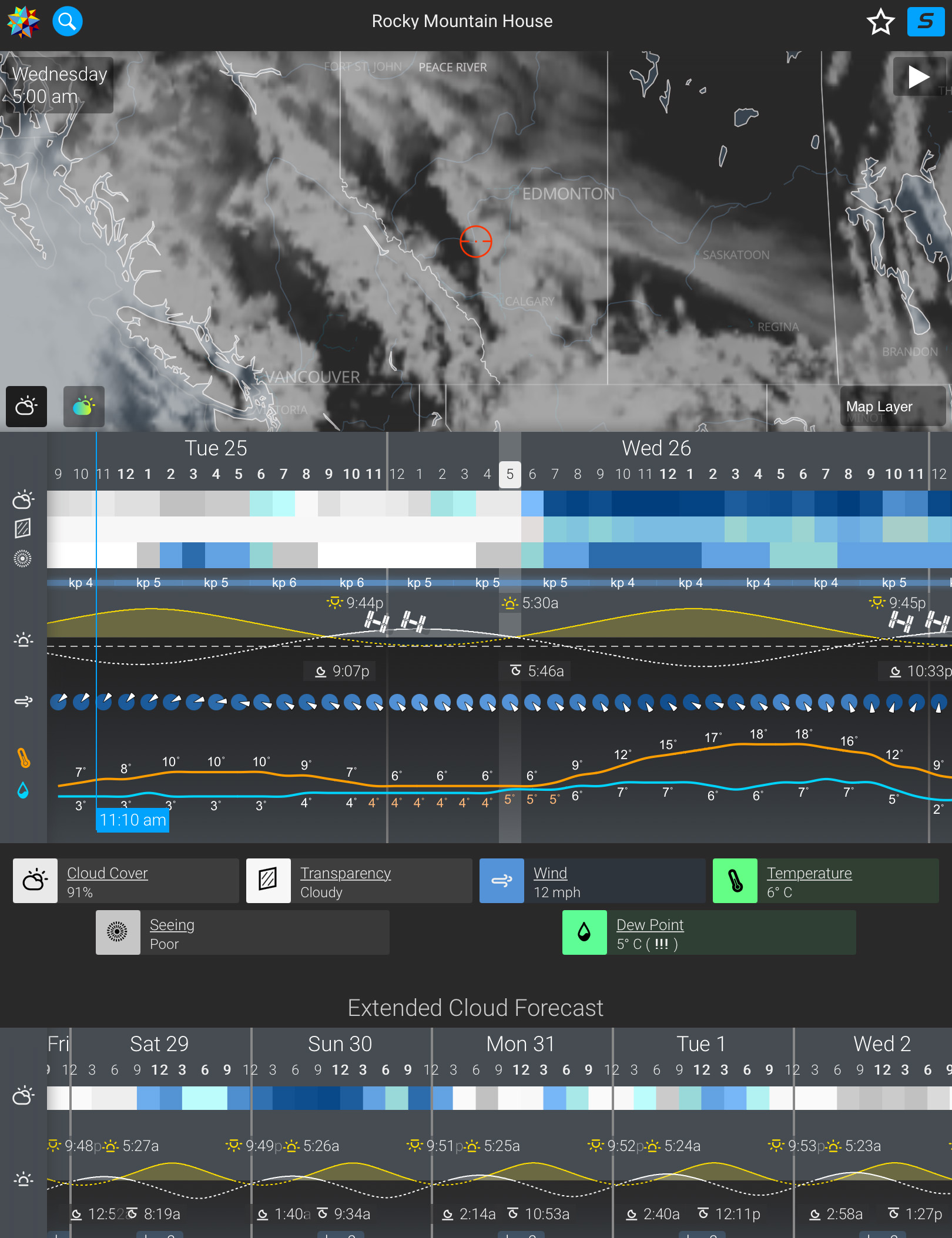
Environment Canada predictions, as displayed by the wonderful Astrospheric app, showed Rocky Mountain House (the red circle) on the edge of the retreating clouds.

So trusting the Environment Canada models that had served me well since 2014, I made plans to drive north the day before the eclipse to Rocky Mountain House, a sizeable town on Highway 11 west of Red Deer, where the foothills begin. โ€œRockyโ€ was predicted to be on the edge of the clearing, with a large swath of clear sky in the right direction, to the southwest where the Moon would be.

Fortunately, COVID restrictions are not so severe here as to demand stay-at-home orders. I could travel, at least within Alberta. Hotels were open, but restaurants only for takeaway.

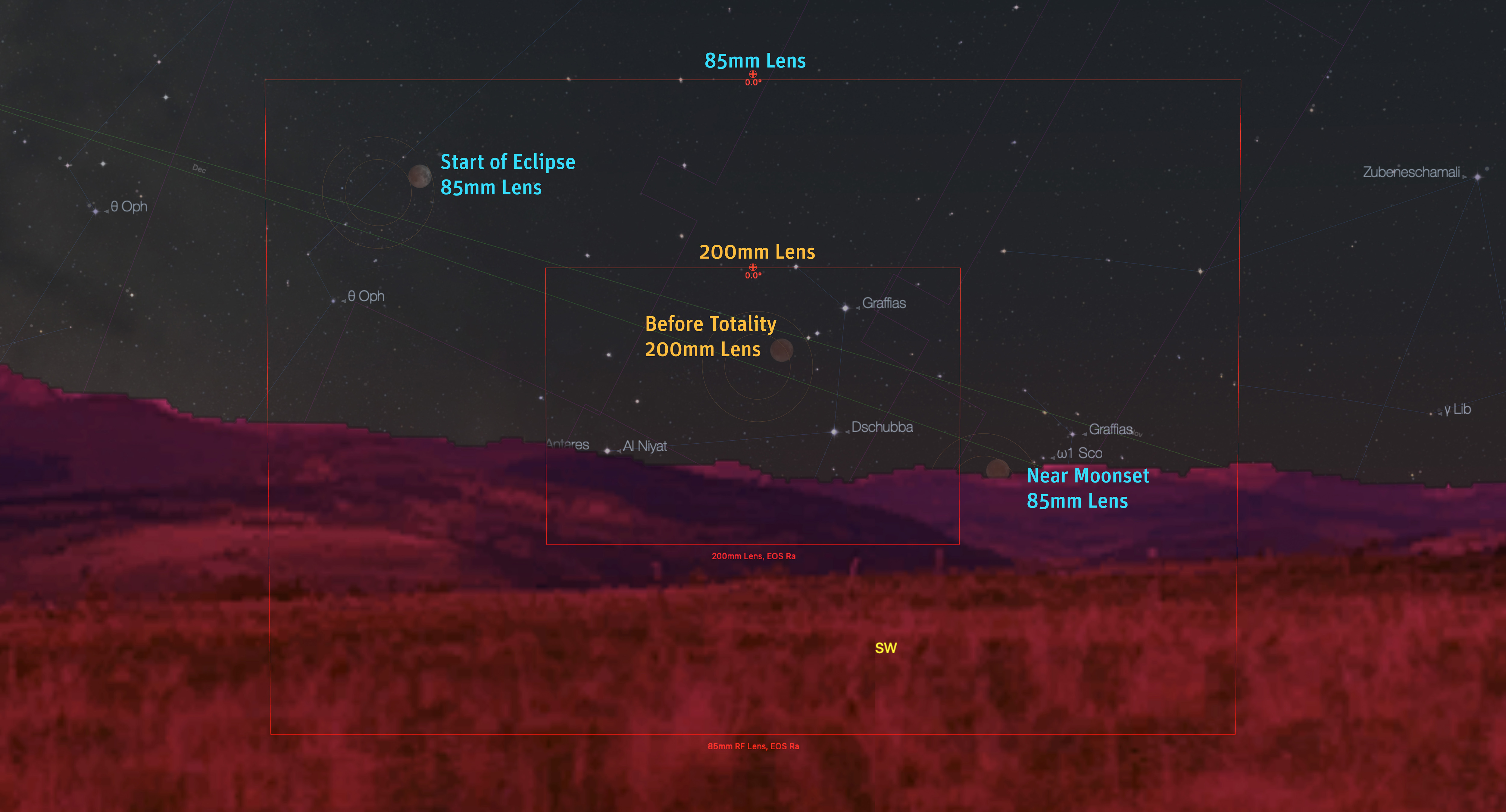
The Starry Night desktop planetarium program provided a preview of the eclipsed Moon’s location and movement, plus the field of view of lenses, to plan the main shots with an 85mm lens (the time-lapse) and a 200mm lens (the close-ups over the horizon).

This was going to be a tough eclipse even under the best of sky conditions, as for us in Alberta the Moon would be low and setting into the southwest at dawn. The Moon would be darkest and in mid-eclipse just as the sky was also brightening with dawn twilight. 

However, a low eclipse offers the opportunity of a view of the reddened Moon over a scenic landscape, in this case of the eclipsed Moon setting over the Rockies. That was the plan.

Unfortunately, Rocky Mountain House wasnโ€™t the ideal destination as it lies far from the mountains. I was hoping for a site closer to the Rockies in southern Alberta. But a site with clear skies is always the first priority.

The task is then finding a spot to set up with a clear view to the southwest horizon, which from the area around Rocky is tough โ€” itโ€™s all trees! 

This is where planning apps are wonderful. 

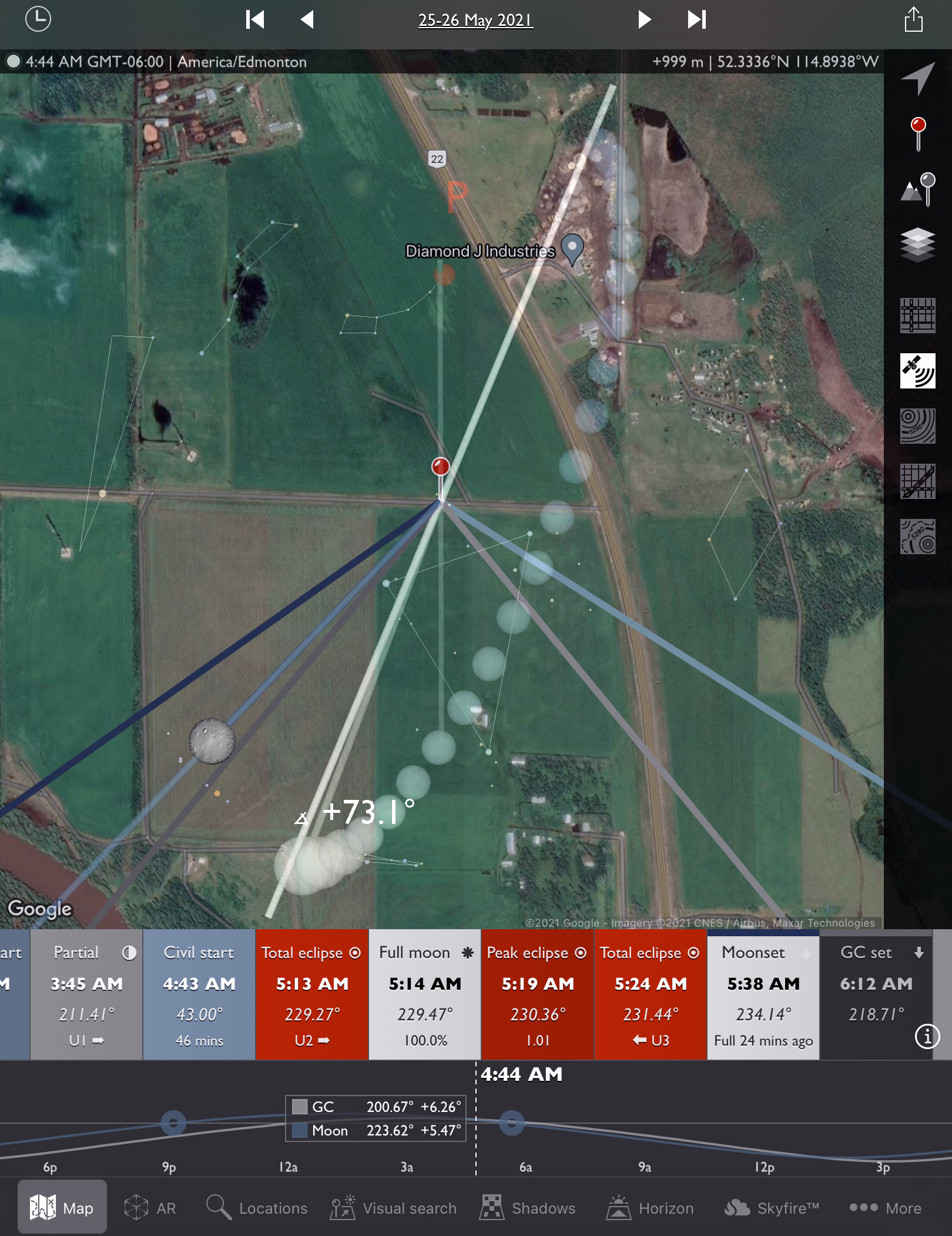
The Photographer’s Ephemeris app showed possible side road sites and the position of the eclipsed Moon relative to the site terrain. The arc of spheres is the Milky Way.

I used The Photographerโ€™s Ephemeris (TPE) to search for a side road or spot to pull off where I could safely set up and be away from trees to get a good sightline to the horizon and possibly distant mountains.ย 

A site not far from town was ideal, to avoid long pre- and post-eclipse drives in the wee hours of the morning. The timing of this eclipse was part of the challenge โ€” in having to be on site at 4 a.m.

TPE showed several possible locations and a Google street view (not shown here) seemed to confirm that the horizon in that area off Highway 11 would be unobstructed over cultivated fields. 

But you donโ€™t know for sure until you get there. 

The PhotoPills AR mode overlays a graphic of the night sky on top of a live view from the phone’s camera, useful when on site to check the shooting geometry for that night. The Moon was in the right place!

So as soon as I arrived, I went to one site I had found remotely, only to discover power lines in the way. Not ideal.

I found another nearby side road with a clean view. From there I used the PhotoPills app (above) and its augmented reality โ€œARโ€ mode to confirm, that yes, the Moon would be in the right place over a clear horizon at eclipse time the next morning.ย 

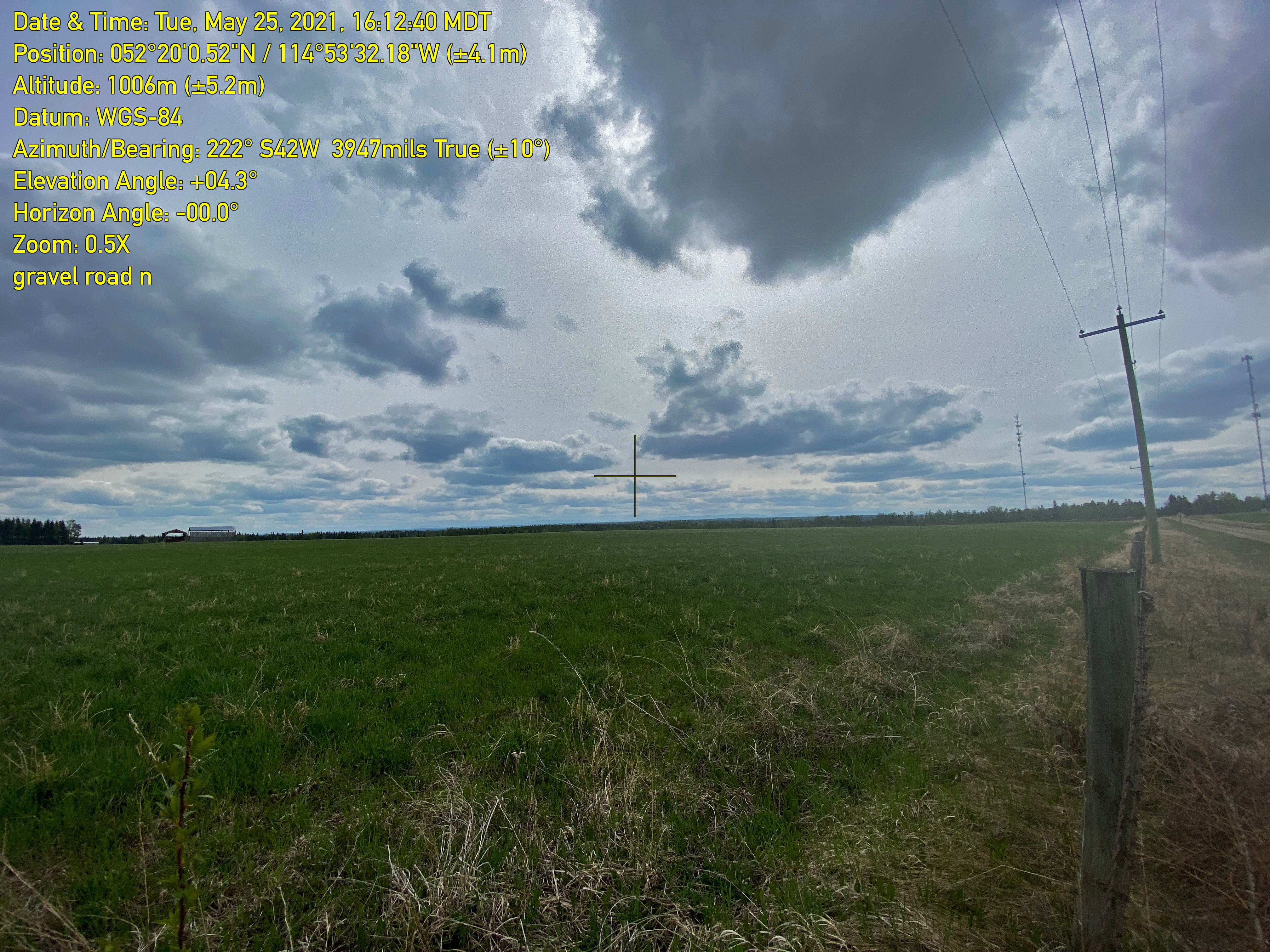
The Theodolite app records viewing directions onto site images, useful for documenting sites for later use at night.

Another app I like for site scouting, Theodolite, also confirmed that the view toward the eclipsed Moonโ€™s direction (with an azimuth of about 220ยฐ) would be fine from that site.ย 

As a Plan B โ€” itโ€™s always good to have a Plan B! โ€” I also drove west along Highway 11, the David Thompson Highway, toward the mountains, in search of a rare site away from trees, just in case the only clear skies lay to the west. I found one, some 50 km west of Rocky, but thankfully it was not needed. The Plan A site worked fine, and was just 5 minutes south of town, and bed!

My eclipse gear at work with the eclipse in progress in the morning twilight at 4:30 a.m.

I set up two tripods. One was for the Canon R6 with an 85mm lens for a โ€œtime-lapseโ€ sequence of the Moon moving across the frame as it entered the Earthโ€™s umbral shadow. 

The other tripod I used for closeups of just the Moon using the Canon 60Da and 200mm lens, then switched to the Canon Ra and a 135mm lens, then the longer 200mm lens once the Moon got low enough to also be in frame with the horizon. Those were for the prime shot of the eclipse over the distant mountains and skyline. 

A composite “time-lapse” blend of the setting Full Moon entering the Earth’s umbral shadow on the morning of May 26, 2021. This shows the Moon moving into Earth’s shadow and gradually disappearing in the bright pre-dawn sky. I shot images with the 85mm lens at 1-minute intervals but choose only every 5th image for this blend, so the Moons are spaced at 5-minute intervals.

It all worked! The sky turned out to be clearer than predicted, a pleasant surprise, with only some light cloud obscuring the Moon halfway through the partial phases (the first image at top). 

The other surprise was how dark the shadowed portion of the Moon was. This was a very short total eclipse, with totality only 14 minutes long. With the Moon passing through the outer, lighter part of the umbral shadow, I would have expected a brighter eclipse, making the reddened Moon stand out better in the blue twilight.

As it was, in the minutes before the official start of totality at 5:11 a.m. MDT, the Moon effectively disappeared from view, both to the eye and camera. 

The total lunar eclipse of May 26, 2021, here in the late partial phase about 15 minutes before totality began, with a thin arc of the Full Moon at the top of the disk still in sunlight. The rest is in the red umbral shadow of the Earth. The same pinkish-red light is beginning to light the distant Rocky Mountains in the dawn twilight. This is a single 1.3-second exposure with the 200mm lens and Canon Ra, untracked on a tripod. I did blend in a short 1/6-second exposure for just the bright part of the Moon to tone down its brightness.

My best shots were of the Moon still in partial eclipse but with the umbral shaded portion bright enough to show up red in the images. The distant Rockies were also beginning to light up pink in the first light of dawn. 

The total lunar eclipse of May 26, 2021, taken at 5:01 a.m. MDT, about 10 minutes before the start of totality, with a thin arc of the Full Moon at the top of the disk still in sunlight. The rest is in the red umbral shadow of the Earth but the eclipsed portion of the Moon was so dim it was disappearing into the brightening twilight. This is a single 0.8-second exposure with the 200mm lens and Canon Ra.

My last view was of a sliver-thin Moon disappearing into Earthโ€™s shadow just prior to the onset of totality. I packed up and headed back to bed with technically the Moon still up and in total eclipse, but impossible to see. Still I was a happy eclipse chaser! 

It was another successful eclipse trip, thwarted not so much by clouds, but by the darkness of our planetโ€™s shadow, which might have been due to widespread cloud or volcanic ash in the atmosphere of Earth. 

The other factor at play was that this was a โ€œsupermoon,โ€ with the larger Moon near perigee entering more deeply into the umbra than a normal-sized Moon. 

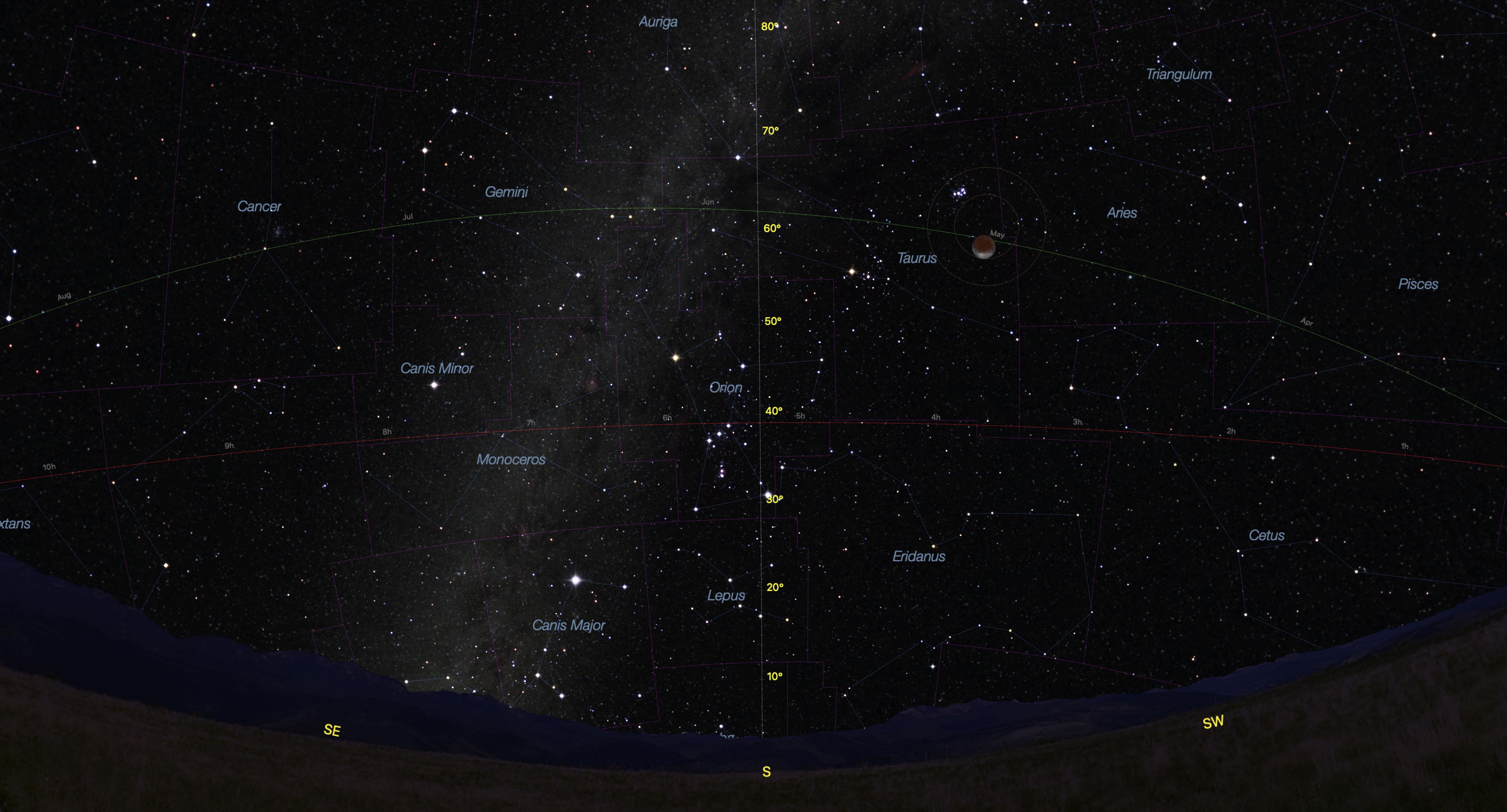
A preview using Starry Night of the November 18/19, 2021 near-total lunar eclipse from the longitude and latitude of Alberta, with the Moon hight in the south west of the Milky Way.

The next lunar eclipse is six months later, on the night of November 18/19, 2021 when the Moon will not quite fully enter Earthโ€™s umbral shadow, for a 97% partial eclipse. But enough of the Moon will be in the dark umbra for most of the Moon to appear red, with a white crescent โ€œsmileโ€ at the bottom. 

As shown above, from my location in Alberta the Moon will appear high in the south, in Taurus just west of the Milky Way. The winter stars and Milky Way will โ€œturn onโ€ and fade into view as the eclipse progresses.

We shall see if that will be a rare โ€œhomeโ€ eclipse, or if it will demand another chase to a clear hole in the clouds on a chilly November night. 

โ€” Alan, ยฉ 2021 amazingsky.com 

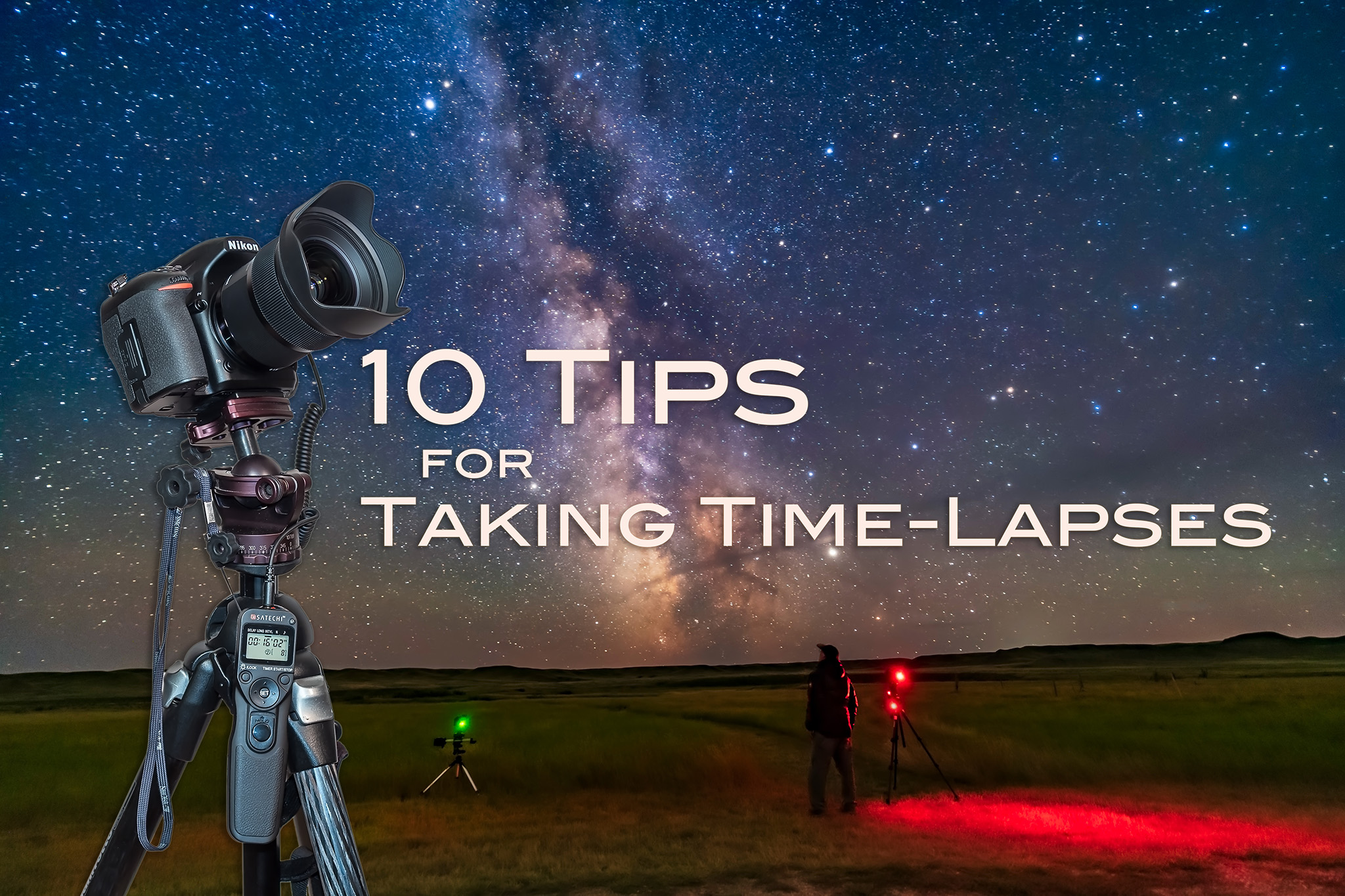
Ten Tips for Taking Time-Lapses


Selfie at Grasslands National Park

I present my top 10 tips for capturing time-lapses of the moving sky.ย 

If you can take one well-exposed image of a nightscape, you can take 300. Thereโ€™s little extra work required, just your time. But if you have the patience, the result can be an impressive time-lapse movie of the night sky sweeping over a scenic landscape. Itโ€™s that simple.ย 

Or is it?ย 

Here are my tips for taking time-lapses, in a series of โ€œDoโ€™sโ€ and โ€œDonโ€™tsโ€ that Iโ€™ve found effective for ensuring great results.ย 

But before you attempt a time-lapse, be sure you can first capture well-exposed and sharply focused still shots. Shooting hundreds of frames for a time-lapse will be a disappointing waste of your time if all the images are dark and blurry.ย 

For that reason many of my tips apply equally well to shooting still images. But taking time-lapses does require some specialized gear, techniques, planning, and software. First, the equipment.ย 

NOTE: This article appeared originally in Issue #9 of Dark Sky Travels e-magazine.


SELECTING EQUIPMENT

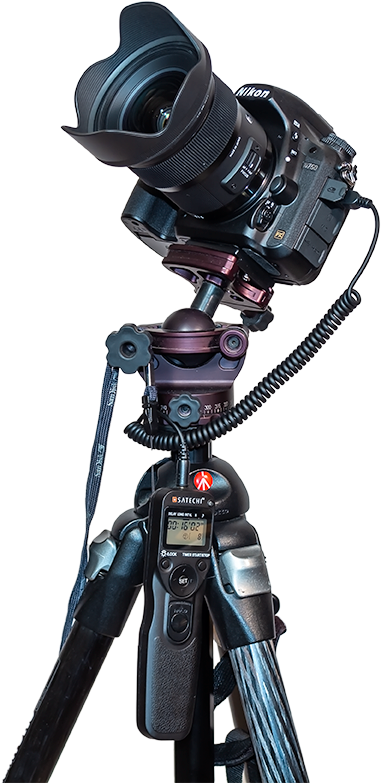
Camera on Tripod
Essential Gear
Time-lapse photography requires just the camera and lens you might already own, but on a solid tripod (a carbon-fibre Manfrotto with an Acratech ball-head is shown here), and with an intervalometer.ย 

TIP 1 โ€” DO: ย Use a solid tripodย 

A lightweight travel tripod that might suffice for still images on the road will likely be insufficient for time-lapses. Not only does the camera have to remain rock steady for the length of the exposure, it has to do so for the length of the entire shoot, which could be several hours. Wind canโ€™t move it, nor any camera handling you might need to do mid-shoot, such as swapping out a battery.ย 

The tripod neednโ€™t be massive. For hiking into scenic sites youโ€™ll want a lightweight but sturdy tripod. While a carbon fibre unit is costly, youโ€™ll appreciate its low weight and good strength every night in the field. Similarly, donโ€™t scrimp on the tripod head.ย 

TIP 2 โ€” DO: ย Use a fast lens

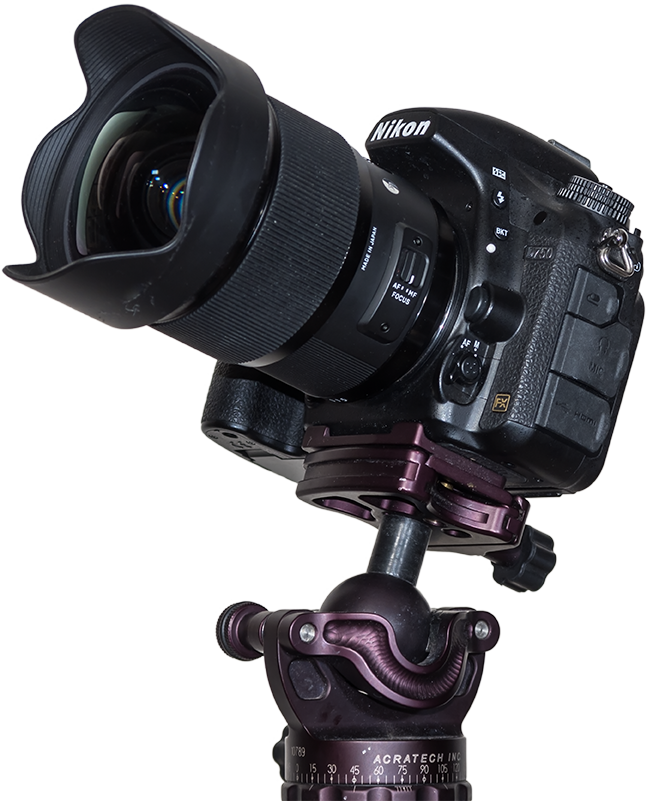
Csmera on Ball Head
The All-Important Lens
A fast lens is especially critical for time-lapses to allow capturing good sky and ground detail in each exposure, as compositing later wonโ€™t be feasible. This is the Sigma 20mm f/1.4 Art lens.

As with nightscape stills, the single best purchase you can make to improve your images of dark sky scenes is not buying a new camera (at least not at first), but buying a fast, wide-angle lens.ย 

Ditch the slow kit zoom and go for at least an f/2.8, if not f/2, lens with 10mm to 24mm focal length. This becomes especially critical for time-lapses, as the fast aperture allows using short shutter speeds, which in turn allows capturing more frames in a given period of time. That makes for a smoother, slower time-lapse, and a shoot you can finish sooner if desired.ย 

TIP 3 โ€” DO: ย Use an intervalometer

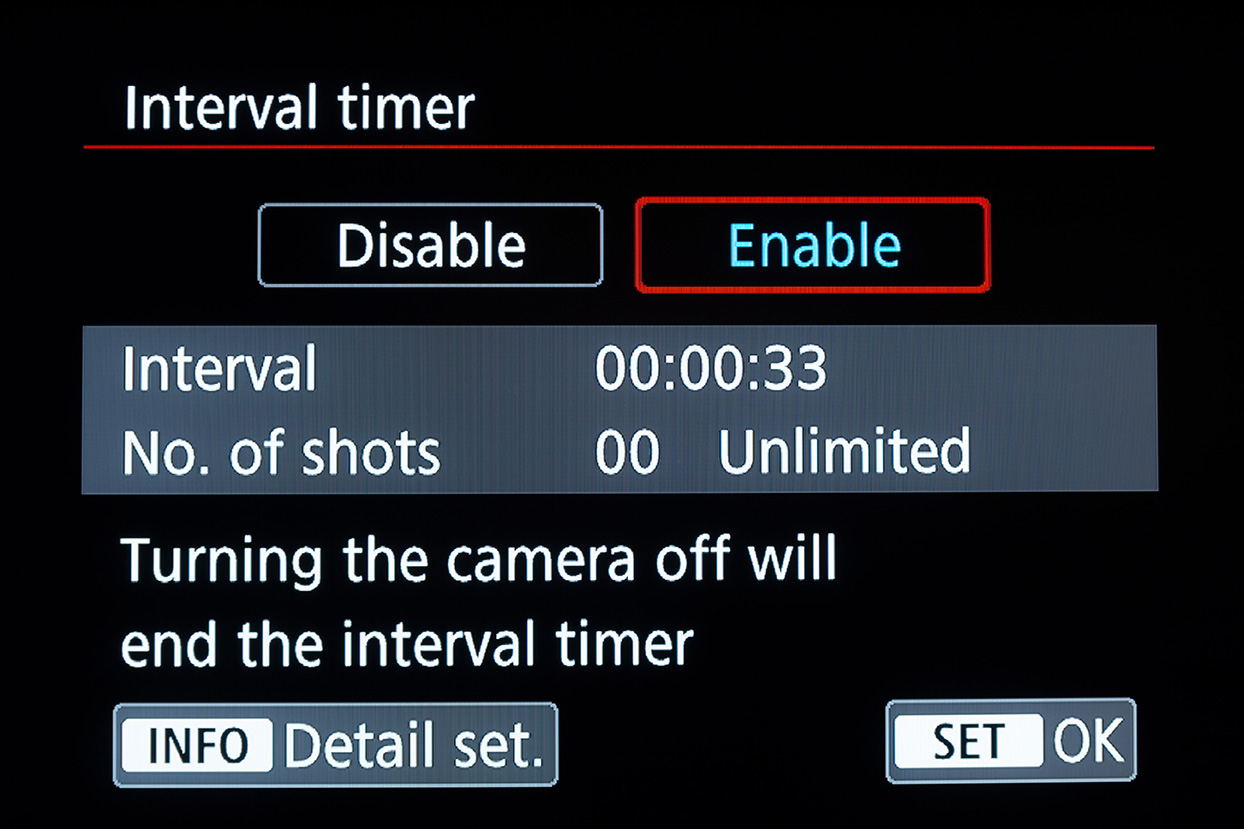
3A-Intervalometer-Canon
Canon intervalometer functions

3B-Intervalometer-Nikon
Nikon intervalometer functions

Intervalometer Trio
Automating the Camera
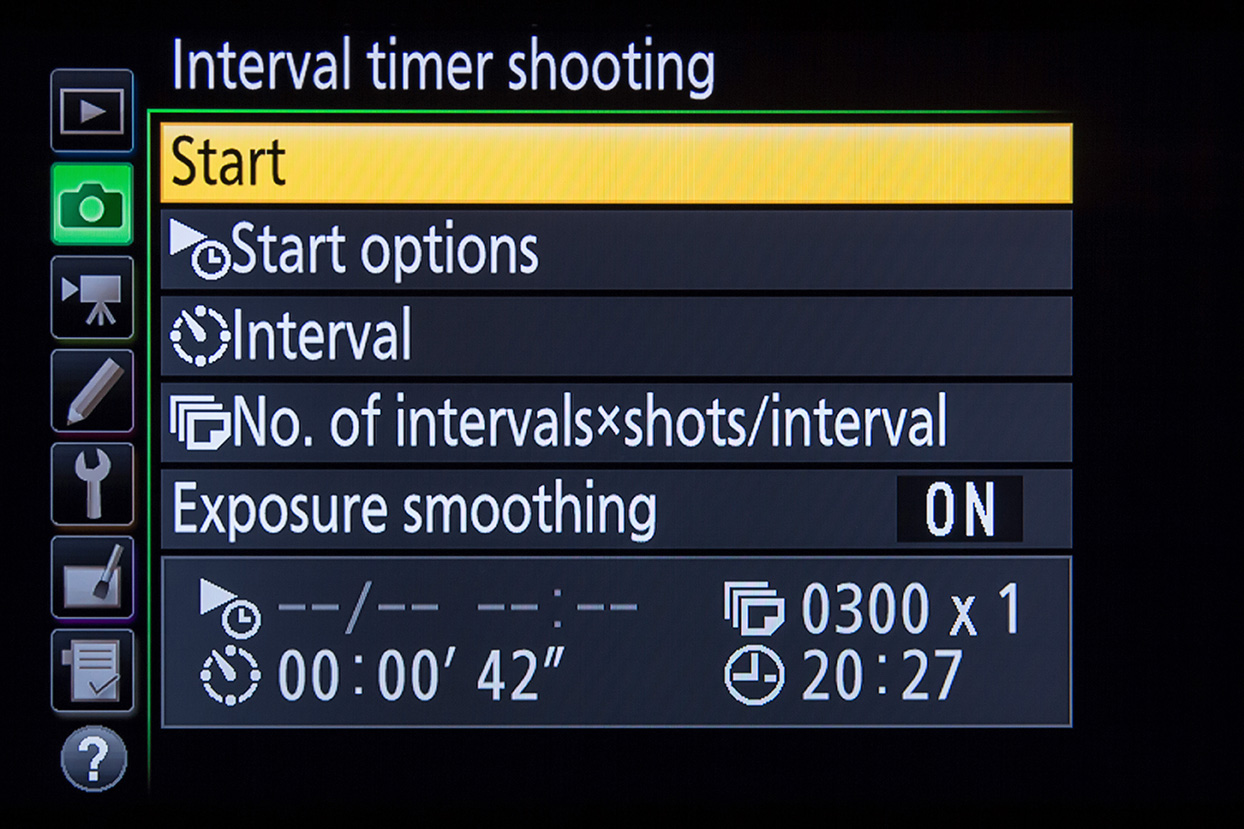
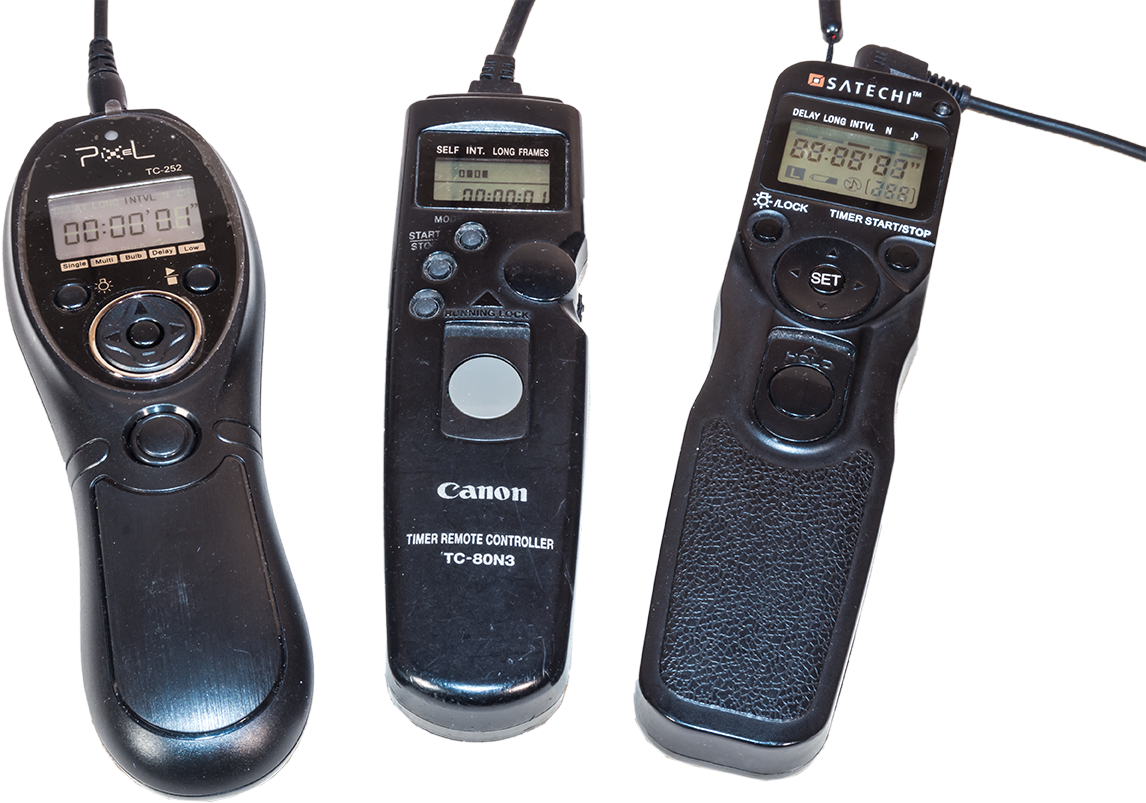
The intervalometer is also key. For cameras without an internal intervalometer (screens from a Canon and a Nikon are shown above), an outboard unit like one of these, is essential. Be sure to get the model that fits your cameraโ€™s remote control jack.

Time-lapses demand the use of an intervalometer to automatically fire the shutter for at least 200 to 300 images for a typical time-lapse. Many cameras have an intervalometer function built into their firmware. The shutter speed is set by using the camera in Manual mode.ย 

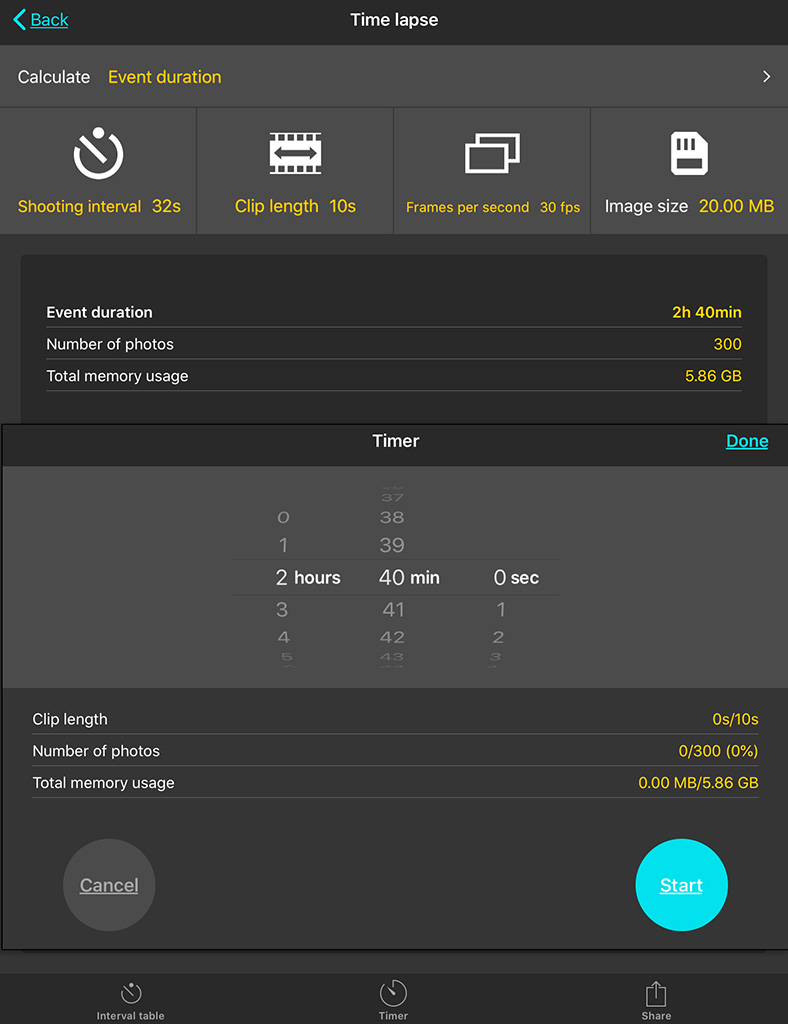
Just be aware that a cameraโ€™s 15-second exposure really lasts 16 seconds, while a 30-second shot set in Manual is really a 32-second exposure.ย 

So in setting the interval to provide one second between shots, as I advise below, you have to set the cameraโ€™s internal intervalometer for an interval of 17 seconds (for a shutter speed of 15 seconds) or 33 seconds (for a shutter speed of 30 seconds). Itโ€™s an odd quirk Iโ€™ve found true of every brand of camera I use or have tested.ย 

Alternatively, you can set the camera to Bulb and then use an outboard hardware intervalometer (they sell for $60 on up) to control the exposure and fire the shutter. Test your unit. Its interval might need to be set to only one second, or to the exposure time + one second.ย 

How intervalometers define โ€œIntervalโ€ varies annoyingly from brand to brand. Setting the interval incorrectly can result in every other frame being missed and a ruined sequence.


SETTING YOUR CAMERA

TIP 4 โ€” DONโ€™T: ย Underexpose

4-Histogram Example
Expose to the Right
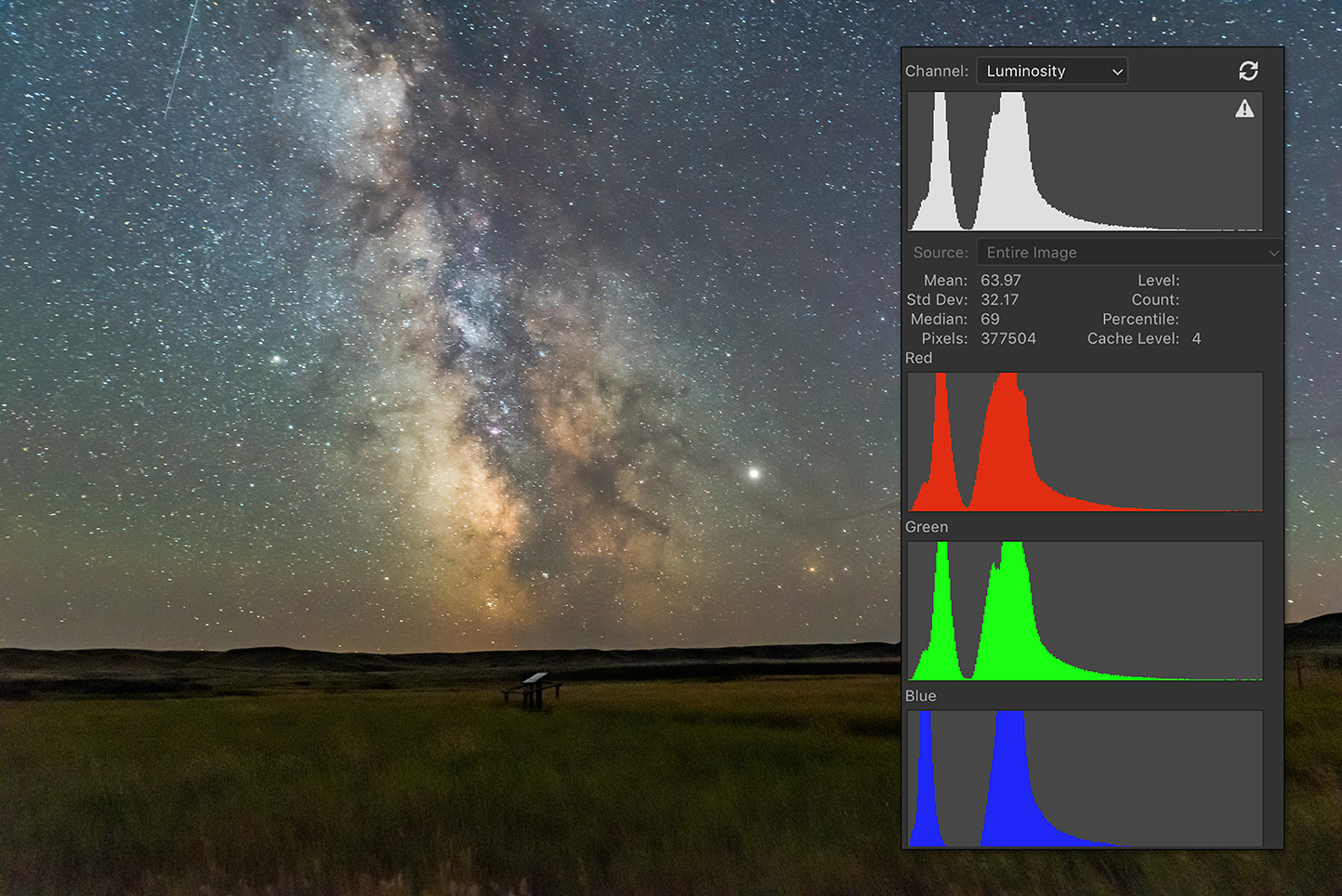
When shooting, choose settings that will yield a histogram that is not slammed to the left, but is shifted to the right to minimize noise and lift details in the shadows.

As with still images, the best way to beat noise is to give the camera signal. Use a wider aperture, a longer shutter speed, or a higher ISO (or all of the above) to ensure the image is well exposed with a histogram pushed to the right.ย 

If you try to boost the image brightness later in processing youโ€™ll introduce not only the very noise you were trying to avoid, but also odd artifacts in the shadows such as banding and purple discolouration.ย 

With still images we have the option of taking shorter, untrailed images for the sky, and longer exposures for the dark ground to reveal details in the landscape, to composite later. With time-lapses we donโ€™t have that luxury. Each and every frame has to capture the entire scene well.ย 

At dark sky sites, expose for the dark ground as much as you can, even if that makes the sky overly bright. Unless you outright clip the highlights in the Milky Way or in light polluted horizon glows, youโ€™ll be able to recover highlight details later in processing.ย 

After poor focus, underexposure, resulting in overly noisy images, is the single biggest mistake I see beginners make.

TIP 5 โ€” DONโ€™T: ย Worry about 500 or “NPF” Exposure Rules

Milky Way and ISS over Waterton Lakes
Stills from a Sequence
A stack of single frames from a time-lapse sequence can often make a good still image, such as this scene of the Space Station rising over Waterton Lakes National Park. The 30-second exposures were just within the “500 Rule” for the 15mm lens used here, but minor star trailing wonโ€™t be that noticeable in a final movie.

While still images might have to adhere to the โ€œ500 Ruleโ€ or the stricter โ€œNPF Ruleโ€ to avoid star trailing, time-lapses are not so critical. Slight trailing of stars in each frame wonโ€™t be noticeable in the final movie when the stars are moving anyway.ย 

So go for rule-breaking, longer exposures if needed, for example if the aperture needs to be stopped down for increased depth of field and foreground focus. Again, with time-lapses we canโ€™t shoot separate exposures for focus stacking later.ย 

Just be aware that the longer each exposure is, the longer it will take to shoot 300 of them.ย 

Why 300? I find 300 frames is a good number to aim for. When assembled into a movie at 30 frames per second (a typical frame rate) your 300-frame clip will last 10 seconds, a decent length of time in a final movie.ย 

You can use a slower frame rate (24 fps works fine), but below 24 the movie will look jerky unless you employ advanced frame blending techniques. I do that for auroras.

5B-PhotoPills Calculator
PhotoPills Calculator
Apps such as PhotoPills offer handy calculators for juggling exposure time vs. the number of frames to yield the length of the time-lapse shoot.

Bonus Tip

How long it will take to acquire the needed 300 frames will depend on how long each exposure is and the interval between them. An app such as PhotoPills (via its Time lapse function) is handy in the field for calculating exposure time vs. frame count vs. shoot length, and providing a timer to let you know when the shoot is done.ย 

TIP 6 โ€” DO: ย Use short intervals

6A-Intervals-No Gaps

6B-Intervals-Gaps
Mind the Gap!
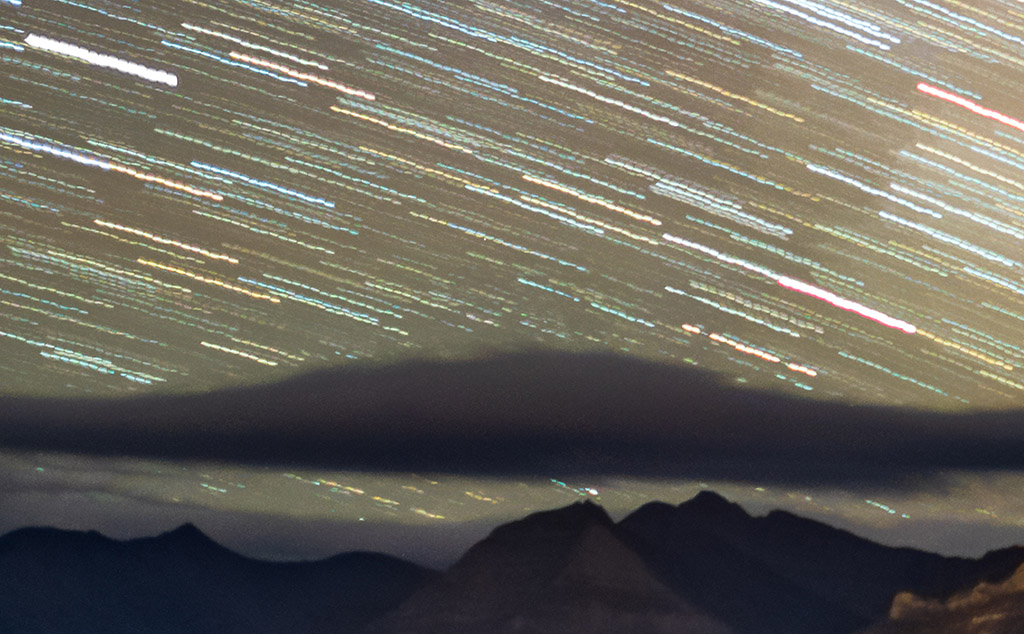
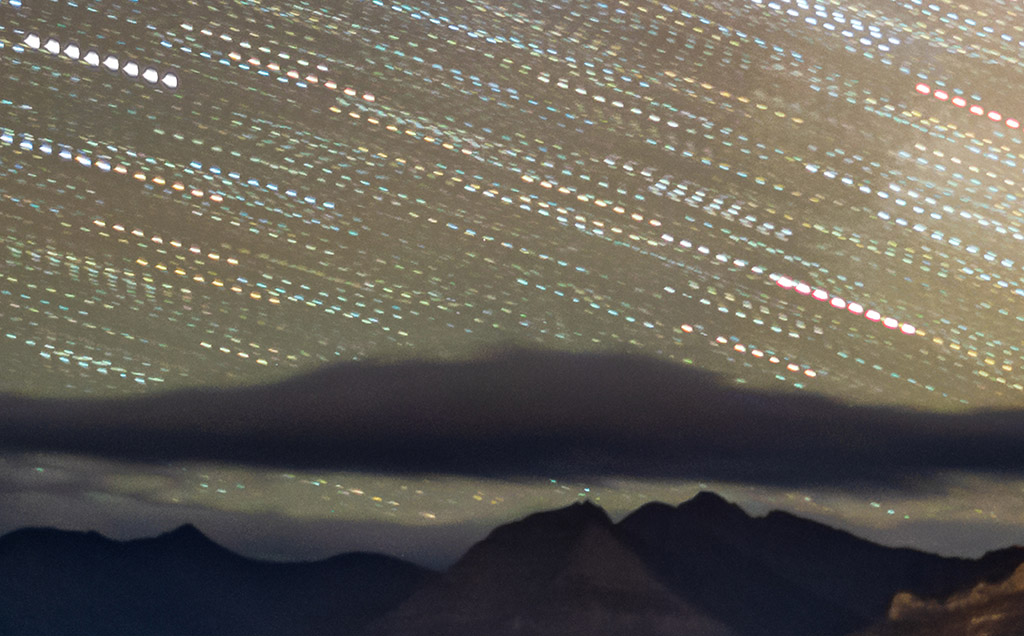
At night use intervals as short as possible to avoid gaps in time, simulated here (at top) by stacking several time-lapse frames taken at a one-second interval into one image. Using too long an interval, as demonstrated just above, yields gaps in time and jumps in the star motion, simulated here by stacking only every other frame in a sequence.ย 

At night, the interval between exposures should be no more than one or two seconds. By โ€œinterval,โ€ I mean the time between when the shutter closes and when it opens again for the next frame.ย 

Not all intervalometers define โ€œInterval” that way. But itโ€™s what you expect it means. If you use too long an interval then the stars will appear to jump across the sky, ruining the smooth motion you are after.ย 

In practice, intervals of four to five seconds are sometimes needed to accommodate the movement of motorized โ€œmotion controlโ€ devices that turn or slide the camera between each shot. But Iโ€™m not covering the use of those advanced units here. I cover those options and much, much more in 400 pages of tips, techniques and tutorials in my Nightscapes ebook, linked to above.

However, during the day or in twilight, intervals can be, and indeed need to be, much longer than the exposures. Itโ€™s at night with stars in the sky that you want the shutter to be closed as little as possible.ย 

TIP 7 โ€” DO: ย Shoot Raw

7-Camera Raw Comparison
The Power of Raw
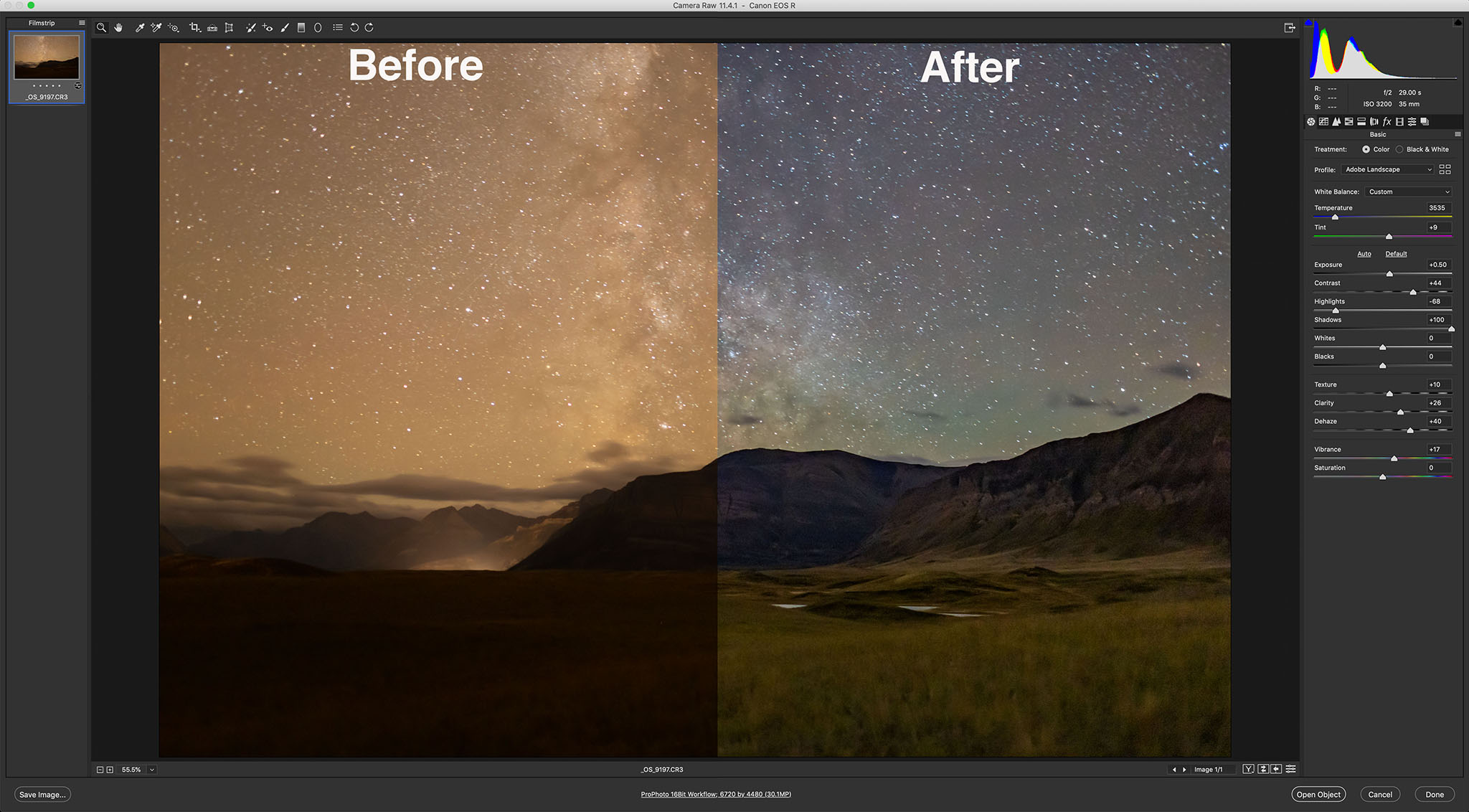
Shooting raw, even for time-lapse frames that will eventually be turned into JPGs, allows for maximum control of shadows, highlights, colour balance, and noise reduction. “Before” is what came out of the camera; “After” is with the development settings shown applied in Camera Raw.

This advice also applies to still images where shooting raw files is essential for professional results. But you likely knew that.

However, with time-lapses some cameras offer a mode that will shoot time-lapse frames and assemble them into a movie right in the camera. Donโ€™t use it. It gives you a finished, pre-baked movie with no ability to process each frame later, an essential step for good night time-lapses. And raw files provide the most data to work with.

So even with time-lapses, shoot raw not JPGs.ย 

If you are confident the frames will be used only for a time-lapse, you might choose to shoot in a smaller S-Raw or compressed C-Raw mode, for smaller files, in order to fit more frames onto a card.ย 

But I prefer not to shrink or compress the original raw files in the camera, as some of them might make for an excellent stacked and layered still image where I want the best quality originals (such as for the ISS over Waterton Lakes example above).ย 

To get you through a long field shoot away from your computer buy more and larger memory cards. You donโ€™t need costly, superfast cards for most time-lapse work.ย 


PLANNING AND COMPOSITION

TIP 8 โ€” DO: ย Use planning apps to frameย 

8A-TPE Screen
Planning the Shoot
Apps such as The Photographerโ€™s Ephemeris (shown here set for the authorโ€™s Waterton Lakes site for moonrise) help in planning where the Sun, Moon and Milky Way will be from your site during the shoot.

8B-TPE 3D Demo
Simulating the Shoot
The companion app to The Photographerโ€™s Ephemeris, TPE 3D, shown above in the inset, exactly matches the real scene for the mountain skyline, placement of the Milky Way, and lighting from the rising Moon.ย 

All nightscape photography benefits from using one of the excellent apps we now have to assist us in planning a shoot. They are particularly useful for time-lapses.ย 

Apps such as PhotoPills and The Photographerโ€™s Ephemeris are great. I like the latter as it links to its companion TPE 3D app to preview what the sky and lighting will look like over the actual topographic horizon from your site. You can scrub through time to see the motion of the Milky Way over the scenery. The Augmented Reality “AR” modes of these apps are also useful, but only once you are on site during the day.

For planning a time-lapse at home I always turn to a โ€œplanetariumโ€ program to simulate the motion of the sky (albeit over a generic landscape), with the ability to add in โ€œfield of viewโ€ indicators to show the view your lens will capture.ย 

You can step ahead in time to see how the sky will move across your camera frame during the length of the shoot. Indeed, such simulations help you plan how long the shoot needs to last until, for example, the galactic core or Orion sets.

Planetarium software helps ensure you frame the scene properly, not only for the beginning of the shoot (thatโ€™s easy โ€” you can see that!), but also for the end of the shoot, which you can only predict.ย 

8C-Stellarium Start

8D-Stellarium End
Planetarium Planning
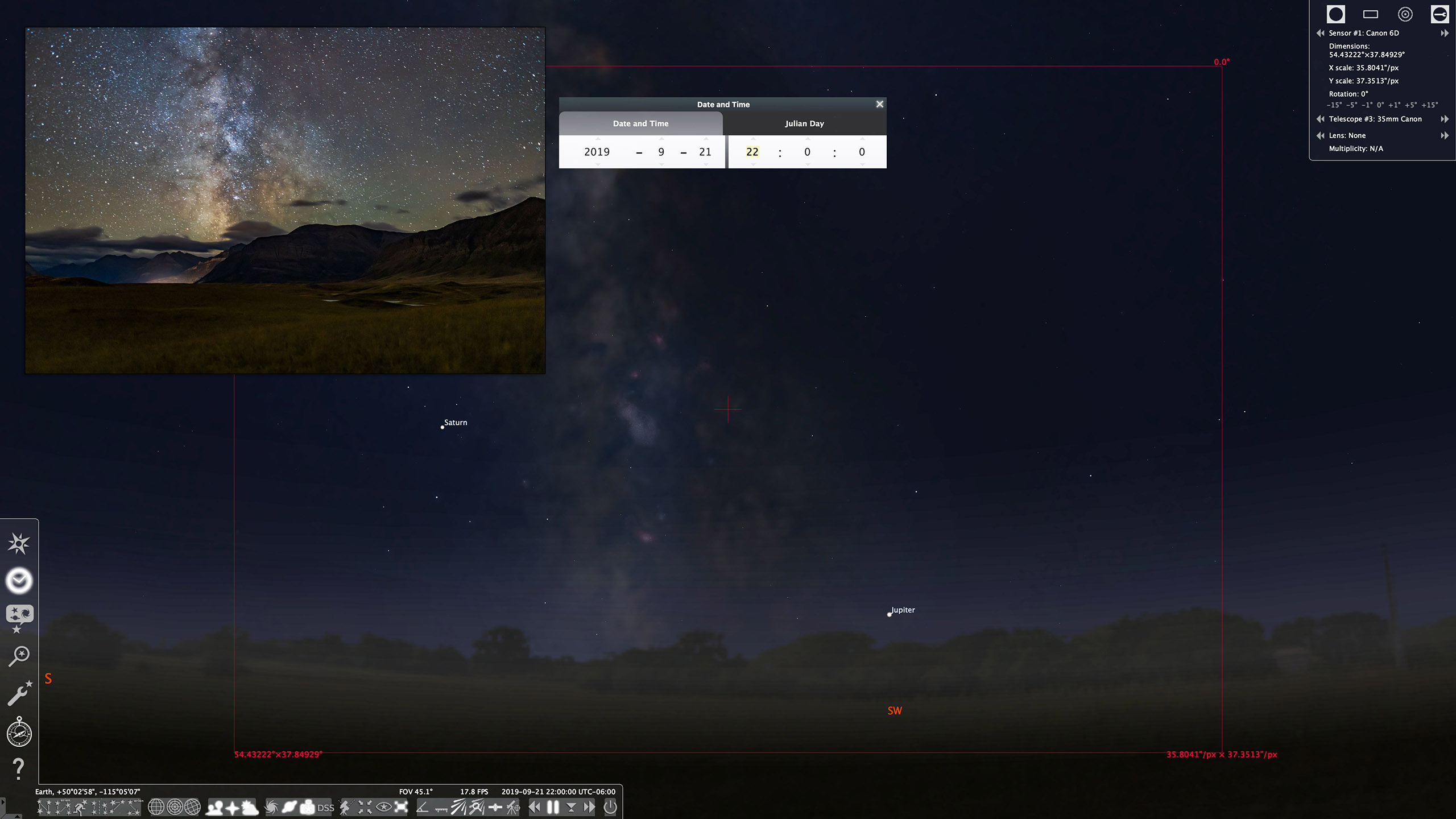
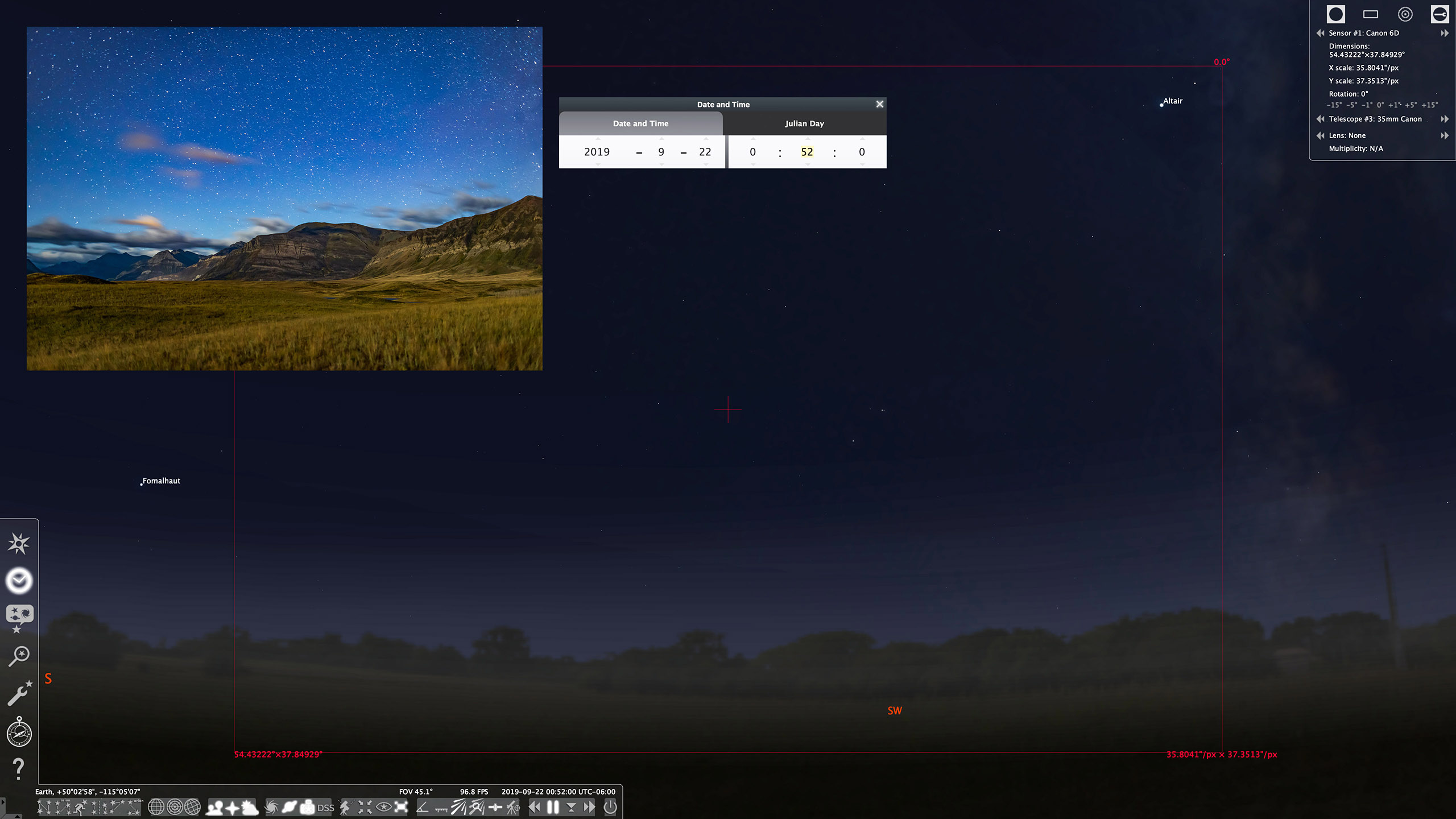
An alternative is to use a planetarium program such as the free Stellarium, shown above, which can display lens fields of view. These scenes show the simulated vs. real images (insets) for the start (top) and end (bottom) of the Waterton Lakes time-lapse with a 35mm lens frame, outlined in red.ย 

To save you from guessing wrong, try the free Stellarium (stellarium.org), or the paid Starry Night (starrynight.com) or SkySafari (skysafariastronomy.com). I use Starry Night.ย 

Bonus Tip

If your shoot will last as long as three hours, do plan to check the battery level and swap batteries before three hours is up. Most cameras, even new mirrorless models, will now last for three hours on a full battery, but likely not any longer. If itโ€™s a cold winter night, expect only one or two hours of life from a single battery.


PROCESSING

TIP 9 โ€” DO: ย Develop one raw frame and apply settings to all

9A-Bridge-Copy

9B-Bridge-Paste
Copy and Paste Settings
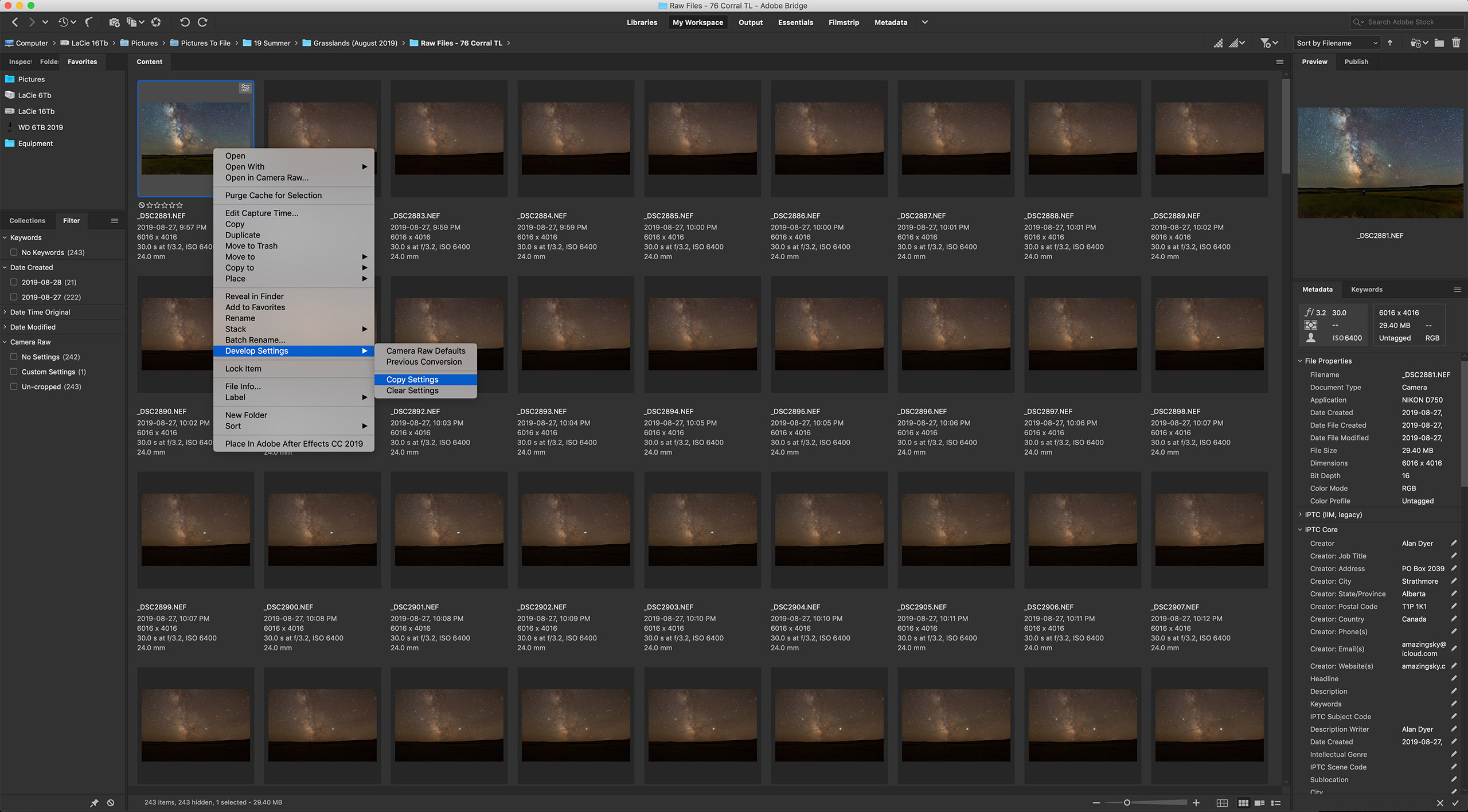
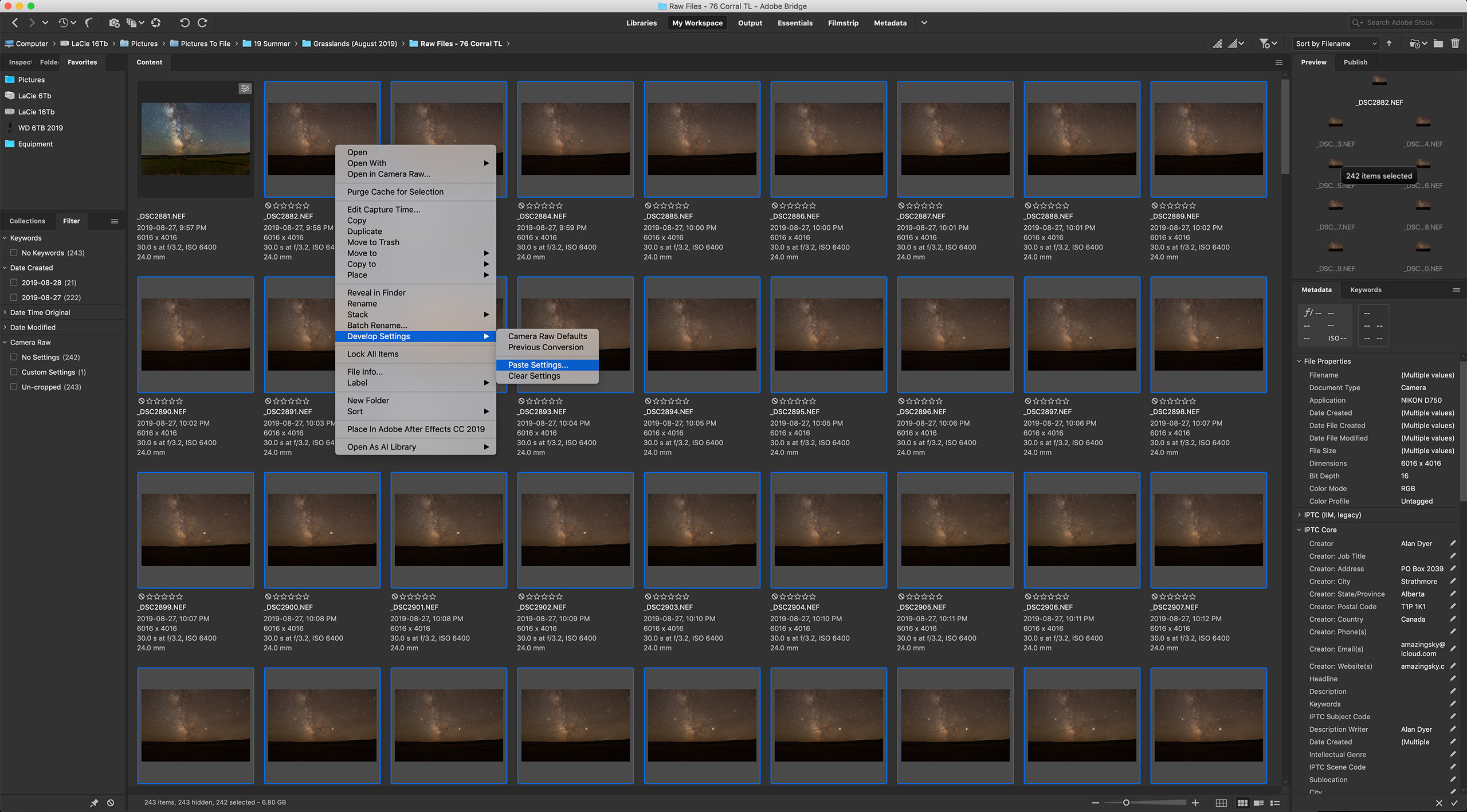
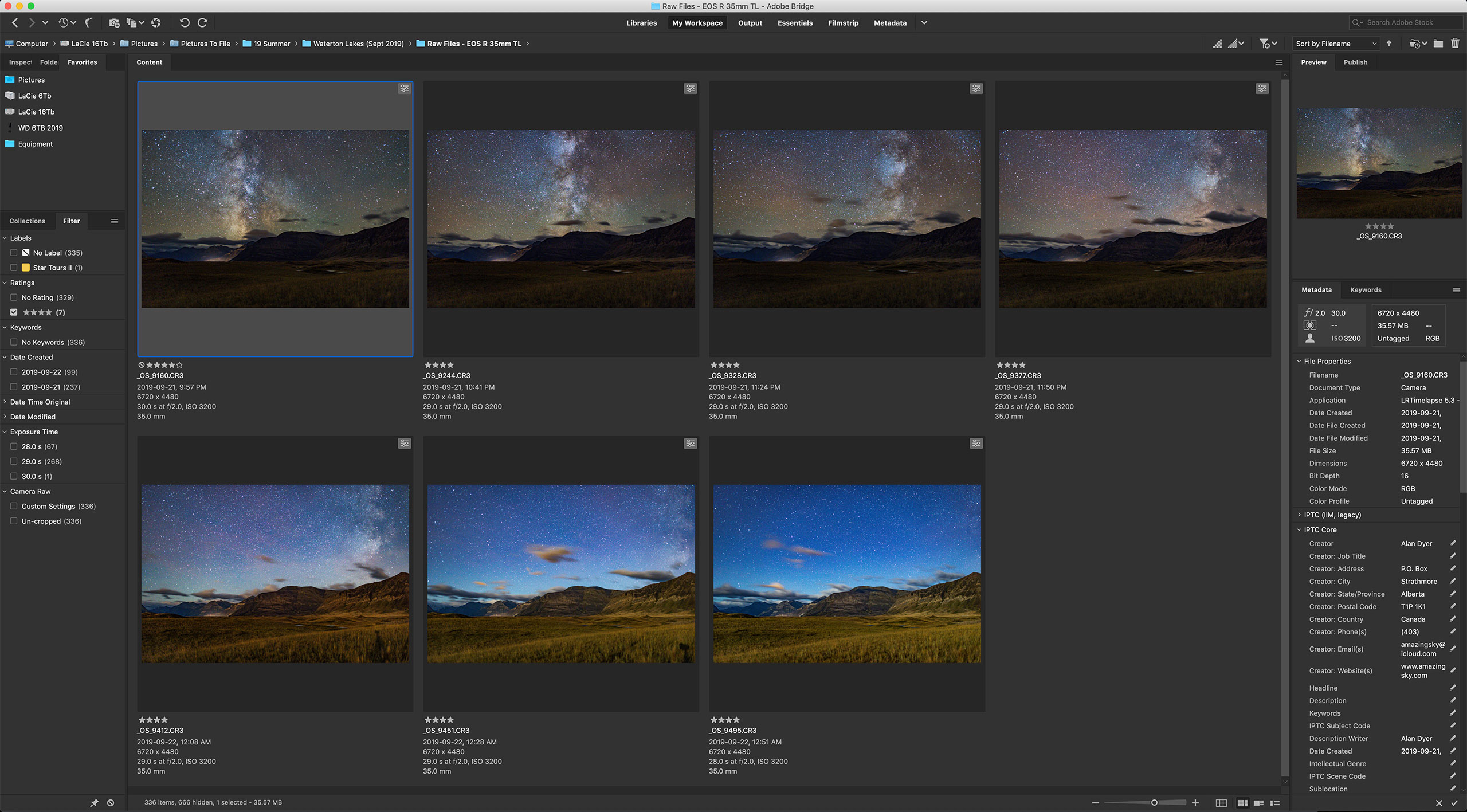
Most raw developers or photo library programs (Adobe Bridge is shown here) offer the essential ability to copy settings from one image and paste them onto hundreds of others in a folder, developing all the time-lapse frames in a snap.

Processing the raw files takes the same steps and settings as you would use to process still images.ย 

With time-lapses, however, you have to do all the processing required within your favourite raw developer software. You canโ€™t count on bringing multiple exposures into a layer-based processor such as Photoshop to stack and blend images. That works for a single image, but not for 300.ย 

I use Adobe Camera Raw out of Adobe Bridge to do all my time-lapse processing. But many photographers use Lightroom, which offers all the same settings and non-destructive functions as Adobe Camera Raw.ย 

For those who wish to โ€œavoid Adobeโ€ there are other choices, but for time-lapse work an essential feature is the ability to develop one frame, then copy and paste its settings (or โ€œsyncโ€ settings) to all the other frames in the set.ย 

Not all programs allow that. Affinity Photo does not. Luminar doesnโ€™t do it very well. DxO PhotoLab, ON1 Photo RAW, and the free Raw Therapee, among others, all work fine.ย 

HOW TO ASSEMBLE A TIME-LAPSE

Once you have a set of raws all developed, the usual workflow is to export all those frames out as high-quality JPGs which is what movie assembly programs need. Your raw developing software has to allow batch exporting to JPGs โ€” most do.ย 

9C-Image Processor Screen
Photoshop Batch Export
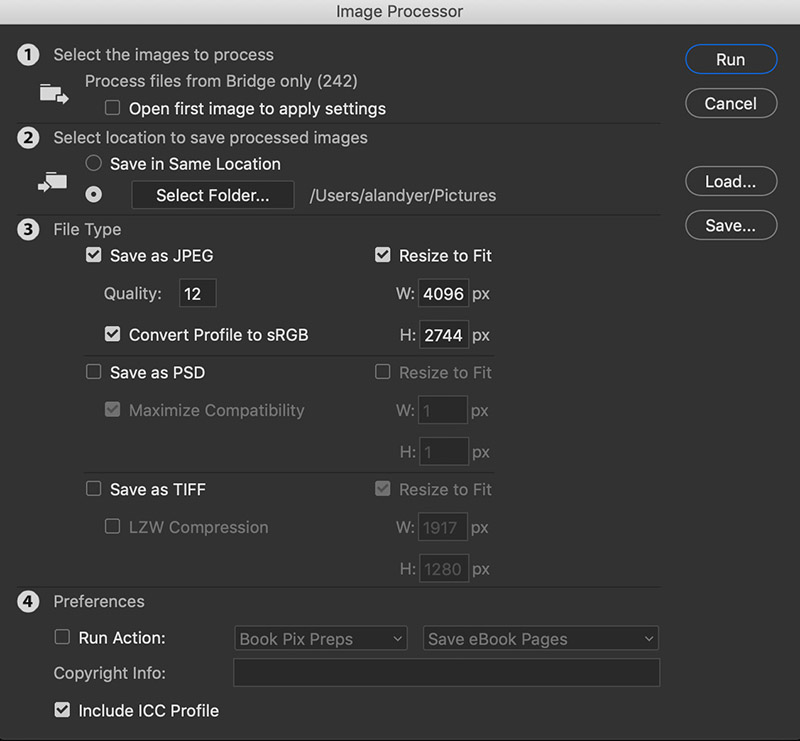
Raw developers usually have a batch export function. So does Photoshop, via its Image Processor utility, shown here (found under File>Scripts>Image Processor) that can export a folder of raws into JPGs or TIFFs, and re-size them, often needed for final 4K or HD movies.ย 

However, none of the programs above (except Photoshop and Adobeโ€™s After Effects) will create the final movie, whether it be from those JPGs or from the raws.ย 

9D-TLDF Screen
Assembling JPGs
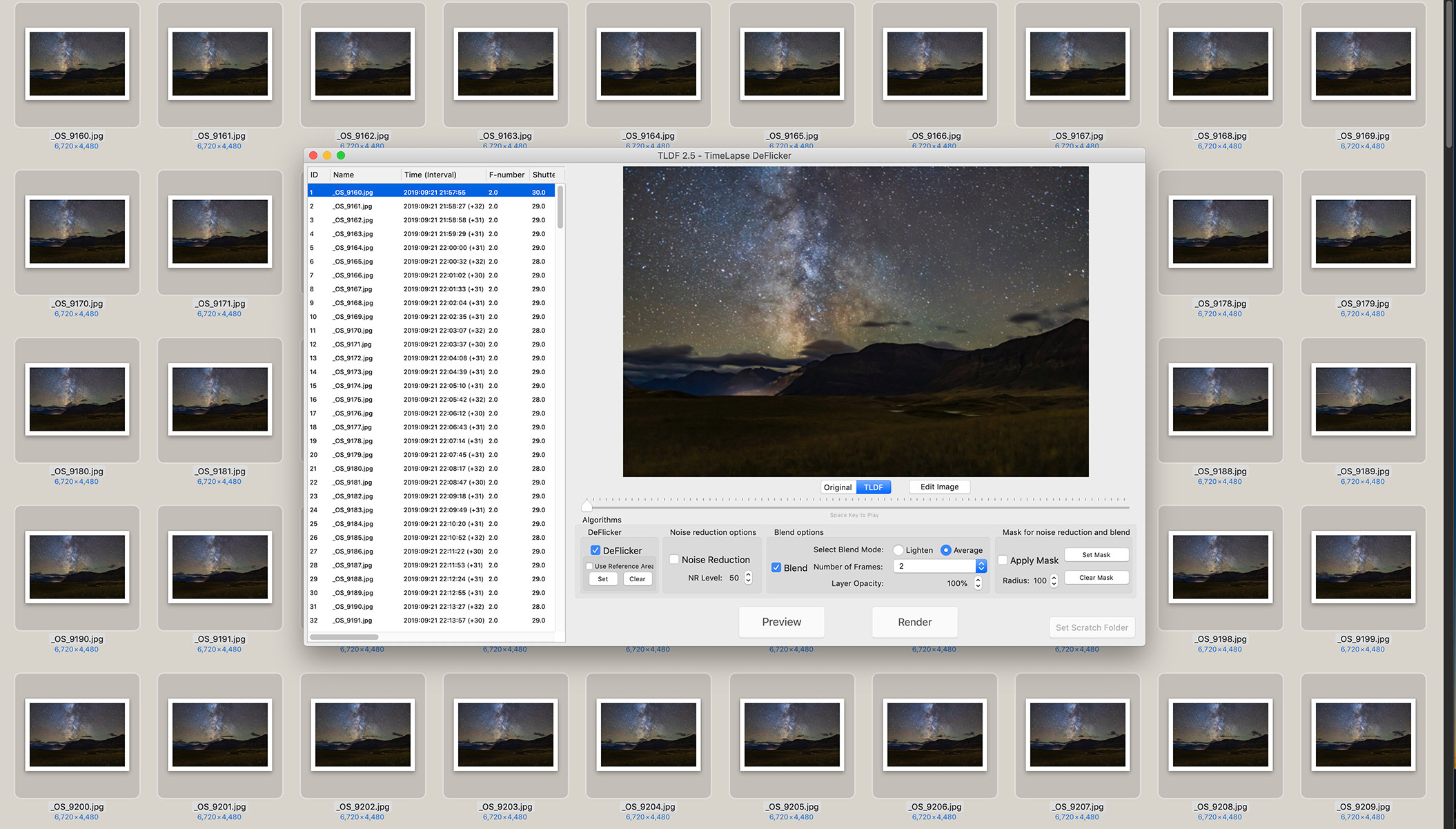
The authorโ€™s favourite assembly program is TimeLapse DeFlicker (TLDF). It can turn a folder of JPGs into movies as large as 8K and with ProRes codecs for the highest quality.

So for assembling the intermediate JPGs into a movie, I often use a low-cost program called TLDF (TimeLapse DeFlicker) available for MacOS and Windows (timelapsedeflicker.com). It offers advanced functions such as deflickering (i.e. smoothing slight frame-to-frame brightness fluctuations) and frame blending (useful to smooth aurora motions or to purposely add star trails).

While there are many choices for time-lapse assembly, I suggest using a program dedicated to the task and not, as many do, a movie editing program. For most sequences, the latter makes assembly unnecessarily difficult and harder to set key parameters such as frame rates.ย 

TIP 10 โ€” DO: ย Try LRTimelapse for more advanced processing

10A-LRT-Bridge Keyframes
Working on Keyframes
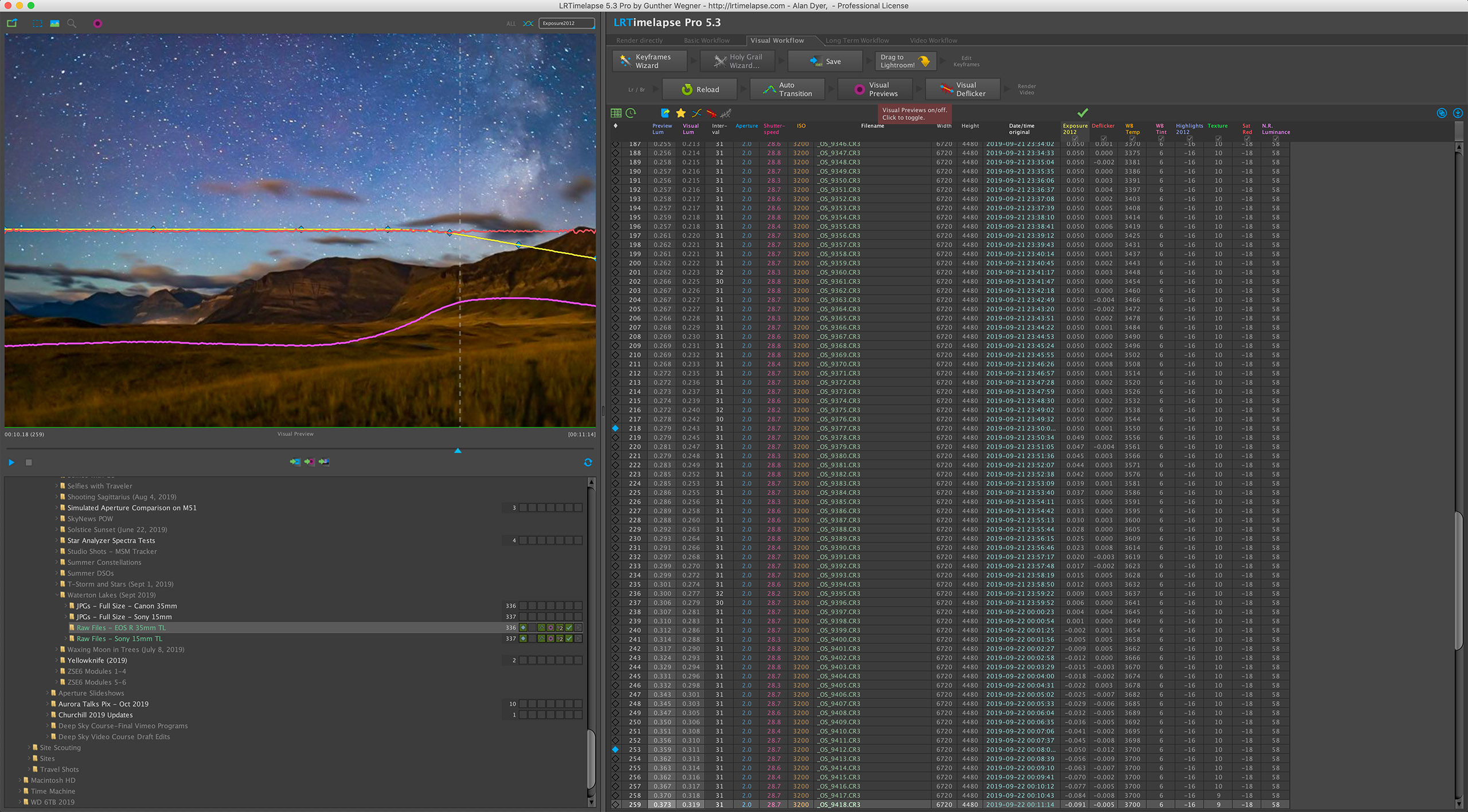
The advanced processing program LRTimelapse creates several keyframes through the sequence (seven are shown here in Adobe Bridge) which you develop so each looks its best. During this sequence, the Moon rose changing the lighting toward the end of the shoot (in the last three keyfames).ย 

Get serious about time-lapse shooting and you will want โ€” indeed, you will need โ€” the program LRTimelapse (LRTimelapse.com). A free but limited trial version is available.ย 

This powerful program is for sequences where one setting will not work for all the frames. One size does not fit all.

Instead, LRTimelapse allows you to process a few keyframes throughout a sequence, say at the start, middle, and end. It then interpolates all the settings between those keyframes to automatically process the entire set of images to smooth (or โ€œrampโ€) and deflicker the transitions from frame to frame.ย 

10B-LRT-Final Screen
LRTimelapse Ramping
LRTimelapse reads your developed keyframe data and applies smooth transitions of all settings to each of the raw files between the keyframes. The result is a seamless and smooth final movie. The pink curve shows how the scene brightened at moonrise. The blue diamonds on the yellow line mark the seven keyframes.ย 

This is essential for sequences where the lighting changes during the shoot (say, the Moon rises or sets), and for so-called โ€œholy grails.โ€ Those are advanced sequences that track from daylight or twilight to darkness, or vice versa, over a wide range of camera settings.

However, LRTimelapse works only with Adobe Lightroom or the Adobe Camera Raw/Bridge combination. So for advanced time-lapse work Adobe software is essential.ย 

A Final Bonus Tip

Keep it simple. You might aspire to emulate the advanced sequences you see on the web, where the camera pans and dollies during the movie. I suggest avoiding complex motion control gear at first to concentrate on getting well-exposed time-lapses with just a static camera. That alone is a rewarding achievement.

But before that, first learn to shoot still images successfully. All the settings and skills you need for a great looking still image are needed for a time-lapse. Then move onto capturing the moving sky.ย 

I end with a link to an example music video, shot using the techniques I’ve outlined. Thanks for reading and watching. Clear skies!

The Beauty of the Milky Way from Alan Dyer on Vimeo.


ยฉ 2019 Alan Dyer

Alan Dyer is author of the comprehensive ebook How to Photograph and Process Nightscapes and Time-Lapses. His website is www.amazingsky.comย 

For a channel of his time-lapse movies, music videos, and tutorials on Vimeo see https://vimeo.com/channels/amazingskyย 


Banff by Moonlight, a 25-Year Challenge


Selfie at Lake Louise in Moonlight

For two magical nights I was able to capture the Rockies by moonlight, with the brilliant stars of winter setting behind the mountains.

I’ve been waiting for nights like these for many years! I consider this my “25-Year Challenge!”

Back during my early years of shooting nightscapes I was able to capture the scene of Orion setting over Lake Louise and the peaks of the Continental Divide, with the landscape lit by the Moon.

Such a scene is possible only in late winter, before Orion sets out of sight and, in March, with a waxing gibbous Moon to the east to light the scene but not appear in the scene. There are only a few nights each year the photograph is possible. Most are clouded out!

Orion Over Lake Louise, 1995
Orion over Lake Louise, Banff National Park, Alberta March 1995 at Full Moon 28mm lens at f/2.8 Ektachrome 400 slide film

Above is the scene in March 1995, in one of my favourite captures on film. What a night that was!

But it has taken 24 years for my schedule, the weather, and the Moon phase to all align to allow me to repeat the shoot in the digital age. Thus the Challenge.

Here’s the result.

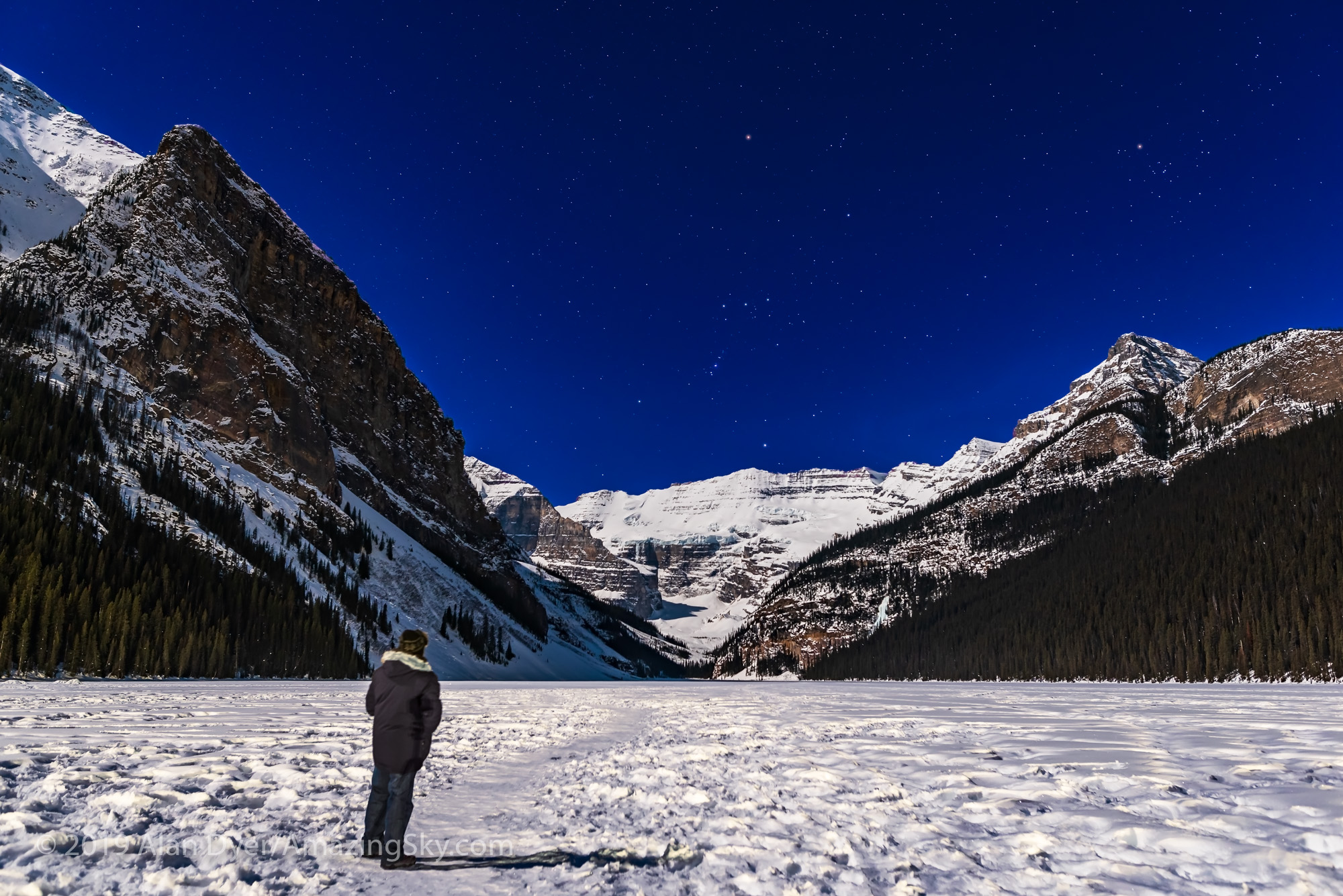
Orion Setting over Victoria Glacier
Orion setting over the iconic Victoria Glacier at Lake Louise, with the scene lit by the light of the waxing Moon, on March 19, 2019. This is a panorama of 3 segments stitched with Adobe Camera Raw, each segment 8 seconds at f/3.5 with the Sigma 24mm Art lens and Nikon D750 at ISO 800.

Unlike with film, digital images make it so much easier to stitch multiple photos into a panorama.

In the film days I often shot long single exposures to produce star trails, though the correct exposure was an educated guess factoring in variables like film reciprocity failure and strength of the moonlight.

Below is an example from that same shoot in March 1995. Again, one of my favourite film images.

Orion Setting Over Mt Temple
Orion setting over Mount Temple, near Lake Louise, Banff National park, Alberta. March 1995. On Ektachrome 100 slide film, with a 28mm lens at f/8 for a roughly 20 minute exposure. Full moonlight provides the illumination

This year, time didn’t allow me to shoot enough images for a star trail. In the digital age, we generally shoot lots of short exposures to stack them for a trail.

Instead, I shot this single image of Orion setting over Mt. Temple.

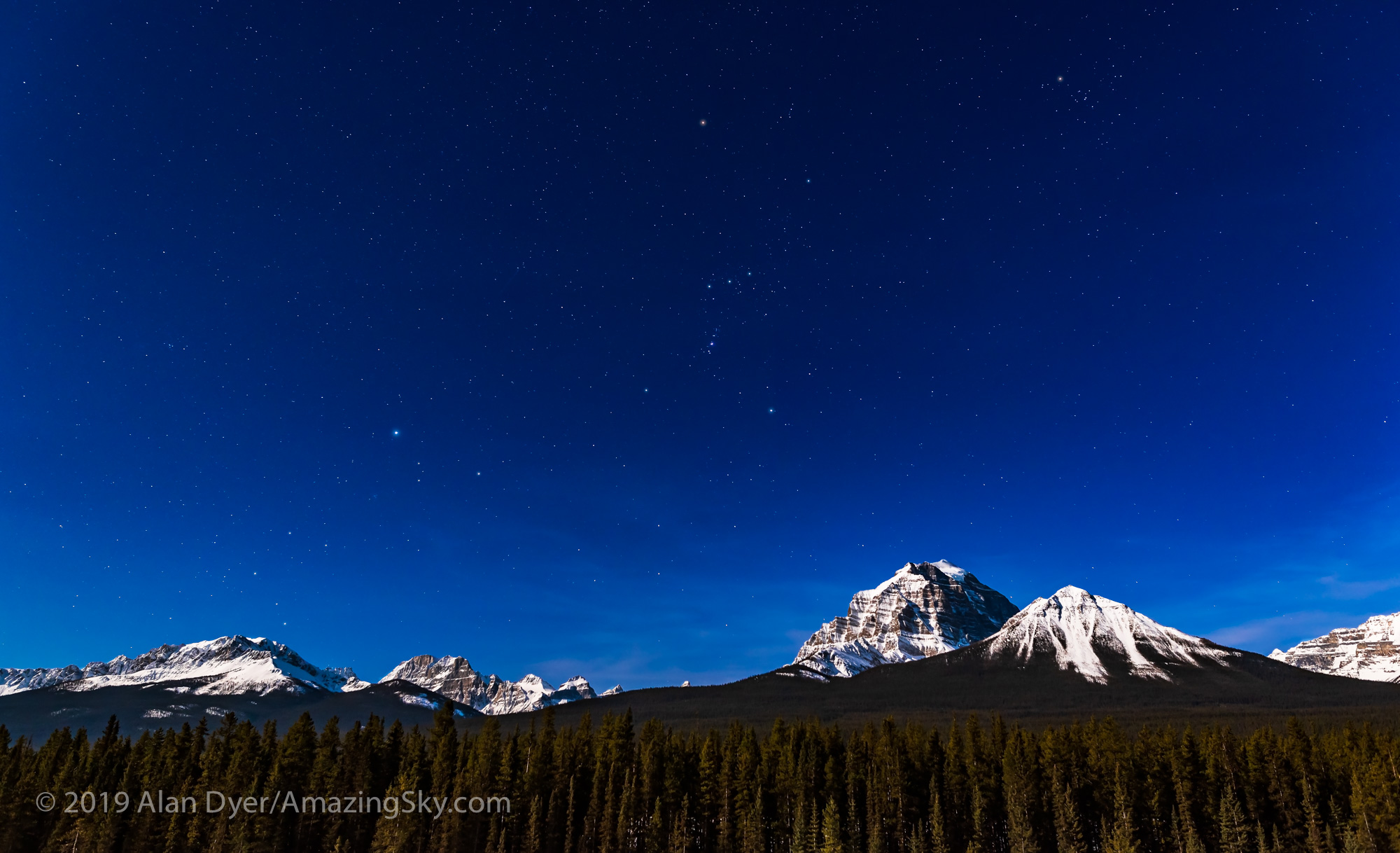
Orion and Canis Major over Mt. Temple
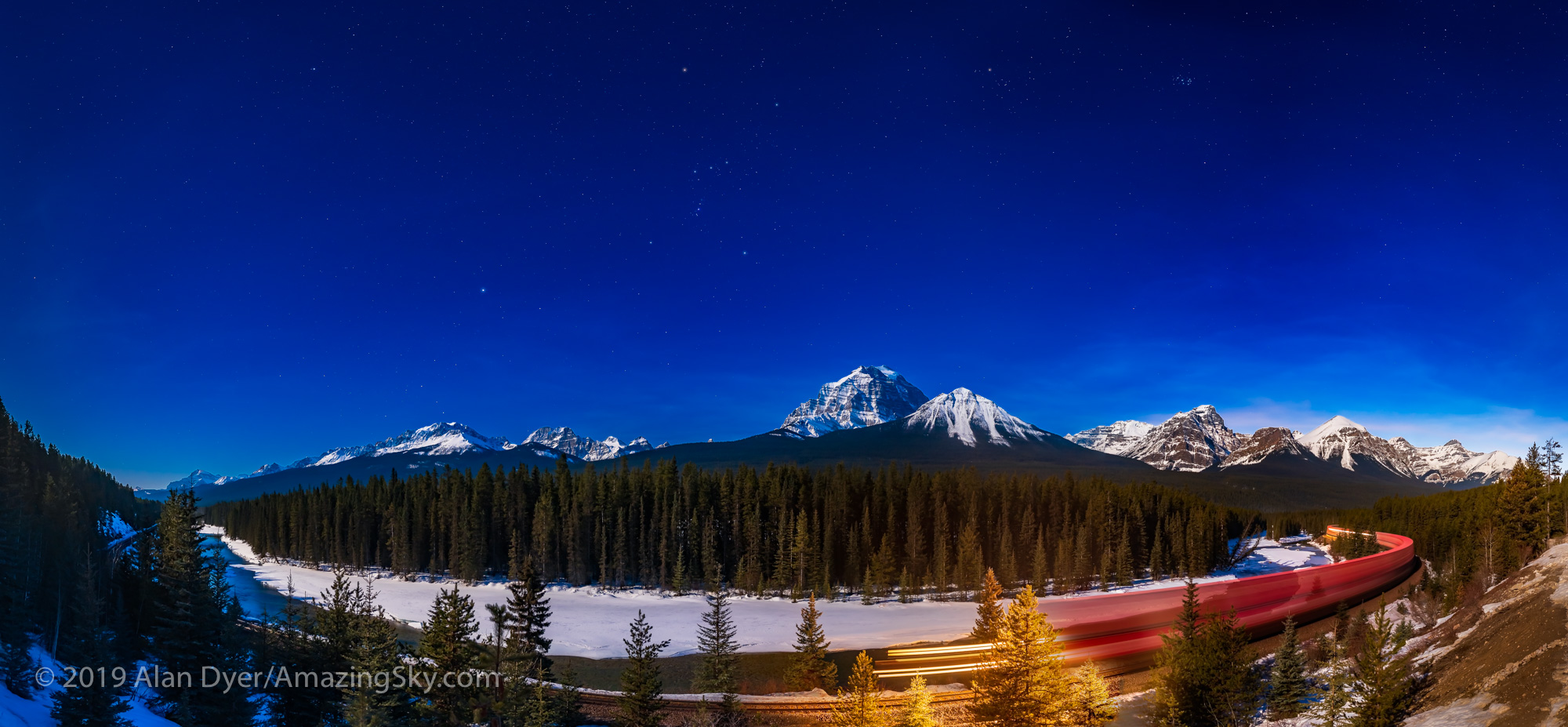
The winter stars of Orion (centre), Canis Major (left) and Taurus (upper right) over Mt. Temple in Banff National Park. This is from the Morantโ€™s Curve viewpoint on the Bow Valley Parkway, on March 19, 2019. Illumination is from moonlight from the waxing gibbous Moon off frame to the left. This is a single 8-second exposure at f/3.2 with the 24mm Sigma Art lens and Nikon D750 at ISO 800.

Plus I shot the panorama below, both taken atย Morantโ€™s Curve, a viewpoint named for the famed CPR photographer Nicholas Morant who often shot from here with large format film cameras. Kevin Keefe of Trains magazine wrote a nice blog about Morant.

Night Train in the Moonlight at Morant's Curve
A panorama of Morantโ€™s Curve, on the Bow River in Banff National Park, with an eastbound train on the CPR tracks under the stars of the winter sky. Illumination is from the 13-day gibbous Moon off frame at left. Each segment is 8 seconds at f/3.2 and ISO 800 with the 24mm Sigma Art lens and Nikon D750 in portrait orientation.

I was shooting multi-segment panoramas when a whistle in the distance to the west alerted me to the oncoming train. I started the panorama segment shooting at the left, and just by good luck the train was in front of me at centre when I hit the central segment. I continued to the right to catch the blurred rest of the train snaking around Morantโ€™s Curve. I was very pleased with the result.

The night before I was at another favourite spot, Two Jack Lake near Banff, to again shoot panoramas of the moonlit scene below the bright stars of the winter sky.

Parks Canada Red Chairs under the Winter Sky at Two Jack Lake
These are the iconic red chairs of Parks Canada, here at frozen Two Jack Lake, Banff National Park, and under the moonlit winter sky. This was March 18, 2019, with the scene illuminated by the gibbous Moon just at the frame edge here. This is a panorama of 11-segments, each 10 seconds at f/4 with the Sigma 24mm Art lens and Nikon D750 at ISO 800.

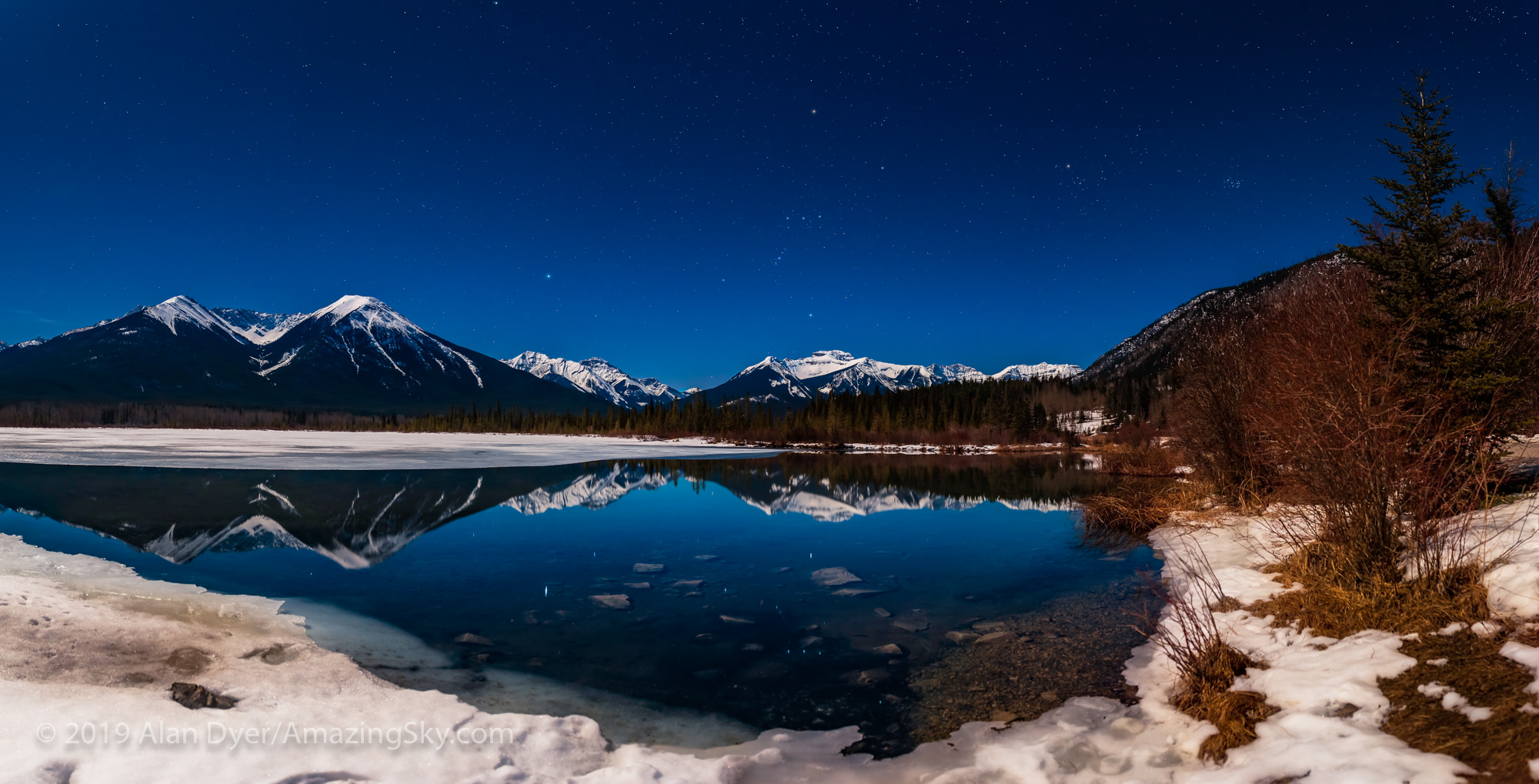
A run up to the end of the Vermilion Lakes road at the end of that night allowed me to capture Orion and Siris reflected in the open water of the upper lake.

Orion Setting in the Moonlight at Vermilion Lakes
The winter stars setting at Vermilion Lakes in Banff National Park, on March 18, 2019. This is a panorama cropped from a set of 11 images, all with the 24mm Sigma Art lens at f/3.2 for 10 seconds each and the Nikon D750 at ISO 800, in portrait orientation.

Unlike in the film days, today we also have some wonderful digital planning tools to help us pick the right sites and times to capture the scene as we envision it.

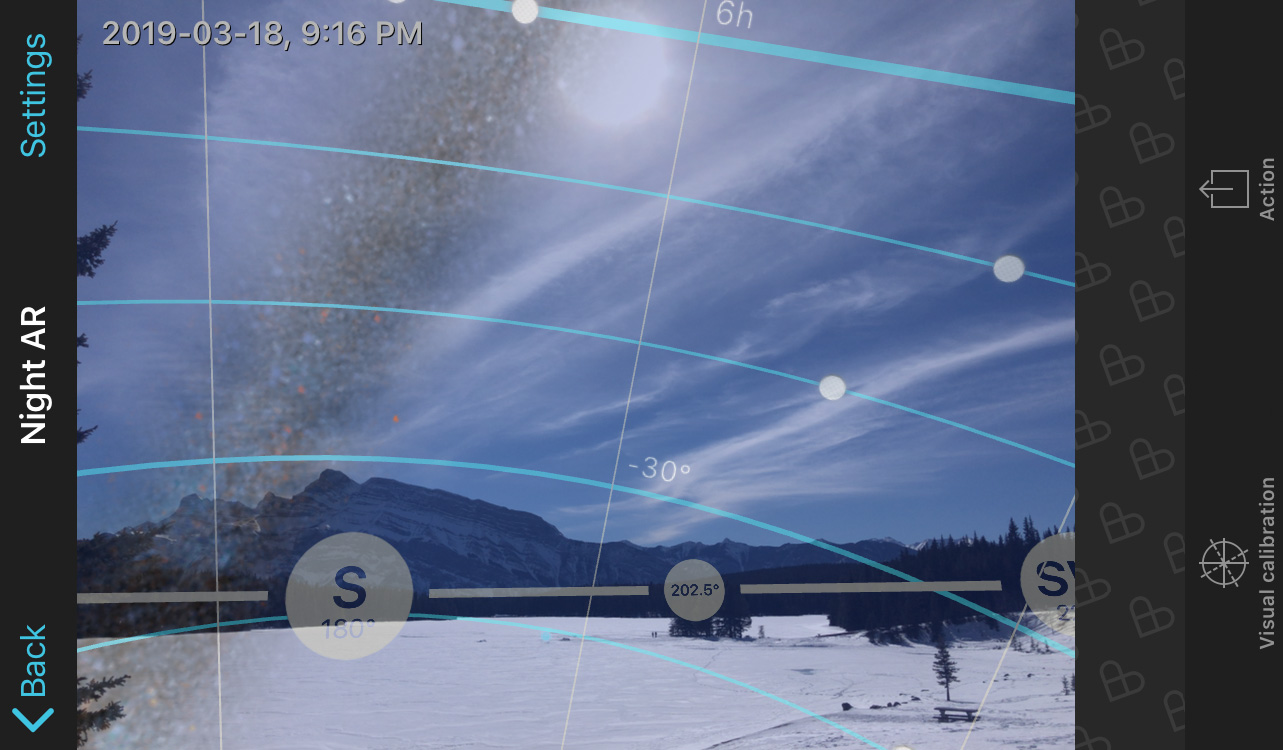
This is a screen shot of the PhotoPills app in its “augmented reality” mode, taken by day during a scouting session at Two Jack, but showing where the Milky Way will be later that night in relation to the real “live” scene shot with the phone’s camera.

PhotoPills
PhotoPills

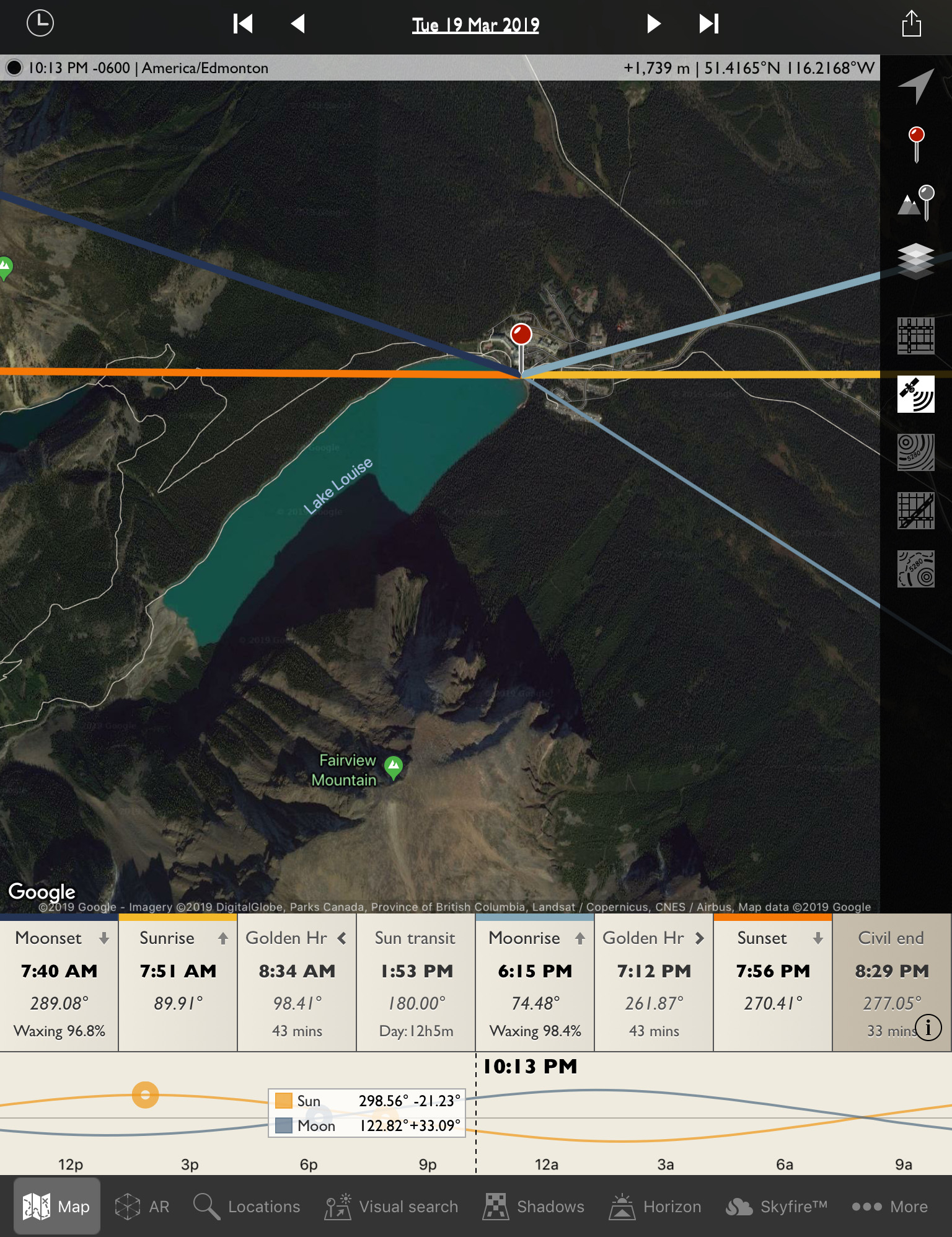
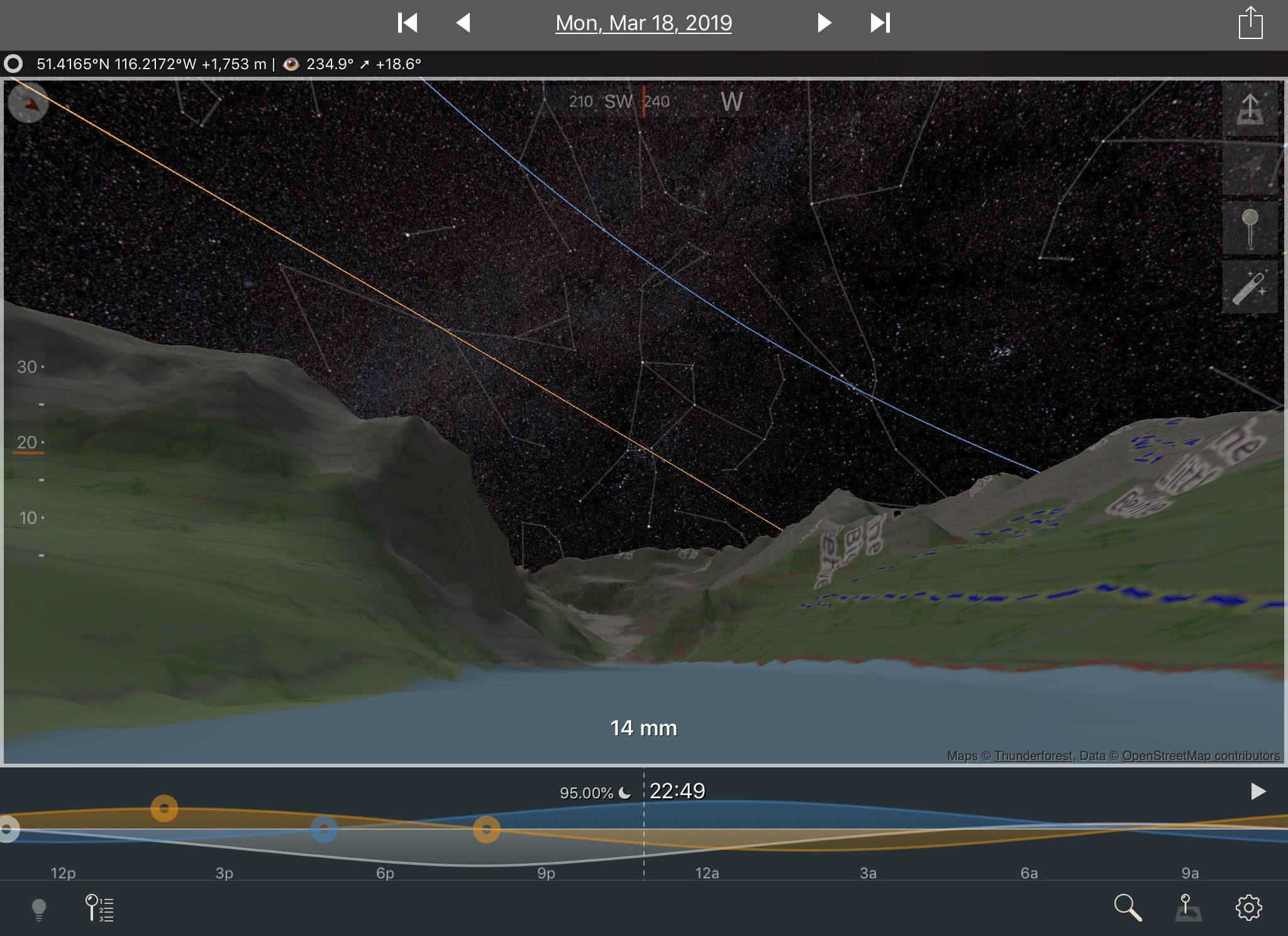
The app I like for planning before the trip is The Photographer’s Ephemeris. This is a shot of the plan for the Lake Louise shoot. The yellow lines are the sunrise and sunset points. The thin blue line at lower right is the angle toward the gibbous Moon at about 10 p.m. on March 19.

TPE
The Photographer’s Ephemeris

Even better than TPE is its companion program TPE 3D, which allows you to preview the scene with the mountain peaks, sky, and illumination all accurately simulated for your chosen location. I am impressed!

TPE 3D
TPE 3D

Compare the simulation above to the real thing below, in a wide 180ยฐ panorama.

Lake Louise Panorama by Winter Moonlight
A panorama of Lake Louise in winter, in Banff National Park, Alberta, taken under the light of the waxing gibbous Moon, off frame here to the left. This was March 19, 2019. This is a crop from the original 16-segment panorama, each segment with the 24mm Sigma Art lens and Nikon D750, oriented โ€œportrait.โ€ Each segment was 8 seconds at f/3.2 and ISO 800.

These sort of moonlit nightscapes are what I started with 25 years ago, as they were what film could do well.

These days, everyone chases after dark sky scenes with the Milky Way, and they do look wonderful, beyond anything film could do. I shoot many myself.ย And I include an entire chapter in my ebook above about shooting the Milky Way.

But … there’s still a beauty in a contrasty moonlit scene with a deep blue sky from moonlight, especially with the winter sky and its population of bright stars and constellations.

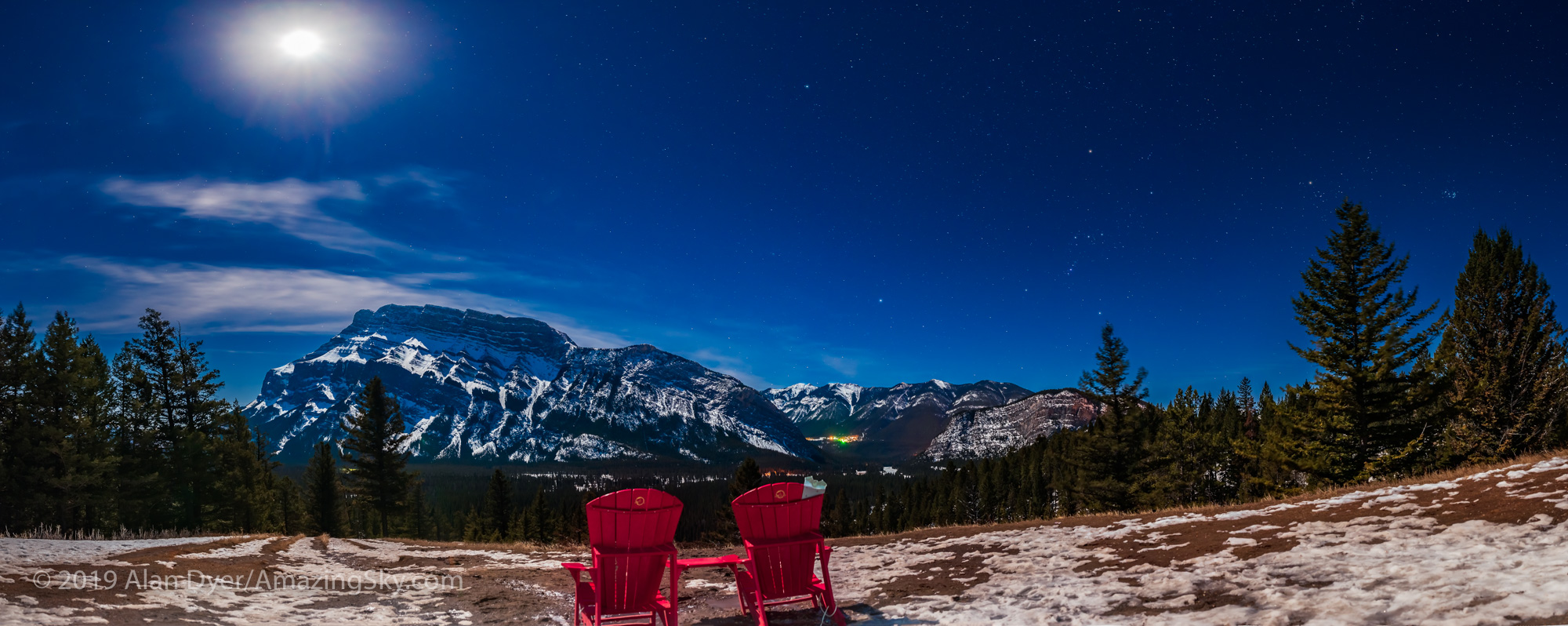
Parks Canada Red Chairs under the Winter Stars at Mount Rundle
These are the iconic red chairs of Parks Canada, here on the Tunnel Mountain Drive viewpoint overlooking the Bow River and Mount Rundle, in Banff National Park, and under the moonlit winter sky. This is a panorama cropped from the original 12-segments, each 15 seconds at f/4 with the Sigma 24mm Art lens and Nikon D750 at ISO 800.

I’m glad the weather and Moon finally cooperated at the right time to allow me to capture these magical moonlit panoramas.

โ€” Alan, March 26, 2019 / ยฉ 2019 Alan Dyer / AmazingSky.com


Red Moon Over the Rockies


Red Moon over the Rockies

Prospects looked bleak for seeing the January 31 total eclipse of the Moon. A little planning, a chase, and a lot of luck made it possible.

A mid-winter eclipse doesn’t bode well. Especially one in the cold dawn hours. Skies could be cloudy. Or, if they are clear, temperatures could be -25ยฐ C.

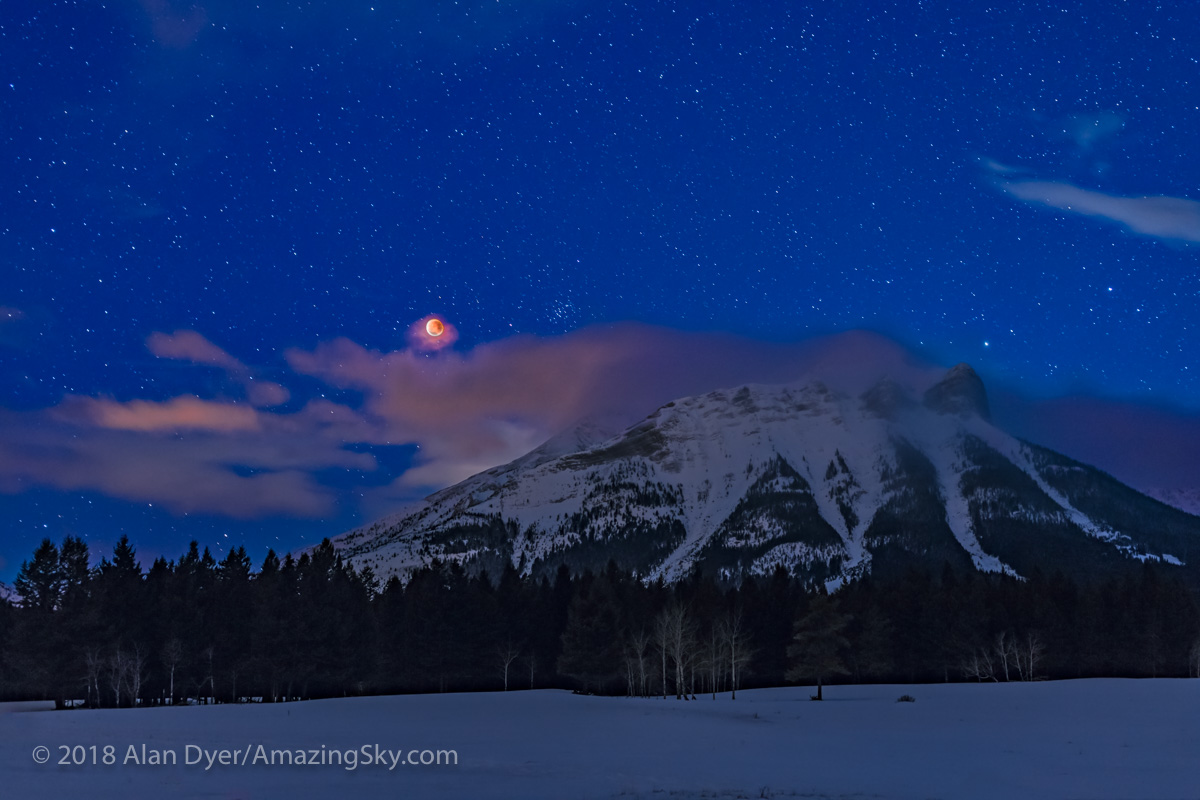
I managed to pull this one off, not just seeing the eclipse of the Moon, but getting a few photos.

The secret was in planning, using some helpful apps …

Starry Night
Starry Nightโ„ข / Simulation Curriculum

Because this eclipse was occurring before dawn for western North America the eclipsed Moon was going to be in the west, setting.

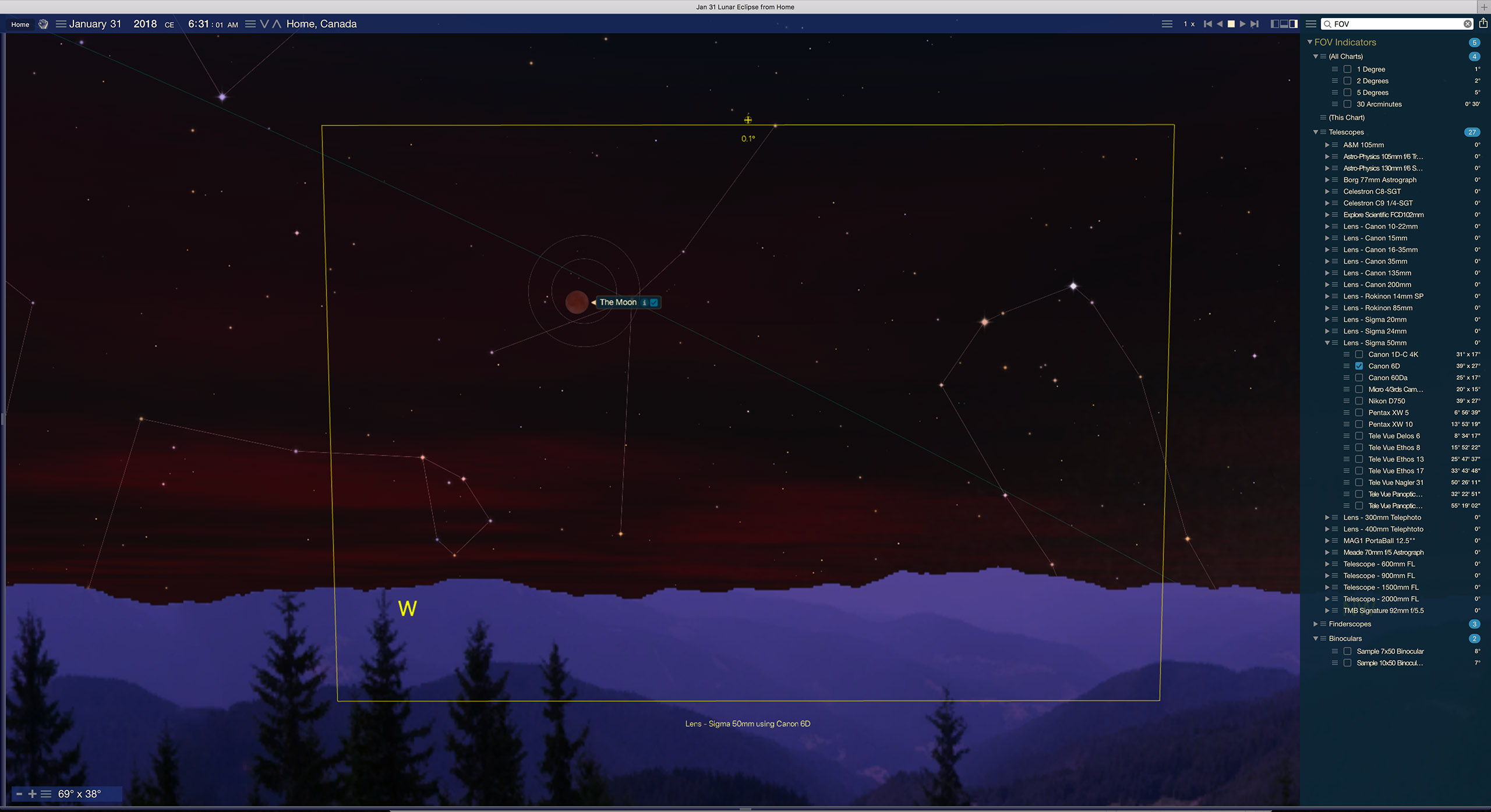
To plan any shoot the first app I turn to is the desktop planetarium program Starry Nightโ„ข.

Shown above, the program simulates the eclipse with the correct timing, accurate appearance, and location in the sky at your site. You can set up indicators for the fields of various lenses, to help you pick a lens. The yellow box shows the field of view of a 50mm lens on my full-frame camera, essential information for framing the scene.

With that information in mind, the plan was to shoot the Moon over the Rocky Mountains, which lie along the western border of Alberta.

The original plan was a site in Banff on the Bow Valley Parkway looking west toward the peaks of the Divide.

But then the next critical information was the weather.

For that I turned to the website ClearDarkSky.com. It uses information from Environment Canada’s Astronomy forecasts and weather maps to predict the likelihood of clouds at your site. The day before the eclipse this is what it showed.

ClearDarkSky
ClearSkyChart

Not good! Home on the prairies was not an option. While Banff looked OK, the best prospects were from farther south in the Crowsnest Pass area of Alberta, as marked. So a chase was in order, involving a half-day drive south.

But what actual site was going to be useful? Where could I set up for the shot I wanted?

Time to break out another app, The Photographer’s Ephemeris. This is for desktop and mobile devices.

TPE
The Photographer’s Ephemeris

I needed a spot off a main highway but drivable to, and with no trees in the way. I did not know the area, but Allison Road looked like a possibility.

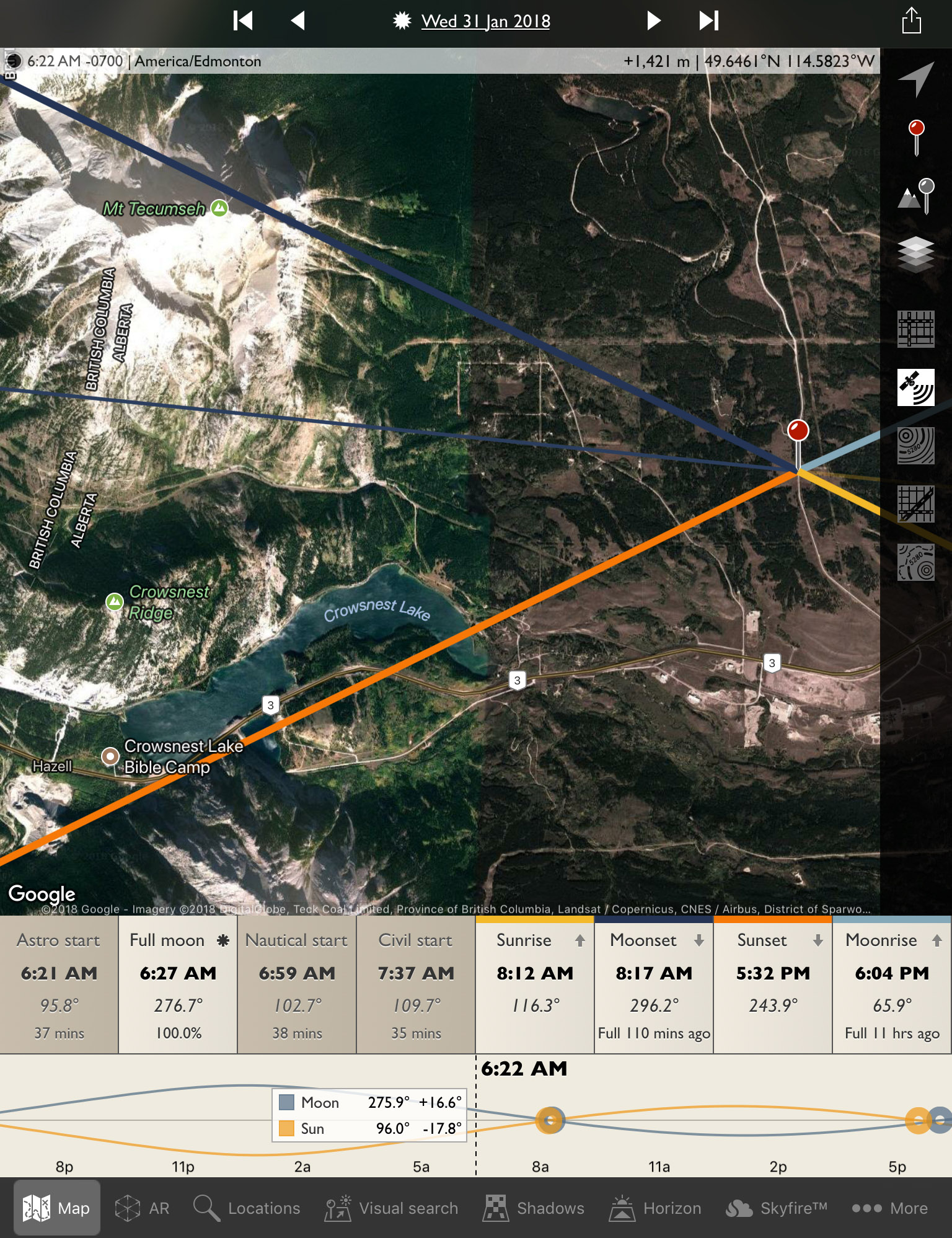
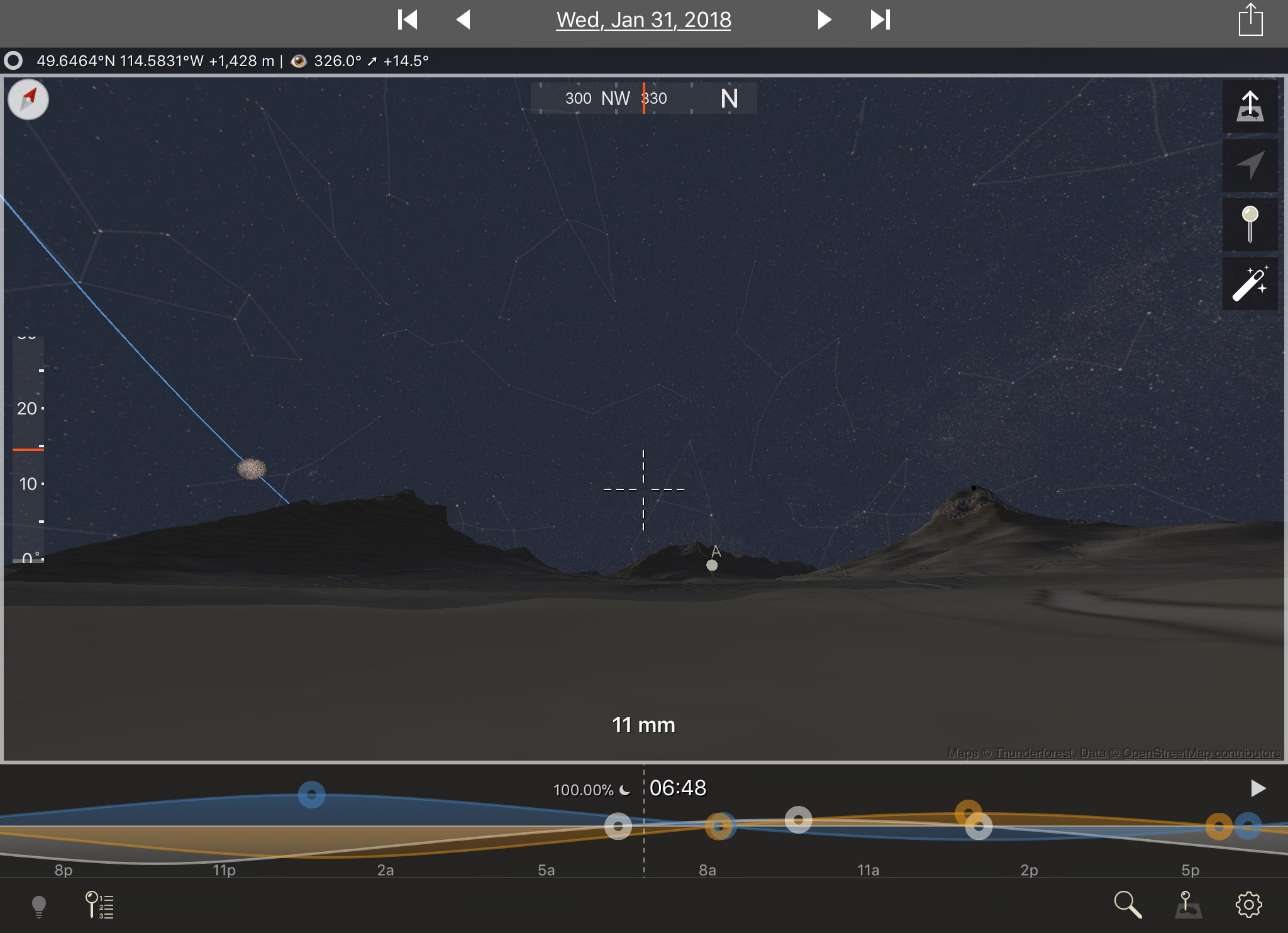
The TPE app shows the direction to the Sun and Moon to help plan images by day. And in its night mode it can show where the Milky Way is. Here, the thin blue line is showing the direction to the Moon during totality, showing it to the south of Mt. Tecumseh. I wanted the Moon over the mountains, but not behind a mountain!

With a possible site picked out, it was time to take a virtual drive with Google Earth.

Google Street View
Google Earth Street View

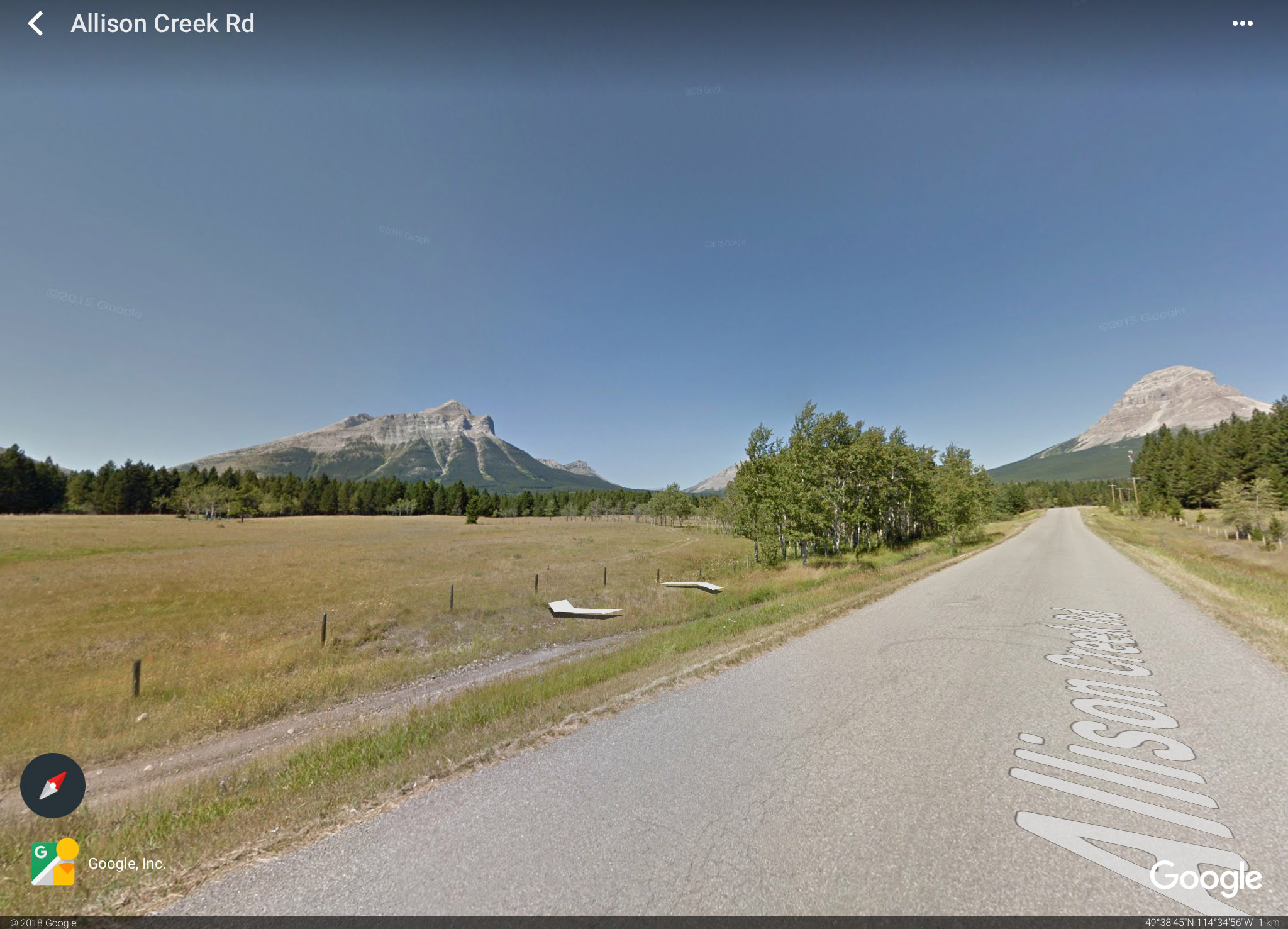
The background map TPE uses is from Google Earth. But the actual Google Earth app also offers the option of a Street View for many locations.

Above is its view from along Allison Road, on the nice summer day when the Google camera car made the drive. But at least this confirms there are no obstructions or ugly elements to spoil the scene, or trees to block the view.

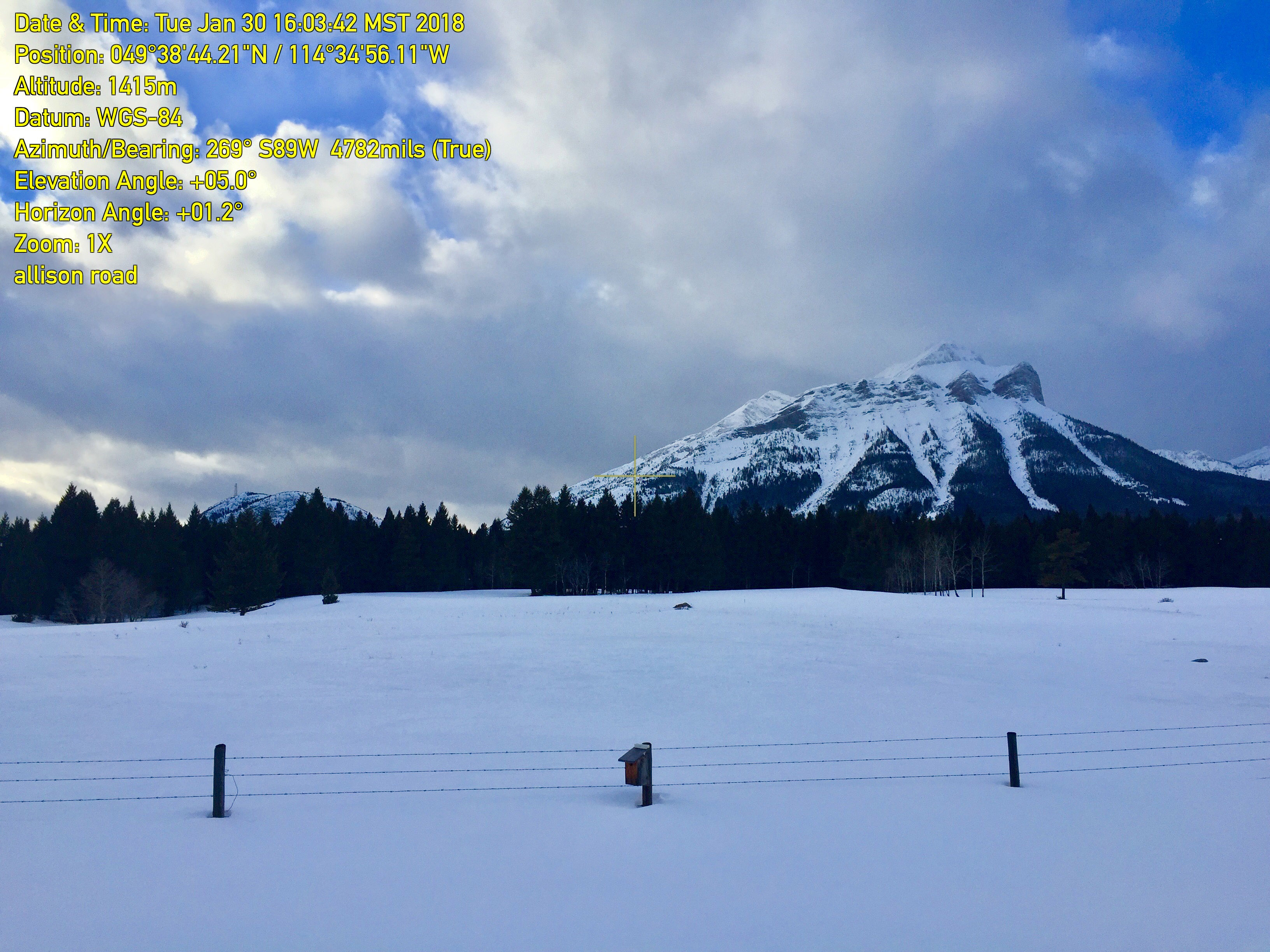
But there’s nothing like being there to be sure. It looks a little different in winter!

vert_angle_deg=5.0 / horiz_angle_deg=1.2
Theodolite App

After driving down to the Crowsnest Pass the morning before, the first order of the day upon arrival was to go to the site before it got dark, to see if it was usable.

I used the mobile app Theodolite to take images (above) that superimpose the altitude and azimuth (direction) where the camera was aimed. It confirms the direction where the Moon will be is in open sky to the left of Tecumseh peak. And the on-site inspection shows I can park there!

All set?

There is one more new and very powerful app that provides another level of planning. From The Photographer’s Ephemeris, you can hand off your position to a companion mobile app (for iOS only) called TPE 3D

TPE 3D 50mm
TPE 3D with 50mm lens field

It provides elevation maps and places you on site, with the actual skyline around you drawn in. And with the Moon and stars in the sky at their correct positions.

While it doesn’t simulate the actual eclipse, it sure shows an accurate sky … and what you’ll frame with your lens with the actual skyline in place.

Compare the simulation, above, to the real thing, below:

Red Moon over the Rockies
This is a blend of a 15-second exposure for the sky and foreground, and a shorter 1-second exposure for the Moon to prevent its disk from being overexposed, despite it being dim and deep red in totality. Both were at f/2.8 with the 50mm Sigma lens on the Canon 6D MkII at ISO 1600.

Pretty amazing!

Zooming out with TPE 3D provides this preview of a panorama I hoped to take.

TPE 3D Panorama
TPE 3D zoomed out for 11mm lens simulation

It shows Cassiopeia (the W of stars at right) over the iconic Crowsnest Mountain, and the stars of Gemini setting to the right of Tecumseh.

Here’s the real thing, in an even wider 180ยฐ view sweeping from south to north. Again, just as predicted!

Red Moon over the Rockies Panorama
The panorama is from 8 segments, each with the 35mm lens at f/2.8 for 15 seconds at ISO 1600 with the Canon 6D MkII. Stitching was with Adobe Camera Raw. The Moon itself is blend of 4 exposures: 15 seconds, 4 seconds, 1 second, and 1/4 second to retain the red disk of the eclipsed Moon while bringing out the stars in the twilight sky.

Between the weather predictions โ€“ which proved spot on โ€“ and the geographical and astronomical planning apps โ€“ which were deadly accurate โ€“ we now have incredible tools to make it easier to plan the shot.

If only we could control the clouds! As it was, the Moon was in and out of clouds throughout the 70 minutes of totality. But I was happy to just get a look, let alone a photo.

Total Lunar Eclipse over the Continental Divide

The next total lunar eclipse is in six months, on July 27, 2018, but in an event visible only from the eastern hemisphere.

The next TLE for North America is a more convenient evening event on January 20, 2019. That will be another winter eclipse requiring careful planning!

Clear skies!

โ€” Alan, February 1, 2018 / ยฉ 2018 Alan Dyer / AmazingSky.com

Urban Orion


Urban Nightscape โ€“ Orion over Calgary

On a very clear night, Orion shines over the skyline of Calgary.

As I live in the country, it’s not often I shoot the stars from urban sites, and certainly not from downtown Calgary. But the combination of a clear night and a speaking commitment in Calgary provided a chance to see what was possible under ideal conditions.

The lead image is real โ€“ I did not paste an image of the sky taken at some other time or place over the skyline image.

However, the sky image is a longer exposure (10 seconds) than the ground (3 seconds) in order to bring out the stars better, while keeping the city lights under control with no overexposure. So it is sort of a high dynamic range blend.

The other factor that helped reveal stars as faint as shown here (fainter than what the naked eye can see) is the use of a light pollution reduction filter (a NISI Natural Night filter) to penetrate the yellow sky glow and provide a more pleasing colour to the sky.

Earlier in the night, during twilight when urban light pollution is not so much of an issue, I shot the waxing crescent Moon setting over the skyline.

Crresent Moon over Calgary

This is a panorama image made from high dynamic range blends of various exposures, to again accommodate the large range in brightness in the scene. But I did not use the NISI filter here.

These images demonstrate how you can get fine astronomy images even from urban sites, with planning and timing.

To that end, I used my favourite app, The Photographer’s Ephemeris, to determine where the sky elements would be as seen from a couple of viewpoints over the city that I’ve used in the past.

The blue spheres in the left image of TPE in its Night mode represent the Milky Way. That chart also shows the direction toward Orion over the city core.

The right image of TPE in its Day mode shows the position of the Moon at 6 pm that evening, again showing it to the left of the urban core.

Other apps are capable of providing the same information, but I like TPE for its ease of use.

Clear skies!

โ€” Alan, January 20, 2018 / ยฉ 2018 Alan Dyer / AmazingSky.comย 


A Night at Moraine Lake


Aurora over Desolation Valley PanoramaWhat a night this was – perfect skies overย an iconic location in the Rockies. And an aurora to top it off!

On August 31 I took advantage of a rare clear night in the forecast and headed to Banff and Moraine Lake for a night of shooting. The goal was to shoot a time-lapse and stills of the Milky Way over the lake.

The handy planning app, The Photographer’s Ephemeris, showed me (as below) that the Milky Way and galactic centre (the large circles) would be ideally placed over the end of the lake as astronomical twilight ended at 10:30 p.m. I began the shoot at 10 p.m. as the sky still had some twilight blue in it.

Moraine Lake TPE

I planned to shoot 600 frames for a time-lapse. From those I would extract select frames to create a still image. The result is below.

Milky Way over Moraine Lake
This is looking southwest with the images taken about 11:15 pm on August 31, 2016.The ground is illuminated by a mix of starlight, lights from the Moraine Lake Lodge, and from a display of aurora brightening behind the camera to the north.ย The starclouds of Scutum and Sagittarius are just above the peaks of the Valley of Ten Peaks. This is a stack of 16 images for the ground, mean combined to smooth noise, and one exposure for the sky, untracked, all 15 seconds at f/2 with the Sigma 20mm Art lens and Nikon D750 at ISO 6400. The frames are part of a 450-frame time-lapse.

As the caption explains, the still is a composite of one exposure for the sky and 16 in succession for the ground, averaged together in a technique to smooth noise. The camera wasn’t tracking the sky, so stacking sky images isn’t feasible, as much as I might like to have the lower noise there, too. (There are programs that attempt to align and stack the moving sky but I’ve never found they work well.)

About midnight, the Valley ofย Ten Peaks around the lake began to light up. An aurora was getting active in the opposite direction, to the north. With 450 frames shot, I stopped the Milky Way time-lapse and turned the camera the other way. (I was lazy and hadn’tย hefted a second camera and tripod up the steep hill to the viewpoint.)

The lead-image panorama is the first result, showing the sweeping arc of Northern Lights over Desolation Valley.

Aurora over Desolation Valley #2
The Northern Lights in a fine Level 4 to 5 display over Desolation Valley at Moraine Lake, Banff National Park, on the night of August 31/Sept 1. This is one frame from a 450-frame time-lapse with the aurora at its best. This is a 2-second exposure at f/2 with the Sigma 20mm Art lens and Nikon D750 at ISO 5000.

Still images shot, I began a time-lapse of the Lights, grabbing another 450 frames, this time using just 2-second exposures at f/1.6 for a rapid cadence time-lapse to help freeze the motion of the curtains.

The final movies and stills are in a music video here:


I ended the night with a parting shot of the Pleiades and the winter stars rising behind the Tower of Babel formation. I last photographedย that scene with those same stars in the 1980s using 6×7 film.

Aurora and Winter Stars Rising over Tower of Babel
The early winter stars rising behind the Tower of Babel formation at Moraine Lake, Banff National Park, with a bright aurora to the north at left. Visible are the Pleiades at centre, and Capella and the stars of Auriga at left. Just above the mountain are the Hyades and Taurus rising. At top are the stars of Perseus. Aries is just above the peak of Babel. The aurora in part lights the landscape green. This is a stack of 16 images for the ground, mean combined to smooth noise, and 1 image for the sky, untracked, all for 15 seconds at f/2.2 with the Sigma 20mm Art lens, and Nikon D750 at ISO 3200. All with LENR turned on.

In a summer of clouds and storms, this was a night to make up for it.

โ€” Alan, September 4, 2016 / ยฉ 2016 Alan Dyer / www.amazingsky.com

Member of The World at Night photo group

TWAN-black


The “Blue Moon” over Calgary


The Full Moon of July 31, 2015, an infamous โ€œblue Moonโ€, the second Full Moon of July, rising over the skyline of Calgary, Alberta. This is one frame of a 480-frame time-lapse sequence taken with the Canon 60Da and 28-105mm lens. The location was Toronto Crescent.

The much-publicized “Blue Moon” of July rises over the skyline of Calgary.

Last night, July 31, many people looked east to see a wonderful moonrise. Did it look different thanย any other moonrise? No. But did it look great? You bet.

I set up myย cameras at a site in northwest Calgary, picked for its sightline looking east-southeast over the downtown core of Calgary and directly toward the moonrise point.

I used the software The Photographer’s Ephemeris to plan the location and angles. It is wonderful for making sure you are in the right place at the right time for catching a photogenic moonset or moonset.

Here’s the screen shot from TPE that showed me where to be Friday evening. The blue line aimsย to the moonrise point.

IMG_2473

Of course, despite the planning the Moon did not look blue! Blue Moons, as they have come to be defined, never do. The term now means the second Full Moon in a calendar month. We had a Full Moon on Canada Day, July 1, and then enjoyed a second July Full Moon one lunar cycle later on July 31.

I shot the scene with two cameras, each shooting hundreds of frames for time-lapses, from which I extracted still images.

A short 1-minute music video of the result is here at Vimeo. Enlarge the screen and be sure HD is selected.


As a technical note, for the processing I used the latest version 4.2 of LRTimelapse and its new “Visual Deflicker” workflow which very nicely smooths out all the frame-to-frame flickering that can plague daytime and twilight shots taken under Auto Exposure.

Whileย the shutter speed does constantly decrease, it does so in 1/3rd-f/stop steps, yielding stair-step jumps in brightness. LRT smooths all that out, with v4.2 doing a much better job than earlier versions.

Thanks for watching!

โ€” Alan, August 1, 2015 / ยฉ 2015 Alan Dyer / www.amazingsky.comย